


I believe everyone still remembers that LINE added “LINE avatar” This function allows users to create their own virtual avatar as a personal photo sticker and other applications. However, in addition to photos, videos or avatars, as long as you know how to use the built-in functions of LINE, you can also use “plain text” as your personal photo post! For users who don’t know which picture to change as their photo for the moment, or who want to express moments when they are on vacation that they don’t want to be disturbed, it is also a good idea to use plain text as their photo.
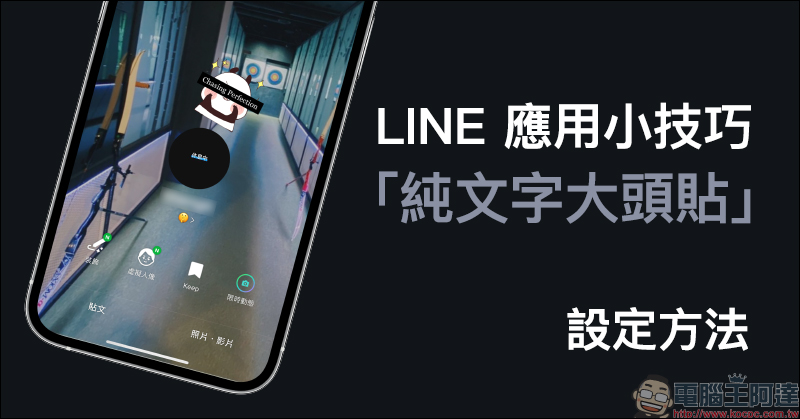
LINE application tips: How to set up “Text-only photo stickers”, another option besides photos and avatars
When the LINE avatar function was first launched, we already demonstrated it for everyone. LINE avatar operation tutorial (click me for review), this time I will share another LINE application tip for using “plain text” as a photo post. If you have been troubled by choosing LINE personal photo post in the past, you might as well learn and use it this time!
First, click the “Settings” button on the LINE homepage to enter the settings page, and select your profile:
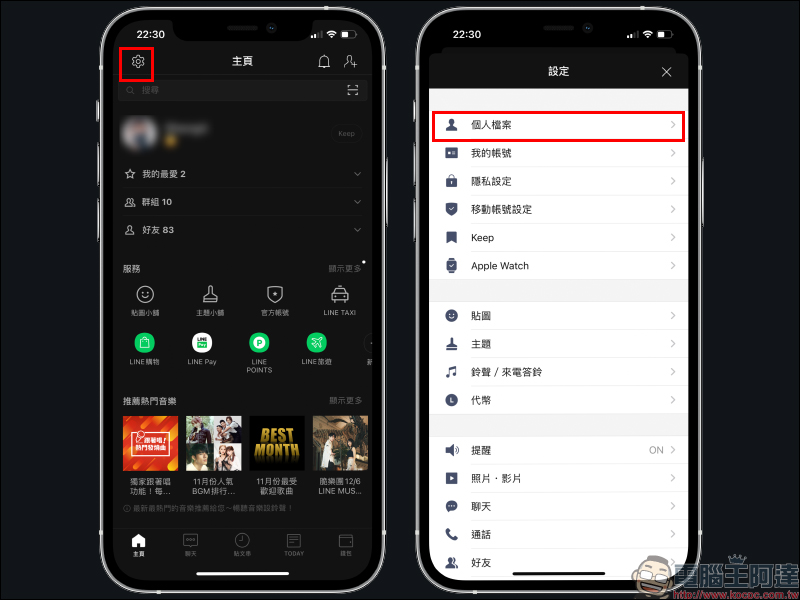
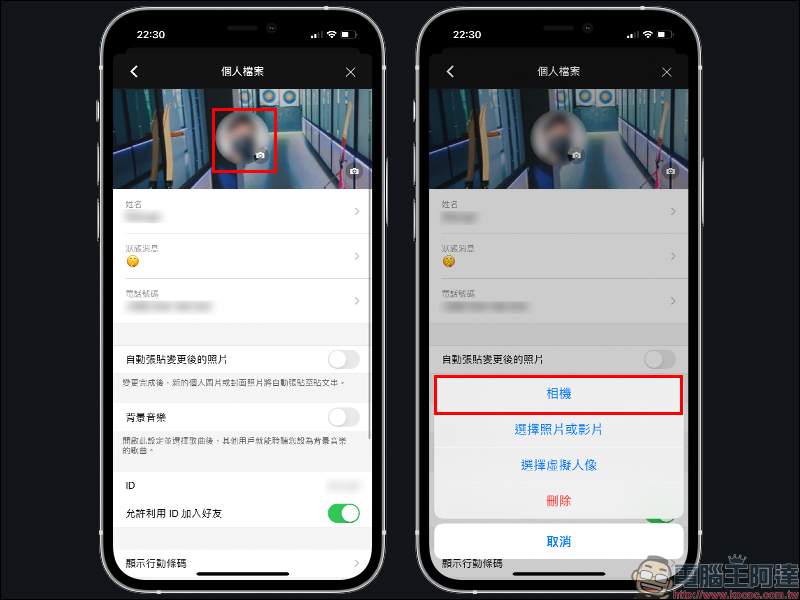
Then click on the photo sticker on the personal profile page. At this time, you can see a variety of photo sticker setting options. This time we choose “Camera”:
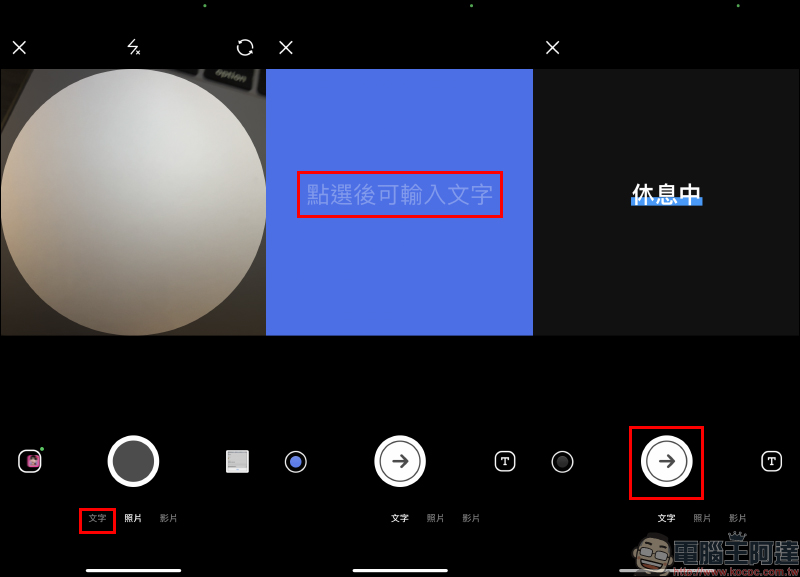
In the past, when selecting “Camera” to set up a photo, most users would think that this meant directly using the built-in camera in the LINE App to take new photos or videos to use as a photo. In fact, there is also a “Text” option here. After selecting the text, you can enter the text you want to use as a photo on the page. The user can click the “T” button in the lower right corner of the screen to switch the text effect. After selecting, the user can select the “→” button to proceed to the next step:
Then the user can further edit decorations such as stickers on this text-only photo sticker on the editing page, and click “Finish” to apply the new photo sticker:
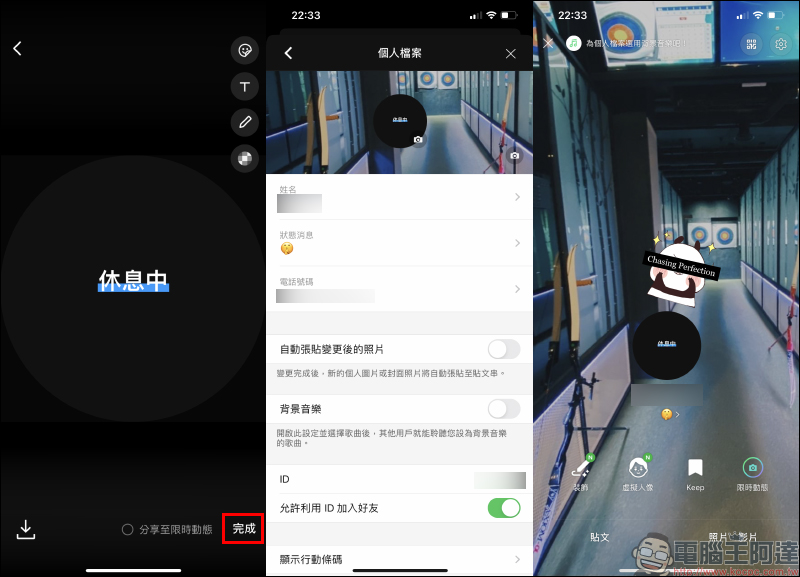
In this way, LINE users can not only set status messages in their personal files to share their current situation and mood, but also use plain text to directly set it on LINE’s personal photo post. When a friend does not see the status message from the friend list, this method can let the other party know through the photo post that it is inconvenient to reply to the message before sending the message. If you don’t want to be disturbed sometimes, you can consider this method!
Further reading:
LINE official trailer LINE application interface will be completely revamped (sneak peek)
LINE application tips: How to turn on or off the “line wrapping” function of chat messages?
Collection of 15 free stickers for LINE, a large variety of LINE stickers for free download
Source: KOCPC Chinese