

• About Us
King of Computer Media
  • Home
  • Tech News
  • AI News
  • Apps & Tutorials
  • Mobile & Telecom
  • Lifestyle
  • About Us
No Result
View All Result
  • Home
  • Tech News
  • AI News
  • Apps & Tutorials
  • Mobile & Telecom
  • Lifestyle
  • About Us
No Result
View All Result
King of Computer Media
No Result
View All Result

Home - iOS Software and Jailbreak Articles - Google Calendar supports iOS 14 desktop gadgets (settings tutorial)

Google Calendar supports iOS 14 desktop gadgets (settings tutorial)

Shengti by Shengti
November 30, 2020 - Updated on August 4, 2026
in iOS Software and Jailbreak Articles, iPhone/iPad software introduction, iPhone/iPad usage tutorial

After iOS 14 began to support desktop gadget applications, many apps have also gradually opened up to support desktop gadget functions, such as Google’s including Google App or Google Photos、Google News, Gmail, Google Drive and Google Fit are all supported. However, Google Calendar, which is most commonly used by iOS users, has not been supported until recently. Now let’s take a look at how to set up Google Calendar’s iOS 14 desktop gadget!
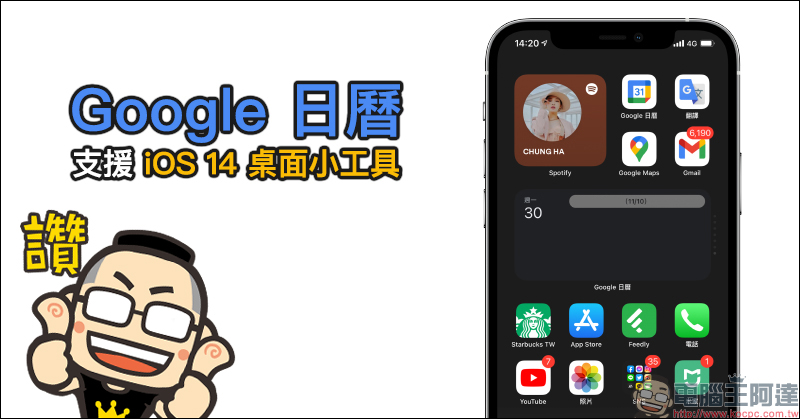
Google Calendar supports iOS 14 desktop gadgets (settings tutorial)

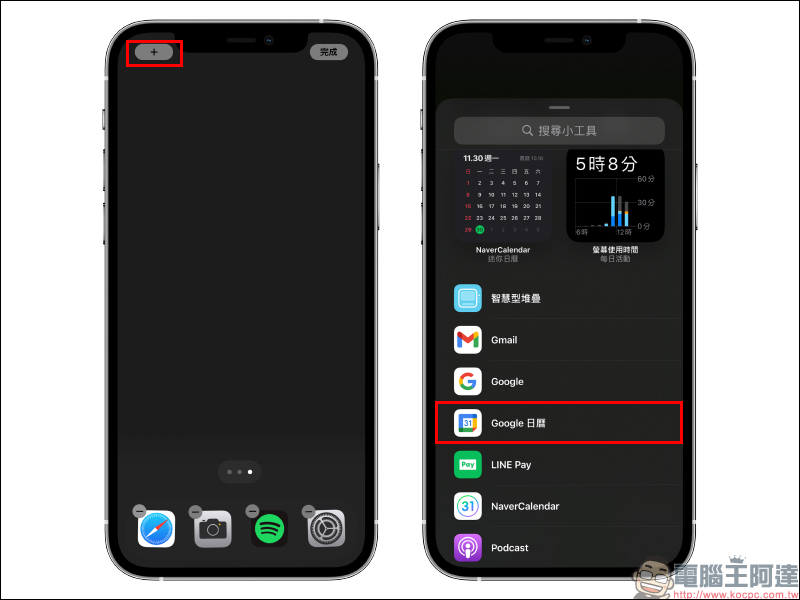
First, after downloading the Google Calendar App, go to the edit home screen page, click the “+” in the upper left corner of the screen to add a desktop gadget, and select Google Calendar in the gadget list. If you have downloaded the Google Calendar App but do not see Google Calendar in the list of new gadgets, it is recommended to open the Google Calendar App first and then follow the steps to add a desktop gadget.
Google Calendar iOS App Download:
Click here to go to (App Store)

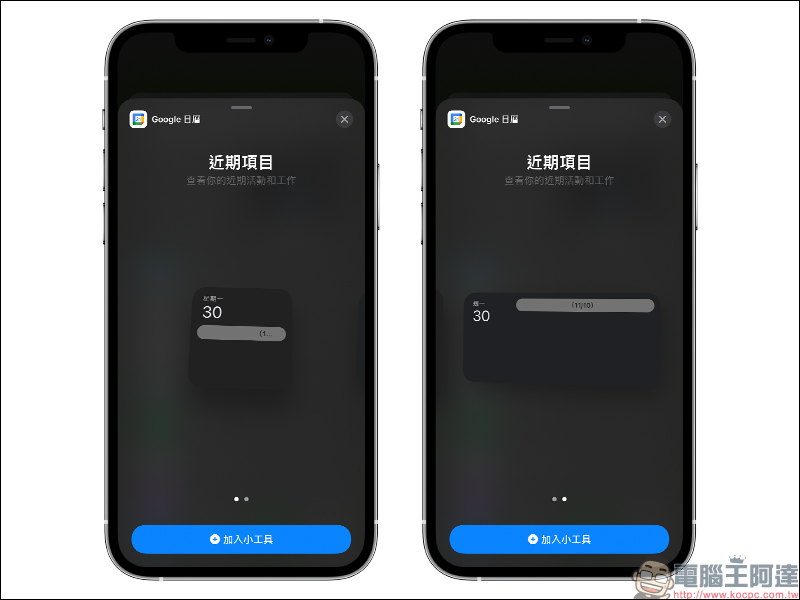
Google Calendar currently supports two sizes of iOS desktop gadgets: 2*2 and 2*4. You can choose a suitable desktop gadget based on your personal iOS home screen layout. You can also preview the effects of gadget activities when selecting the gadget layout:
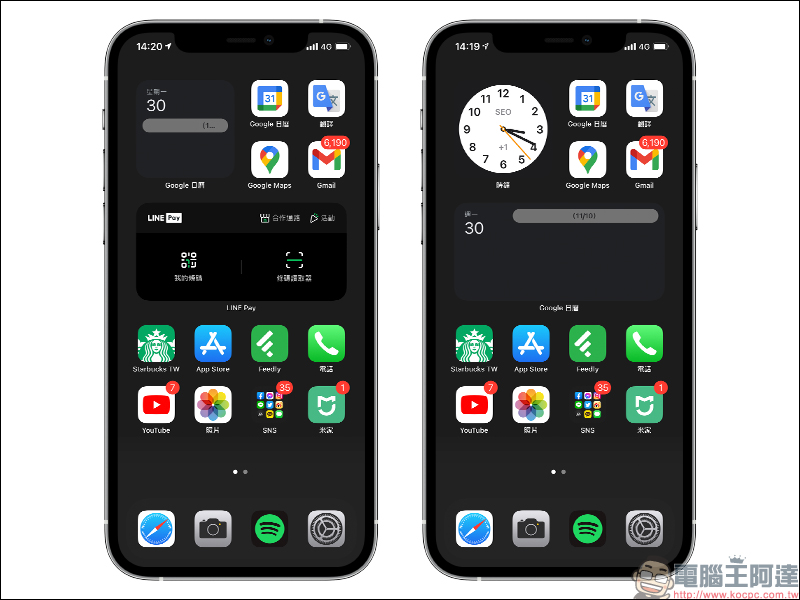
The final actual effect of the Google Calendar desktop gadget is as follows. Users can use the Google Calendar desktop gadget to view all schedules and scheduled events in Google Calendar for “today”. If they want to open Google Calendar to view the complete event content, just click on the gadget to open the Google Calendar App. If you want to save layout space, you can also integrate multiple desktop gadgets through smart stacking:
Google Calendar iOS App Download:
Click here to go to (App Store)

Further reading:
DXOMARK announced the iPhone 12 Pro camera evaluation results: excellent video recording performance, with a total score of 128 points, photo taking 135 points, and video recording 112 points


LINE iOS version also launches the “Chat Room Classification” experimental function: friends, groups, official accounts and social chats are automatically classified!

Source: KOCPC Chinese

Tags: desktop gadgetsGoogleGoogle calendariOS 14iOS 14 Desktop GadgetsiOS desktop gadgetsiOS14

Recent Posts

  • The Xiaomi Pad 8S Pro has passed network access certification and will debut with the self-developed XRING O3 chip.
  • The entire Google Pixel 11 lineup has been leaked! Official promotional renders of the Pixel 11 Pro XL have also surfaced
  • Are Chinese phone battery capacities falsely labeled? A brief look at the “capacity locking” phenomenon in Chinese silicon-carbon batteries.
  • NCC is leaderless, recklessly sending out national-level alert messages!?
  • What does “QR” in QR Code mean?

Recent Comments

No comments to show.
  • About Us

We welcome partnership inquiries and product review opportunities from smartphone manufacturers, iPhone accessory brands, and app developers.koc kocpc.com.tw|Privacy Policy |Hosting & Maintenance: Fast Line Taiwan, A-Chang Digital Technology

No Result
View All Result
  • Home
  • Tech News
  • AI News
  • Apps & Tutorials
  • Mobile & Telecom
  • Lifestyle
  • About Us

We welcome partnership inquiries and product review opportunities from smartphone manufacturers, iPhone accessory brands, and app developers.koc kocpc.com.tw|Privacy Policy |Hosting & Maintenance: Fast Line Taiwan, A-Chang Digital Technology