


Before the official version of iOS 14.2 was released, someone discovered that Apple would add “Music Identification” as a convenient feature in the Control Center starting from iOS 14.2. This feature is deeply integrated with Shazam Music Identification, allowing users to quickly activate the microphone to identify surrounding environmental sounds and identify music tracks even if they do not have the Shazam App installed.
With the launch of the official version of iOS 14.2, this time I will share the tutorial on how to use the music recognition function starting from iOS 14.2, and the most important thing is how to connect it to the music streaming platform after recognition, and jump directly to your favorite platform to play music directly.

Tutorial on how to use the music recognition function of iOS 14.2: search for songs with one click and jump to Apple Music or Spotfiy to play them directly!
In fact, before iOS 14.2, users could activate the music recognition function through the Siri Assistant. However, starting with the iOS 14.2 version, “Music Recognition” is further supported in the iOS Control Center. Therefore, it is recommended to go to Settings to confirm that your iPhone has been updated to iOS 14.2 before doing so.
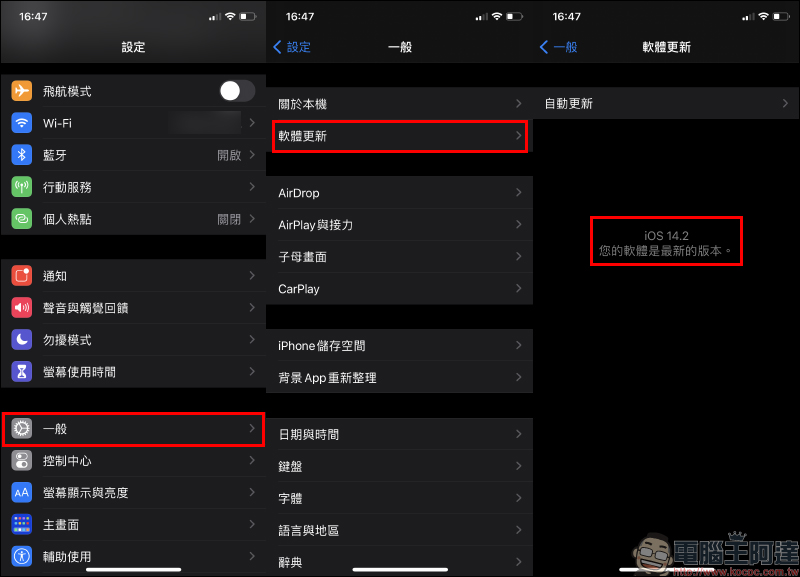
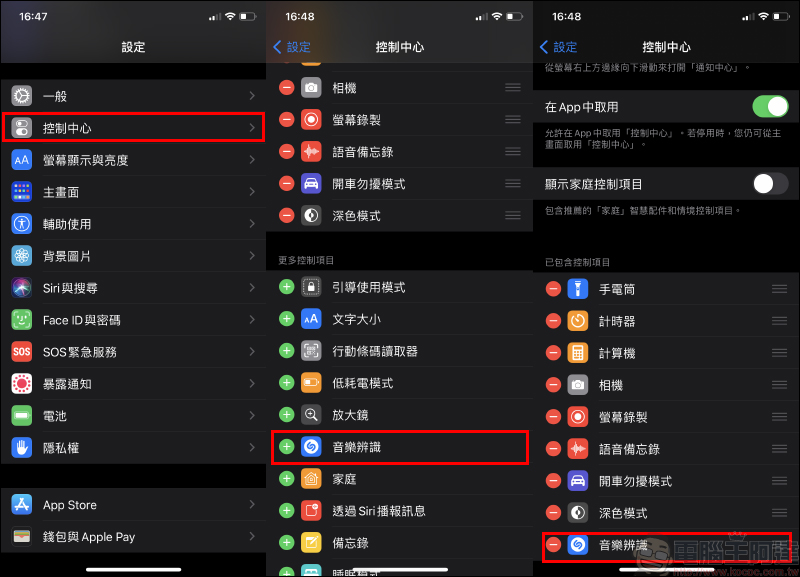
Then select “Control Center” in settings. You can see the “Music Recognition” item in more control items. Click “+” to add it to the control items in the control menu.
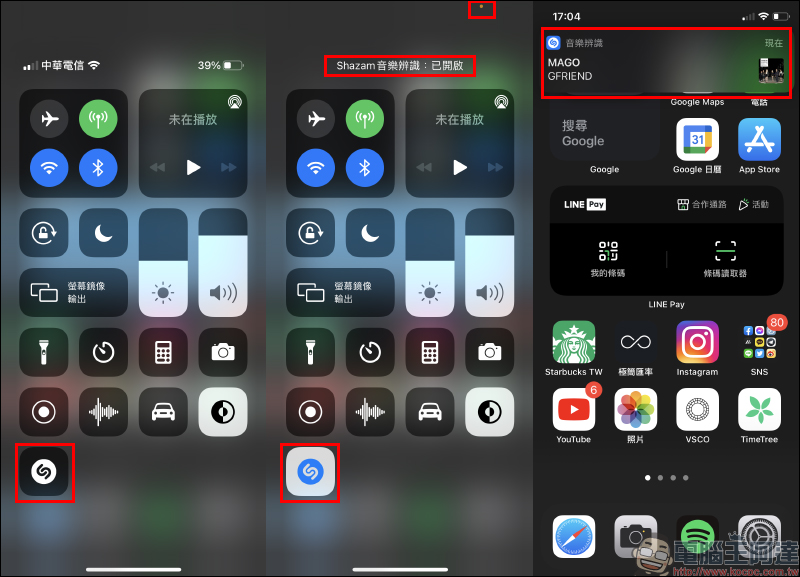
After adding it, pull down to open the control menu, and you will see the music recognition button with Shazam Logo. When there is music playing in the surrounding environment and you want to know which song it is, you no longer need to call Siri Assistant. Just click the music recognition button on the control menu. Then the control menu will display “Shazam Music Recognition: On”. At the same time, the orange light in the upper right corner of the screen indicates that the microphone is running in the background. Wait a few seconds and a notification of the music recognition result will appear on the mask.
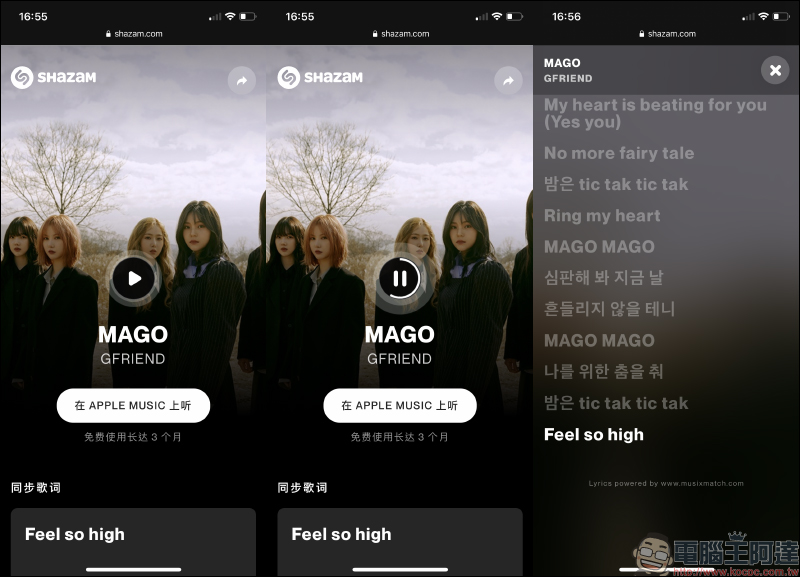
When the user clicks on the notification, if there is no Shazam App on the iPhone, the browser’s Shazam web page will be opened directly and the songs with the music recognition results will be displayed. In addition to clicking “Listen on Apple Music” to jump to the music app and use Apple Music to play, users can also click the play button on the webpage to listen to the music, and slide to the bottom of the webpage to view the lyrics.
How to play music directly through Spotify after successfully identifying the song? (Must download Shazam App)
If you have downloaded the Shazam App, after performing music recognition through the control center in the current segment, clicking on the notification will directly open the Shazam App. Different from the web version of Shazam, the App version still has more complete functions and integration. If you are already using Apple Music or Spotify, the two major music streaming services, you can connect with these two platforms through the Shazam App. After completing the music recognition, you can directly jump to your usual music streaming service to listen to the song.
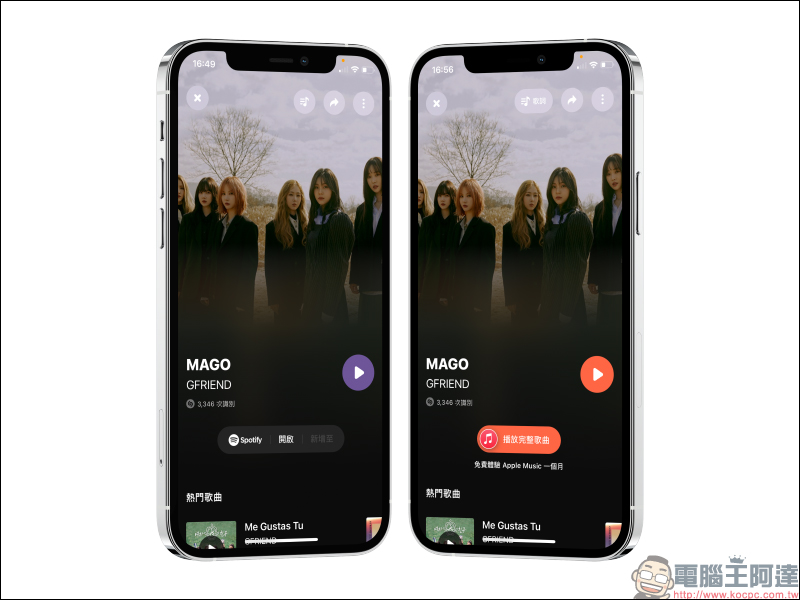
Since the default app that Shazam automatically redirects to is Apple Music, many people mistakenly believe that it can only be used with Apple Music. So can the majority of Spotify users also use the music recognition function and automatically jump to Spotify for music playback? In fact, it is possible, provided that Spotify and Shazam are connected in the Shazam App.
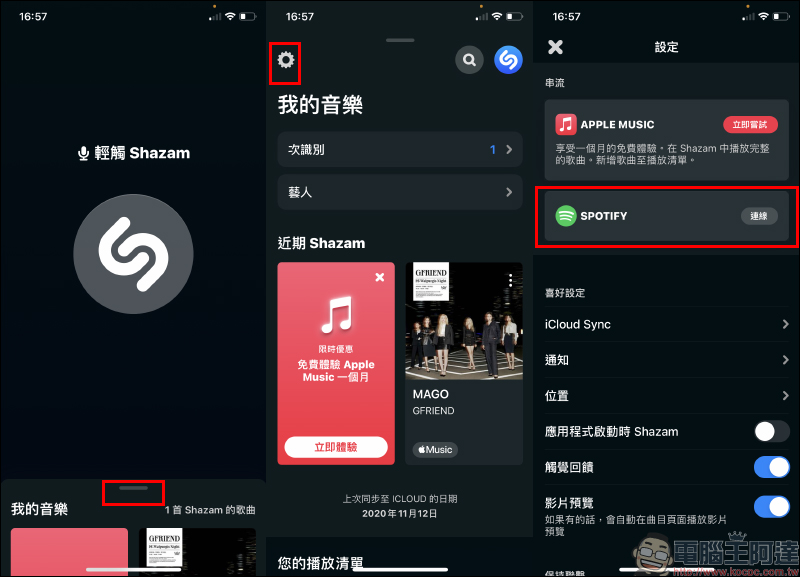
Open the Shazam App and enter the settings page, then click “Connect” in the Spotify field:
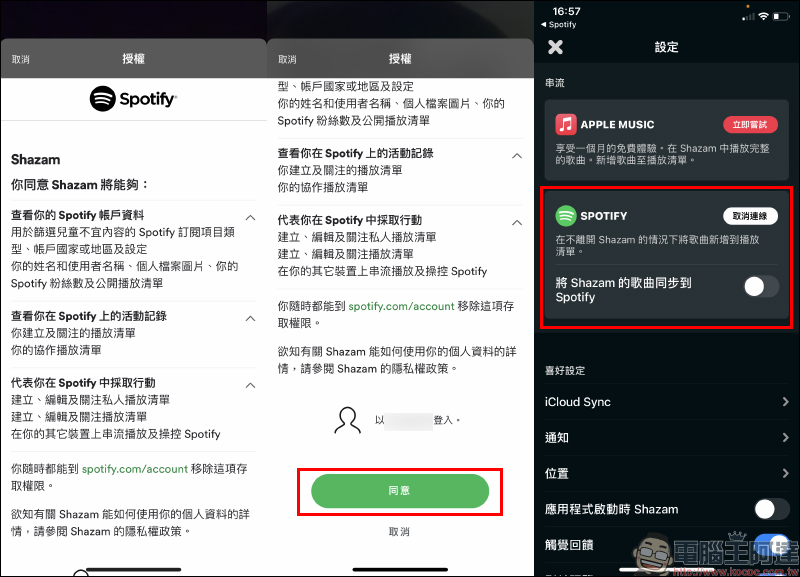
At this time, you need to agree to Shazam’s access to Spotify account information and other content. Click “Agree” to complete the connection.
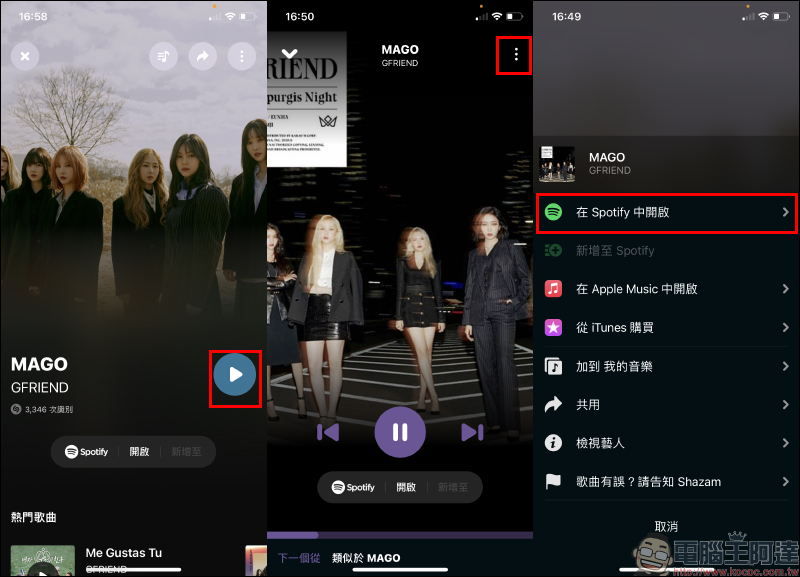
When users connect Spotify to the Shazam App, whether they search for music through the “Music Recognition Function” or identify songs directly through the Shazam App, the search results screen will change to Spotify as the default music platform. Because it is already connected to Spotify, in addition to this song, the artist’s other popular songs, the MV of the song, and other related content can also be organized at the bottom of the screen.
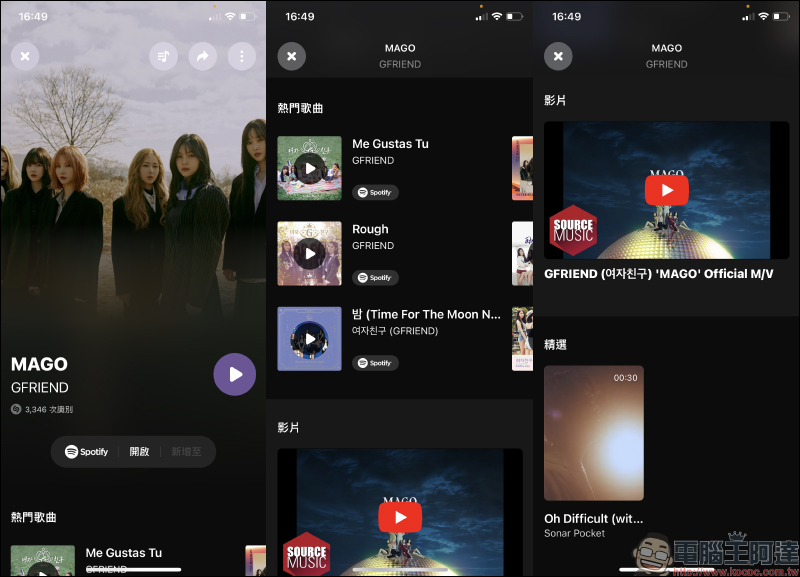
Users can also click the play button in the Shazam App to listen to music. If they want to open the playback page of this song from Spotify, in addition to clicking “Open” below the player on the screen, they can also select the menu in the upper right corner of the screen and select “Open in Spotify” or the option “Play in Apple Music” is also provided below.
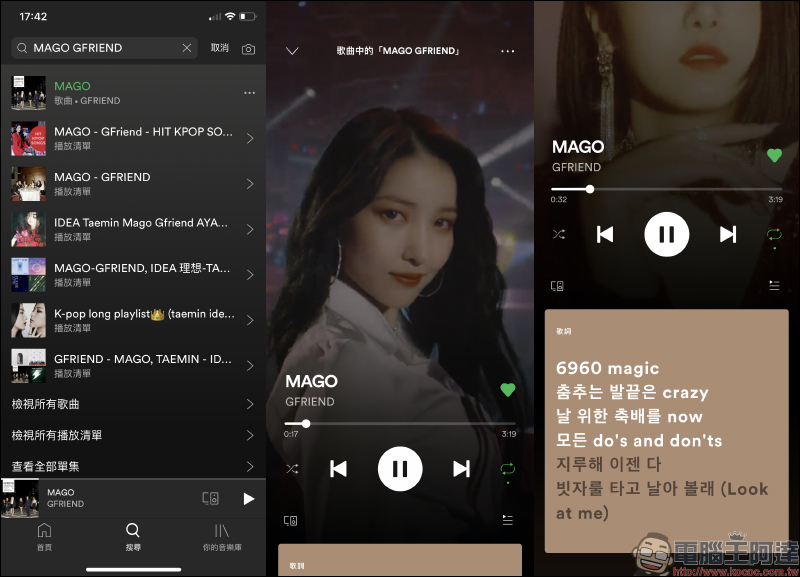
After jumping to the Spotify App, users can directly click play to start playing music. Of course, if the song already supports the dynamic lyrics function on Spotify, you can also directly slide the page to view the lyrics.
Shazam App Download:
iOS version (Click here to download|App Store)|Android version (Click here to download|Google Play Store)
Further reading:
Online shopping price checking tool! TWBuyer.info is an e-commerce historical price query website to check historical price trend changes of products!

Official repair prices for iPhone 12 full series screens and batteries announced
Source: KOCPC Chinese