


Recently, many people have switched to new iPhones. In addition to backing up chat history before switching, LINE account settings are also critical to the success of the switch. However, users who change their mobile phones only once in a long time often forget to check their personal LINE account settings regularly to see if there are any incorrect settings. Today I will share some tips on LINE account health check, which can be done in just 3 steps!
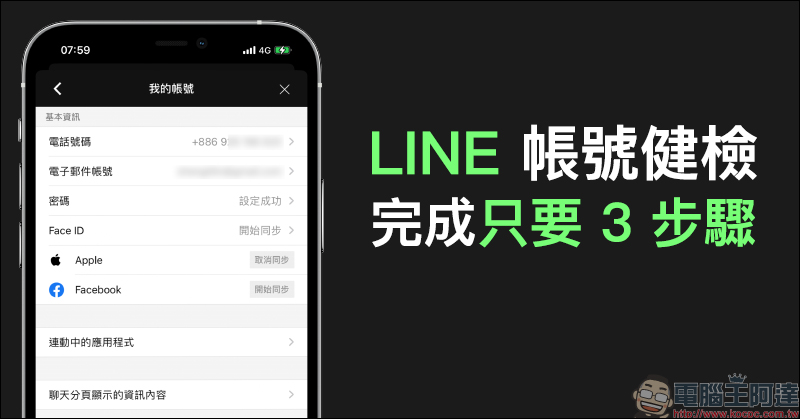
LINE account health check only takes 3 steps! (setting tutorial)
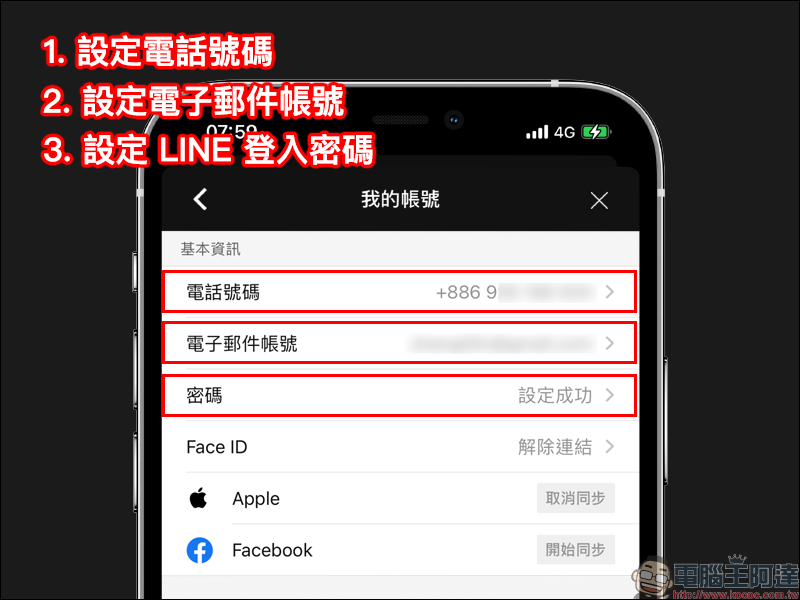
What is LINE account health check? Just like a car needs maintenance, to put it simply, it reminds all LINE users to regularly confirm the settings of their LINE accounts. Except for some reminder notifications and privacy settings, which are slightly different according to the user’s personal habits, the most important thing is to set up the three items of the LINE account, namely “phone number”, email account (Email) and password. In this way, when there is a problem with the phone and the phone needs to be reset or replaced, the LINE account can be retrieved more quickly, and it will also help users have a better and smoother experience using LINE.
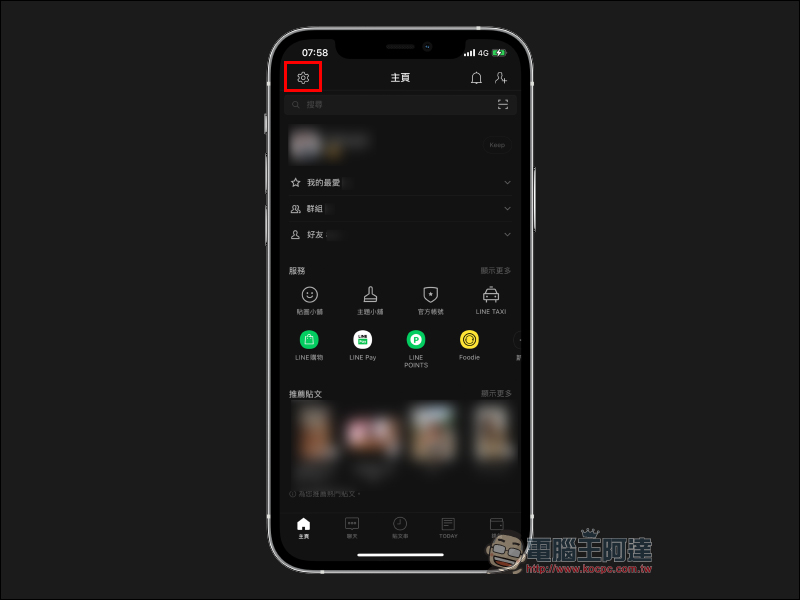
First, click “Settings” (gear button) at the top of the LINE homepage:
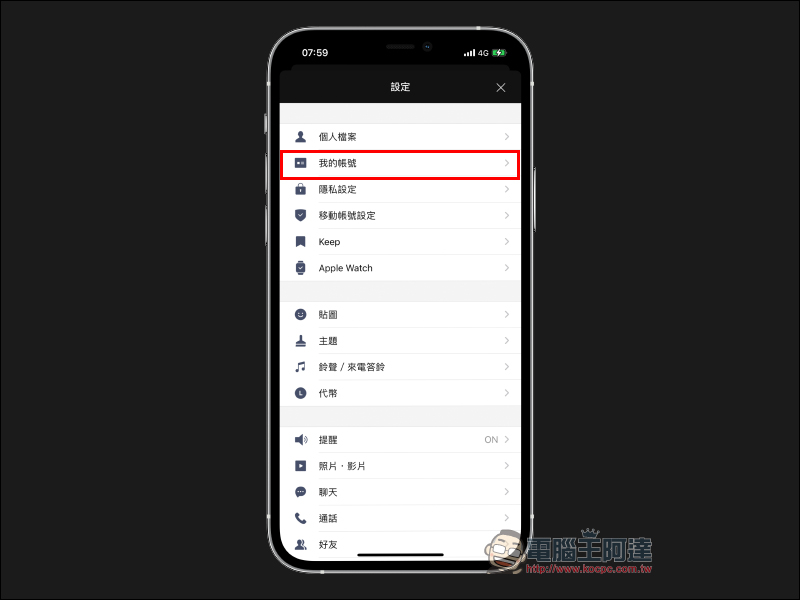
Then find “My Account” on the settings page:
Under the basic information of my account, make sure that the “phone number”, “email account” and “password” are all set up properly.
Why do I need to perform a LINE account health check?
These correct LINE account binding steps will make it smoother for users whether they are changing devices or in daily use. Even if the LINE App is accidentally deleted due to a swipe or various special circumstances require the user to log in to the LINE account again, the LINE account can be quickly retrieved.
Regularly check account settings status
Although under normal circumstances, after setting it up once, there won’t be any big problems. However, it is still recommended that all LINE users still need to maintain the habit of regularly confirming the LINE account settings. In addition, the health check step is very fast. Just open the settings and confirm the contents of my account.
Remember not to lend your “phone number” or “email account” to others for binding
Many people may not understand why they should pay special attention to this last point, but in fact it is the most important one among the three items that I personally think. Because each phone number and email account (Email) can only be bound to one LINE account, what will happen if we do this? When the above two settings most closely related to the LINE account are bound to other accounts, then the account may become “no members” as we shared before, so never lend your phone number or email to others for binding.(Further reading:Why does the LINE chat partner become “No members”? This is not actually blocked by friends)
Source:LINE Taiwan official BLOG
Further reading:
DXOMARK announced the iPhone 12 Pro camera evaluation results: excellent video recording performance, with a total score of 128 points, photo taking 135 points, and video recording 112 points

Source: KOCPC Chinese