


For Android users who have been using current smartphones for a period of time, it is inevitable that they will be tired of the UI interface of the current mobile phone brand. Sometimes I always feel that other companies’ designs are better looking, but my wallet doesn’t allow me to replace my phone with a new one.
Today I will share a super convenient Android App “Ultra Volume” that can easily customize the volume adjustment window. Whether it is the native Google Android 10 or Xiaomi MIUI, OnePlus Oxygen, OPPO ColorOS or even Apple’s iOS, users can switch the volume adjustment window design of each brand’s user interface with one click.
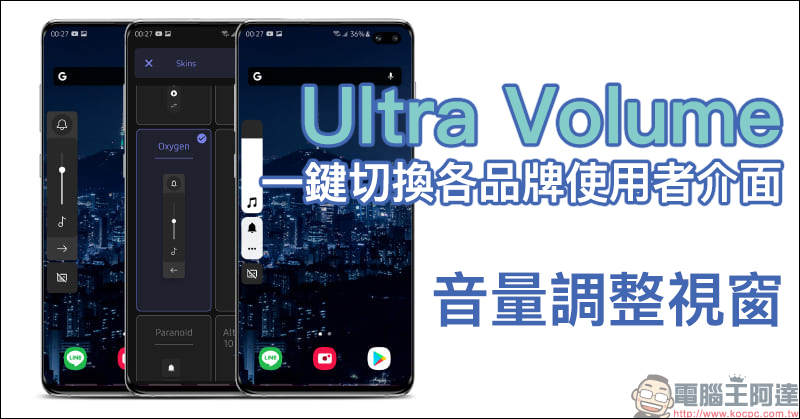
Ultra Volume Android App: Switch user interfaces of various brands of mobile phones with one click and customize the volume adjustment window!
The Ultra Volume App shared this time is free to download. At the same time, the volume adjustment window of a few systems (such as iOS) requires additional payment to unlock and purchase. However, if you like the preview trial, and to be honest, if you will use it regularly, you can upgrade it to the Ultra Volume Pro professional version to unlock all styles, remove ads and various settings. It only costs 65 yuan, which is not expensive. If you want to use it for free, most of the other designs can still satisfy the vast majority of users.
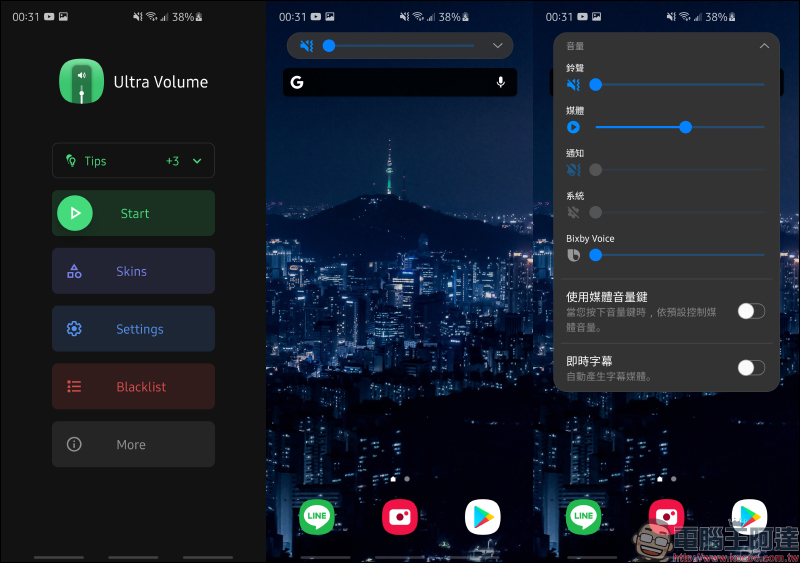
When opening Ultra Volume App for the first time, you need to allow access permissions. Click Agree (ACCEPT) and then select the panel (Skins) on the main screen:
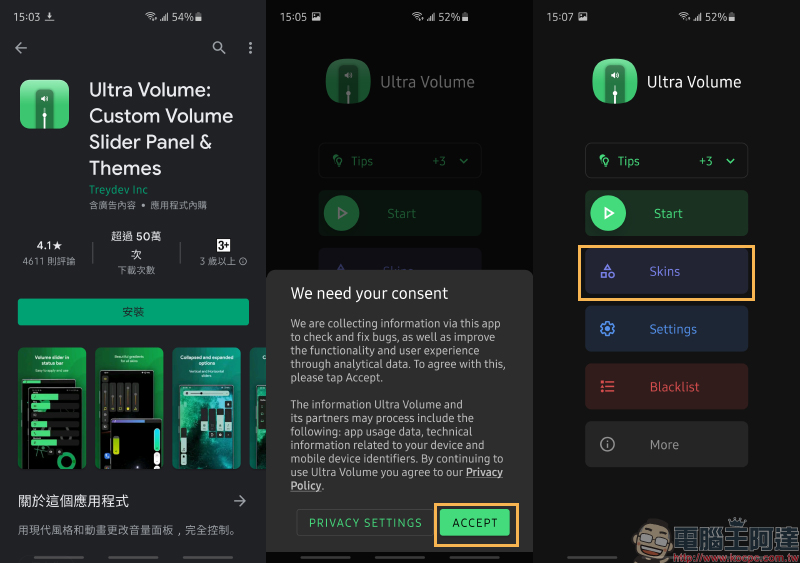
Ultra Volume App Download:
Click me to go to (Google Play Store)
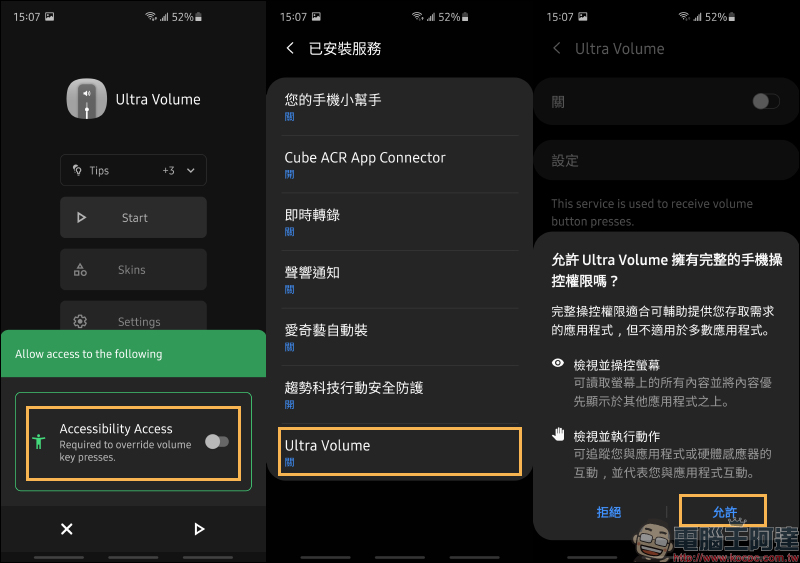
When using it for the first time, you need to allow the operation permission in this step, just turn it on.
Next, just click the “Start” button on the Ultra Volume home screen, and whenever you adjust the volume, the volume window set by Ultra Volume will be replaced.
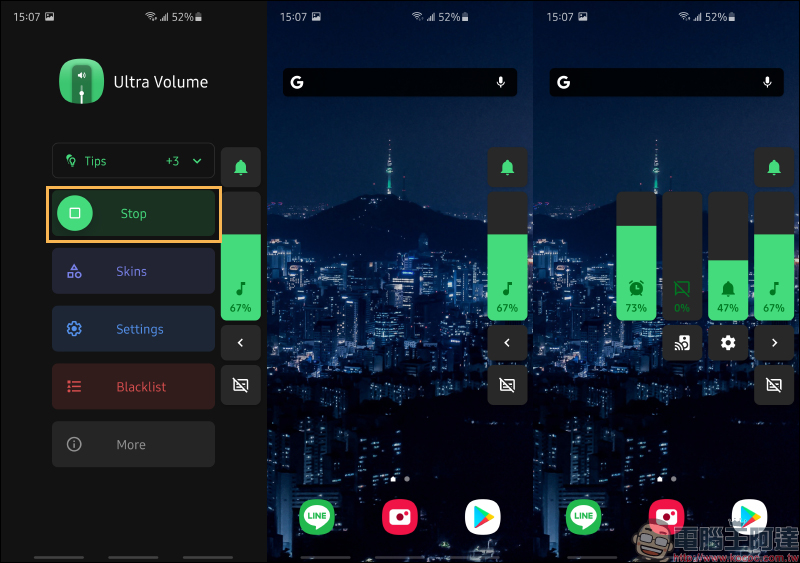
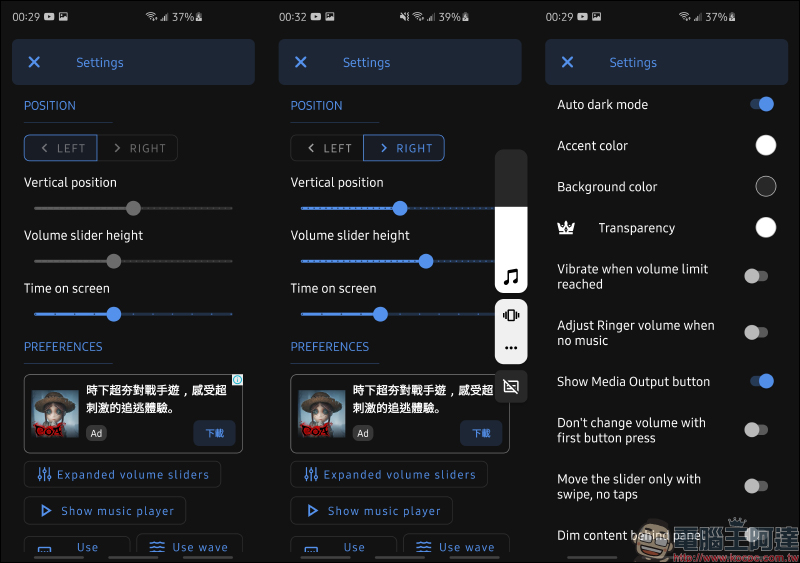
Users can also adjust the position, color, size, function and other settings of the volume adjustment window on the settings page according to their personal usage habits.
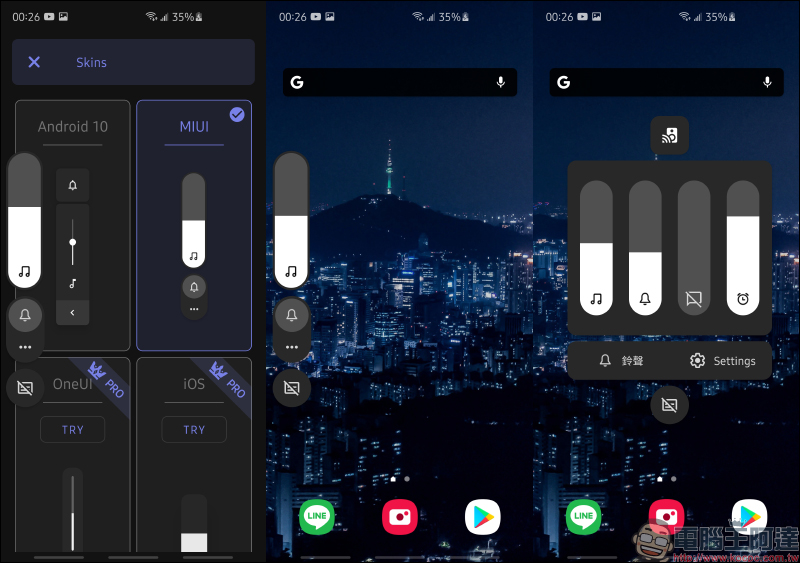
If you want to use the volume window design of each brand’s user interface, just go to the panel (Skins) and click until a check icon appears next to the option. First, take Xiaomi’s MIUI as an example. The volume adjustment control window presented is just like Xiaomi’s own MIUI, even though the author is currently using a Samsung One UI user interface mobile phone.
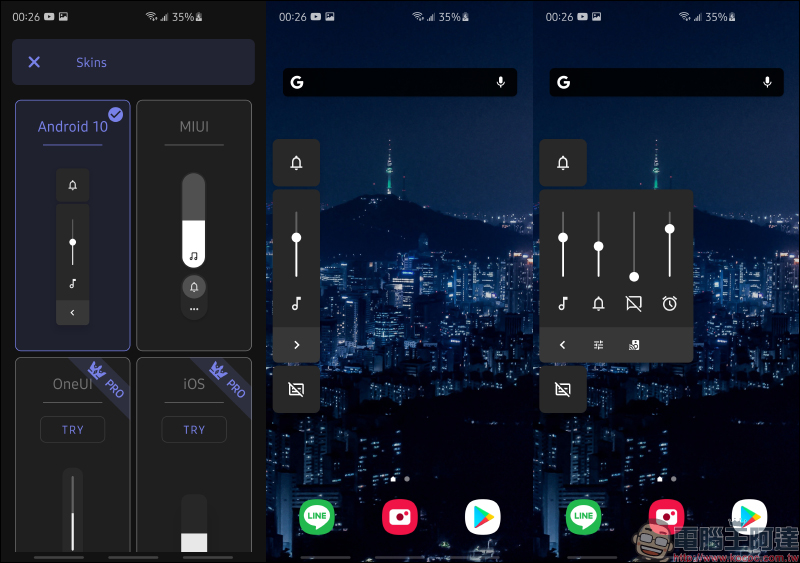
If you want to experience the Android 10 volume adjustment window native to Google, just select Android 10:
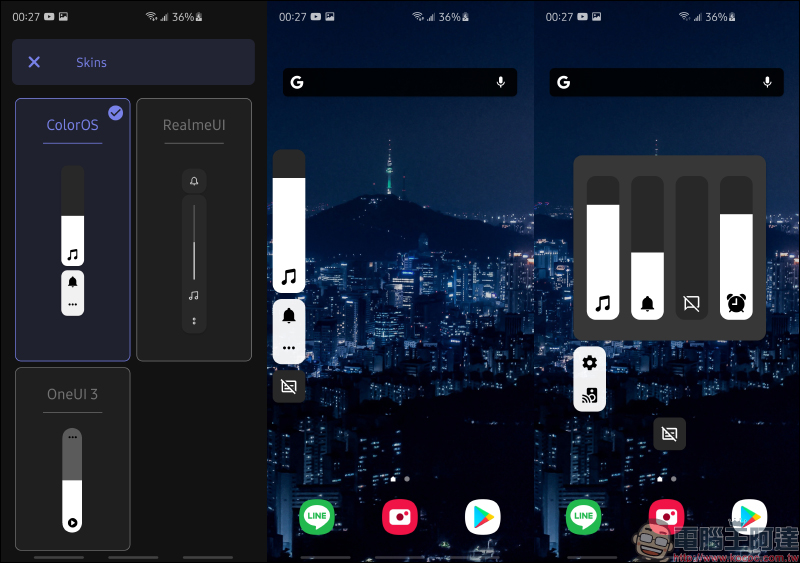
OPPO’s ColorOS has also been well received by many users in recent years. If you want to see how the ColorOS volume adjustment style works, you can also switch to it directly:
RealmeUI from realme can also use a similar volume adjustment window for free in the Ultra Volume App:
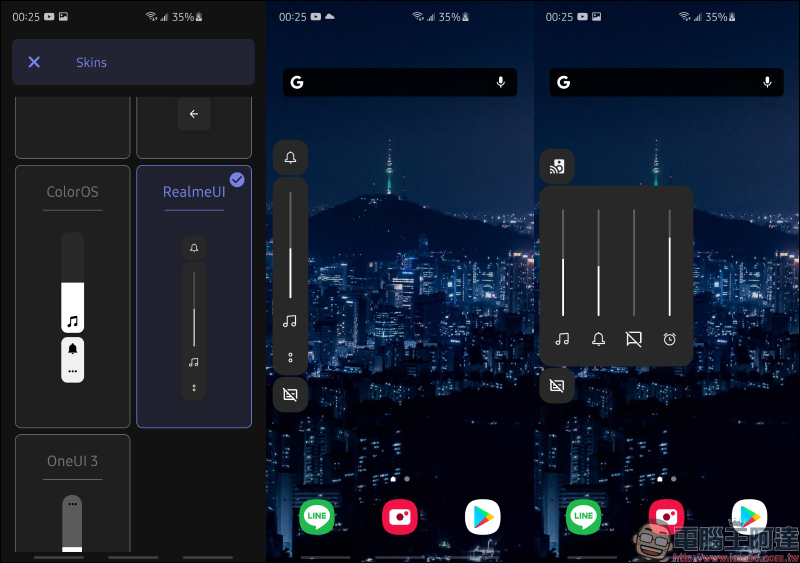
Taiwan needs to rely on overseas e-commerce platforms or purchasing agents to purchase OnePlus. Now if you want to use the volume window of its Oxygen interface, you can also use it directly here:
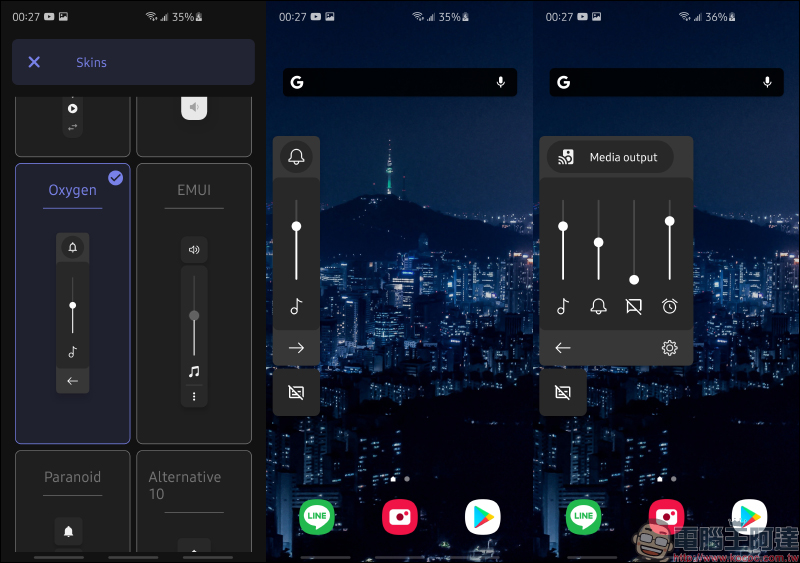
Huawei’s EMUI can also be used directly:
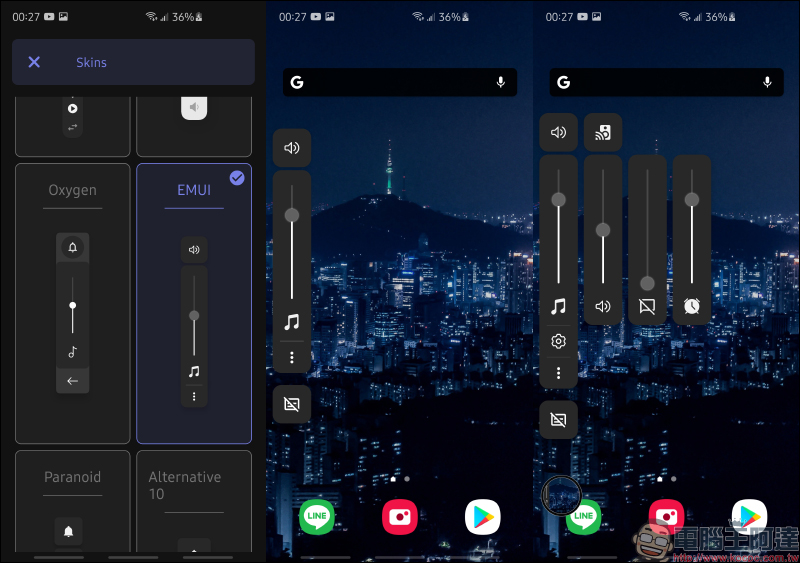
As for the Apple iOS volume adjustment window, you need to pay for it, but upgrading to the Ultra Volume Pro professional version unlocks all styles, removes ads and various settings for only 65 yuan.
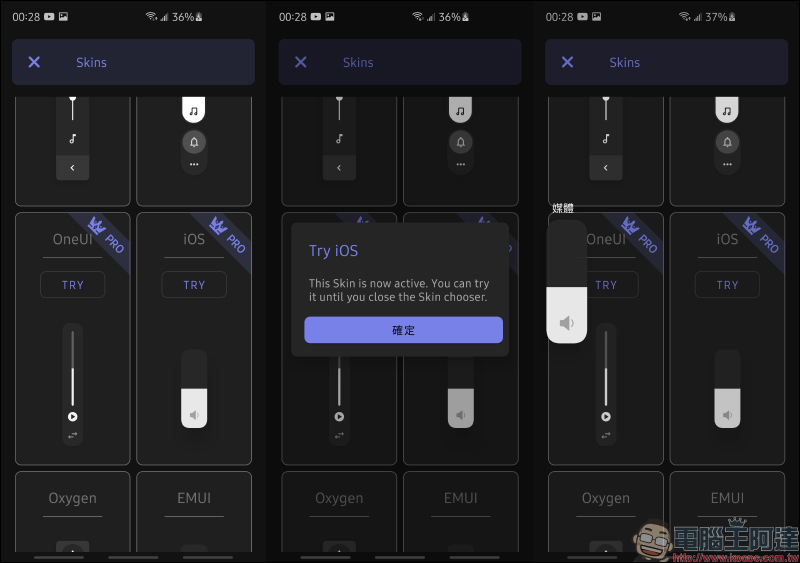
If you want to temporarily close Ultra Volume’s volume window while using it, just press the Stop button and it will return to the system’s original volume interface!
Ultra Volume App Download:
Click me to go to (Google Play Store)
Further reading:
iPhone Lock Screen Camera/Flashlight Button Disabling Tip
Stay on top of real-time news on your iPhone home screen, try the Google News iOS gadget!
Source: KOCPC Chinese