


With the popularity of the YouTube video platform, people spend more and more time on it to obtain entertainment and knowledge (do you think so?). Google also continues to make adjustments to the experience of mobile applications. In the recent mobile applications, they have brought many improvements – many of them are tips-oriented attributes that are not easy to find, so we also introduce them to you here. You can open the YouTube app immediately to try and see if the update comes to your phone. Continue reading Have you discovered 5 super convenient new ways to use the YouTube app? Now let me tell you the content of the report.
▲Image source: YouTube
Have you discovered 5 super convenient new ways to use the YouTube app? Let me know now
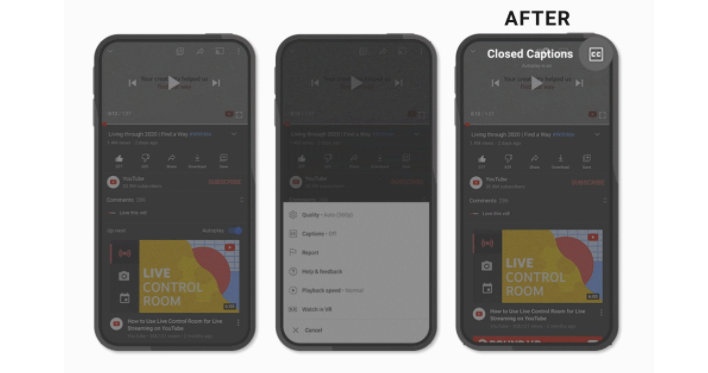
The first thing we want to talk about is the update of the toolbar at the top of the playback interface. Similar to the movement of the “Comments” field, YouTube has moved the autoplay and CC subtitle functions hidden in the extended menu to the top of the screen in its dedicated application, allowing you to easily switch with one click. It also knows how to recommend you to flip the screen or use VR during playback for a better viewing experience.
▲Image source: YouTube
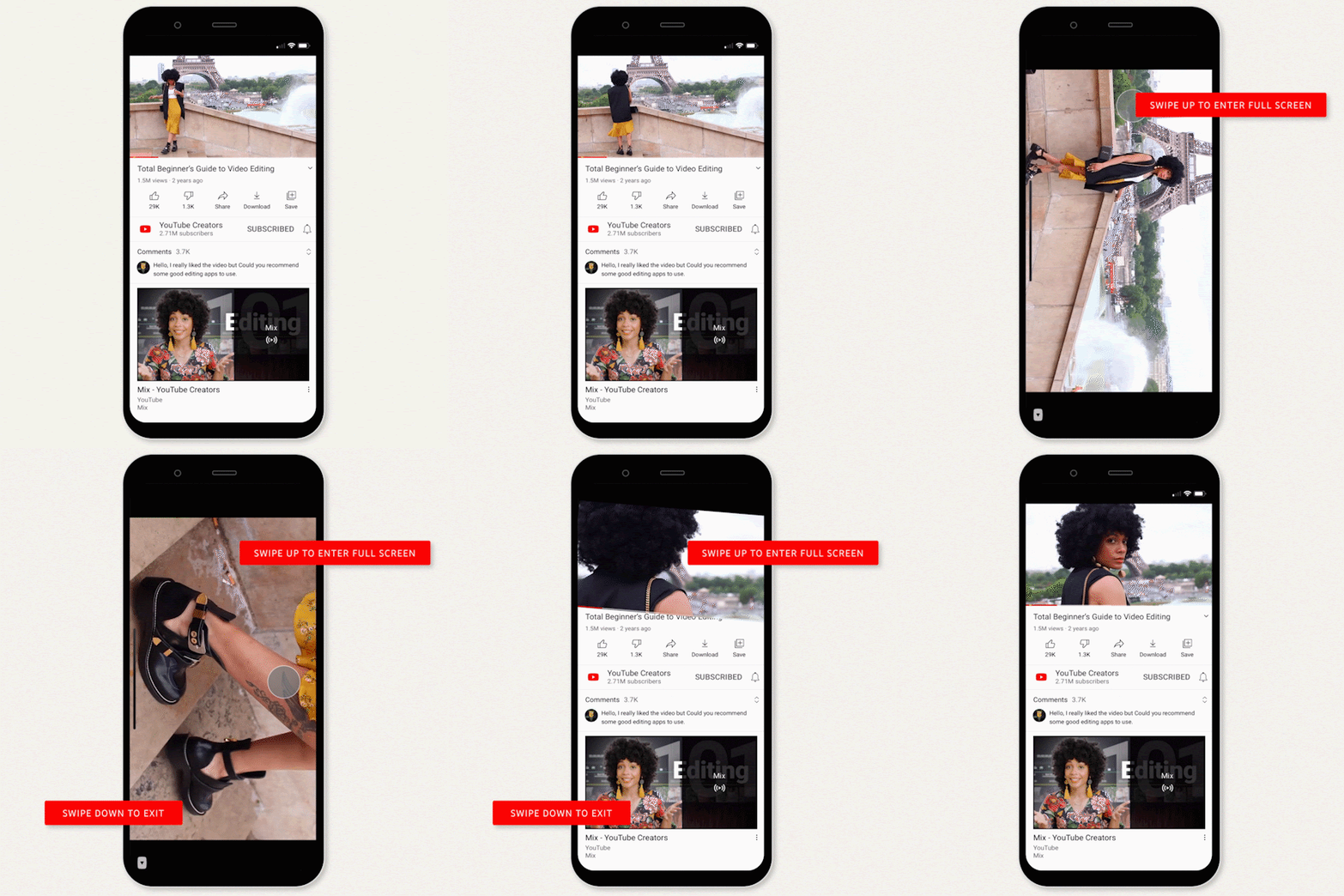
In the past, you always pressed the “full screen” function of the box that had not been switched for a long time. Now you can directly enter the full screen by swiping up; when it is full screen, sliding down will switch back to the horizontal interface; and sliding down again will be the familiar picture-in-picture mode in the application. It’s a three-stage switching concept.
▲Image source: YouTube
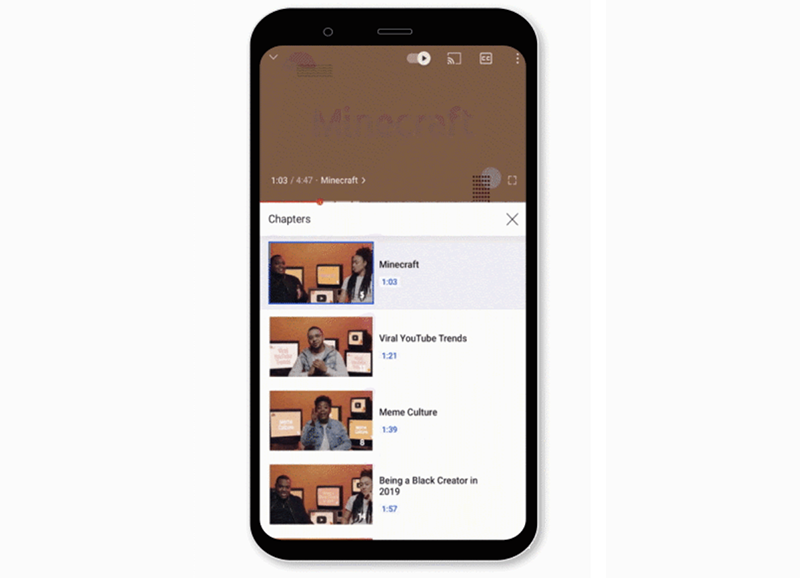
This update also extends the previously imported chapter paragraph mark function. A chapter thumbnail list interface similar to that of a streaming drama will be provided, allowing you to quickly find the part you want to watch in addition to text and video screenshots. Finally, for digital health, YouTube reminds everyone that you can now set reminders for when you should sleep/rest.
Friends who want to learn more about the 5 tips shared by YouTube this time can go to the cited source to watch more. Don’t be too surprised if you haven’t seen these functions yet, because the editor hasn’t received them yet (QQ).
Pictures/sources cited in this article
Further reading:
Source: KOCPC Chinese