


Since iOS 14, many apps in the App Store have successively supported useful desktop gadgets. However, the built-in weather app in iOS only supports a single theme style in the desktop widget, which will inevitably feel a bit limited for users who want to create a more personalized iOS home screen. Today I will share with you Weather Line, an iOS App that not only supports desktop gadgets to display weather forecasts for various places, but also provides different theme styles for users to choose from.
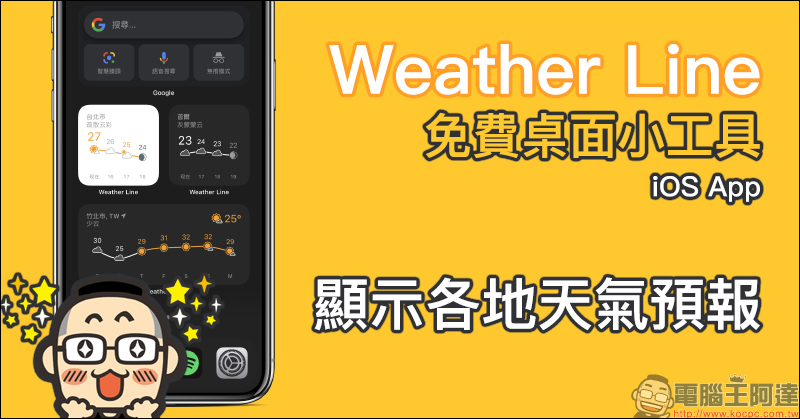
Weather Line is a free desktop gadget iOS App, with light and dark simple theme styles, displaying weather forecasts for various places.
The Weather Line iOS App introduced today is free to download and can be purchased through in-app purchases to obtain richer functional applications. However, if you just want to choose the weather forecast for a specific location, the free version is actually very useful!
After opening the Weather App, users will be guided to “free trial” the upgraded version at the beginning. Pay special attention here if you do not plan to use the paid version in the future, just click “Skip” at the top of the screen.
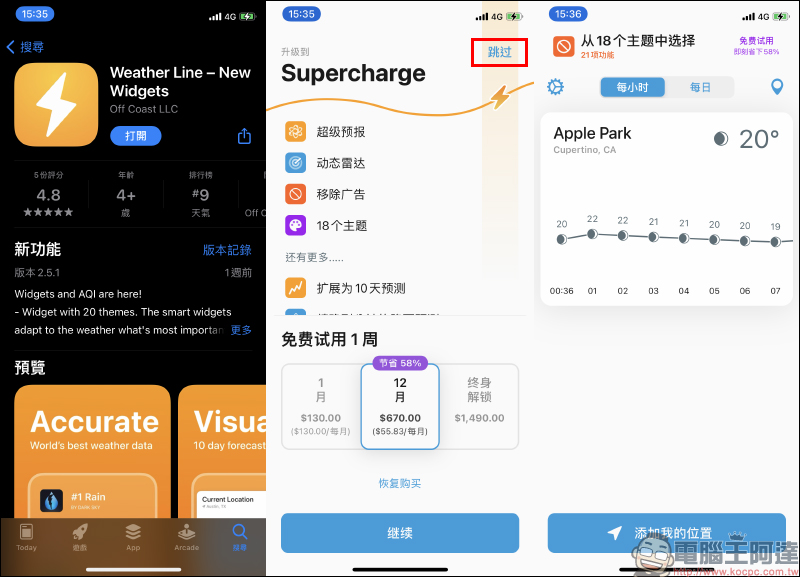
Weather Line App Download:Click here to go to (App Store)
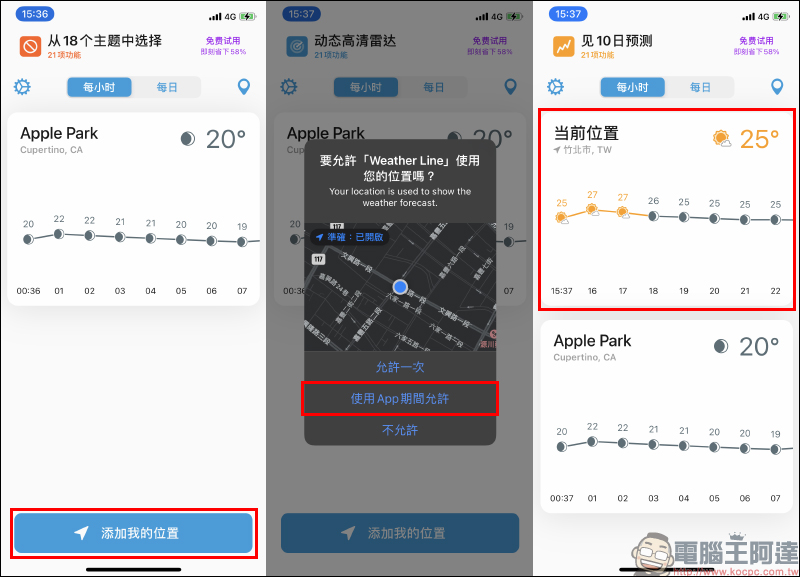
Although the free version can actually meet the basic needs of most users for weather forecast apps. First, click “Add Me to Confront” to allow the app to access your location, so you can get the weather forecast information for your current location.
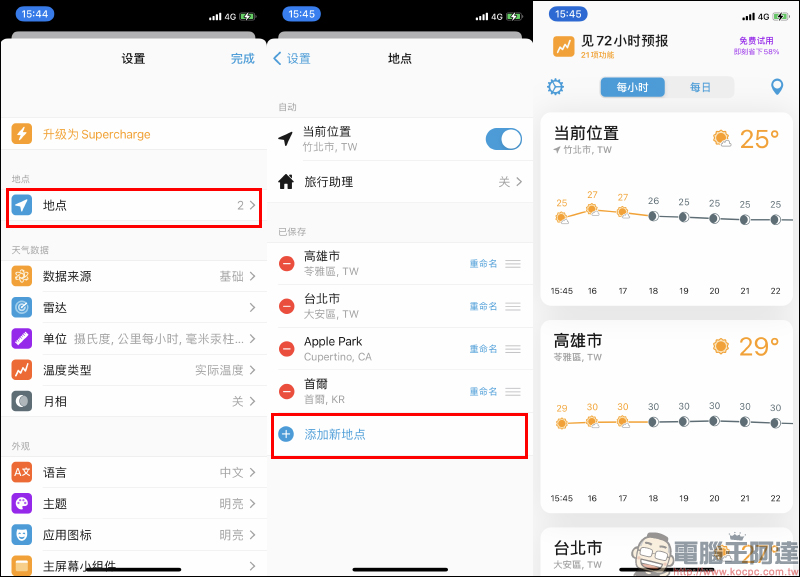
If you want to add multiple locations, go to the settings page to add new locations.
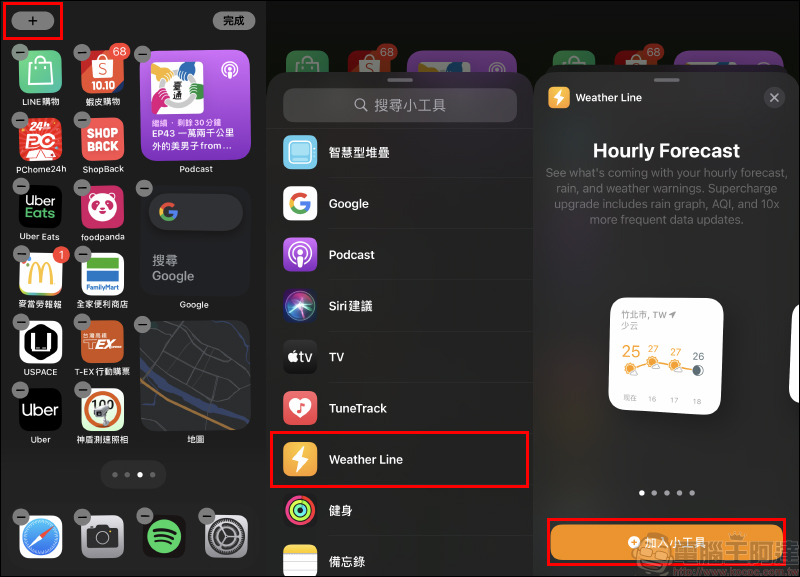
The next step is to add the Weather Line App as a desktop gadget! On the home screen of iOS 14, press and hold a blank space until it switches to the Add/Remove App screen, then click the “+” in the upper left corner of the screen to add a widget, and click Weather Line to select the style of the Weather Line desktop widget. Weather Line currently offers a choice of five desktop gadget layouts.
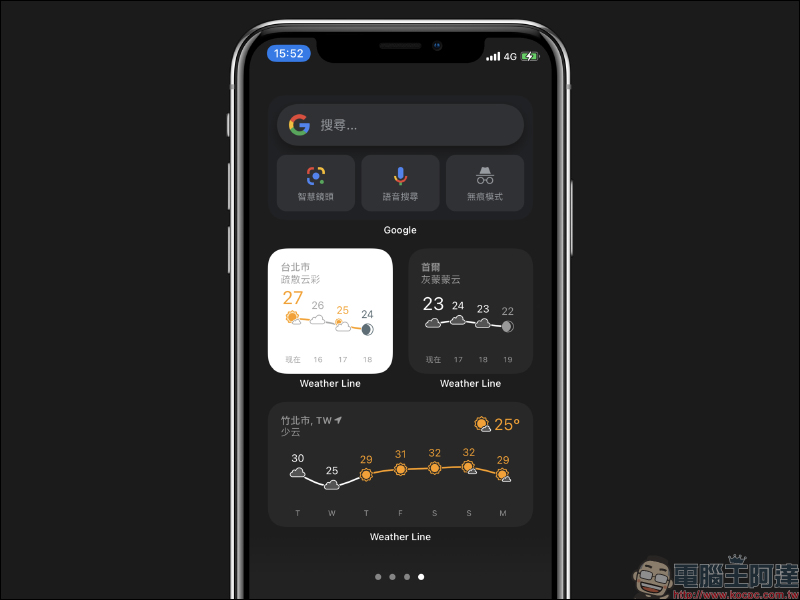
The rendering effect of the Weather Line desktop gadget is as shown below:
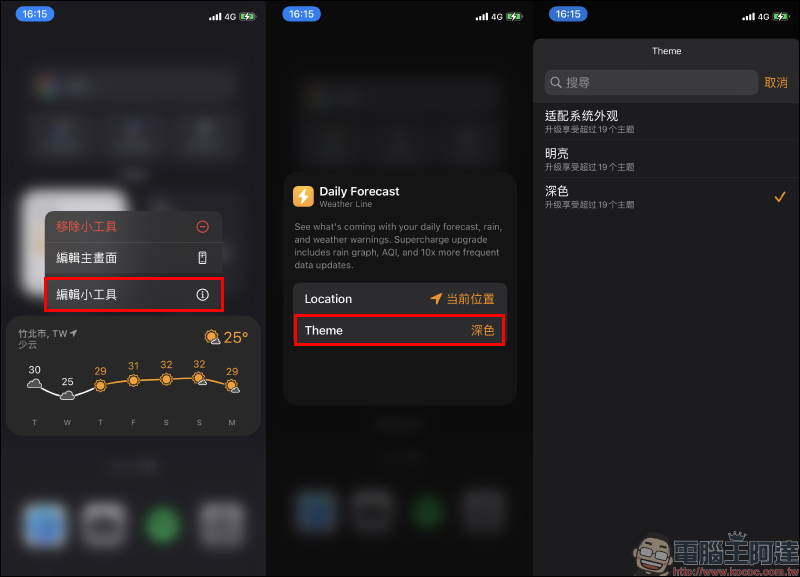
If you want to modify the theme style or the weather location of the gadget, just long press the gadget and click “Edit Gadget”, and then you can quickly select the location and theme. However, the locations that can be selected on the edit widget page are limited to locations that have been added to the Weather Line App. As for the theme part of the Weather Line desktop gadget, users of the free version can choose between “light” or “dark” themes.
Finally, let’s compare the style differences between the iOS built-in weather app and the weather line app’s desktop widgets: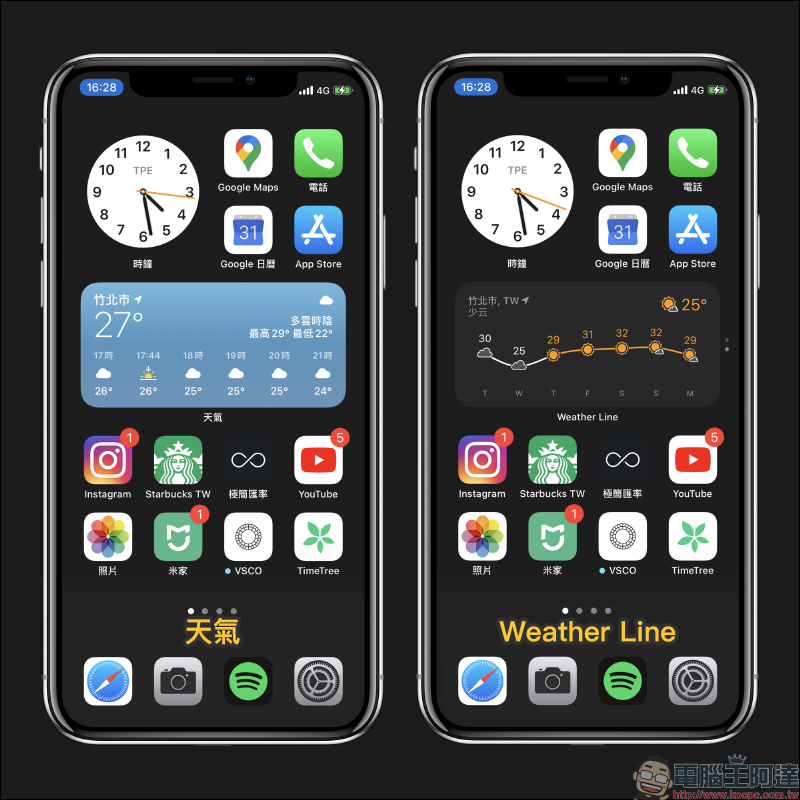
Weather Line App Download:Click here to go to (App Store)
Further reading:
TuneTrack iOS App allows Spotify users to set the desktop gadget to display and play music
LINE avatar new feature is here! Create an exclusive Q version avatar (operation instruction)

Source: KOCPC Chinese