


The official version of iOS 14 finally debuted after Apple’s earlier conference. Now as long as it meetsSupported iPhone models You can upgrade immediately to experience the latest features of iOS 14. In addition to what we have introduced beforeKnock on the back shell、translation app、Widgets、real hidden photosIn addition, for those who do not want to use the built-in Safari browser and want to change the default to Chrome, Edge or others, iOS 14 has finally officially granted this permission. If you still don’t know how to modify it, here is a step-by-step guide.
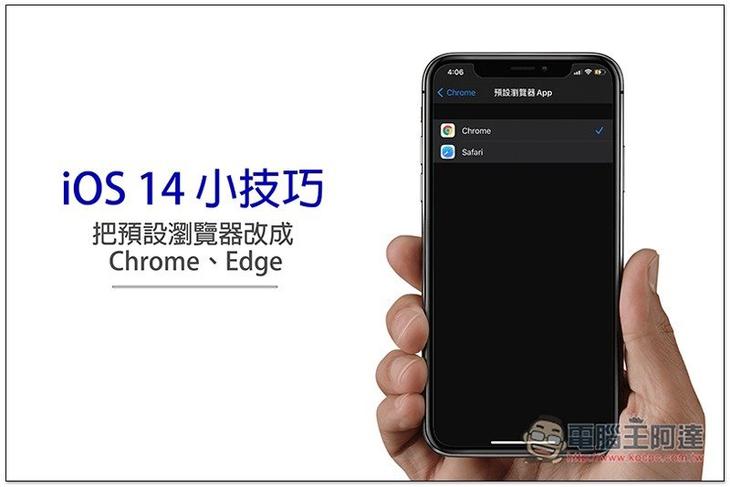
Steps to change the default browser to Chrome, Edge, etc. in iOS 14
The steps to modify are very simple, but first you must download the browser app you want to use, such as Chrome and Edge, so that the browser will appear in the settings menu.
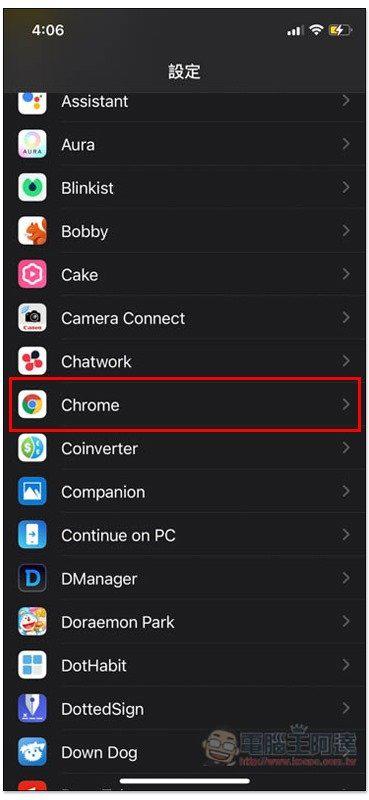
There are two ways to modify it (strictly speaking, they are the same). After opening the device function of iOS, scroll down to find Chrome (or other browser apps) and click on:
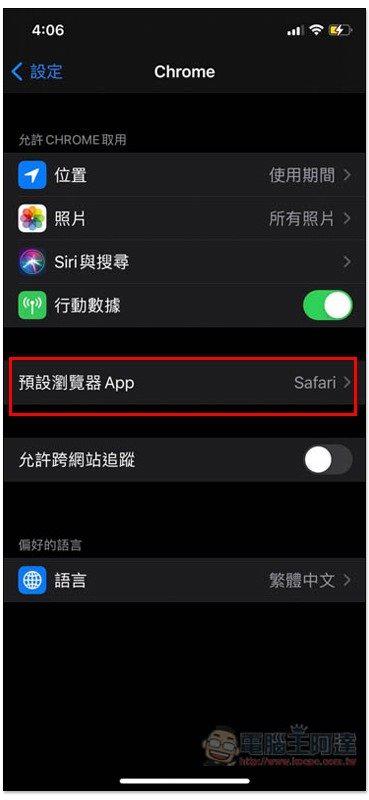
Then you will see the option of “Default Browser App”, please click it:
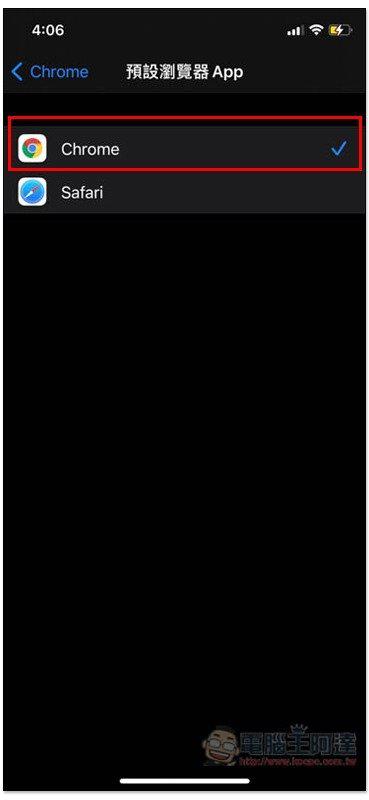
Change the default browser to the app you want to use, like I changed the checkbox to Chrome, and you’re done! If you have downloaded multiple browser apps, the list will be listed:
The second method is to change into Safari settings, and you can also find the modification function of the default browser:
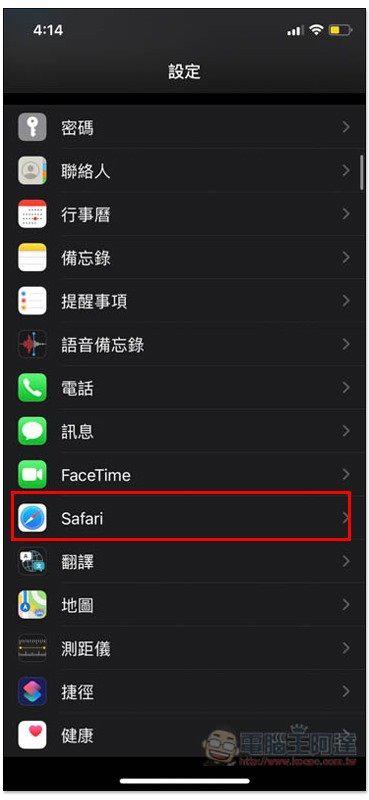
As shown below:
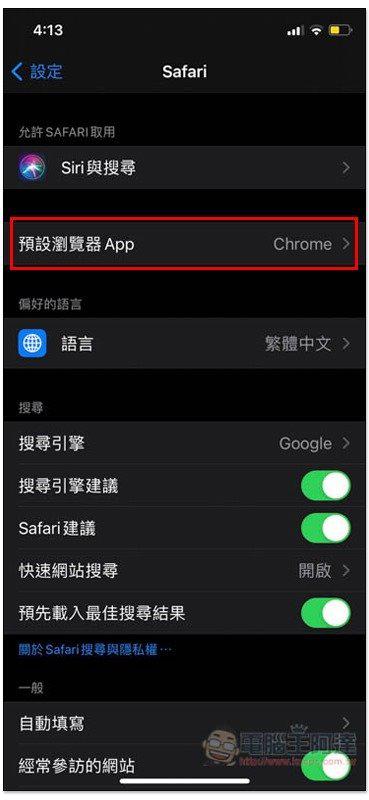
And if you regret it in the future and want to change the default browser back to Safari, just change the check box to Safari.
After modification, when you click a link in any built-in app, the message opened from Chrome (or the browser you have set) will pop up, not the previous Safari:

At present, browser apps such as Firefox and Opera do not support it. I am not sure why Apple restricts it so much. It may be because it is relatively niche and it is not supported for the time being. I guess it will be open after a few updates.
If you’re sure you won’t use Safari anymore, you can also remove it manually to make more space on your iPhone’s home screen.
Source: KOCPC Chinese