


Although the initial editing of the film after it is recorded is not very difficult, it is very time-consuming. Just like subtitles, you need to listen to it from beginning to end to see which clips will not be used. In order to help editors and YouTubers have more free time, a well-known YouTuber Liu Zhiyuan recently developed this “Automatic Editing Artifact” online tool. After importing the video, the initial editing of the video will be automatically completed. It also provides some adjustment parameters and cropping tools so that you can make fine adjustments. It can be easily completed in just a few minutes. It is super convenient, and even better, it is completely free.

Introduction to the automatic video editing tool
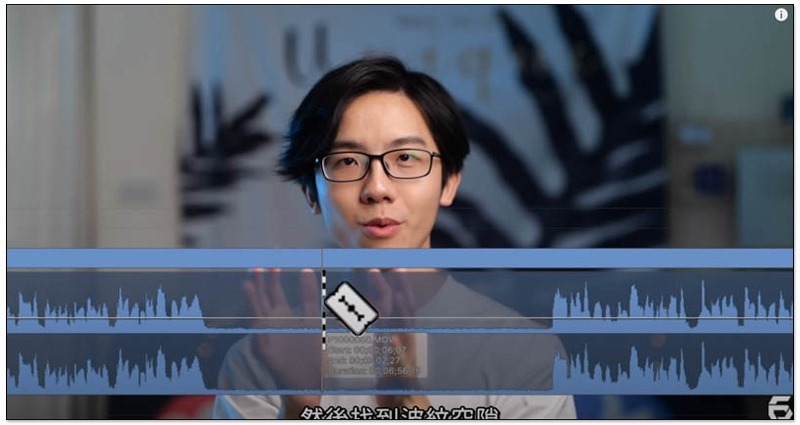
When doing the initial editing of the film, the audio track is basically amplified, and then the segments without sound ripples and pauses are cut out, leaving the parts with speech. Liuzhiyuan stylized this action and spent about 14 days with the team to develop this automatic editing artifact:
At the same time, in order to allow editors to get started quickly, the interface design is the same as that of common editing tools. Basically, it should be very easy to use. Liuzhiyuan has also recorded a complete operating instruction video, which I will attach at the end of the article and briefly talk about it below.
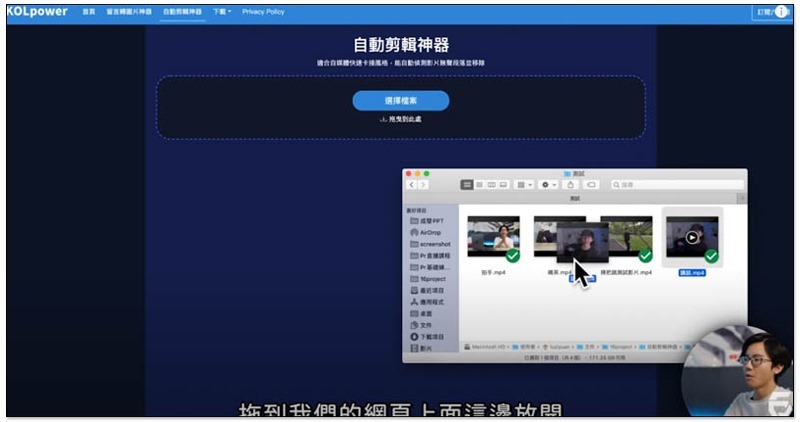
enterAutomatic editing toolAfter opening the online tool, drag the video you want to edit into the window (or click to select the file):
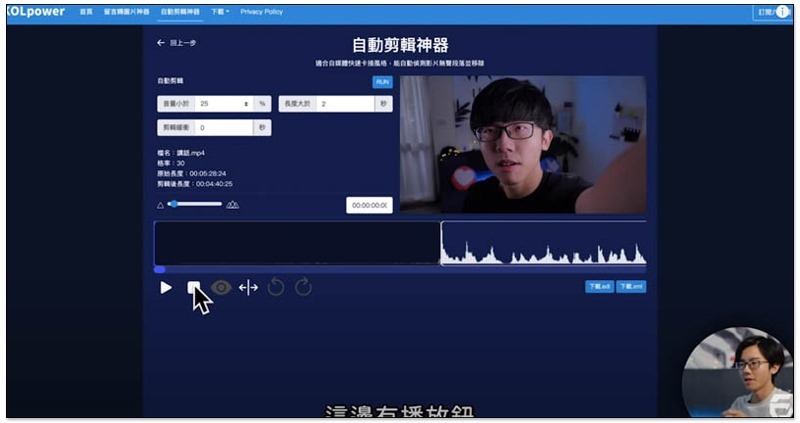
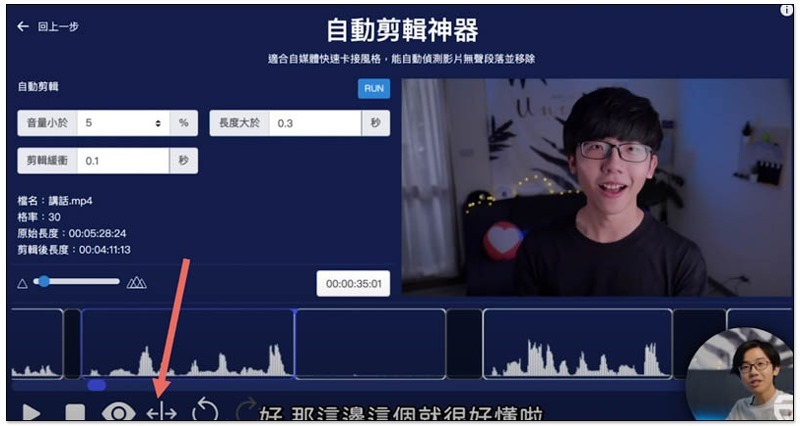
Then the first cut of the video is completed. You can click the playback function in the lower left corner to check whether there is anything that needs to be adjusted:
Orbits can also be scaled:
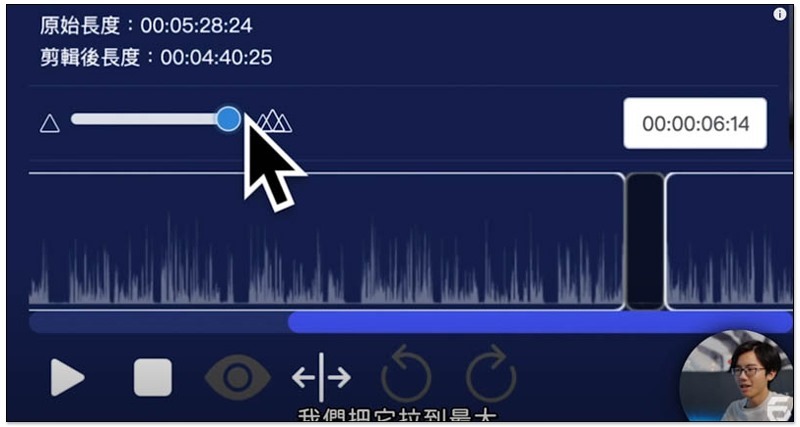
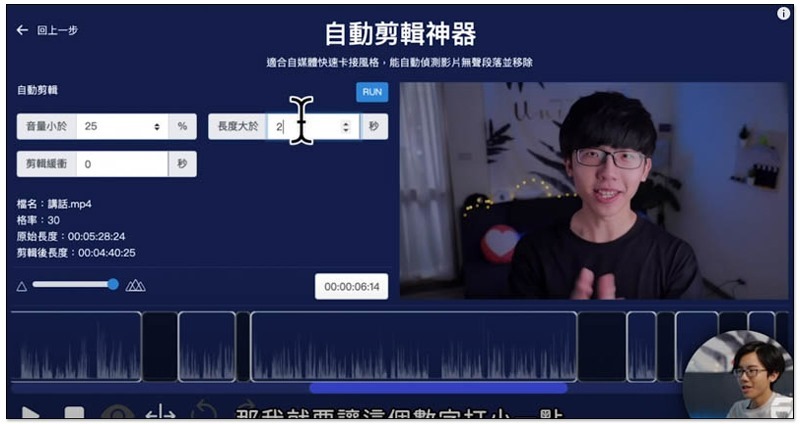
The sound volume and speech interval of each person’s recorded video are different, so there are three parameter settings in the upper left corner of this set. “Length greater than x seconds” can specify “how long there will be no sound ripples” before it will be automatically cut off. “Volume less than x %” means that sound clips smaller than this percentage will be automatically cut off. The default value of 25% is a bit high. If your background does not have too much noise or background sound, you can lower it a bit to make automatic editing more accurate:
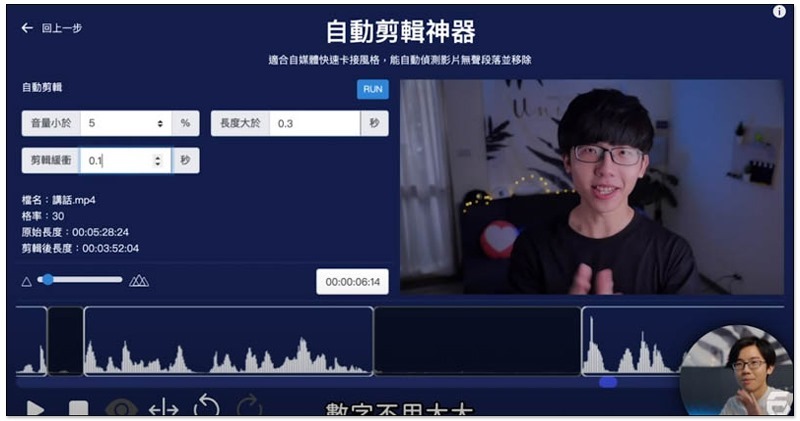
“Clip buffer x seconds” is to keep a little time before and after the clip to avoid sudden sound rush in when switching:
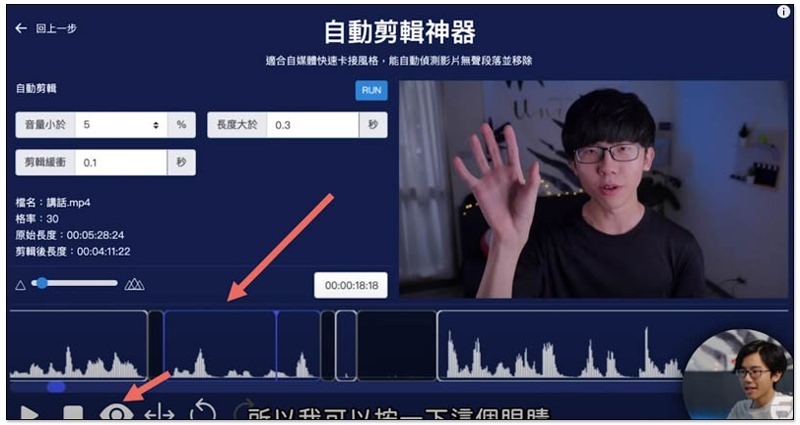
If you find that some fragments are not needed during the inspection, click on it and then press the eye icon below, and the fragment will darken:
Just like editing software, you can also use the mouse to drag the length of each clip:
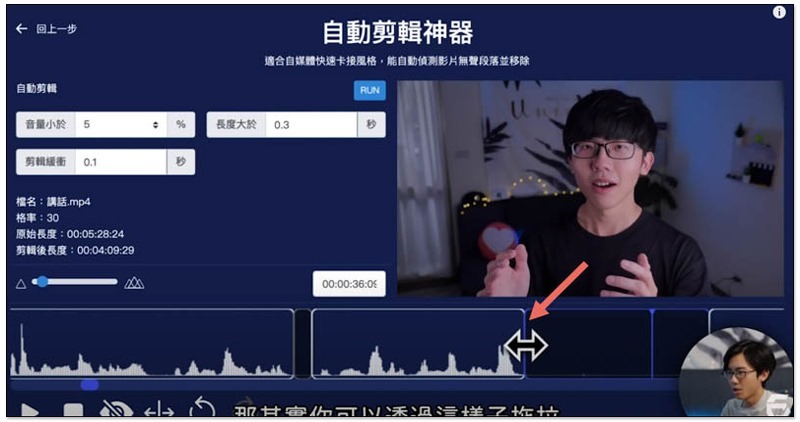
Even the cropping function has:
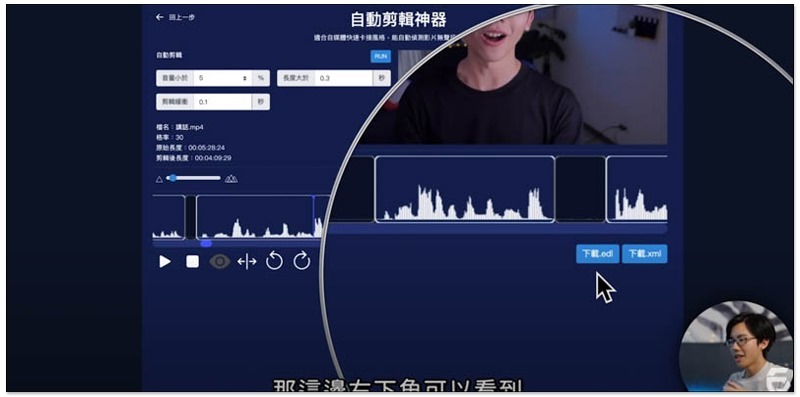
After everything is fine, you can click “Download .odl” or “Download .xml” in the lower right corner. Most editing software supports these two formats. Premiere recommends xml:
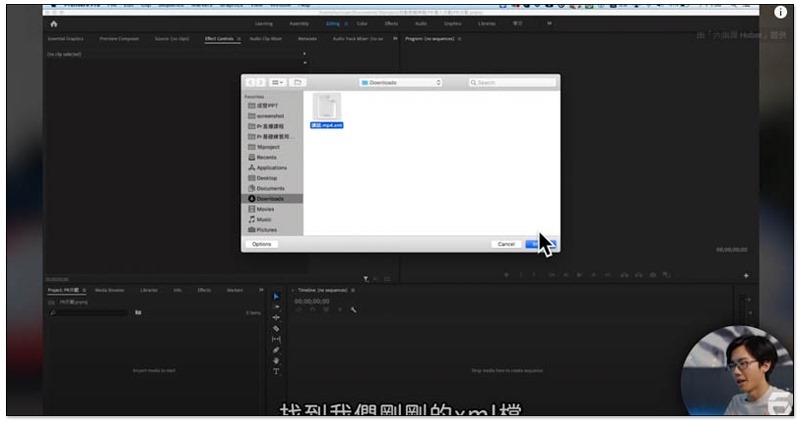
The import method is also very simple. For Premiere, use the Import function after opening it, and then select the downloaded .xml file:
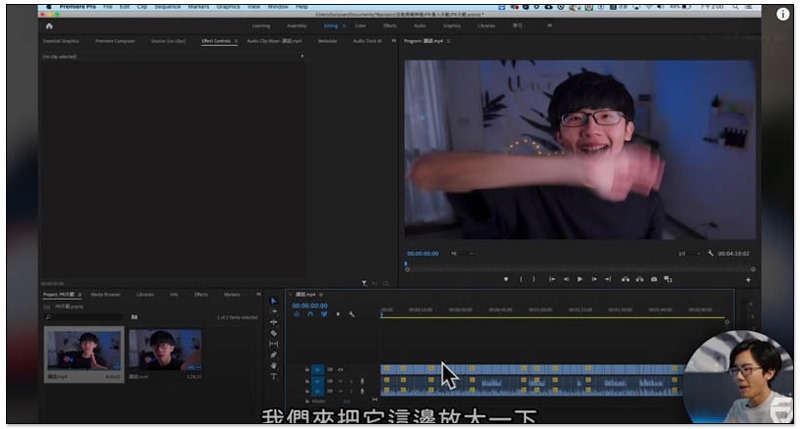
After selecting the video position, the automatically edited content will appear:
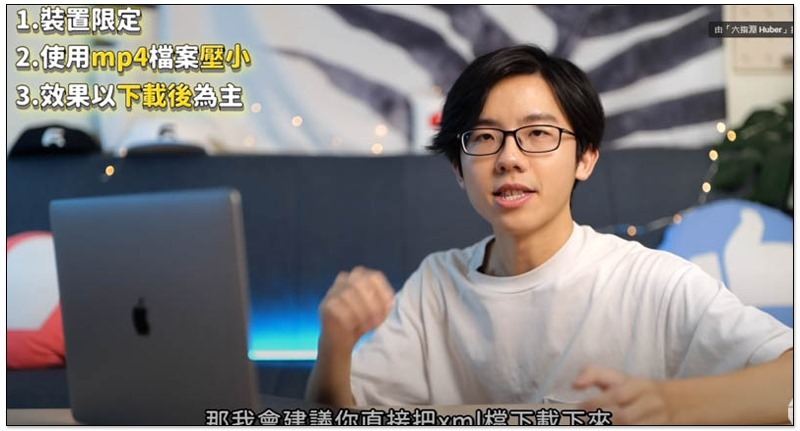
Finally, he also reminded that because this set has just been developed, there may be some bugs, so the effect is mainly after downloading. If you encounter any problems, you also need your help to report them.
Currently it only supports computers (the mobile version may be added in the future). It is recommended to upload MP4 files within 200MB. If the original video size is too large, he also provides a solution. First compress it to within 200MB and then upload it to this online tool. After downloading and importing the .xml or .odl file into the editing software, point the video position to the original video:
In the future, he also plans to add some advanced functions, but this will require the use of cloud computing, so advanced functions should be charged.
Complete instructional video:
This automatic editing tool is really good news for editors and YouTubers. It saves a lot of hard work. Basically, as long as there is not too much noise in the background, you should be able to get very good editing results.
Supplementary information
- Automatic editing artifact online tool:Click here to go
Source: KOCPC Chinese