


Although iOS has a so-called hidden photo function for a long time, everyone who has used it knows that it does not really hide the photos. It moves the photos to the “Hidden Album”. This album can also be easily found in the Photos App without any hiding effect at all. Therefore, if you really want to have private photos that you don’t want others to see, you can only do it through third-party apps.
The good news is that iOS 14, which is currently in public beta, has officially added the control function of hidden photo albums in the latest Beta 5 version launched recently. You can set it not to be displayed in the photo app and truly hide the photos. Here is the first step to teach you how to do it.
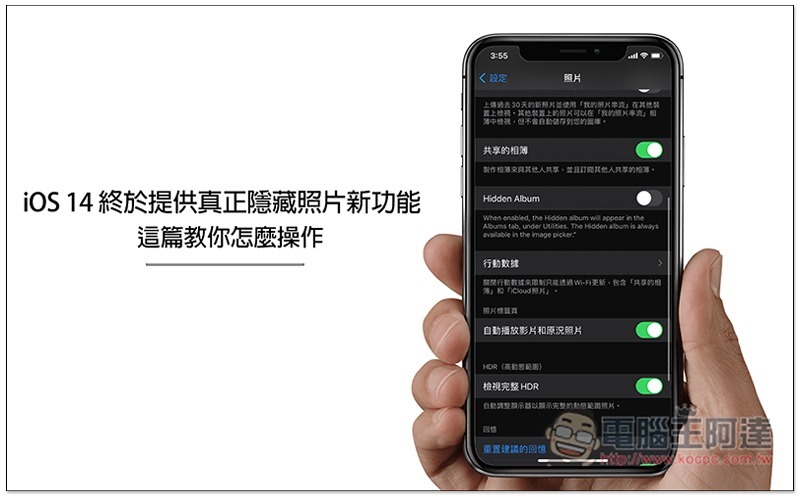
iOS 14 Hide Photo Operation Tutorial
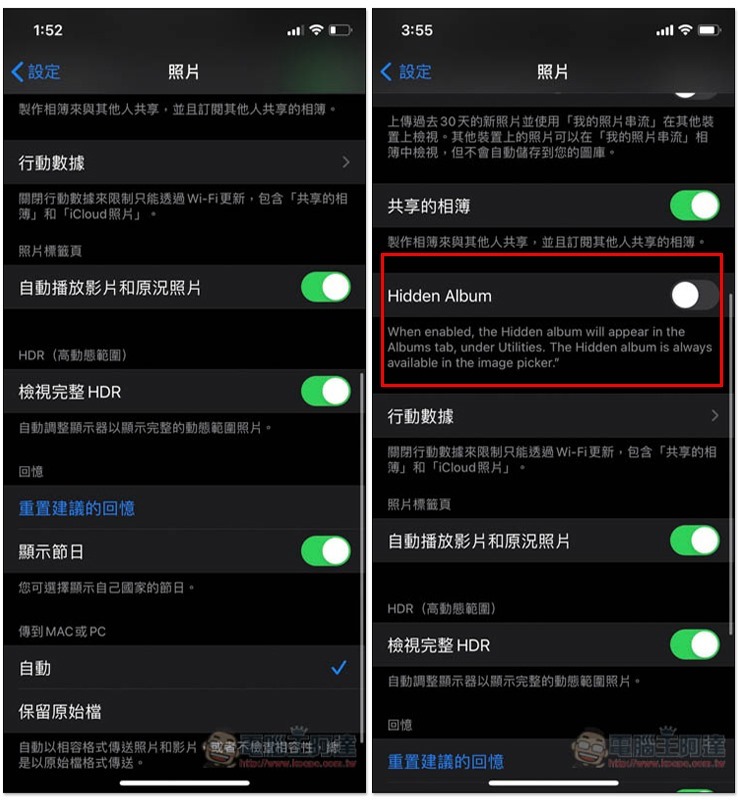
Now after upgrading to the iOS 14 Beta 5 version, the “Photos” option in the settings will have a Hidden Album function.
As shown in the picture below, the left is before the update, and the right is Beta 5. Between mobile data and shared albums, there is a Hidden Album function. It is not turned on by default. Hidden albums will not be displayed in the Photos App. They will be displayed when they are turned on:
The left side of the picture below shows that when it is not opened, the hidden album cannot be seen. On the right, after opening Hidden Album, this will appear:
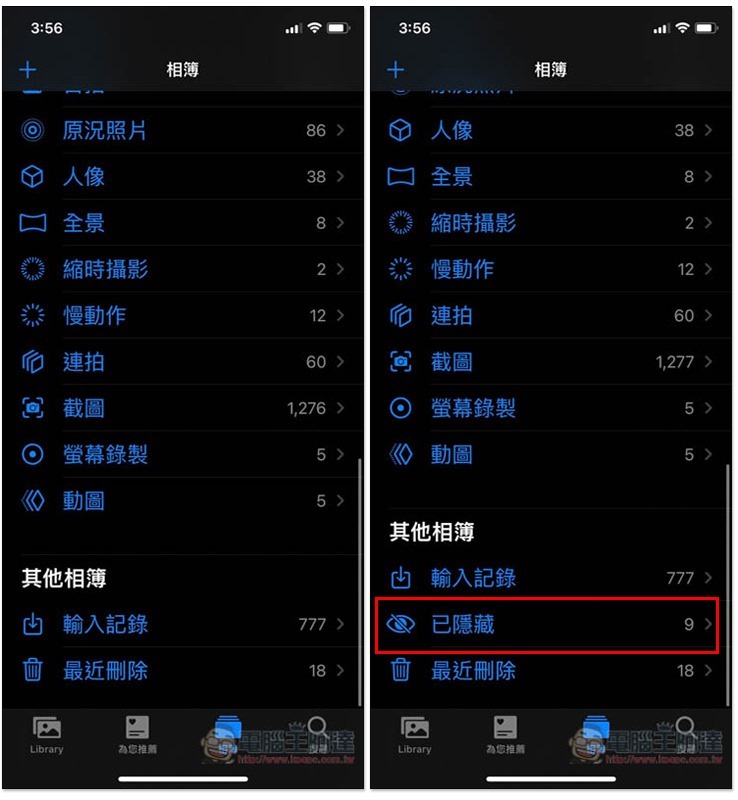
Therefore, if you have any private photos that you don’t want others to see in the future, the built-in features of iOS 14 can help you achieve this.
However, currently Hidden Album can be adjusted without any permission, which is a pity. The representative said that as long as the iPhone is unlocked, people who know this function can still open the hidden album. I hope that future versions will add a password lock, which will be more perfect.
If you still don’t know how to operate the built-in hidden photo function, I’ll teach you quickly below.
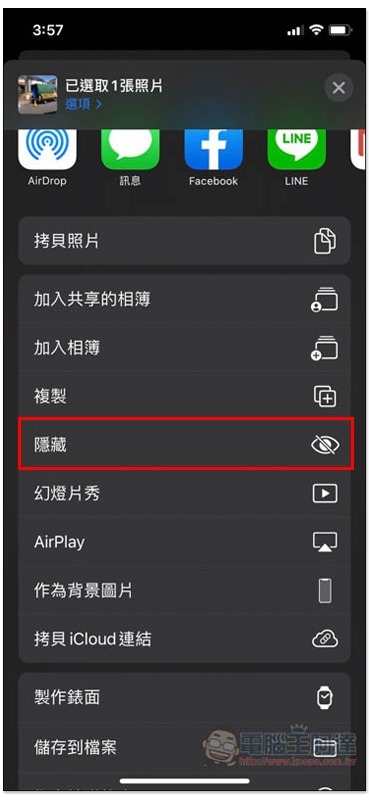
First, after finding the photo you want to hide, click the share icon in the lower left corner:
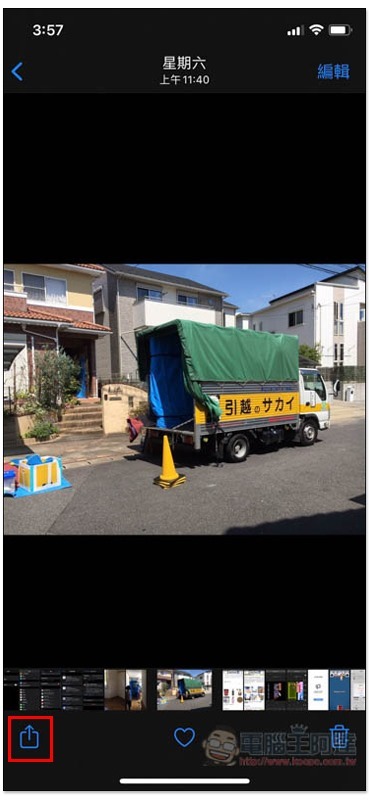
You can see the “hidden” function in the menu:
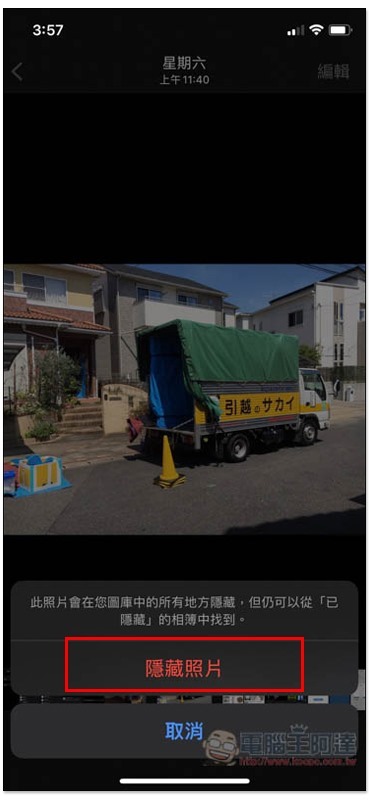
Click to hide a photo and it will be removed from all photos and moved to the “Hidden Albums”:
Source: KOCPC Chinese