


Chrome is currently the browser with the largest market share in the world. Due to the active development team, it has a very frequent revision and update rate. In the recent minor revision, Chrome has gained a new feature that allows users to browse more quickly and access all installed plug-ins. However, the many icons on the browser are inevitably annoying and look quite cluttered. Do you want to turn it off? I’ll teach you.

Don’t like Chrome showing plug-in icons? Turn it off in one move and give you a clean UI interface
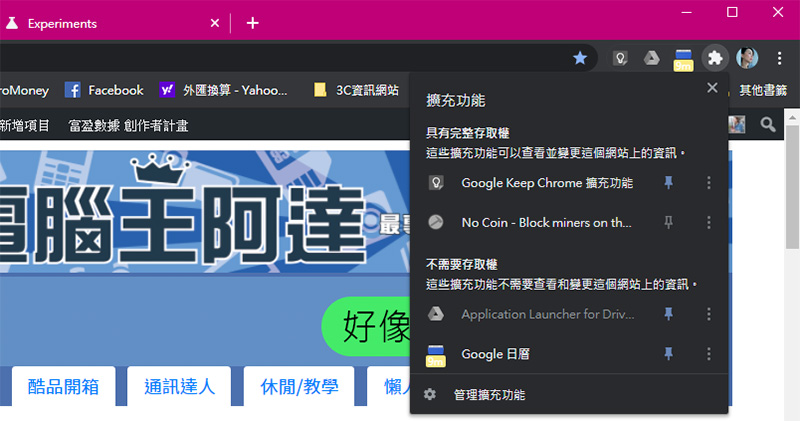
The latest version of Chrome displays an icon. When you click on the puzzle image, all currently installed and enabled plug-ins are displayed. The currently installed extension plug-ins that can be clicked to use (excluding such as No Coin Such active plug-ins), although the idea is good and it allows users to choose whether to pin frequently used items to fixed display, so that everyone can quickly access various tools, but for people who like simplicity and cleanliness, of course, the fewer icons, the better, especially some people who install too many plug-ins, which only adds to the clutter. If you want to change it back, please follow me.
- First, go to the Chrome Experimental Features page.Chrome://flags」
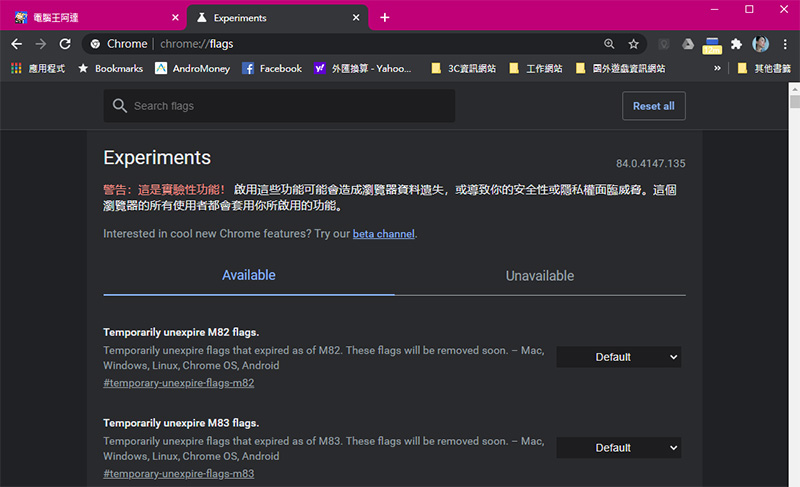
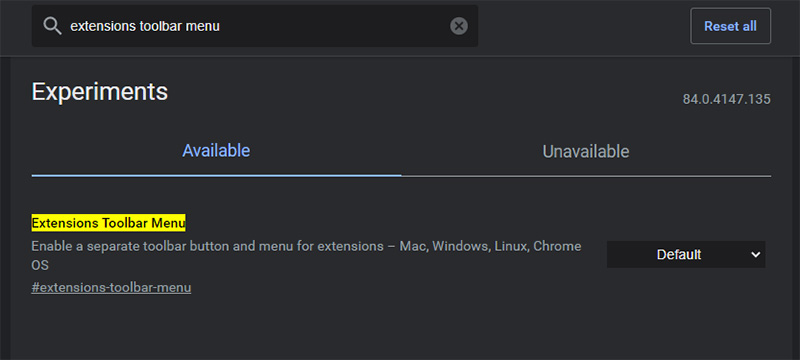
- Search “extensions toolbar menu”
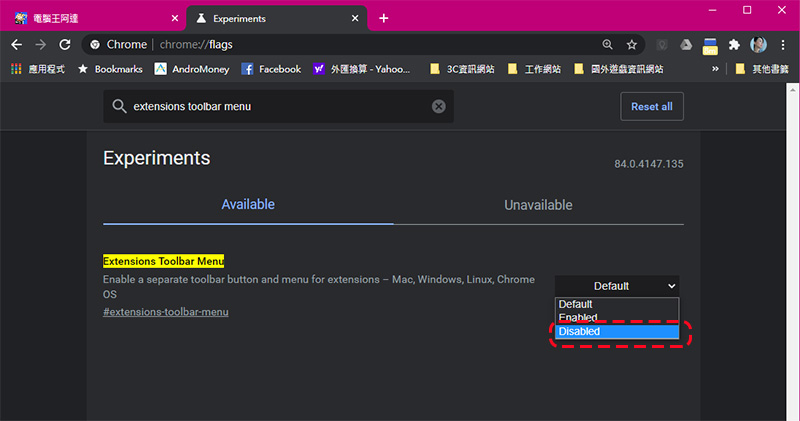
- Change the “Default” displayed after the searched item to “Disabled”
- Restart the browser and done!
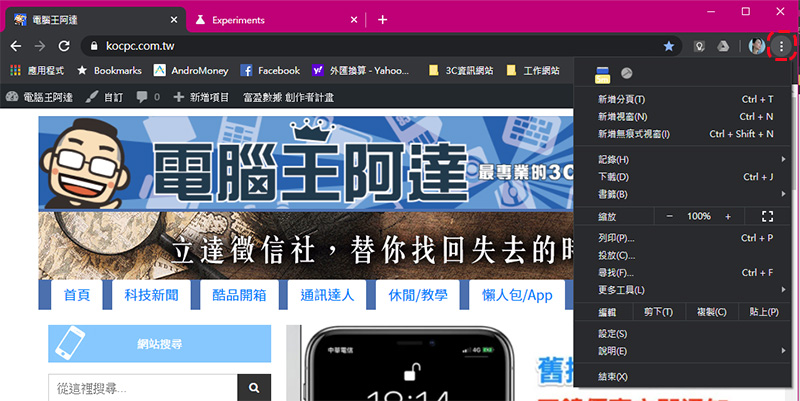
After completing the settings according to the above steps, your Chrome UI interface will return to its original appearance. If you want to view or access plug-ins, you can follow your past habits and click the menu icon in the upper right corner to view and set up. This is just a fairly small and practical tip. I would also like to remind everyone that the options on the Chrome Experimental Features page will affect your entire use of Chrome. Do not make random changes without confidence, so as not to affect your daily work.
Source: KOCPC Chinese