


Google has previously launched a new privacy protection measure, which is different from the past permanent retention policy. It can automatically delete users’ search history and location data after 18 months, and delete YouTube records within a set period. However, one thing to note is that this feature is only available to new Google users, and old users don’t need to worry. Today I will teach you how to enable this feature!
How to set search history, location information, and YouTube history to be automatically deleted within a specific period in Google My Activity?
Although Google’s new measures are good, it is obviously too sorry to enable them by default only for new users. There are currently more than 1 billion users in the world. Just follow the steps below to set the search history and location to be deleted after 3 months or 18 months, or not deleted at all. By the way, in YouTube’s default situation, the history will be automatically deleted after 3 years to facilitate the recommendation of related videos, but you can still set the automatic deletion period in the same position in the steps below.
- Make sure you’re signed in to your Google Account on your browser, then go to Google My Activity.
【To go to Google My Activity, click here】 - Click “Activity Controls”.
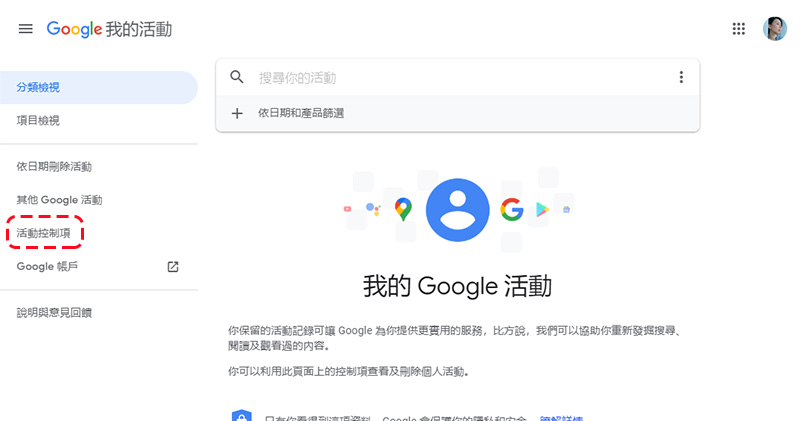
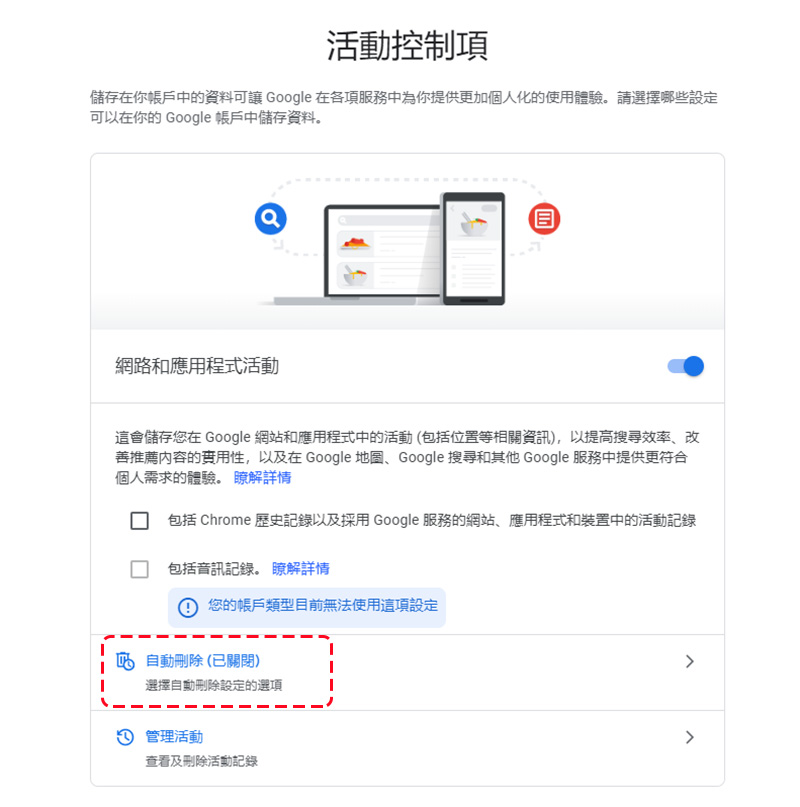
- Manage network and application activities, location history, and YouTube history separately in the activity control page. It depends on which part you want to set up for automatic deletion. Just select “Auto-delete” under the unit to start the setting.
- On the next page, a total of three options are provided. You can choose how often to automatically delete according to your needs. Once set up, you can still clear specific search results, location information, and YouTube viewing history by manually deleting them.
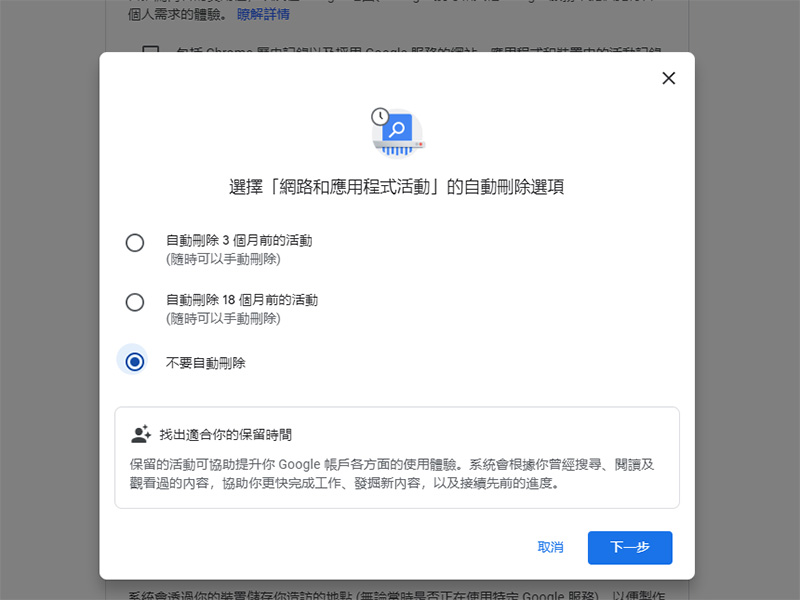
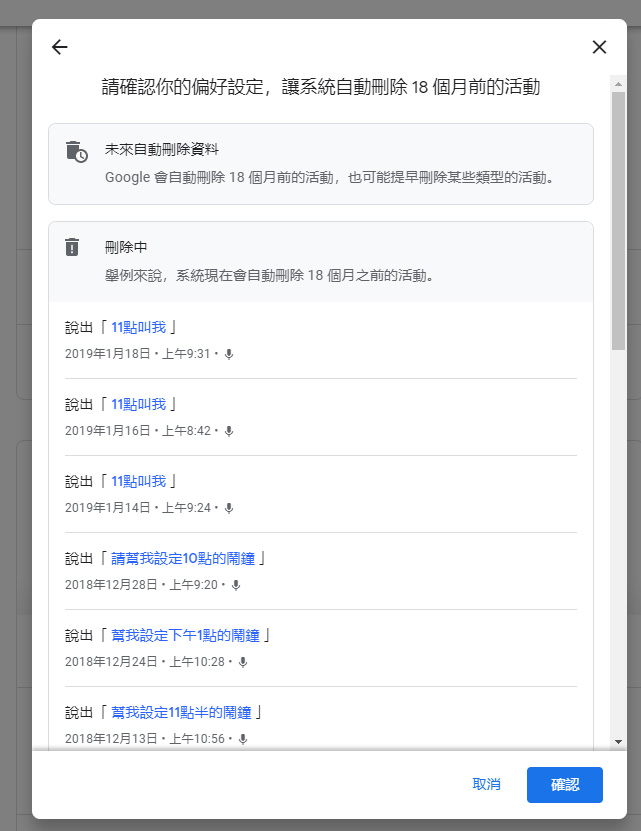
- After setting, some content will be removed early, including various activities before the deadline, such as commands you have given to the voice assistant, etc. After confirmation, you are done!
This privacy function setting is especially helpful for people who share computers with other people or who pay special attention to their own privacy. It can also help you clean up records from too long ago and regain control of your personal information.
Source: KOCPC Chinese