


In the past, if you wanted to design a banner, you would need to hire a design company or someone with design skills, which was very expensive. And with Nano Banana Pro Being able to perfectly generate Traditional Chinese, many people will definitely want to AI Let’s just directly generate the Banner you need. However, if you don’t know how to write itPromptsIn that case, the generated banner might not be the effect you wanted.
This article introduces a great Japanese website called “Put!”, which offers a wide variety of high-quality Banner prompts. Key elements in the prompts (such as characters, text, or key designs) are clearly highlighted, so you can instantly see where each element should be placed. Highly recommended for anyone who needs it to bookmark this site.
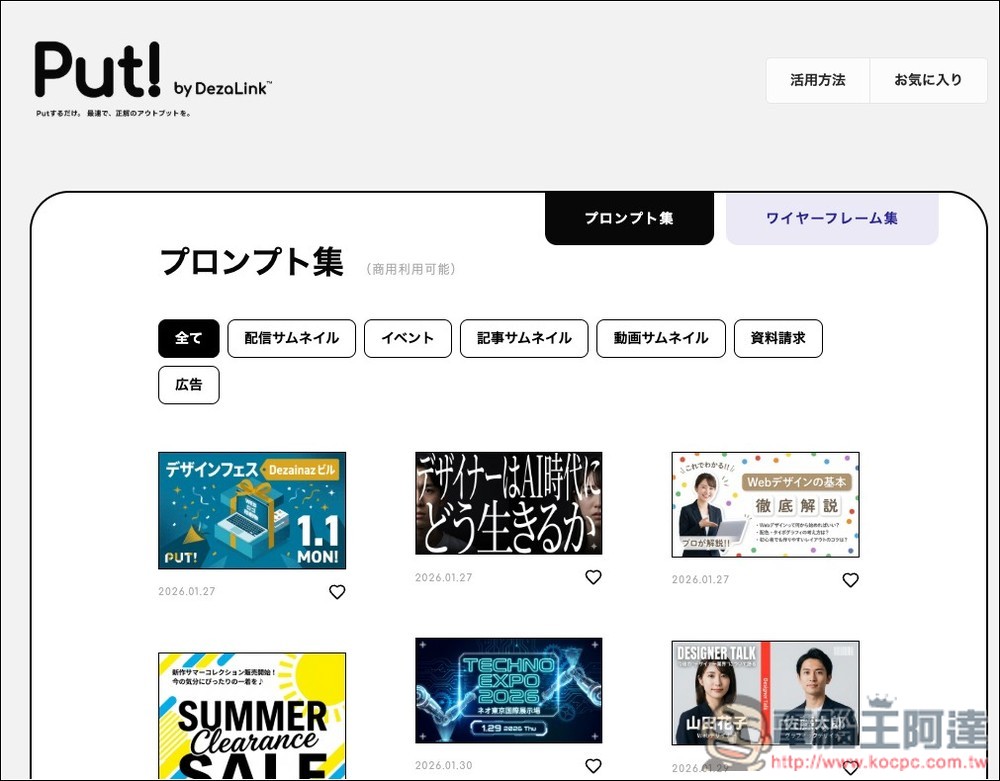
Want to quickly make banners with AI? First check out the premium prompts Put! has to offer.
“Put!” is a collection of ready-to-use AI prompts and wireframe examples created by DezoLink, designed specifically for business applications and marketing scenarios.
The website also offers categorization, including video thumbnails, event promotional images, article covers, advertising materials, data request pages, and more—covering nearly all common commercial visual needs. Once you find a banner thumbnail that interests you, clicking on it gives you the actual complete prompt structure, which can be directly applied to image generation tools or your design workflow.
For those who frequently need to create banners, social media posts, presentation visuals, and event promotional materials, this can be extremely useful in significantly reducing trial-and-error costs and time.
Key Features
- Free and no registration required: All prompts are completely free to use
- One-click prompt copy: Copy and apply directly, reducing repetitive testing.
- Various categories including thumbnails, events, ads, article covers, and more
- Favorites: Build your own library of frequently used assets
- Clear updates: Easily track the latest content with clearly marked release dates
Just a reminder: since these come from Japan, all the prompts are provided in Japanese, so you’ll need to translate them into Chinese yourself using an AI like ChatGPT or Gemini.
Click the link above to enter Put!, and you can start browsing the Banners that interest you. There are category buttons at the top. If there’s anything you don’t understand, you can use your browser’s full-page auto-translate feature to translate it into Chinese. Each Banner has a heart icon in the bottom right corner – if you find one you like, click it to save it. No registration is required. The “お気に入り” in the top right corner is your favorites collection.
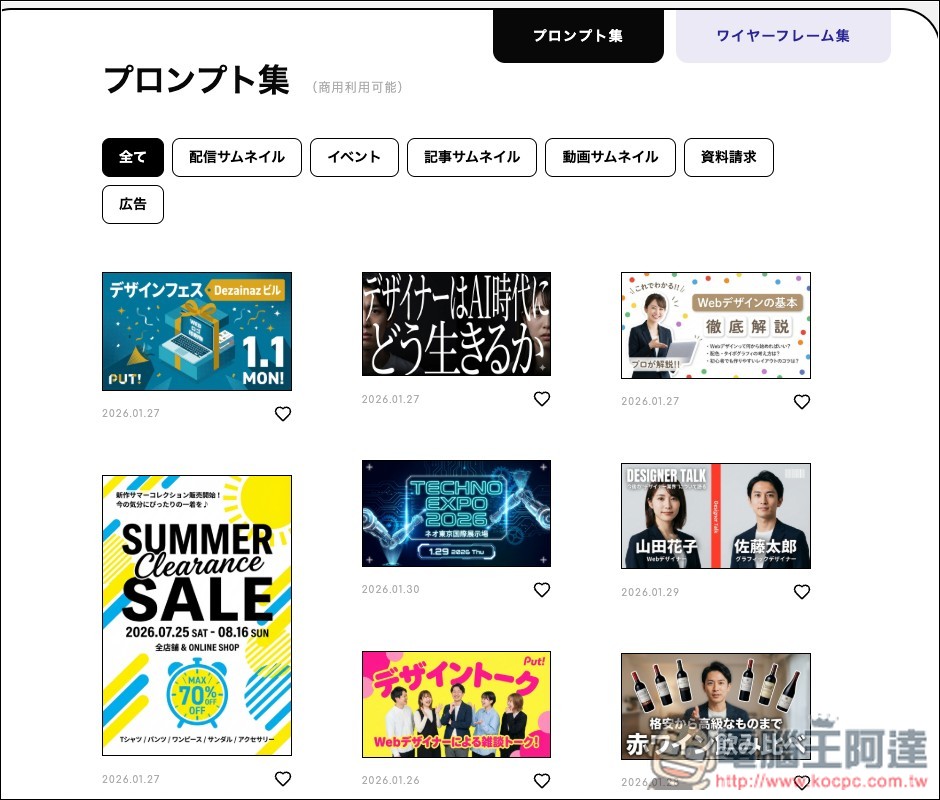
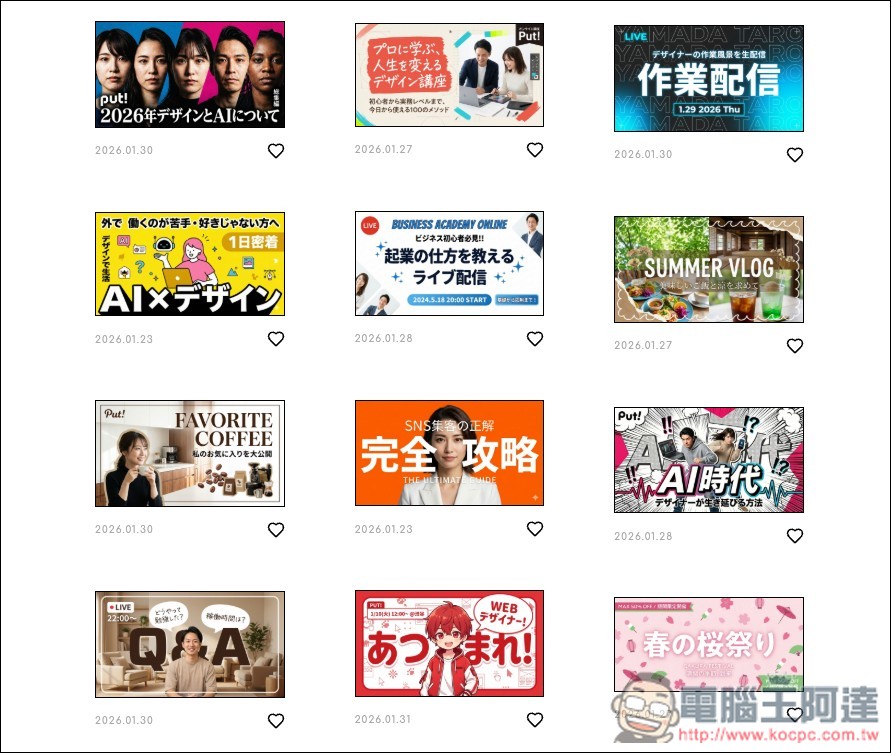
Based on the upload dates of the banners, this website seems to have been established not long ago, but it already offers a wide variety of examples, and each one is quite good:
After finding a banner you’re interested in and clicking on it, you’ll see the full prompt on the right side. Click the black copy button in the upper right corner to copy the prompt with one click:
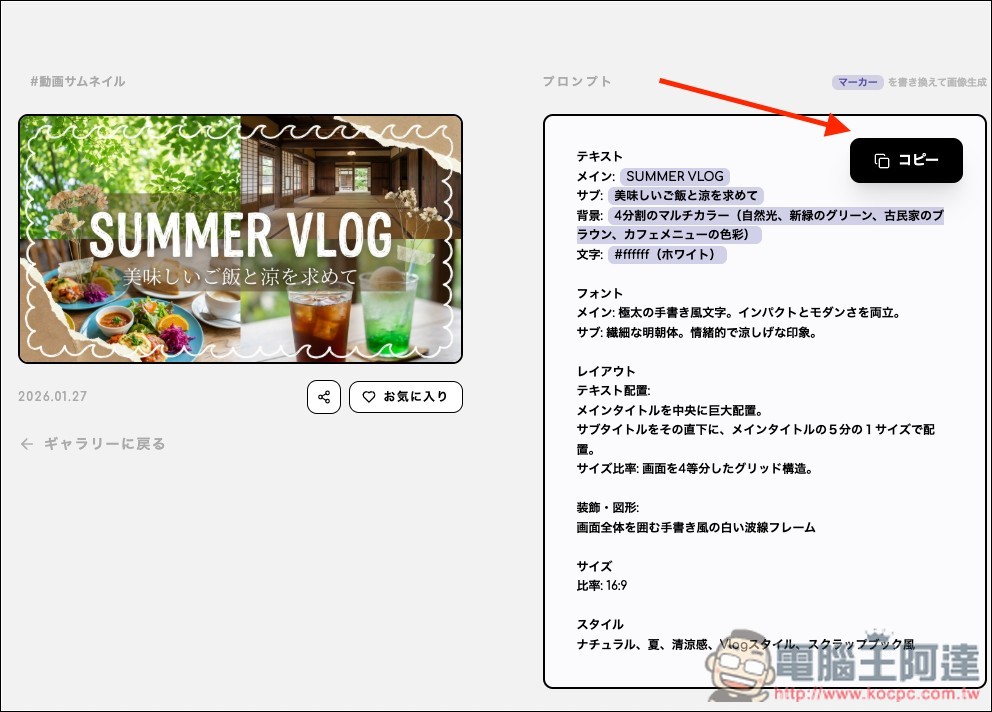
Since it was in Japanese, I used ChatGPT to translate it into Chinese. After translating, you can start using it right away. Remember to replace the text on the Banner with your own—this Banner of mine mainly has a main title and subtitle. Whether to modify the design of other parts depends on your needs.
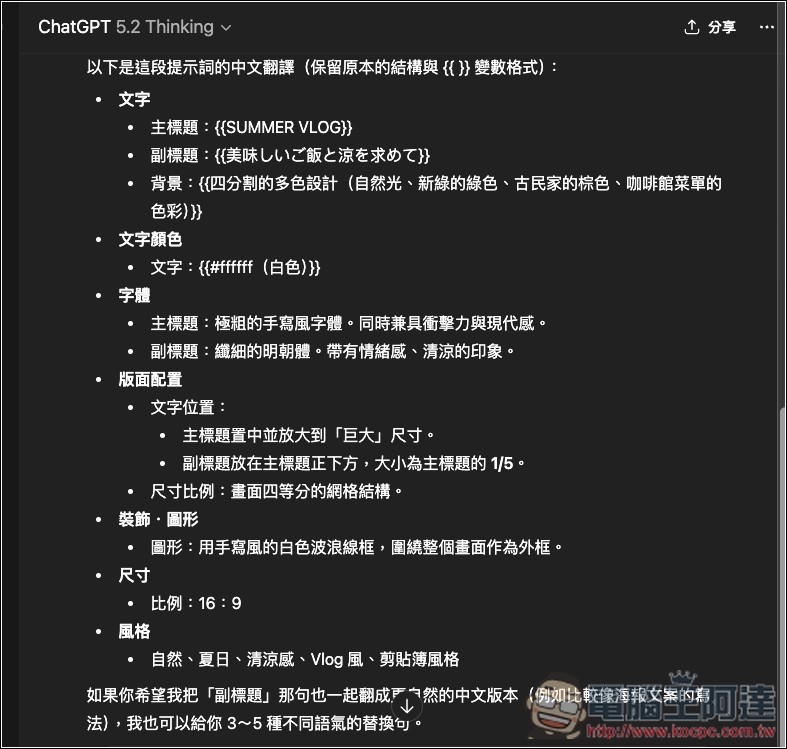
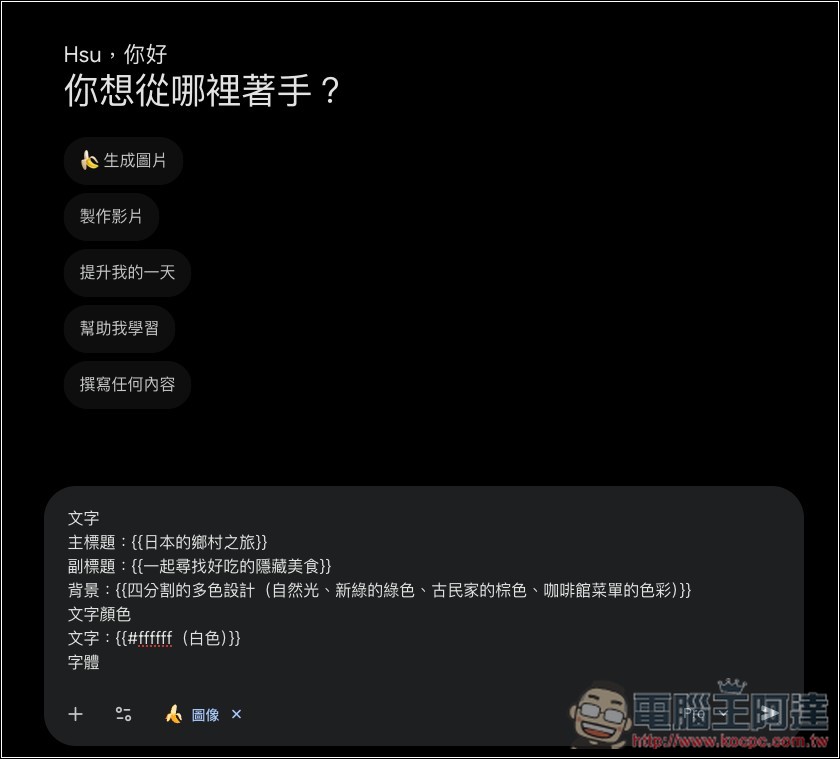
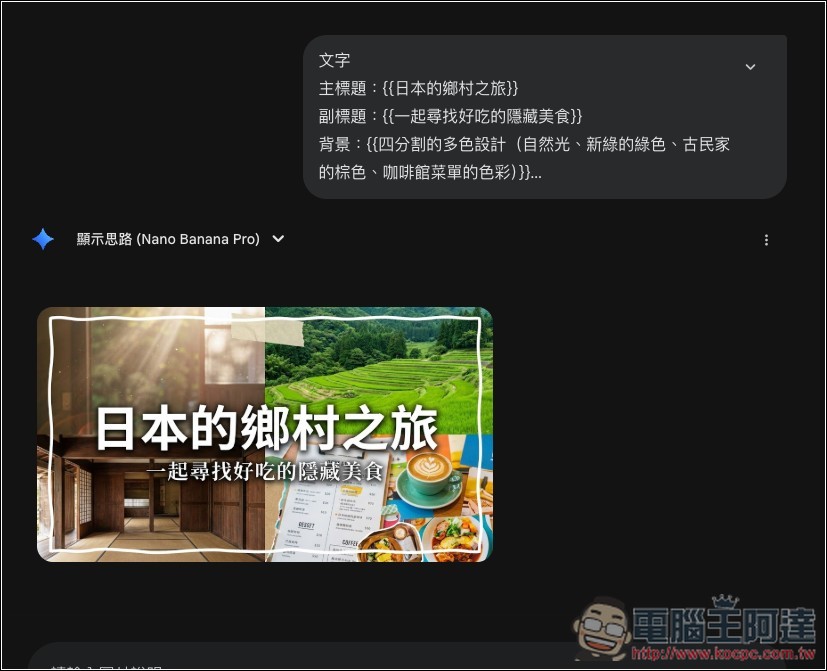
Next, I put the prompt into Nano Banana Pro to generate the images. I changed the main title to “A Journey Through Rural Japan” and the subtitle to “Discovering Delicious Hidden Food Gems Together,” keeping the rest of the original prompt unchanged:
Sure enough, it generated a very similar Banner image:
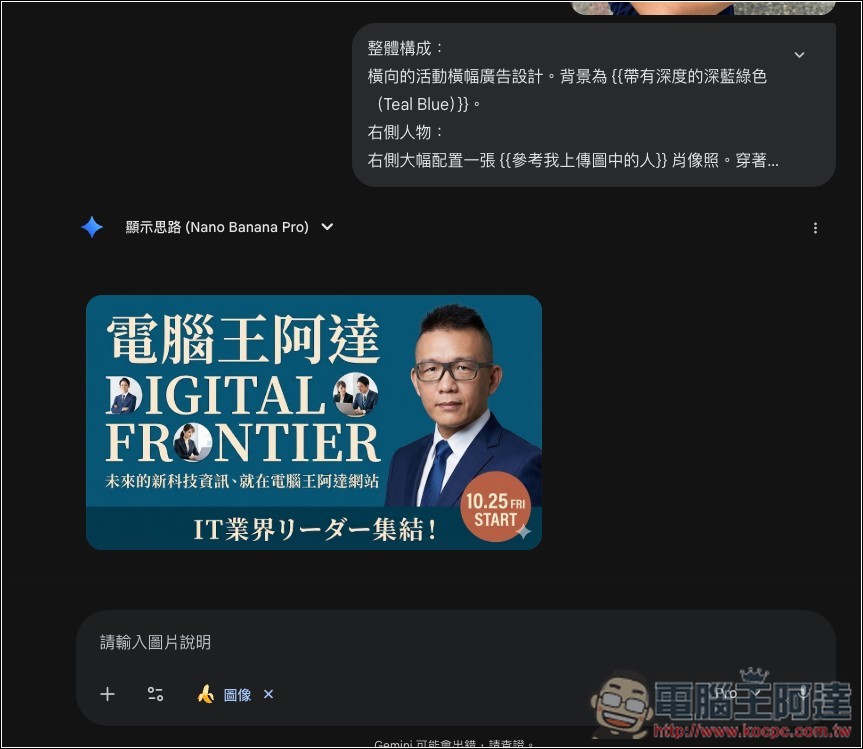
Not just text, even the people can be changed to whoever you want to include. Using this Banner below as an example, there’s a section in the prompt about the character — modifying this section allows you to change the person in the image.
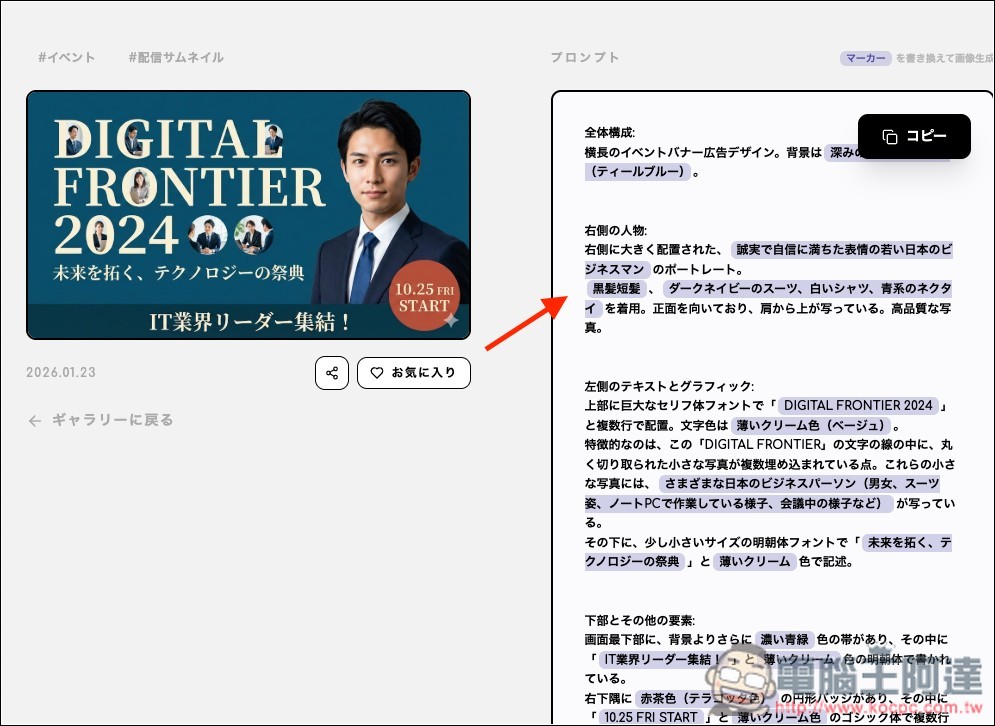
Similarly, I first translated the prompt into Chinese. The original character description was “A young Japanese businessman with sincere and confident expressions,” which I changed to “Reference the person in my uploaded image,” and attached a headshot of 阿達.
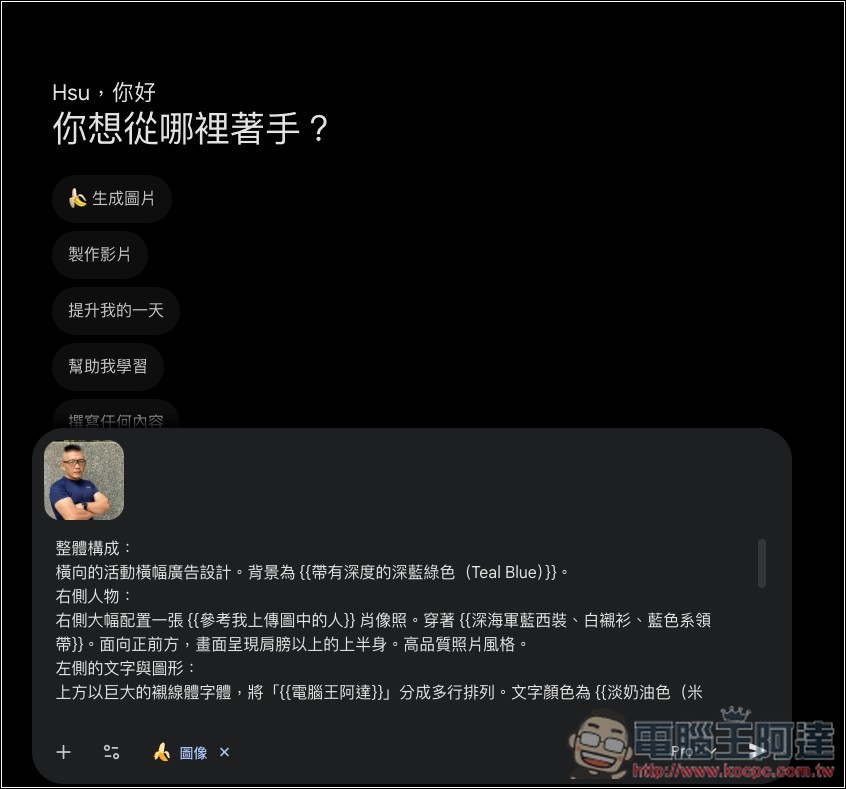
After generating it, the character in the banner was changed to 阿達! I forgot to change the text at the very bottom, so it’s still in Japanese:
Source: KOCPC Chinese