


Although we have introduced many EXIF photo information tools for iOS before, even if you see so much location information included in the photo content, we also have tips on how to ensure that location information is not included in the shared photos. However, if you want to confirm that EXIF is gone and delete the data you don’t want others to see at the same time, the iOS/iPadOS app “EXIF Viewer by Fluntro”, which is now free for a long time, can be a big help. Continue reading the text of the EXIF Viewer by Fluntro limited-time free (use experience) report that allows you to view hidden information in photos.

EXIF Viewer by Fluntro, which can view hidden information in photos, is now free for a limited time (use experience)
Come on, don’t blame us for not reminding you. This iOS / iPadOS app is usually only free for two or three days at a time, so I suggest you grab it before watching it (portal). That is to say, with this app, you can not only view EXIF information, but also completely delete EXIF or delete the location with one click, and even edit the EXIF data yourself later. In fact, judging from its usual price of about NT$90, it is still an app choice that is worth buying. (Of course, it would be better if you can catch it during the limited time free period)
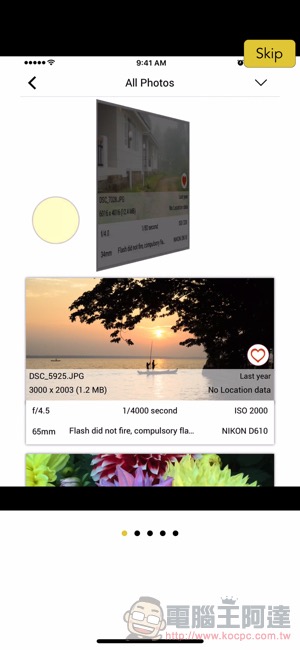
When you open the app, there will be basic tutorials, so you can take a look. However, if you just want to simply view EXIF, whether it is a thumbnail or click on a single image, you can easily see partial/complete EXIF photo information in just a few operations:
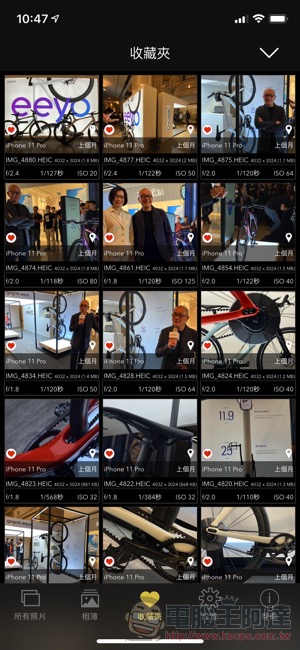
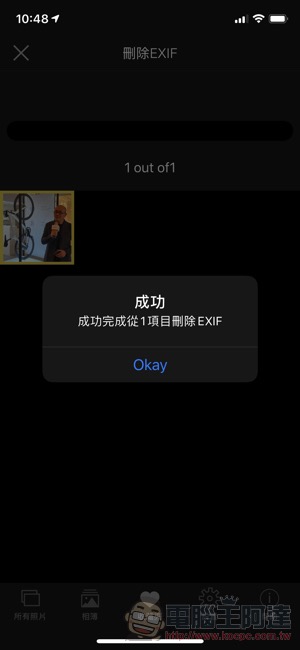
For a single photo, you can choose whether to use the buttons below to edit EXIF or delete information and other functions – you can also choose to directly overwrite the original image’s file storage:
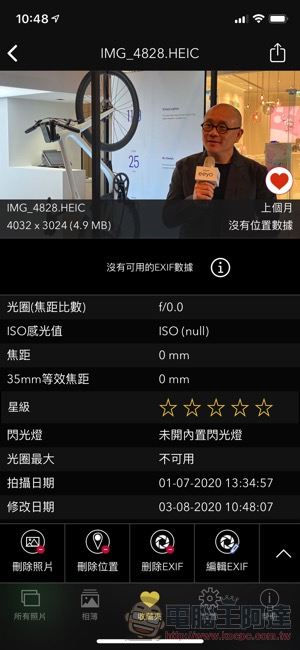
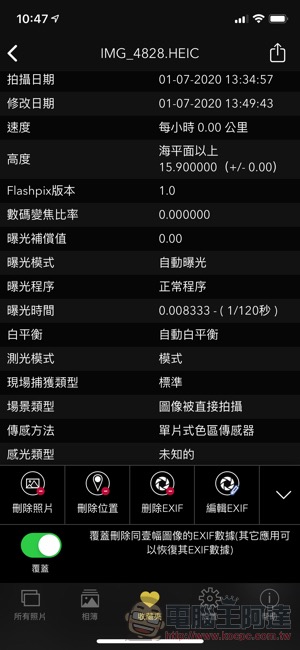
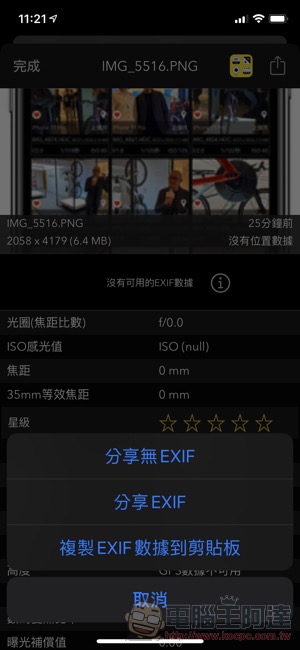
You will no longer be able to see the information after deleting it! Then EXIF Viewer by Fluntro can also provide a linking function in the original iOS photo application. Select the share button and find “View EXIF” to open the menu in Figure 2 below – you can directly share pictures without data, or you can just copy the EXIF text information, which is quite professional:
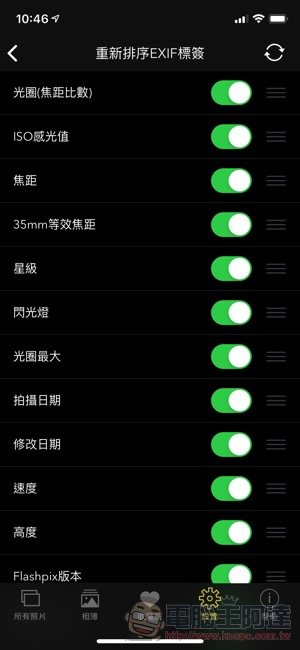
There are actually many options and functions. You can also arrange the EXIF information you want to see most at the top, or turn off some display information you want to ignore:

Click here to download EXIF Viewer by Fluntro(App Store)
Further reading:


Source: KOCPC Chinese