


Recently, LINE has once again released a version update for the PC version of LINE. This time, the LINE PC version 6.2 update not only adds the “Dark Mode” that many people love, but the newly launched “Special Effects Stickers” will also be displayed on the PC version soon! In addition, for users who use LINE on public computers, this update also provides users with the option to delete only the chat history of this device.

▲Picture source:LINE Taiwan official BLOG
LINE PC version 6.2 update: Optimized deletion chat history options, dark mode, support for special effect stickers
This LINE PC version 6.2 update has been released first on Windows and will also be launched on Mac in the near future. The new features added in this three updates are supported on both Windows and Mac platforms. Windows users can update the LINE PC App immediately to experience the latest updated features, while Mac users will have to wait a little longer and it will be launched soon!
The chat record deletion option has been optimized, and only the chat records on the computer can be deleted.
Originally, if a LINE user executed the delete chat history function in the computer version settings, the chat history on all other devices of the LINE account would be deleted except for the computer version chat history. However, in this LINE PC version 6.2 update, when executing the delete chat history function, users can choose to delete the chat history of “this device” (the computer currently being used), or select “All Devices” to delete the chat history including computers, mobile phones, tablets, etc. that are logged in to the account at once.
As long as you select “Chat History” under the delete data item in the “Chat” tab of the settings, you can choose to delete “all devices” or only “this device”:
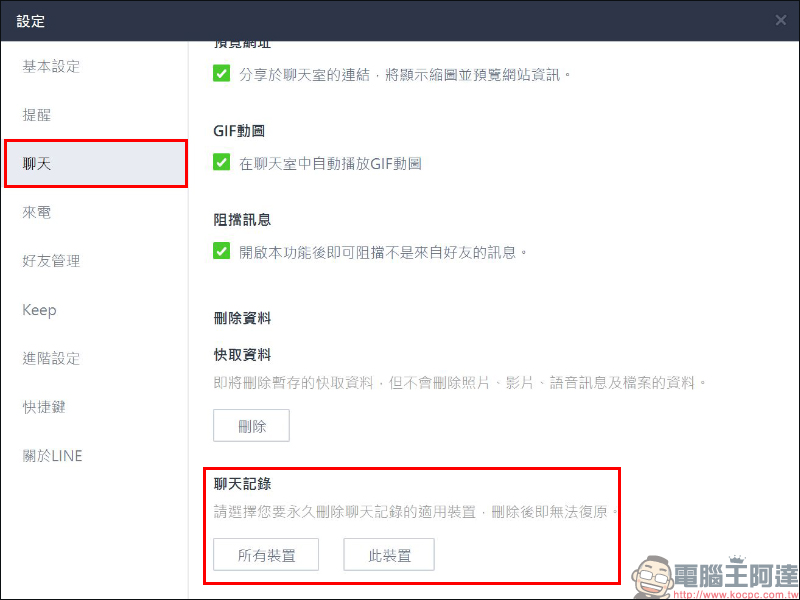
This feature is very convenient for some users who borrow computers from others and use public computers to log in to LINE! Because of this, users can only delete the chat history on this computer after use, but the chat history on the mobile phone will not be deleted. Of course, you must also pay special attention to the fact that after you delete the chat history, you will no longer be able to reply!
The PC version adds dark mode support
If LINE PC version users update the LINE App to version 6.2, a window will pop up prompting the new dark interface when they open the LINE App for the first time. If there is still no automatic adjustment after the update, you can also go to settings to set it yourself.
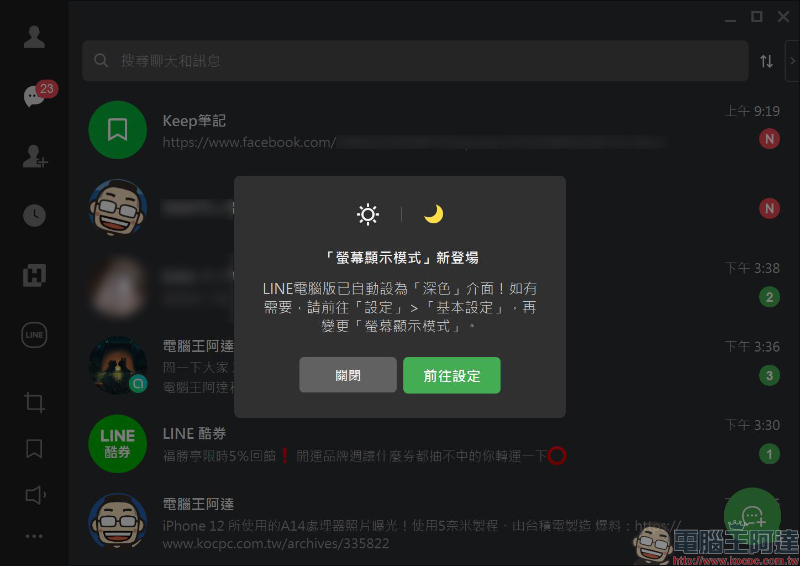
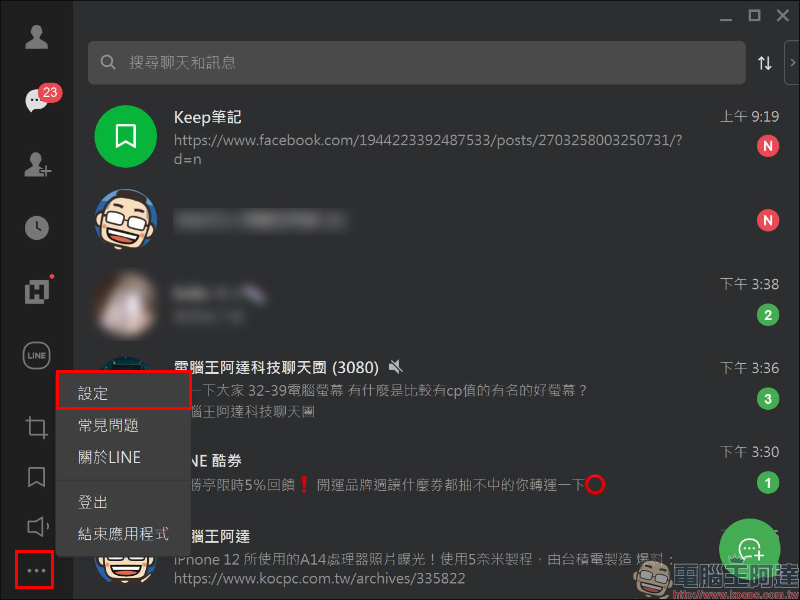
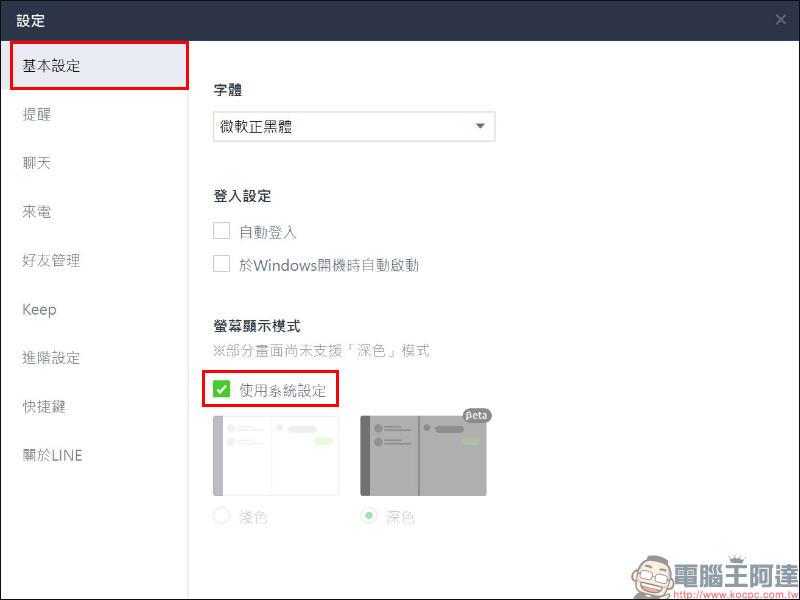
First, click on the function list in the lower left corner of the LINE window and click “Settings”:
Then find the screen display mode in “Basic Settings”, and you can see the “Dark” mode in the testing phase next to the original Light mode.
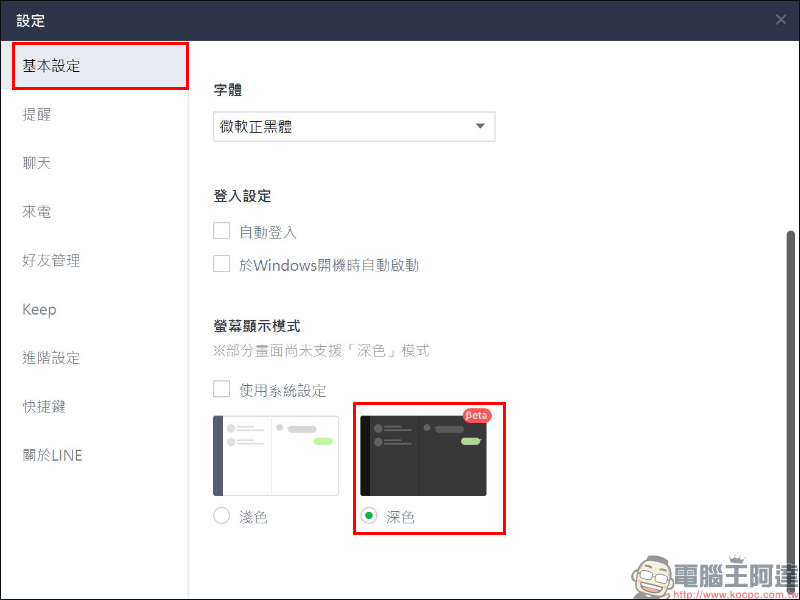
If you do not want to have to go to LINE to change the screen display mode after adjusting the computer system settings, you can check “Use system settings” here to let the LINE App switch the display mode according to the computer system settings.
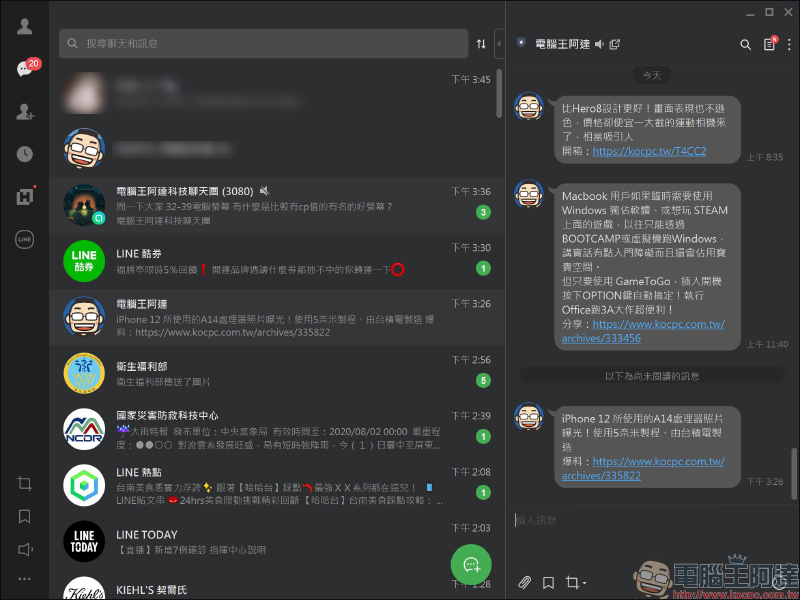
The display effect of dark mode in LINE PC version is as follows:
The PC version adds support for special effects textures
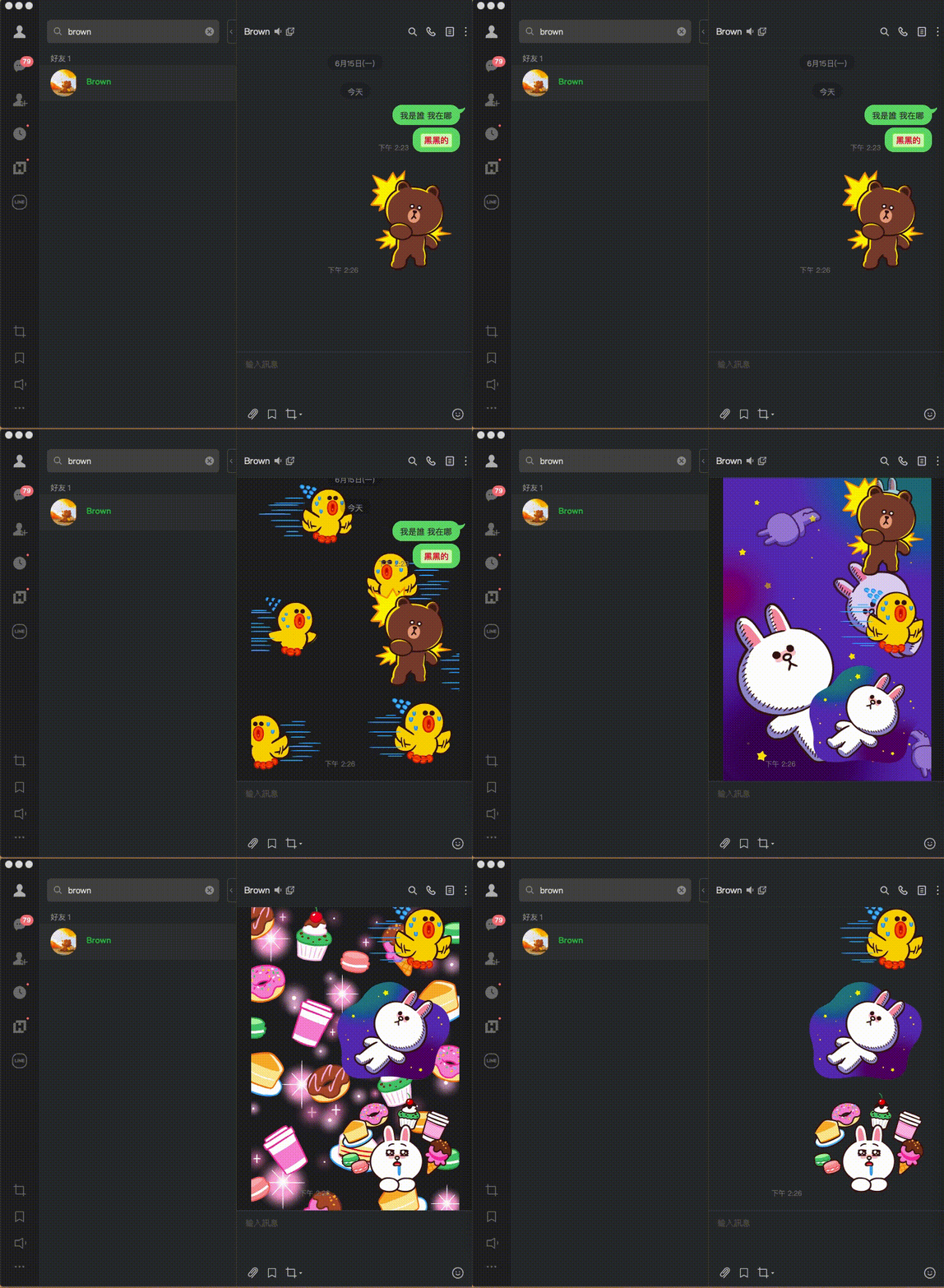
Some time ago, LINE launched a new “Special effects map”, allowing users to activate the chat room background effects exclusive to the stickers simply by sending them special effects stickers. However, originally special effect stickers were only supported in the LINE mobile app. Now, after the LINE PC version 6.2 update, special effect stickers are also supported in the PC version!
▲Picture source:LINE Taiwan official BLOG
Source:LINE Taiwan official BLOG
Further reading:
LINE TAXI taxi-hailing platform officially launches diversified taxi “LINE TAXI Plus” service

Source: KOCPC Chinese