


Although Mac has a built-in Do Not Disturb mode, it will affect the notification function of all applications and cannot be specified. Therefore, the flexibility of use is somewhat inconvenient. If you are looking for a Mac Do Not Disturb gadget that can specify applications, Nonotify introduced in this article is very good and even provides a 30-minute pause function, making it more convenient to use.
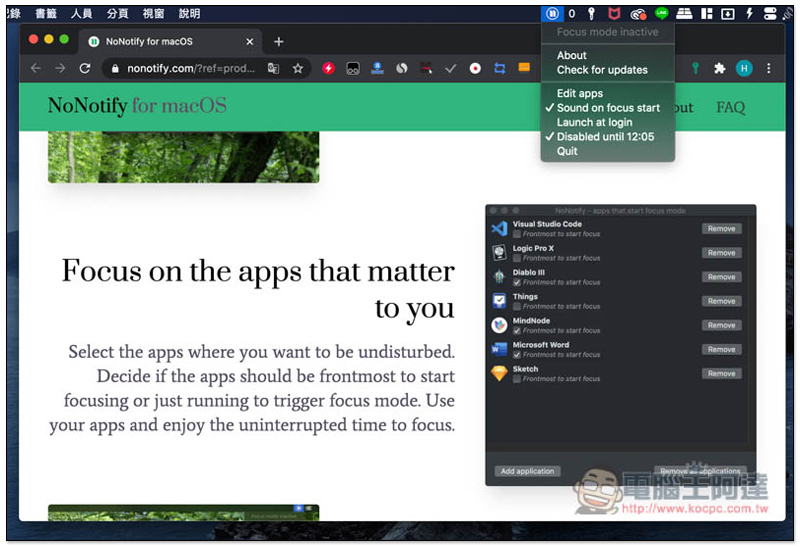
Nonotify app-specific Mac Do Not Disturb gadget
Nonotify is not available on the App Store, you need to go toDeveloper official websitedownload. There is no installation required after downloading and decompressing, you can directly click to open it and use it without installation.
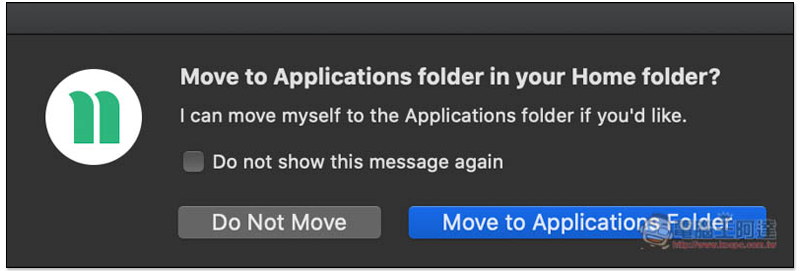
After opening it, you will be asked if you want to move to Applications Folder. I personally recommend not to do it yet. It is not too late to try it and see if you like it before deciding:
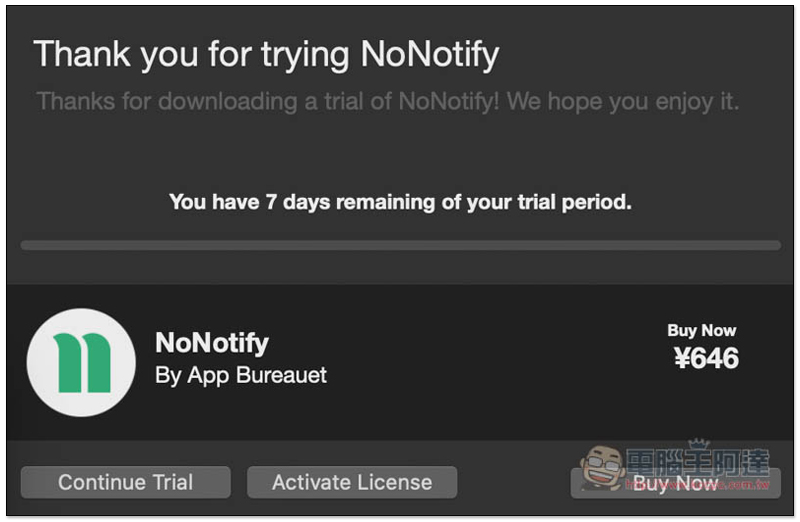
In addition, this app is not completely free. It provides a 7-day trial of the full version. Press Continue Trial to continue the trial:
Then the Menu Bar will appear in the upper right corner, with the pause symbol icon. There are three main functions, “Edit apps”, “Sound on focus start” and “Disable for 30 mins”: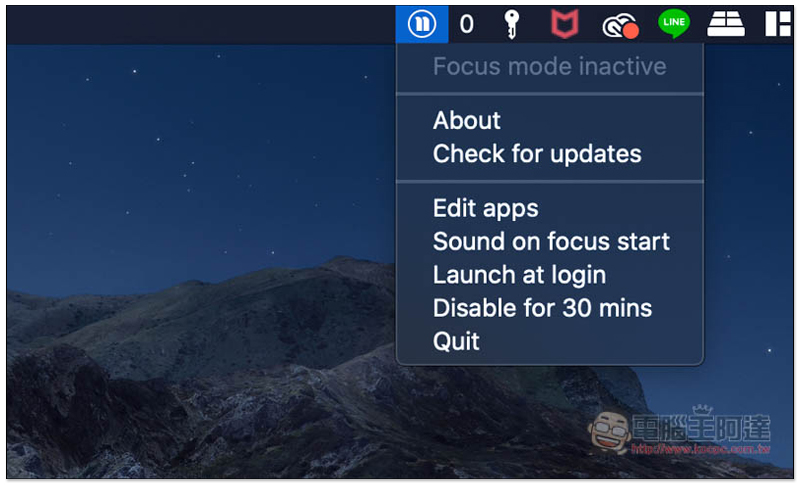
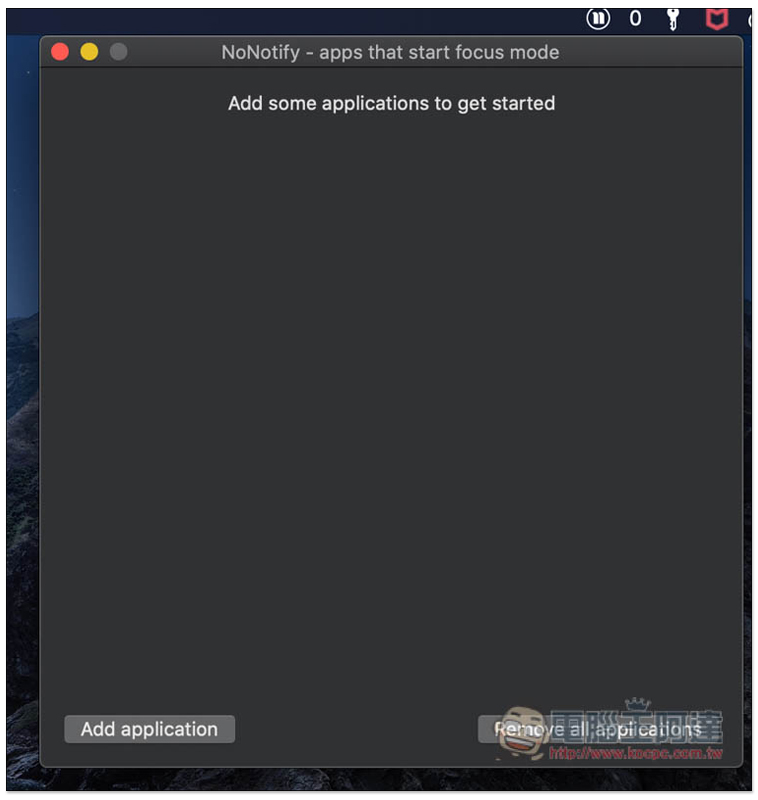
At the beginning, the Do Not Disturb mode is the same as the built-in mode, and all Apps are affected. If you have specific Apps and want to continue to receive notifications, you need to manually join them. After clicking Edit apps, press Add application in the lower left corner:
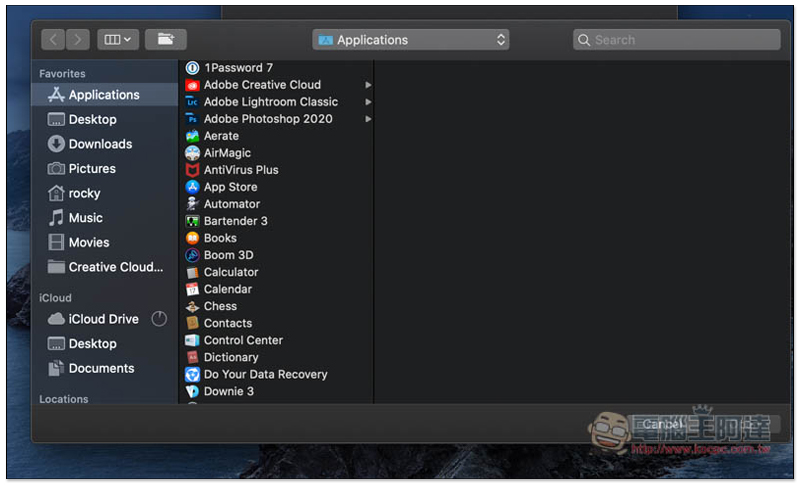
Then the Mac’s Applications folder will automatically open. Click on the application that will display notifications when you want to enable focus mode:
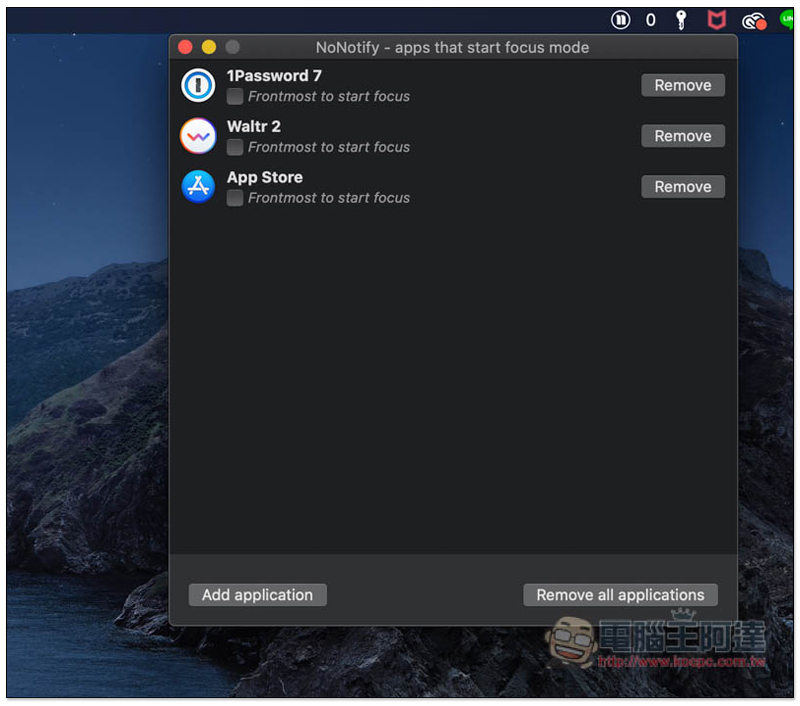
As shown below, add each one to the list:
When you start working, click Sound on focus start to enable focus mode. Then you will not receive notifications for apps that are not added to the list, allowing you to focus more on your work:
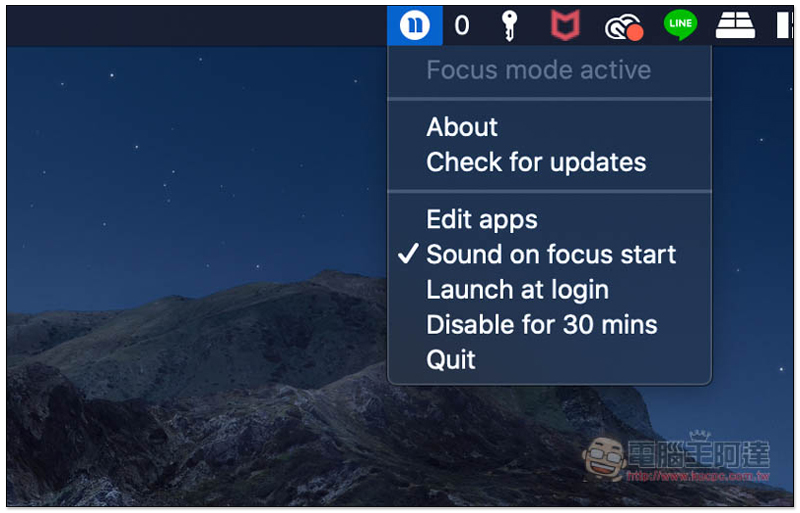
If for some reason, you need to receive notifications from apps that are not in the list, such as waiting for a phone call or an email to come in, you can click Disable for 30 mins to stop it for 30 minutes. The end time of the stop will also be displayed on the right: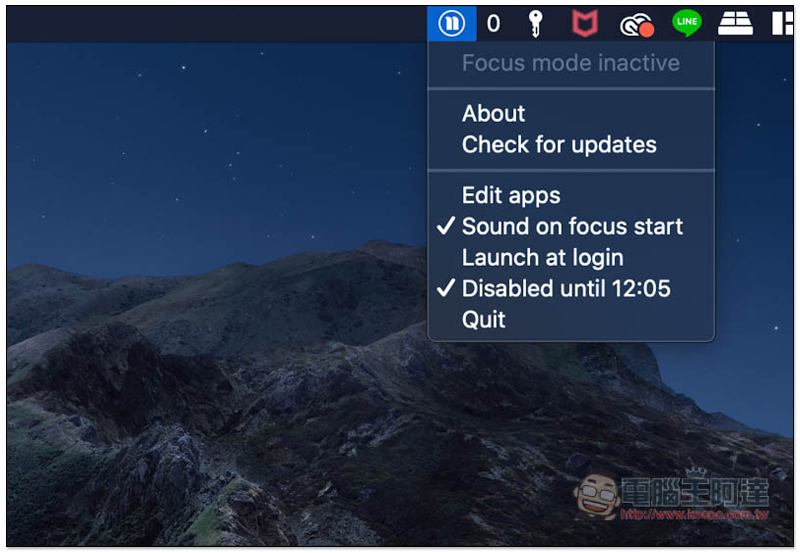
Overall, this app is very simple to use. Even people who are not very good at English can get started quickly. However, I personally feel that the price is a bit too high. After all, the function is very simple. It only specifies the app to stop receiving notifications. If other small functions suitable for work can be added, it should be more worthwhile, such as white noise and the like.
Supplementary information
- App name: Nonotify
- Nature: Free trial
- Supported operating systems: Mac
- Official website rain download link:Click here to go
Source: KOCPC Chinese