


Most Mac users probably have an iPhone or iPad on hand. If you’ve ever felt your screen real estate is limited while using a Mac, OpenDisplay is a free, open-source tool that lets you turn your iPhone or iPad into a second monitor. Setup is straightforward, and it supports both wired and WiFi connections. I tested it over WiFi and found the performance smooth with no noticeable lag. You can also choose between mirroring your display or extending it—worth trying if you need the extra screen.
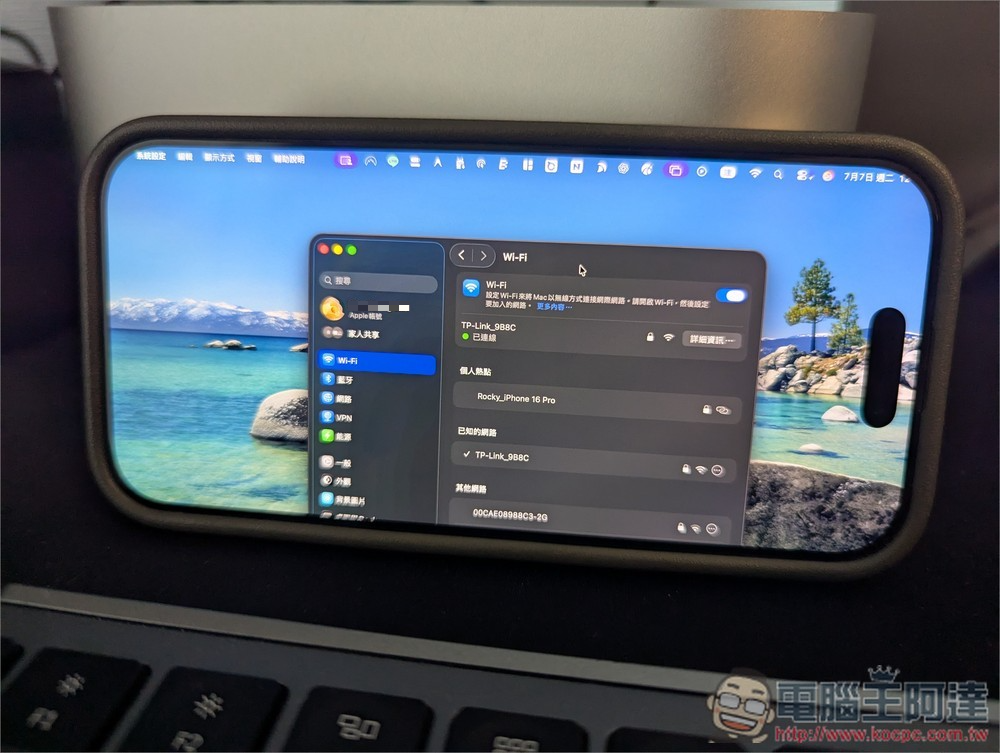
OpenDisplay Introduction and Operation Guide
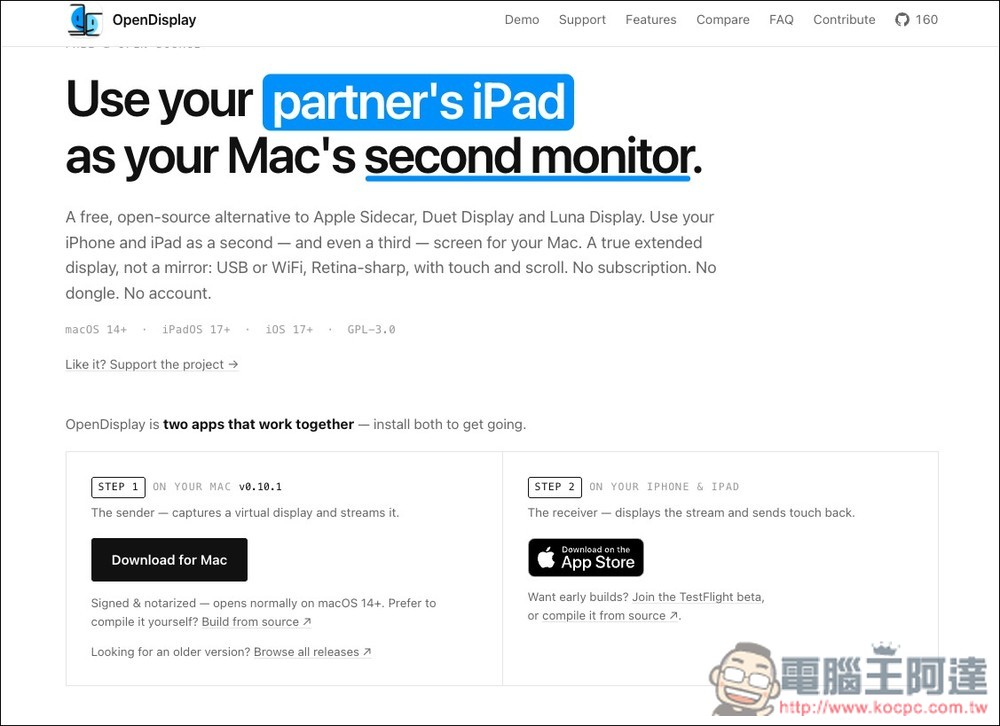
OpenDisplay is a free, open-source Mac screen extension tool that allows users to turn their idle iPhone or iPad into a second or even third screen for their Mac, similar to alternatives like Apple Sidecar, Duet Display, or Luna Display. However, the biggest difference is that OpenDisplay doesn’t require a subscription, additional hardware, or account registration. Simply install the sender app on your Mac and the receiver app on your iPhone or iPad, and you can stream your Mac’s virtual screen to your mobile device via USB or Wi-Fi.
OpenDisplay doesn’t simply mirror your Mac screen—it creates a true extended desktop, so you can drag windows to your iPad or iPhone just like using a regular external display. It supports Retina resolution, up to 60 FPS over USB, touch and two-finger scrolling, and can switch to portrait orientation based on device position, making it great for keeping chat windows, documents, monitoring info, or tool panels handy.
The only thing to note is that OpenDisplay currently supports macOS 14 and above, as well as iOS/iPadOS 17 and above devices.
Features List
- Free, open source, released under GPL-3.0
- Turn your iPhone or iPad into a second display for your Mac
- Supports true extended desktop, not just screen mirroring
- Supports USB wired connection with lower latency and allows charging while in use
- Supports Wi-Fi connectivity with automatic device discovery via Bonjour
- Supports up to 60 FPS transmission
- Supports Retina display for sharper text and images
- Supports touch, drag, and two-finger scroll operations
- No account, subscription, or extra hardware required
- Can be used across different Apple IDs, unlike Sidecar which is limited to the same Apple ID
OpenDisplay Official Website / App Store
For Mac, visit the OpenDisplay website to download and install the installer. For iPhone and iPad, install the receiver app from the App Store:
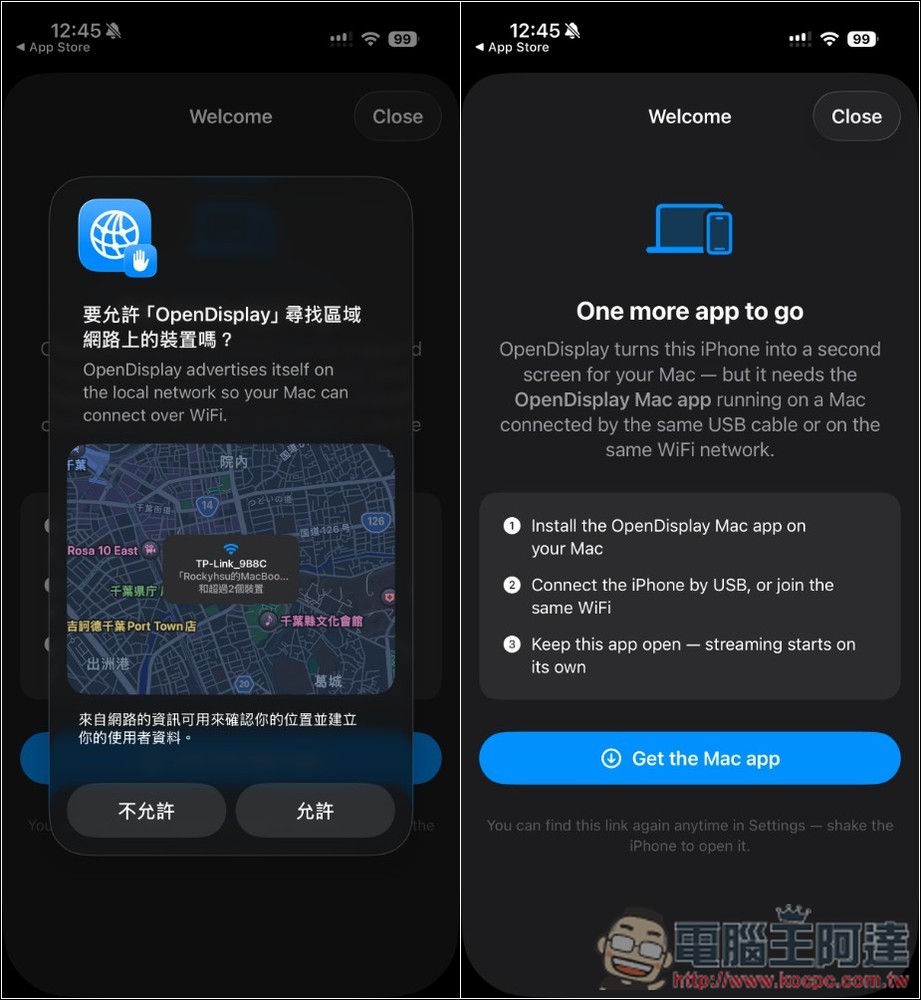
When you open the app, it will ask if you want to allow finding devices on your local network. Remember to tap Allow:
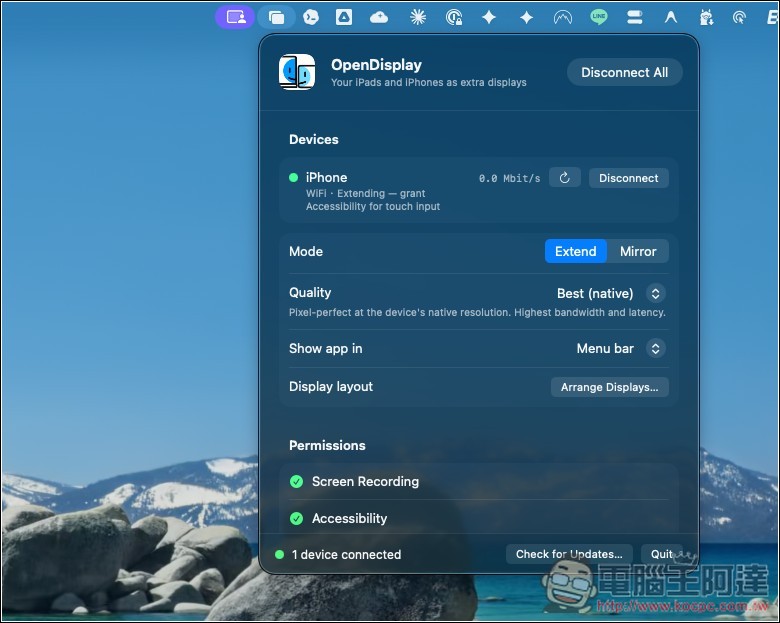
If your Mac and iPhone/iPad are connected to the same WiFi network, after installing and opening OpenDisplay on your Mac, you should see your device in the Devices list. However, some permissions need to be granted before use. There are two items to allow in the Permissions section below:
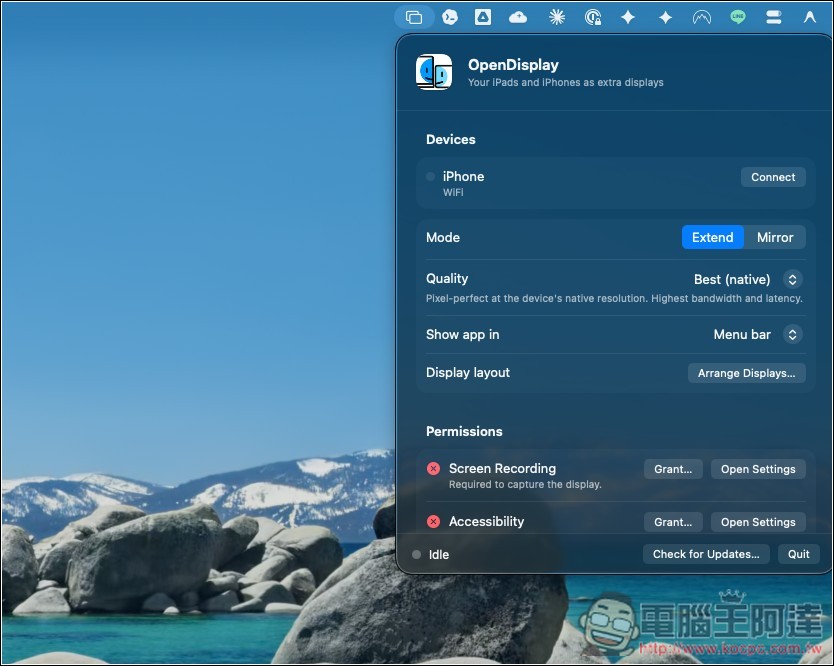
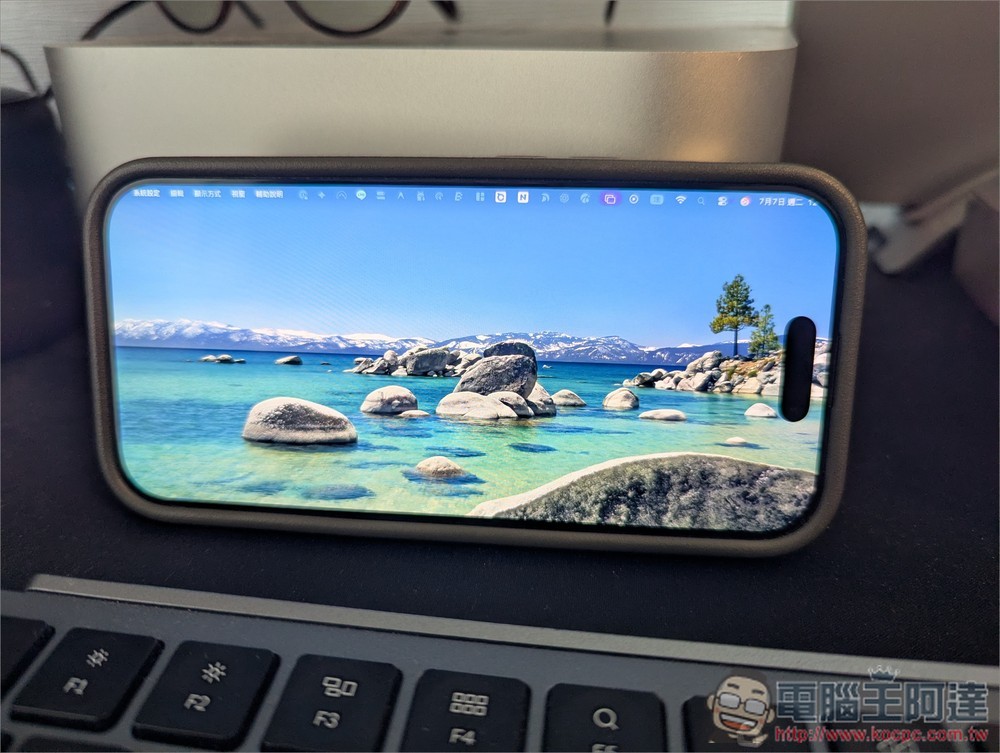
After allowing and connecting your device, you’ll see your iPhone/iPad become a Mac display! In the Mode section, you can choose between extending or mirroring, and everything else can stay at default:
Like this:
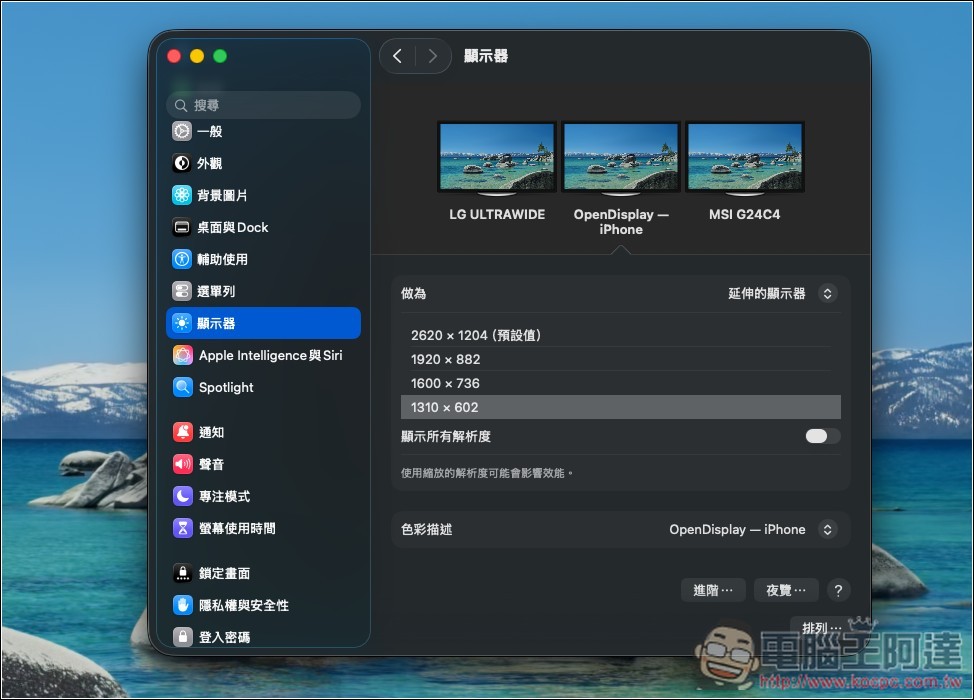
For those with multiple monitors, you can go to “Display Settings” to arrange each screen’s orientation to your preference:
Source: KOCPC Chinese