


Sometimes I want to take screenshots of content I like while browsing the web on my phone. If I take screenshots in sections, multiple photos will be stored on my phone, which is inconvenient whether I want to watch it myself or share it with my friends on apps like LINE. At this time, it would be very important to have a convenient long screenshot app!
In the past, we have introduced many methods for taking long screenshots on iOS, includingTips to easily create long screenshots of web pages through Safari. However, the “Tailor” free long screenshot iOS app I want to share today can easily and automatically detect and merge screenshots whether it is a long screenshot of a web page, an email, or a variety of apps.
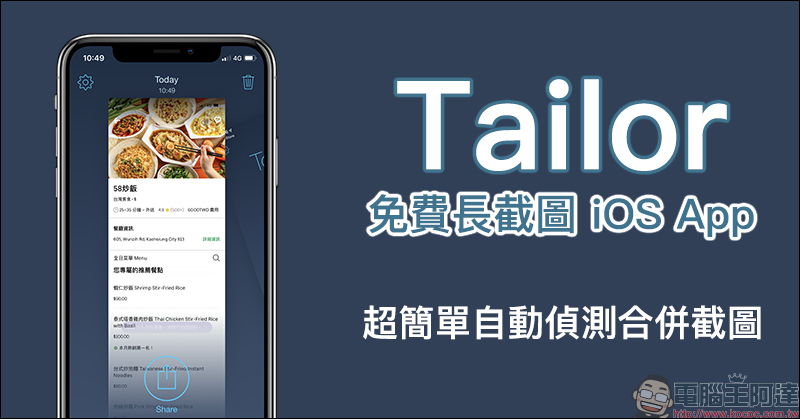
Tailor Free Long Screenshot iOS App: Automatically detects and merges screenshots, supports quick long screenshots of various apps such as web pages, emails, etc.
In addition to browsing such pages with a large amount of content, mobile phone users also often need to take long screenshots. For example, for social connections, not every app has a built-in chat room screenshot function like LINE. If you want to take a screenshot, you often need to access multiple screenshots in sections. When sharing multiple screenshots, the other party will receive multiple pictures at once.
When you want to order food delivery and are discussing what to eat for lunch with your friends, the menu page of a restaurant is quite complicated. If you send multiple screenshots at once, your friends will easily lose patience.
However, many apps with long screenshot function still have to select the screenshot material and adjust the position to produce an ideal long screenshot. The Tailor long screenshot iOS app shared today is not only free to use, but also can automatically detect the overlapping areas of the pictures to determine the order of the pictures. Therefore, the only thing the user has to do is to ensure that the overlapping area between each picture is long enough to quickly create the ideal screenshot!
Tailor iOS App Download:Click here to go to (App Store)
When opening Tailor App for the first time, you must first click Allow Access to allow photo access permissions:
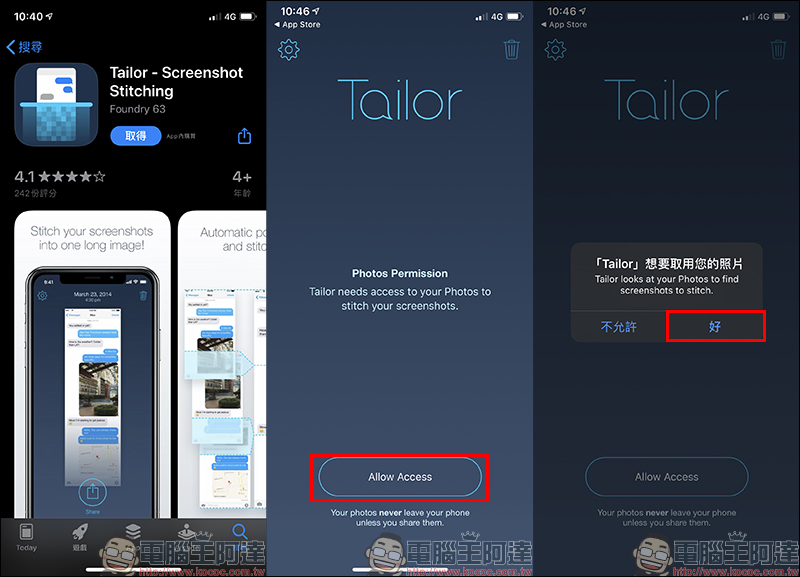
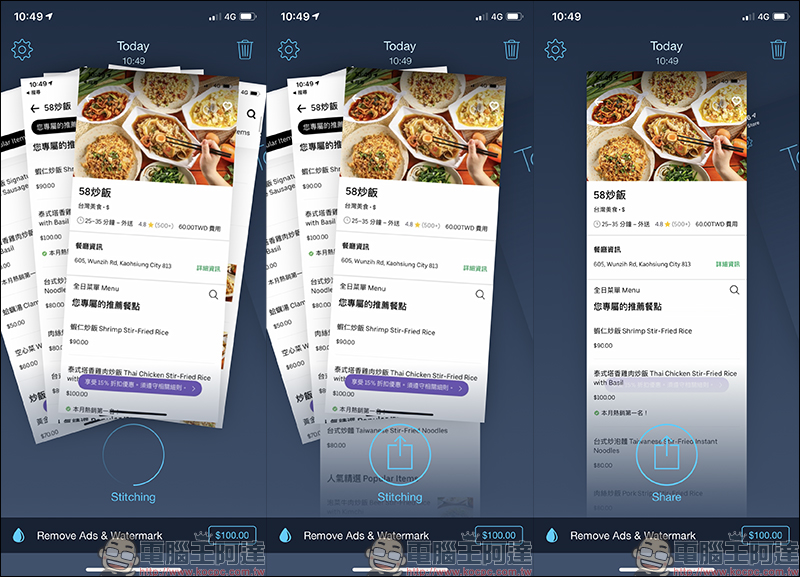
After entering the main screen of Tailor App, recent screenshots in the photo album will be automatically classified. If there are many overlapping screenshots, you can directly click on them to detect them. Then Tailor App will detect duplicate content and merge them. When taking screenshots, just pay special attention to ensuring that there are some repeated paragraphs between each screenshot as much as possible, so that the process of making long screenshots with Tailor App will be smoother.
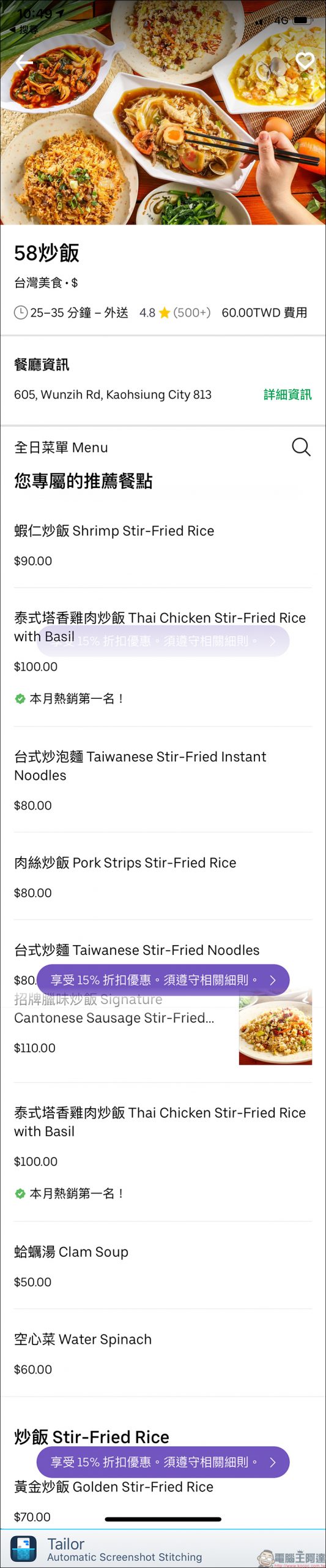
Take UberEats restaurant page screenshots as an example. After taking multiple screenshots, open Tailor to merge the images. Wait a few seconds for the long screenshots to be merged. Then you can click Share to send them to other applications or save them in the photo album:
After the creation is completed, the Share button will be displayed in the center of the screen. After clicking it, you can select the application you want to send, or click “Save Image” to save the long screenshot in the album:
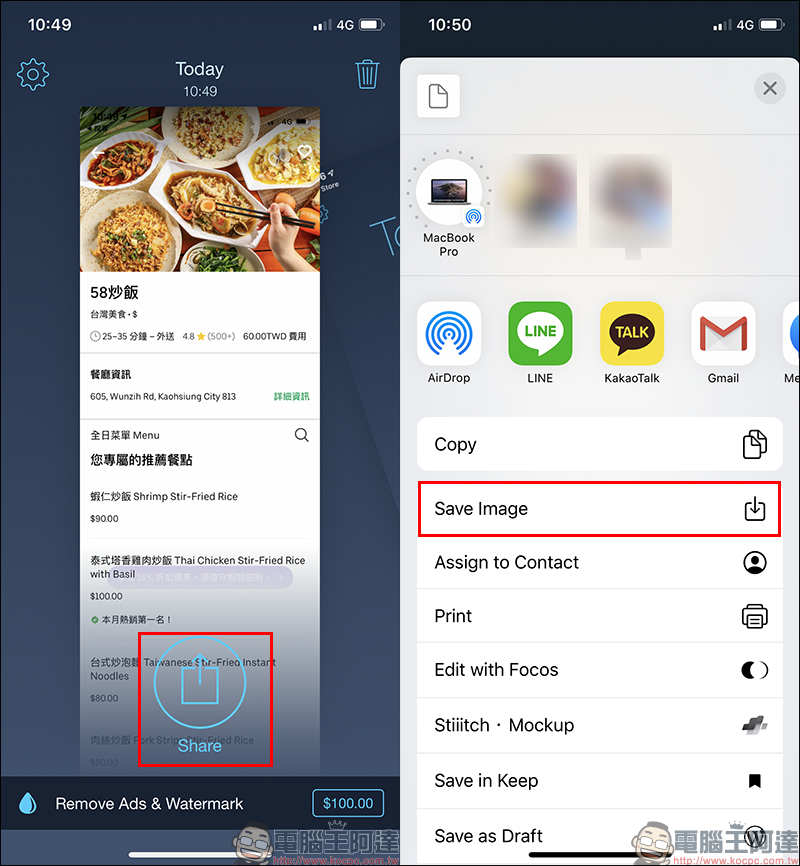
The result of the long screenshot generated is as shown below (you can click on the image to enlarge it):
summary
Tailor is a very fast and easy-to-operate long screenshot app for lazy iOS users who want to quickly generate long screenshots and share them. However, it is a free version after all. In addition to occasional advertisements during use and a watermark label at the bottom of the screenshot, it is actually quite sufficient for daily sharing.
If users are concerned about watermarks, they can remove watermarks and advertisements through in-app purchases. In addition, users who do not want to spend money can just cut the watermark themselves after the long screenshot is generated.
Tailor iOS App Download:Click here to go to (App Store)
Further reading:
Facebook Messenger privacy lock tips: Face ID and Touch ID unlock settings tutorial (for iOS)

Source: KOCPC Chinese