


In addition to LINE, a commonly used communication software, privacy can be improved through password locking and Face ID/Touch ID biometric unlocking to prevent others from easily seeing the internal chat conversation records when they get the phone. And does Facebook Messenger, which many people also use, also have such a function? In fact, it is currently available for iOS users who use iPhone. This time I will share how to enable Face ID or Touch ID unlocking for FB Messenger, so that the privacy of chats is guaranteed without affecting the user’s personal experience.
Facebook Messenger privacy lock tips: Face ID and Touch ID unlock settings tutorial (for iOS)
The Facebook Messenger Face ID and Touch ID unlock setting tutorial shared today is applicable to the iOS version of Facebook Messenger App. Depending on the iPhone, the matching identification and unlocking methods are also different. For example, the iPhone 11 uses Face ID facial recognition to unlock, while the iPhone SE uses Touch ID fingerprint recognition to unlock.
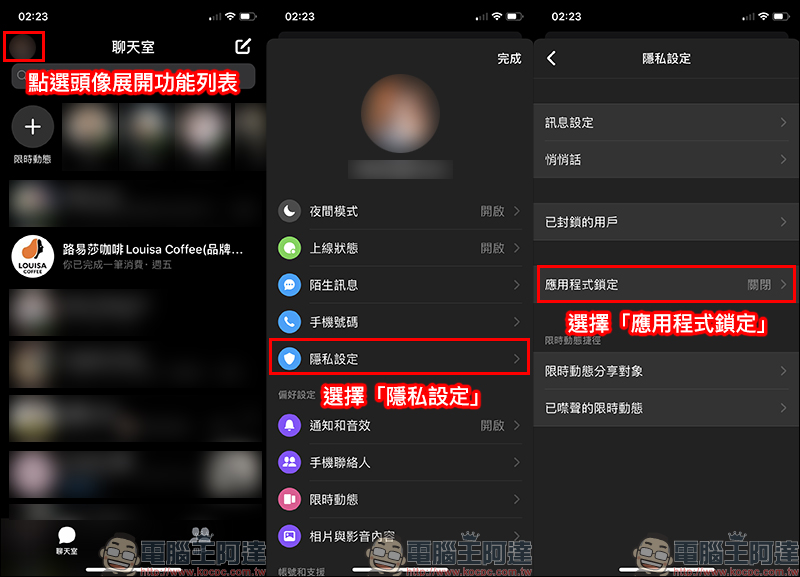
First, open the Facebook Messenger App, then click the avatar in the upper left corner of the chat room page to expand the function list. Then select “Privacy Settings” and select “App Lock” on the privacy settings page:
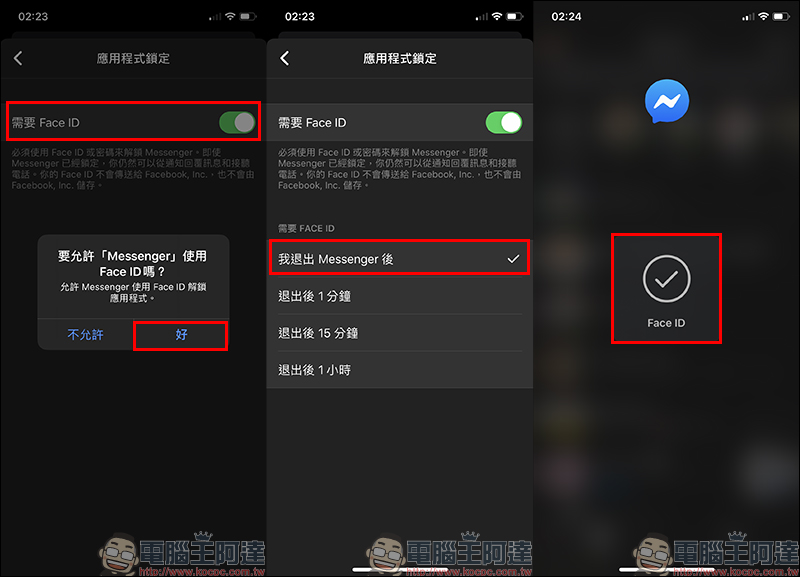
On the application lock page, taking the iPhone 11 Pro I use as an example, you can see the “Require Face ID” function setting option on this page. Just turn it on and allow Messenger access permissions. After turning on this feature, users can choose how long after exiting FB Messenger to start requiring Face ID to unlock according to their personal usage habits.
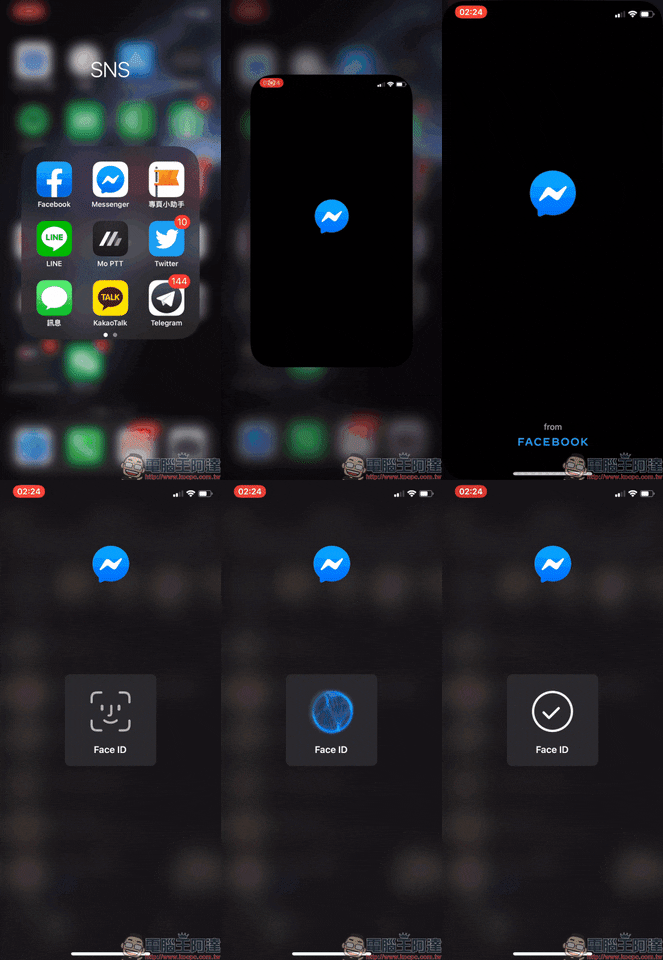
For example, the author has set up Face ID facial recognition to be unlocked as soon as “I exit Messenger”, so Face ID will be activated every time I open FB Messenger, and I need to unlock it before I can enter the FB Messenger page. Although most of us have set up the screen lock function on our mobile phones, for applications with chat history such as Facebook Messenger, if you don’t want others to accidentally click on it and take a peek, it is recommended to set up an extra layer of protection!
However, this function cannot completely prevent others from peeking, because if your iPhone also sets the other half’s fingerprint or face, then the other party can not only unlock the iPhone, but also successfully enter the FB Messenger App. (laugh)
Further reading:
LINE’s “Special Effect Stickers” are officially launched, summon chat room surprises in one second!

Source: KOCPC Chinese