


The reason why Apple’s AirPods series has become the most popular true wireless Bluetooth headset is that, to some extent, it can support devices other than the Apple ecosystem, such as Android and Windows, which should also help a lot in sales. But the so-called “complete AirPods Apple experience” is really difficult to obtain on many other products – especially on Windows. However, this situation now also has a solution using three-party applications. Continue reading AirPods can also be used smoothly and easily in Windows, try MagicPods (use share) report content.
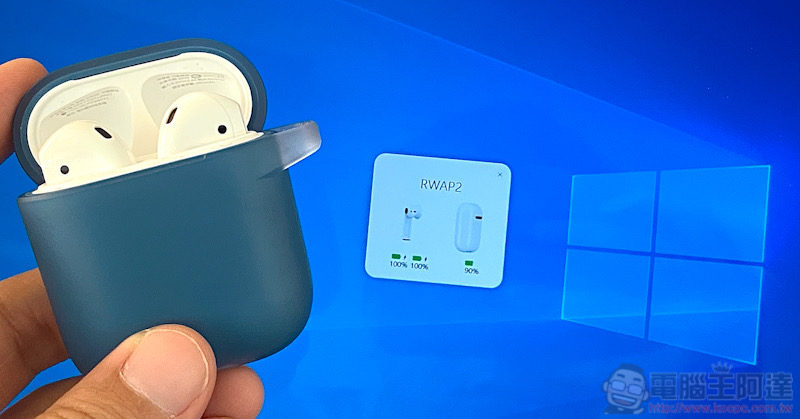
AirPods can also be used smoothly and easily on Windows. Try MagicPods (use share)
Although on Android and Windows, there is no problem if you want to use AirPods to listen to music and other content – it can be used as a general Bluetooth headset, but whether it is the power of AirPods or the pause function of taking off the headset, in fact, in non-Apple systems, these are benefits that cannot be enjoyed (it is really a pity). However, the Windows Store offers a one-day free trial MagicPods It’s very “close” to the experience of making Windows and AirPods friends. Open the Windows Store and see that you have to pay NT$69 to use it, but don’t close the page in a hurry! Because MagicPods can provide a free trial – although it is only one day, you can really try it and see if it is really useful. Whether or not you want paid support is another consideration.
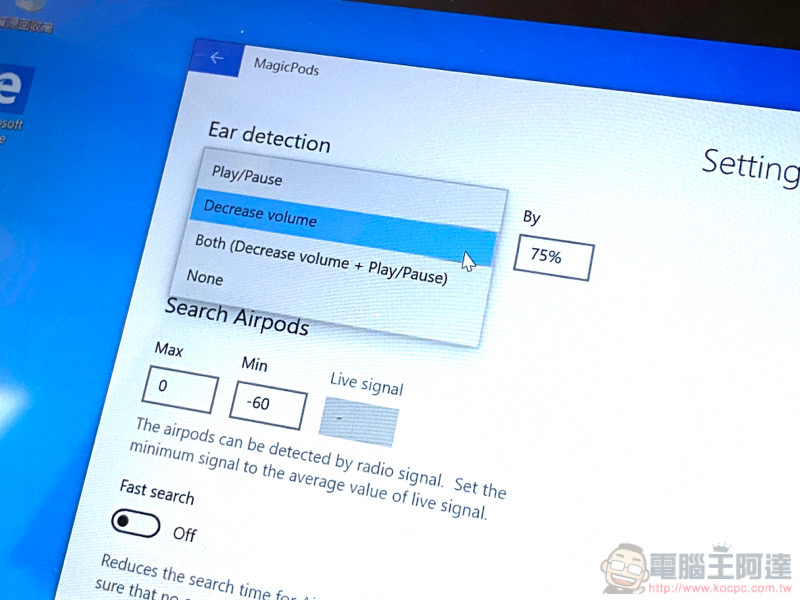
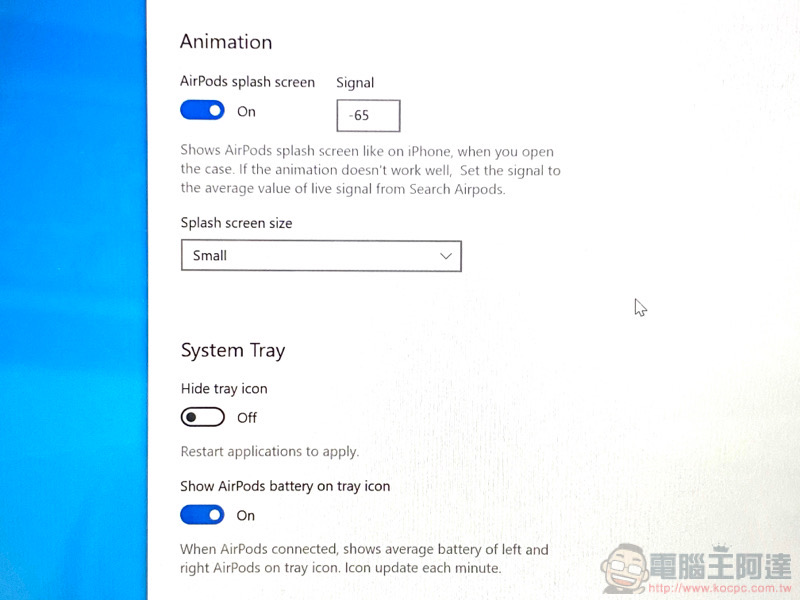
MagicPods will be able to move part of the user experience between iOS and AirPods / AirPods Pro to Windows systems. In addition to the main function of detecting when the headphones leave the ears and providing corresponding actions, it can also support opening the cover on iOS to view the battery animation. The biggest difference from Apple ecosystem products is probably that it does not allow the use of headphone touch/press controls. MagicPods can support the cover opening detection function before Windows is directly connected to AirPods – just like the experience on iOS, you can see the power of the earphones and charging box respectively, and you can pair and connect after a pop-up screen. After setting, you can also see the remaining power of AirPods through the Windows status bar.
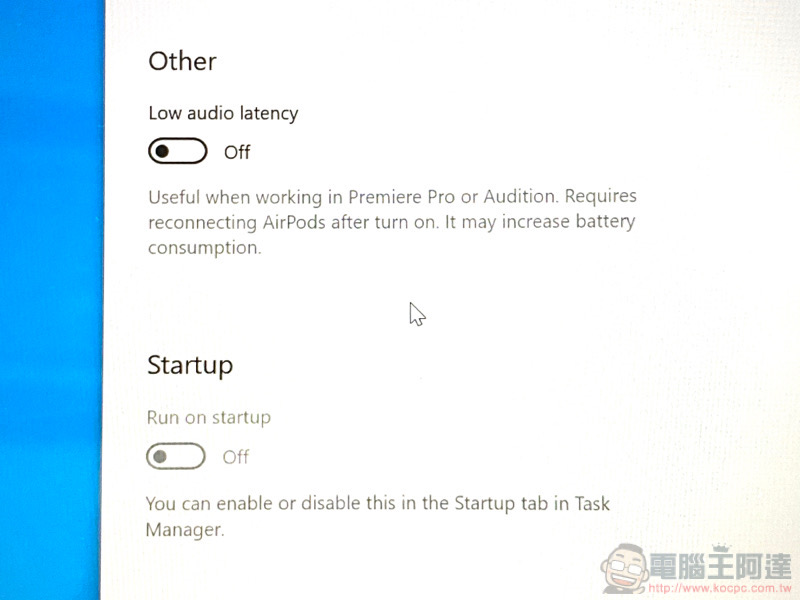
As for the customization function, you can mainly select the corresponding actions for taking off the headphones. In addition to the iOS default pause music, MagicPods also thoughtfully provides the option to reduce the volume. You can also customize the degree of volume reduction (the response is quite fast). Overall, although this app does not completely replicate the Apple experience, it does provide additional customization options (such as how high the Bluetooth signal must be before the detection screen pops up). This can be regarded as the first choice application for AirPods to cooperate with Windows system at this stage. Although you have to pay, if you really have to use this system with AirPods, I still recommend you to give it a try. It actually works well!
Click here to download MagicPods
Further reading:


Source: KOCPC Chinese