


For motorists, in order to avoid accidentally speeding while driving, it is a good way to use a smartphone to open the free speed camera app to remind yourself. PreviouslyComputer King Ada has also tested and analyzed two popular free speed camera apps, “Aegis Speed Camera” and “Omnie Cue” for you.. However, in the past, drivers had to manually open the app after getting in the car, but in fact, iPhone users can make good use of shortcuts and automated operations to achieve the effect of automatically opening the speed camera app after getting in the car.
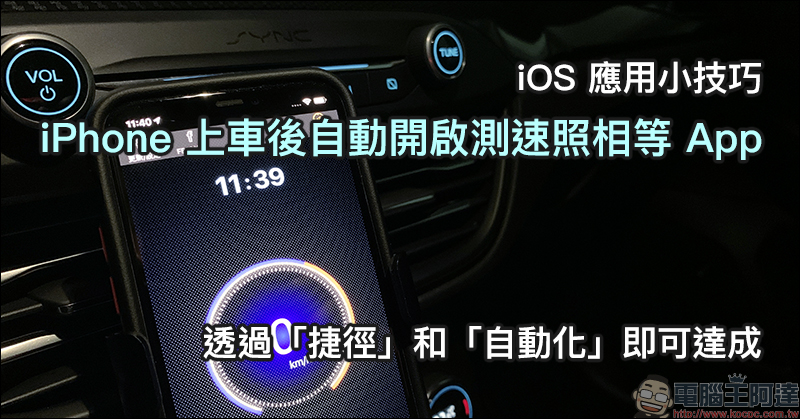
iOS application tips: After getting in the car, your iPhone will automatically open speed camera and other apps. This can be achieved through “shortcuts” and “automation”!
It is a habit of many drivers to open free speed camera and other apps on their mobile phones every time they get in the car and start the car. The iOS application tips shared this time will allow iPhone users to automatically open the speed camera app after getting in the car. Other apps such as navigation and online music streaming are also applicable.
The application tips this time are from friend sitesapple kernelsof sharing. In fact, the concept is very simple. It is divided into two steps: “shortcut” and “iOS automation”. First, create a shortcut script to open the specified application, and then create automated operation conditions. When a certain condition is met, the shortcut script will automatically open.
Added “shortcut script” to open the specified app
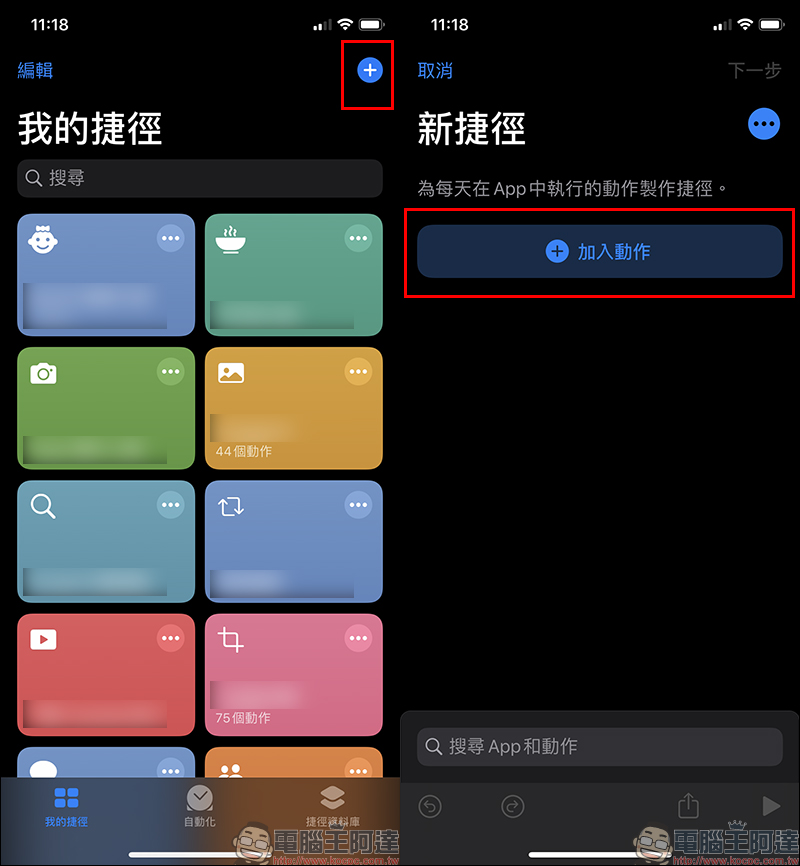
In order to facilitate drivers to learn how to set up the free speed camera app to automatically open after getting in the car, the “Aegis Speed Camera” App will be used as a demonstration. First, open the “Shortcut” App and click the “+” in the upper corner of the screen to add a shortcut, and then click “Add Action”:
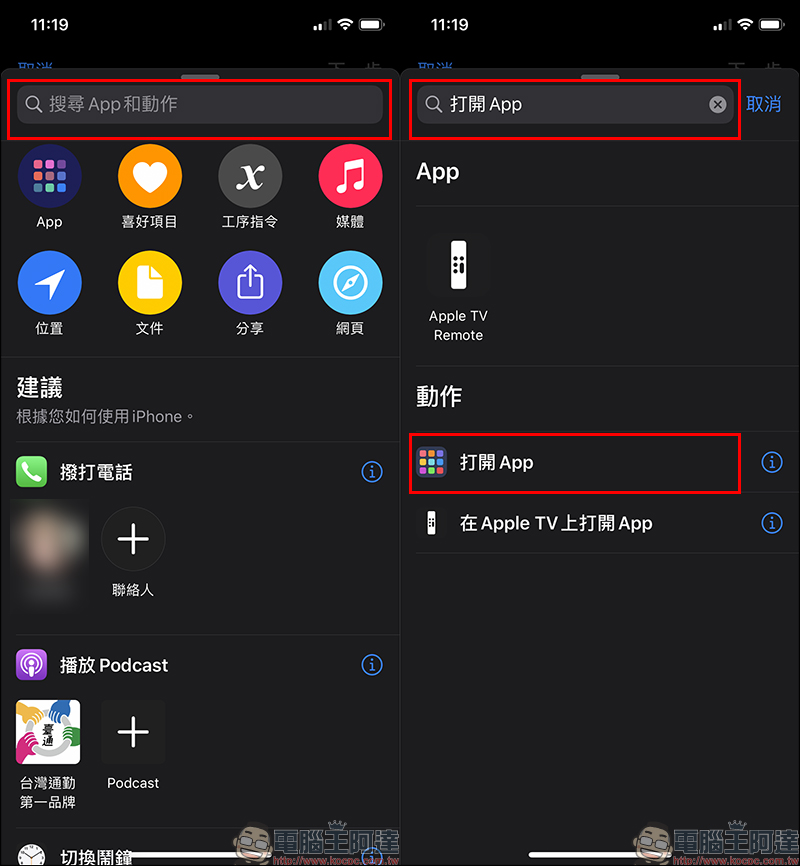
Find “Open App” on the Add Action page. If you don’t see this option for the suggested action below, you can find it through search:
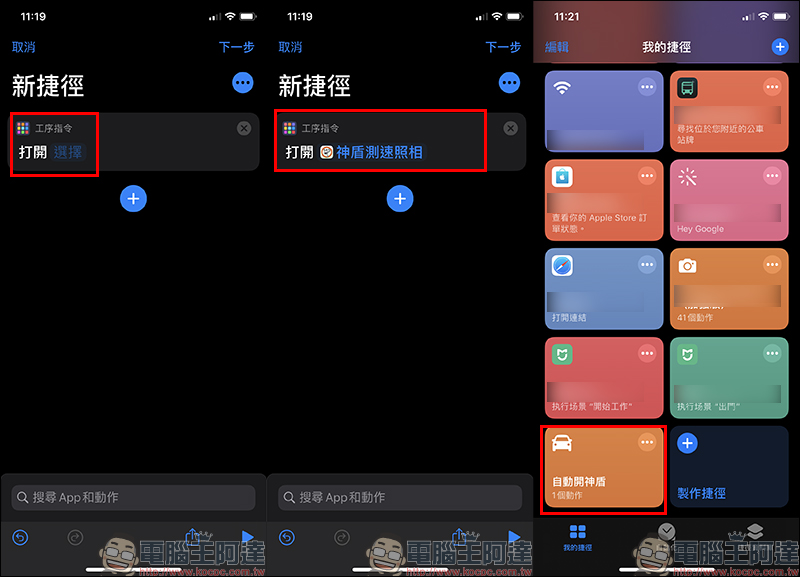
Then open the app, select the “Aegis Speed Camera” app and click “Next” to create a shortcut. After creating a shortcut, users can also change the shortcut name, icon and other settings by editing the shortcut:
Set up “automation” actions
After adding the shortcut script, return to the Shortcut App, switch to the “Automation” page, and click “Create Personal Automation Operation”. Then in the new automated operation settings, find “Bluetooth” as the trigger condition for starting the subsequent process:
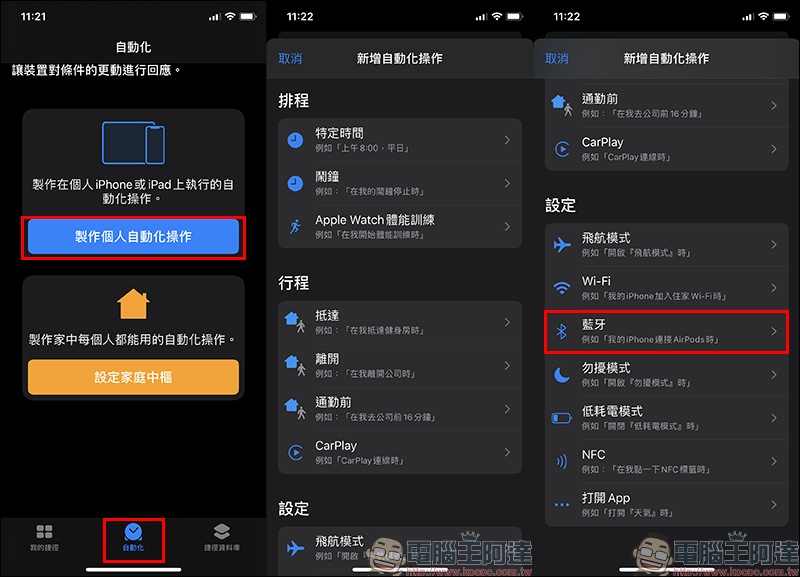
The next step is to select the vehicle’s Bluetooth device and select “Next”:
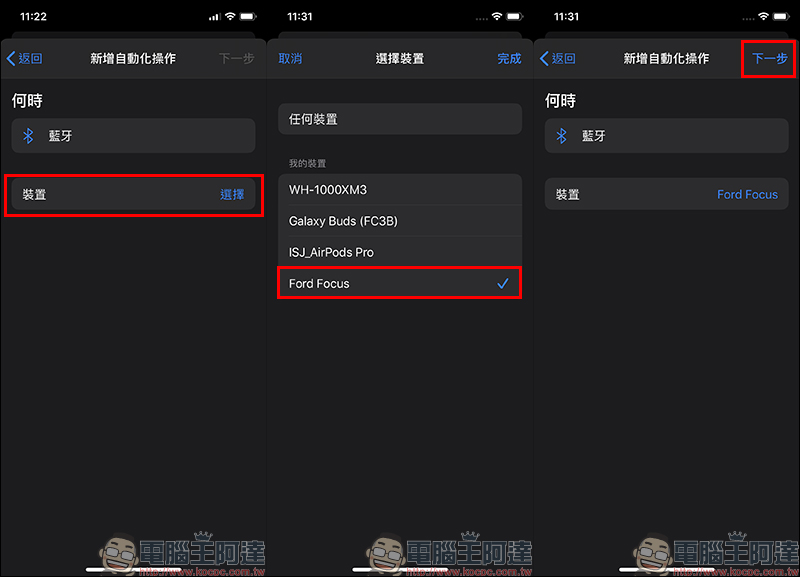
According to the above conditions, when the iPhone is connected to the specified Bluetooth device, it will automatically perform a certain action, and now we only need to use the execution shortcut as the action to be automated:
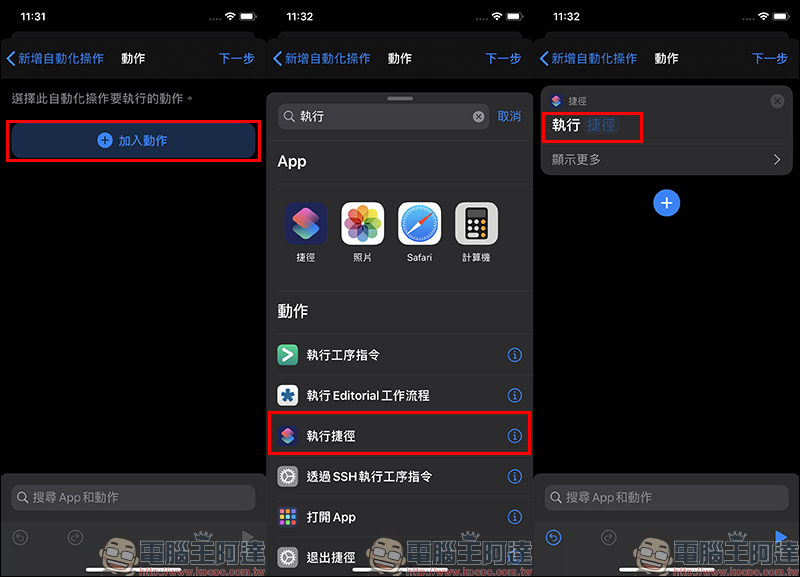
In Select Shortcut, click on the shortcut script that has been set to automatically open the Aegis App, and then select Next and Finish in sequence:
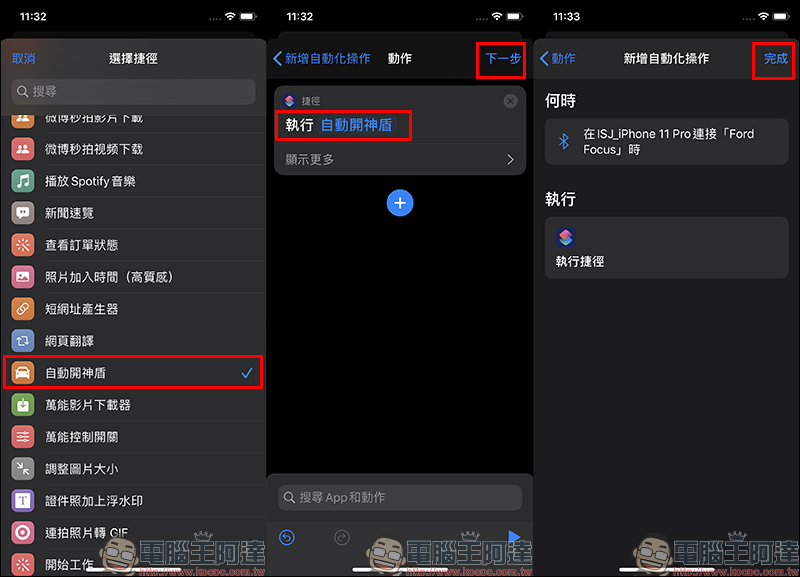
After the automatic operation setting is completed, when the iPhone is connected to the vehicle’s Bluetooth device, the iPhone screen will automatically open suggestions for executing shortcuts. At this time, just click “Execute” to automatically open the App:
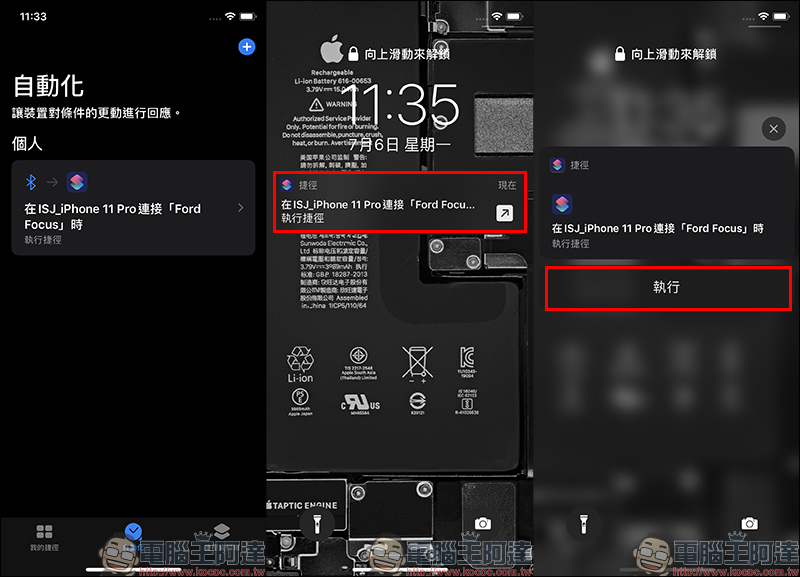
The operation process on the mobile phone screen after getting in the car is as follows. First, when starting the car and completing the Bluetooth connection, the following prompt will appear on the mobile phone screen:
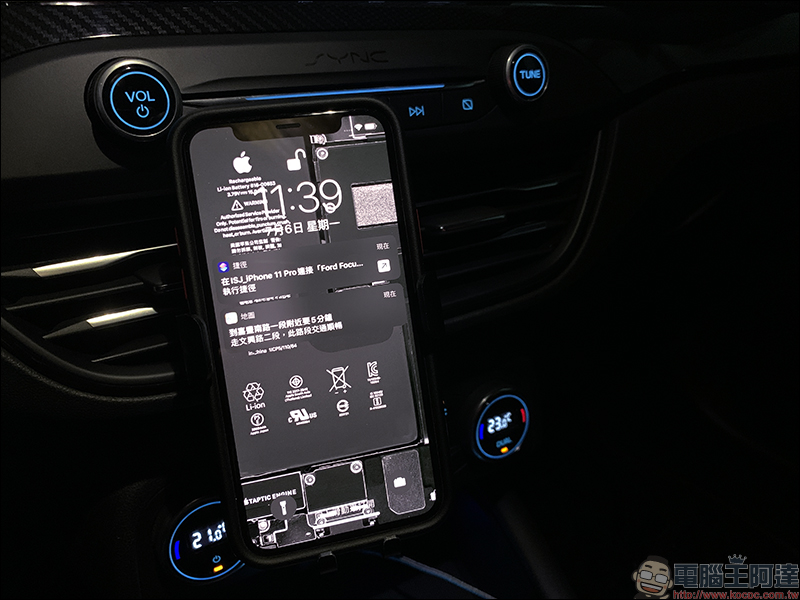
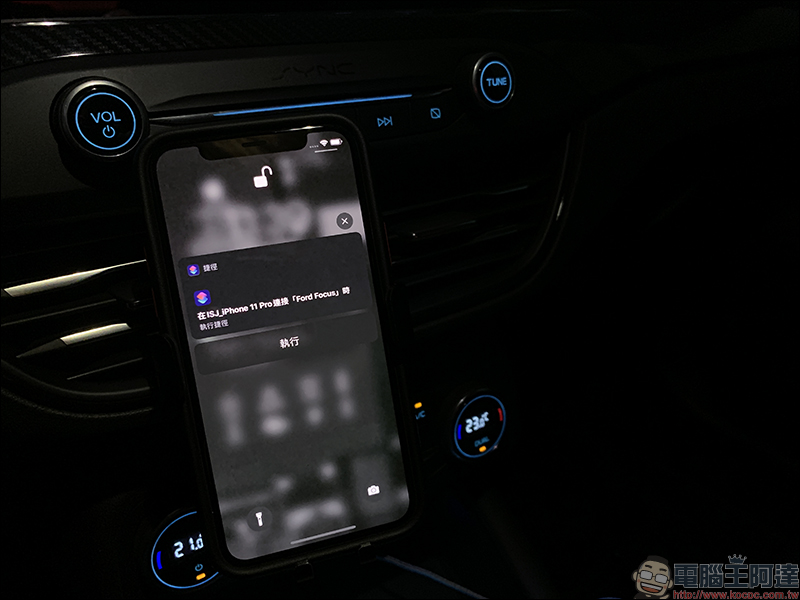
Click to expand the shortcut suggestions and select “Execute” to proceed:
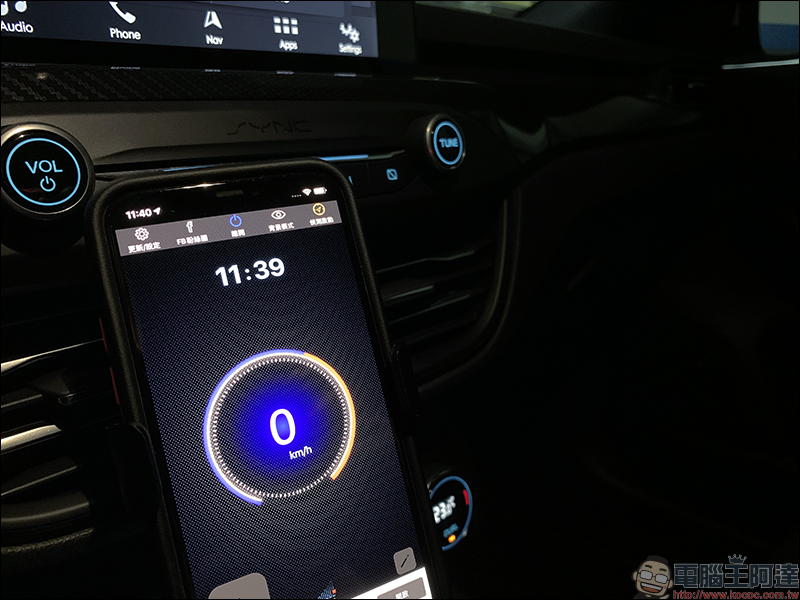
Finally, as long as you unlock the screen and enter the main screen, the screen will open the shortcut script according to the automated operation (open the Aegis Speed Camera App):
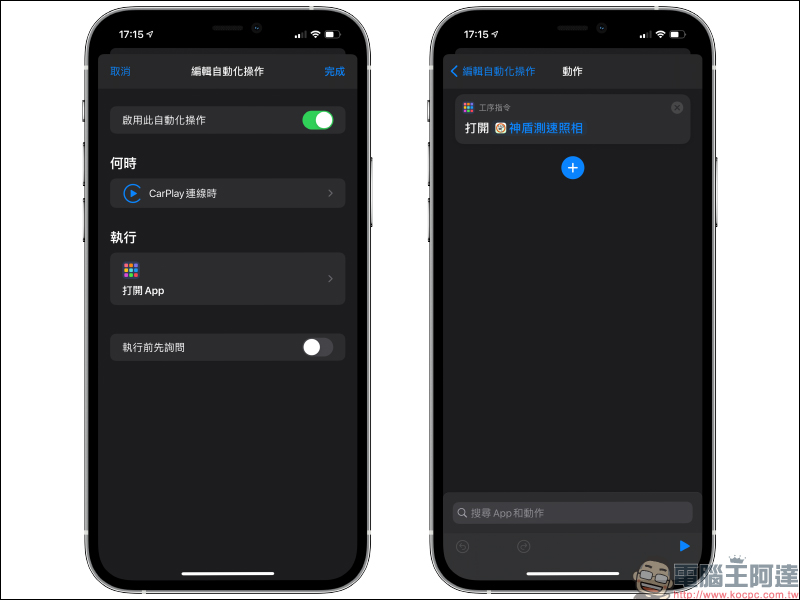
Supplement: Through automated operation, directly connect to CarPlay to open the Aegis Speed Camera App
If you feel that the above steps are too cumbersome, you can actually set the “Automated Operation” function of the shortcut to open the specified App command when CarPlay is connected, and select “Aegis Speed Camera” in the open App. Remember to turn off the “Ask Before Executing” function to automatically operate this command when the CarPlay connection is completed!
Further reading:
How to choose a free speed camera app? Shield speed camera vs. Omnie Cue actual test

Source: KOCPC Chinese