


Nowadays, almost everyone is using the LINE App on their mobile phone, and many people even log in to their LINE account on a computer or tablet. However, whether they lend the computer or tablet they use to log in to others but forget to log out of their LINE account, their own chat conversations on LINE may be seen by others. If you are worried about the leakage of your conversations, then you must learn today’s “Remote Logout” LINE application tips!

LINE application tips: “Remotely log out” of the LINE account on other devices from your mobile phone, so you don’t have to worry about all the LINE chat content being seen!
In addition to mobile phones, LINE users also often log in to their LINE accounts on computers, tablets, Apple Watch and other devices. Multi-device login also allows users to not worry about missing messages from their friends whether they are using mobile phones, tablets, computers or Apple Watch. However, if multiple different devices are logged into their LINE account, they will inevitably encounter troubles caused by forgetting to log out. One of the most common cases is that users will lend tablet devices such as iPads to family members, significant other, and friends to watch TV shows and play games. If friends send messages at this time, it may also cause misunderstandings and a lot of unnecessary trouble. In fact, LINE users can manage all the devices that have been logged into the account through the “main device” (smartphone), and perform one-click remote logout.
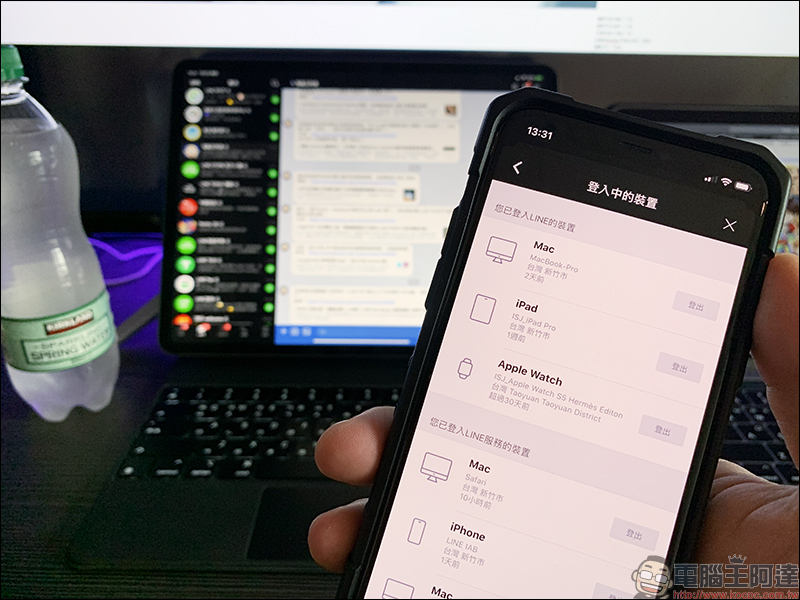
This feature has actually been supported for a long time and is supported on both iOS/Android dual systems, but many users may not know how to use it. First, click the gear button on the LINE App homepage to enter the “Settings” page, then click “My Account” > “Logged in Devices”:
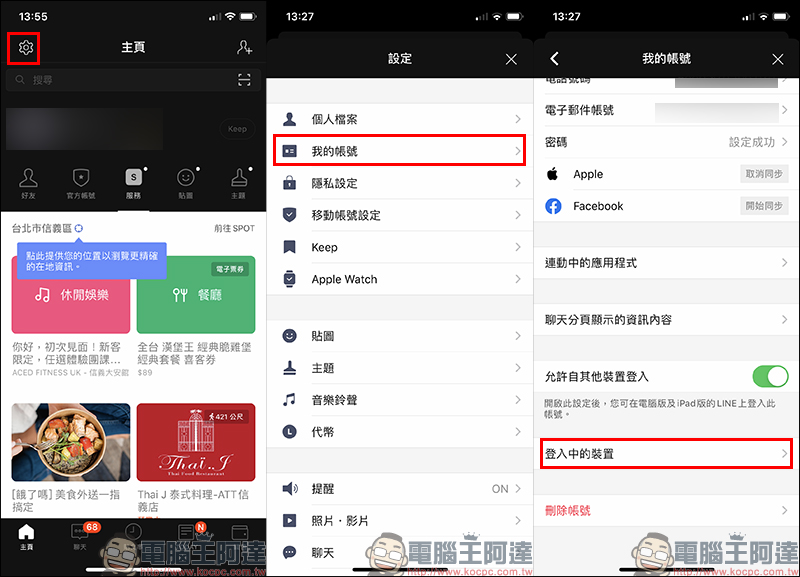
In the list of logged-in devices, you can see all the devices currently logged in to this account. Just click “Logout” to directly log out the LINE account of the device remotely. The user can also select “Logout all devices” at the bottom to log out all the devices in the list at once:

The author also tested using LINE on the mobile phone to remotely log out of his LINE account on the iPad Pro. It is calculated that the logout will be automatically completed in about 20 seconds after pressing “Logout”. The length of the logout may vary depending on the network connection environment. In order to facilitate readers to quickly understand the logout process, the following animation is used to speed up the processing:

When the device is logged out remotely from the mobile phone, the following reminder will appear on the screen:
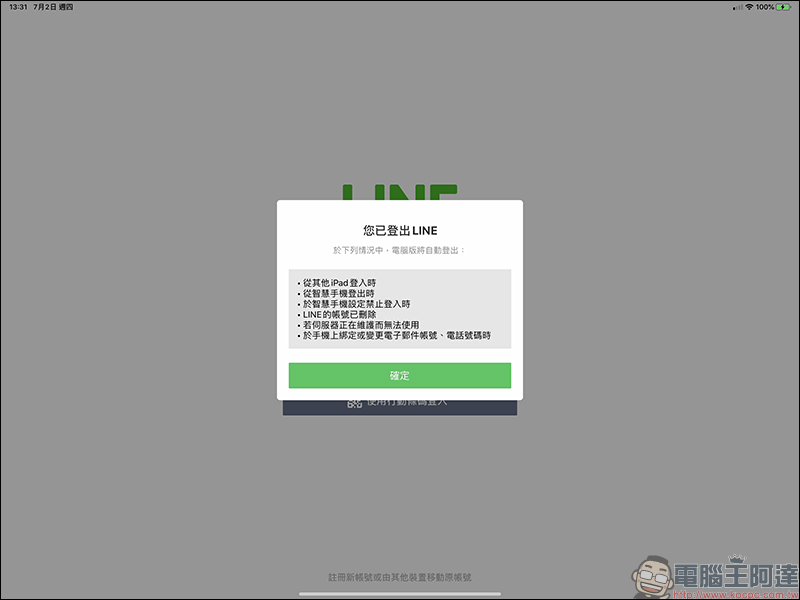
Although this function is not used every day, if you usually log in to your LINE account on your computer or tablet, but often forget to log out when you leave, then you must learn this little trick!
Further reading:
LINE community is officially launched: a new online chat room that can chat with up to 5,000 people! Hurry up and join the Computer King Ada Technology chat group!


Source: KOCPC Chinese