


Although the need for actual phone calls among modern people has gradually decreased (even part of the usage has been transferred to the online calling function of messaging applications), Google is still working hard to optimize the experience through new features – to a certain extent, it is like re-creating the phone experience. From very basic fraud call filtering to advanced Call Screening, which can “select” the caller’s call content. Google is now also more proactive in providing Verified Calls authentication function for callers. In short, it allows people to quickly see the intentions of business callers through the Google Phone app, making you feel more secure when answering calls. Continue reading What happened to the caller? The Google Phone app will display the text of the story about why the person called.
▲Image source: Android Police
What’s wrong with the caller? The Google Phone app will show you why the person is calling
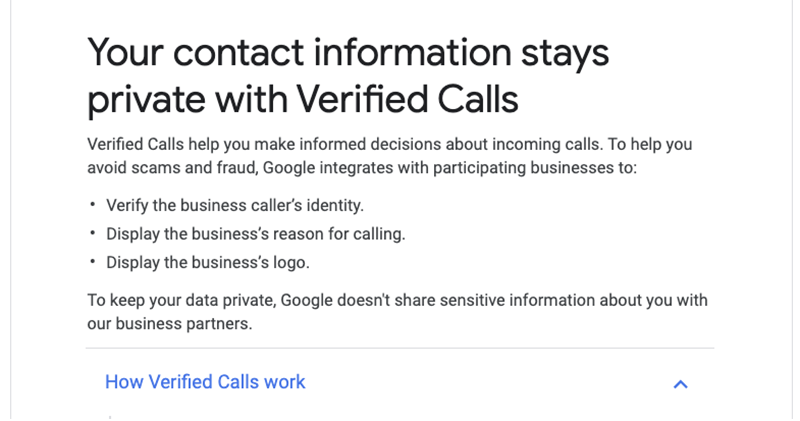
In fact, this function is quite similar to Facebook’s blue check authentication function. Compared with the call identification function through database retrieval, Verified Calls, as its name suggests, is a channel through which Google provides proactive phone number verification to enterprise business users. As for the benefit of applying, in addition to the normal phone number name, you can also provide the source of the call and the company’s logo to increase the caller’s identification (it will also increase trust to a certain extent).
Before initiating a Verified Calls call, Google will actively confirm that the enterprise number and the callee’s number are registered on the server (the user must also log in to his or her phone number with a Google account), and compare it with the reason for the call to be displayed, such as “make an appointment to install the Internet” or “delivery food”, etc. The information will then be displayed on the Google Phone app while receiving the call – Google also specifically notes that this information will be deleted a few minutes after the authentication is completed (after all, it is considered private information – Official pageThere are also detailed instructions on how to maintain information security in the “How we protect your data” column).
This feature will be enabled by default, so if you want to turn it off, you will need to select the caller ID or spam call display function in the settings of the Phone app to find the function to turn off the Verified Calls display. It’s a pity that no one seems to have captured the screen of the incoming call for this function (after all, the other party needs to have applied and is calling you), but the concept of the whole function is quite good. However, if someone has just started to receive call information displays like this recently, they may find it strange, and they may need to get used to it before this feature becomes more popular among enterprises.
Pictures/sources cited in this article
Further reading:
Google Phone app is open for installation on non-Pixel phones, see if it can be installed on yours
Source: KOCPC Chinese