


This time I share the tutorial on iTunes refund and unsubscription process, and the recent face-changing application “FaceApp“Again” has become popular again (he has been popular at least three or four times). In addition to experiencing various interesting photos of male-to-female gender transformation, it has once again caused controversy among many consumers who did not read the app prompts clearly and accidentally subscribed to the 990 yuan service per year. In fact, most of FaceApp’s filter functions are free. Unless you want to have more special effects or remove the watermark, you won’t spend money at all.
This time, Ada simply wrote down a tutorial on the iTunes refund and unsubscription process. Even if you subscribe, you can almost get a complete refund:

▲In fact, the free version can be used for fun, but there will be an additional “FaceApp” in the lower right corner of the screen (pictured is the handsome Wu Yinong)
How to refund or unsubscribe from iTunes
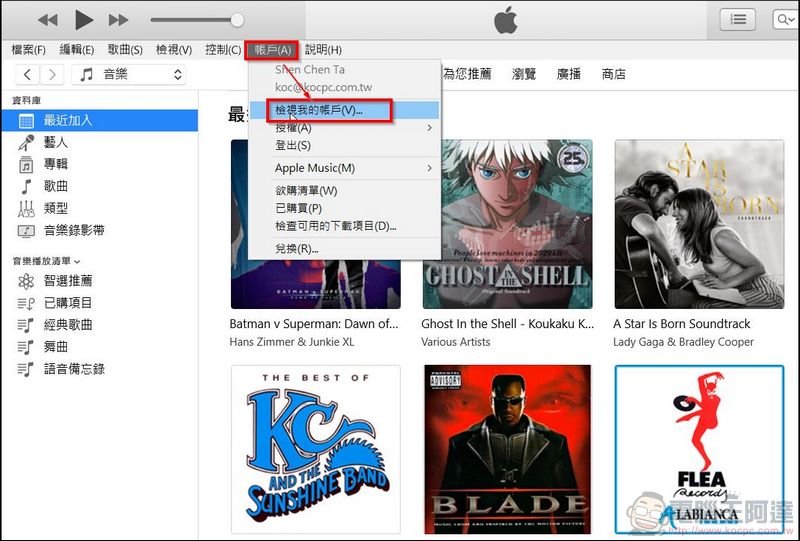
1. Find the “Account” information at the top of iTunes, select “View My Account” in the drop-down menu and log in (the location of “Account Information” changes slightly every time iTunes is revised), or you can clickthis urlGo directly to STEP4:
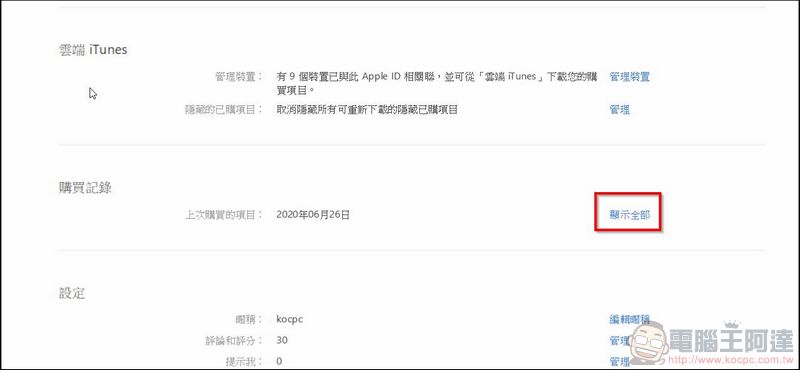
2. Click “Purchase History”->”Show All”
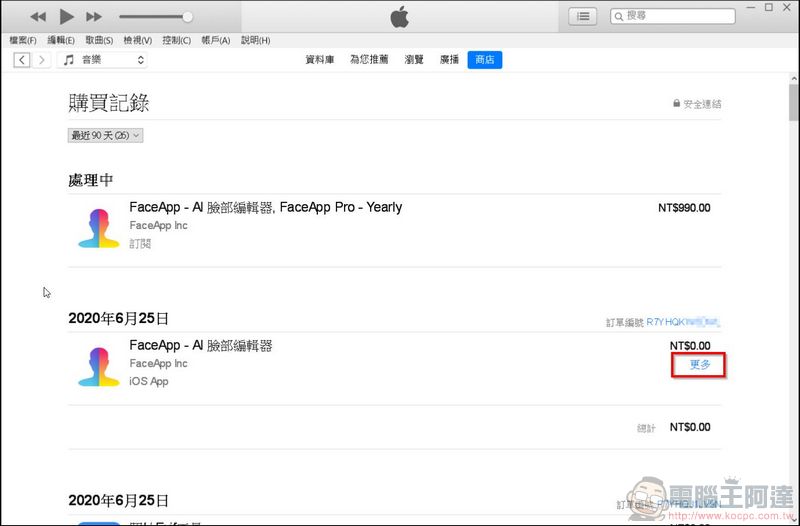
3. Find the application you want to refund, click “More” and click “Report a Problem” below (if you have just subscribed, such as FaceApp, it will display “Processing” and you just need to select its application):
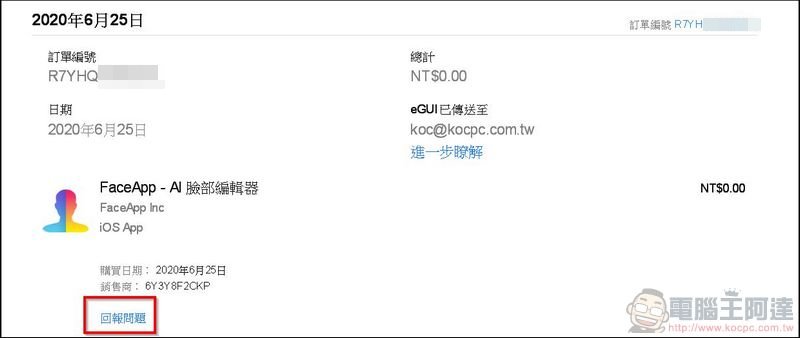
4. After clicking, the browser will jump out (or click directlythis url), please log in here to enter the problem reporting interface:
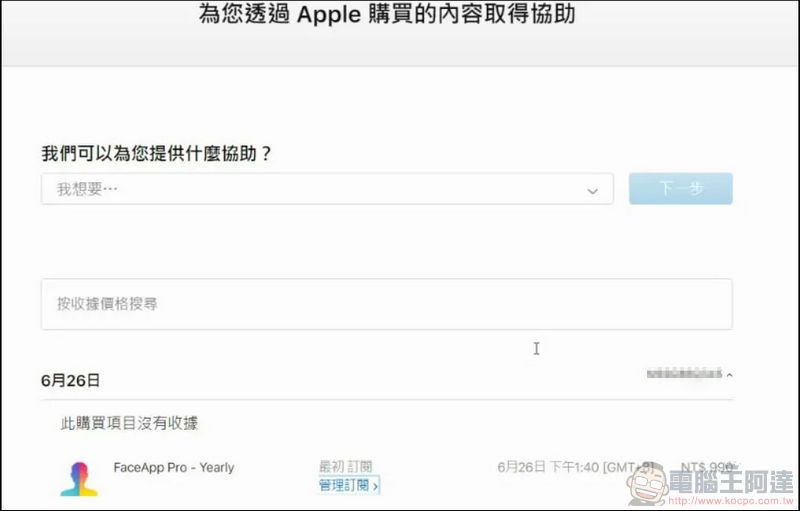
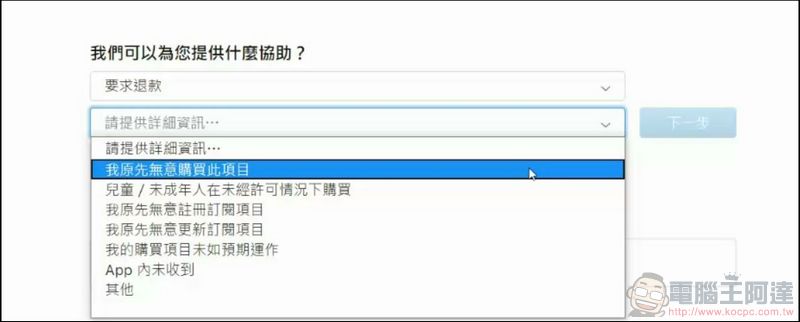
5. Then set the reason for the refund. You don’t want it anymore, your child touched it, or you made an impulse purchase… Apple is not strict about it in principle, but please don’t always refund without any trouble:
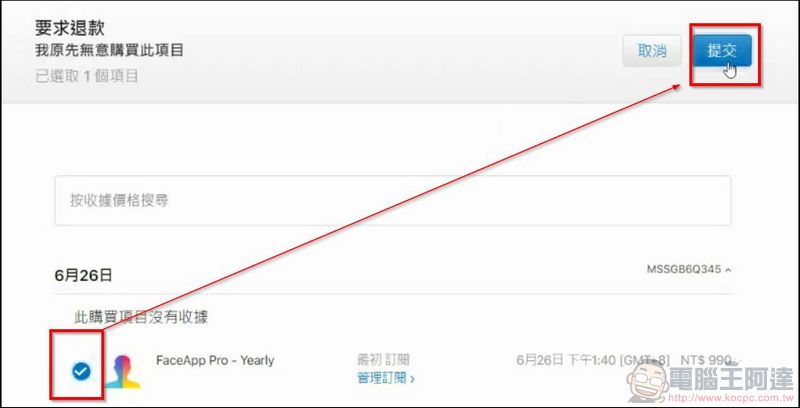
6. Select the item you want to refund (you will see all recently paid items) and press “Submit” in the upper right corner:
7. In the end, just wait for Apple’s review, which is usually completed within two or three days. As long as the appeal is made within a week or two, most of the complaints will be passed. Japan has done so before.There is a child who used his parents’ mobile phone to pay more than 700,000 yen for lessons.It’s also a full refund (this happened to my brother too):

In terms of refund mechanism, Apple is indeed much better than Google. When encountering such disputes, Apple mostly refunds them directly, while Google requires consumers to appeal to the software vendors themselves, and it is easy for refunds to fail. If you accidentally click on a subscription or an app you don’t want to buy (music and lesson points can actually be refunded in this way), use this method to handle it. However, if you abuse this mechanism too often, Apple may not care about you anymore.
Apple’s official refund instructions
Source: KOCPC Chinese