


Recently, there has been a craze for gender-changing photos on Facebook. Many friends, groups, and many other people around me are sharing the effects of the change. The App used is actually FaceApp, which also created a trend of aging a few years ago. This App has been launching a variety of face-changing special effects for a long time. Although it is fun and there is a free version, many people may not know how to operate it at first and accidentally click on the subscription button. If they do not cancel, they will continue to be charged.
If you are not sure or have really pressed the button to subscribe, this article will teach you how to confirm and cancel. For those who want to play with this effect, the following will also teach you.

How to change the gender of a photo?
First, download the FaceApp app. It is available for free download from App Store and Google Play. After turning it on, if a message pops up saying whether you want to purchase the professional version, please click Cancel to decline.
After entering the main screen, you can directly take a photo or select a photo from Photos. There are two methods for gender conversion provided by this app. The first is to click on “Gender” in the EDITOR menu, and you will see male and female effects, each with two. Click on it to start editing:
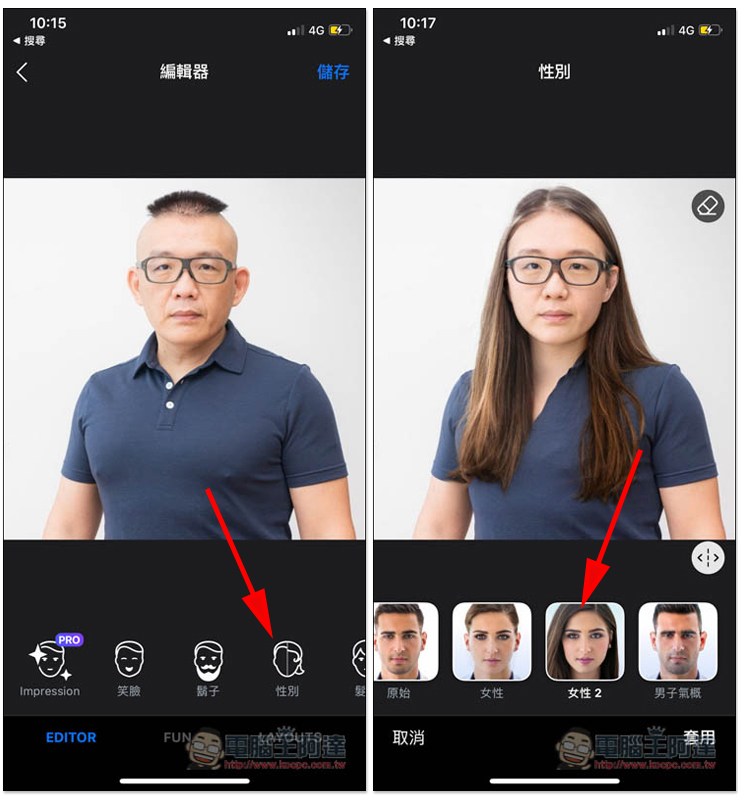
One thing to note is that it edits photos through the cloud, so it must be executed in a network environment. Photos will also be uploaded to their servers. It is recommended not to use photos that are too private.
After finishing, press Save and you will see the function of saving the image:
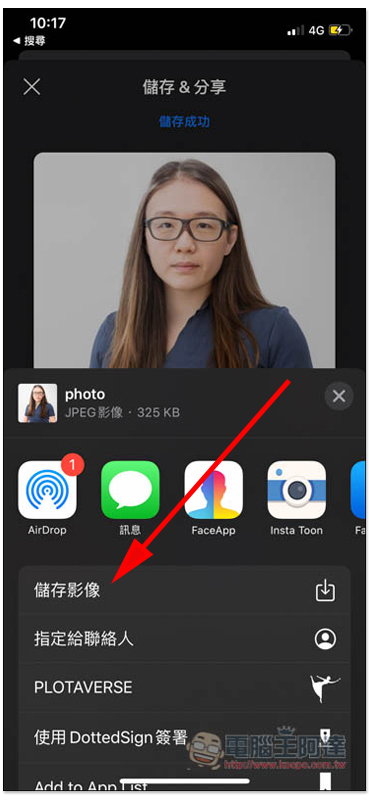
You can find this picture in Photos. There will be a FaceApp watermark in the lower right corner of the free version, which cannot be canceled:

The second way to change gender is to click on the FUN menu below and you will see the option of “Gender Change”
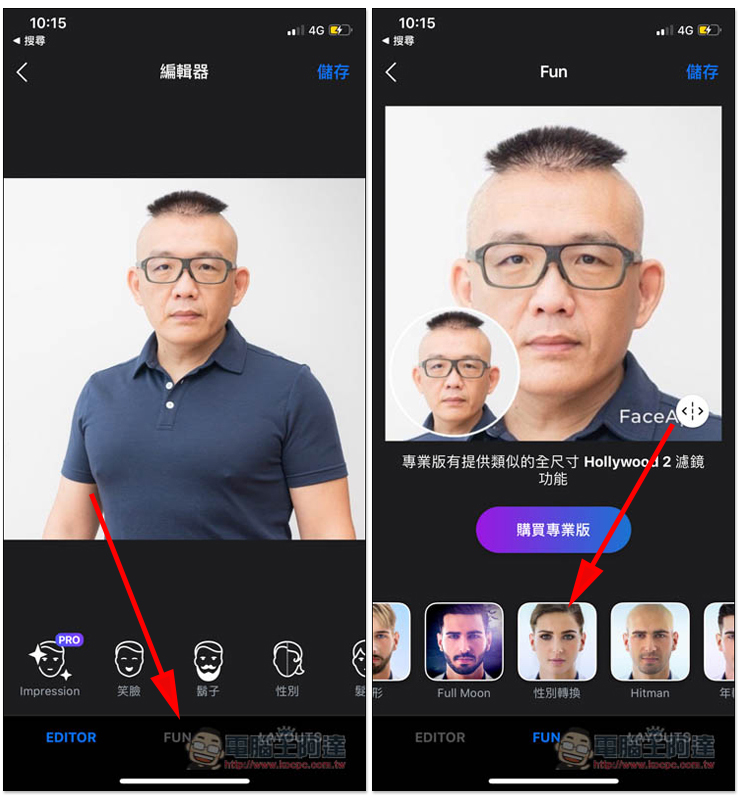
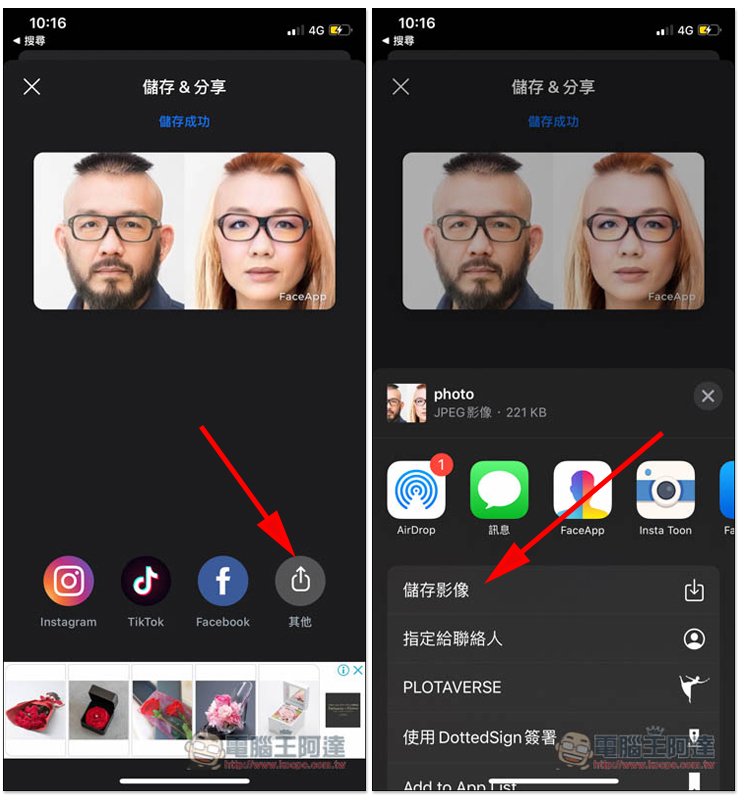
This gender conversion will have two effects, one is to add beards, and the other is to add women with heavy makeup:
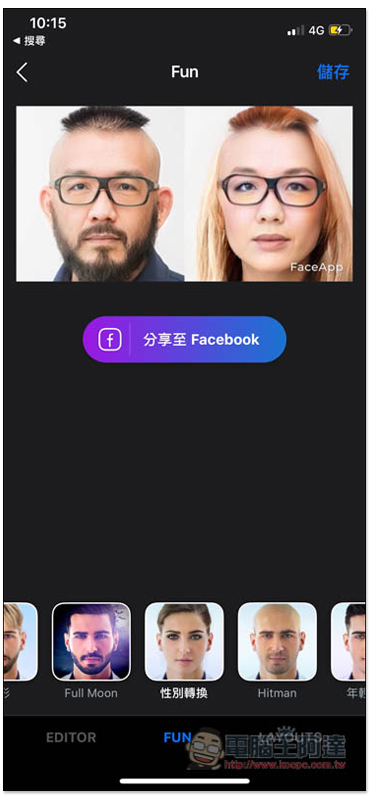
Click Save to jump to the sharing page. Click Others below to find the image saving function:
How to make sure you are not subscribed or unsubscribed from FaceApp?
iOS version
Whether you have a subscription or not, if you’re not sure, I highly recommend checking it out.
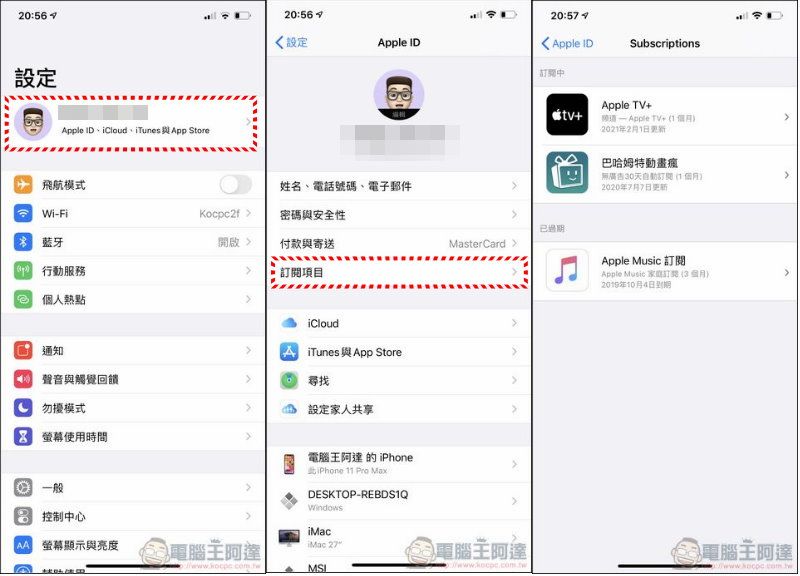
After opening the App Store, click on the head image in the upper right corner and you will see “Subscription Items”. Check to see if this FaceApp is included in the subscription. If so, click on it to cancel the subscription:

You can also directly go to Settings, select your name, and you can see “Subscription Items” in your Apple ID. If you don’t have it, you should be fine. If you are charged later, remember it.Complain to Apple:
Android version
After opening Google Play, open the three-line menu in the upper left corner and click the “Subscribe” option. In the next menu, you can view the services you have subscribed to. If it is empty or you do not see FaceApp, it means you have not subscribed: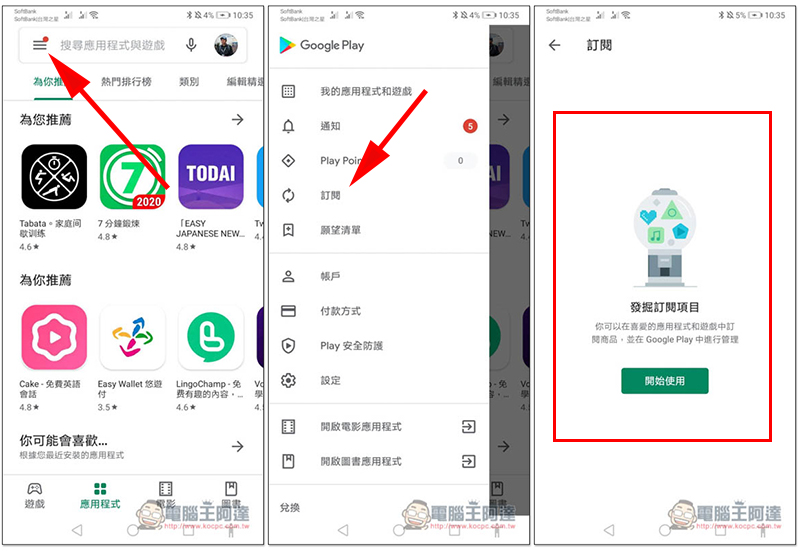
Source: KOCPC Chinese