


Some time ago,We just introduced LINE’s new “Silent Message” feature in LINE Labs for Android users! As long as you select Silent Message when sending a message, it can be sent to the chat room quietly without sending a reminder notification. This feature allows people to send LINE messages without worrying about disturbing the other party. Many iOS users can’t wait to try this feature. Recently, LINE has finally made this feature available for iOS users to try out the lab function for iOS!
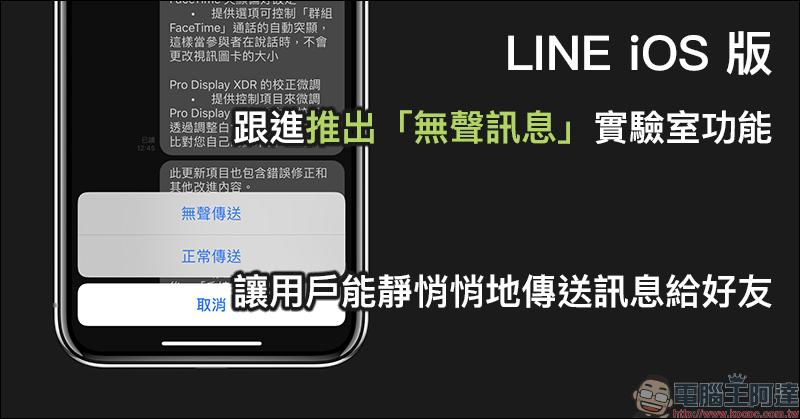
LINE iOS version follows up with the launch of the “Silent Message” lab function, allowing users to send messages to friends quietly
This new “Silent Message” feature launched by LINE in LINE Labs, I can share with you some commonly used scenarios in the short period of time since I actually used it on Android. In addition to the previously mentioned fear of disturbing each other when sending messages at night, sometimes friends may be at work, in meetings, or having other gatherings (such as watching movies). If there is something at this time and you want to send a message to the other party, but you are worried that the other party’s phone has forgotten to switch to silent mode and thus disturb the other party, then this is how to use LINE The perfect time for “Silent Message”.
In addition to Android version users who can turn on this feature in LINE settings, “Silent Messages” has finally entered the experimental phase in LINE iOS version. iOS users only need to open LINE, switch to the home page and click the gear button in the upper left corner to enter the settings page, then find LINE Labs, enter it, and turn on the “Silent Message” function:
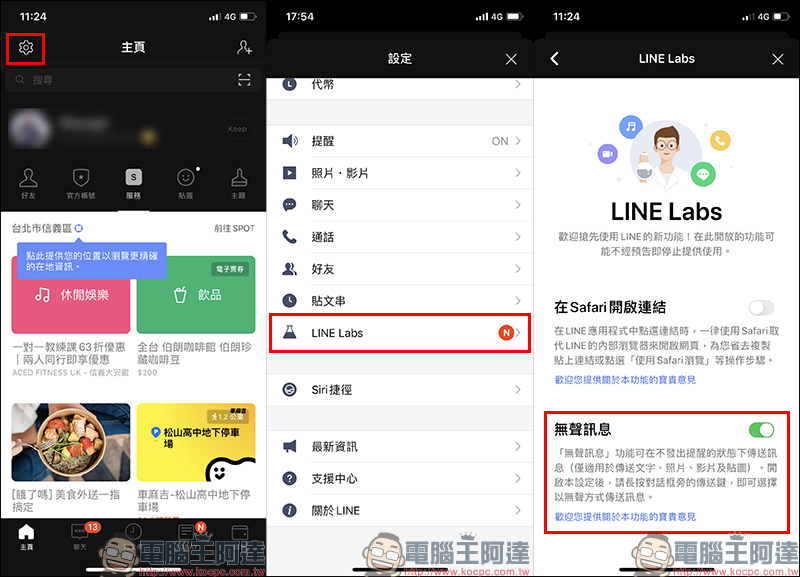
After the “Silent Message” function setting is turned on, just long press the send button next to the message box in the chat room, and you can choose to “send normally” or the newly launched experimental function “silent send”.
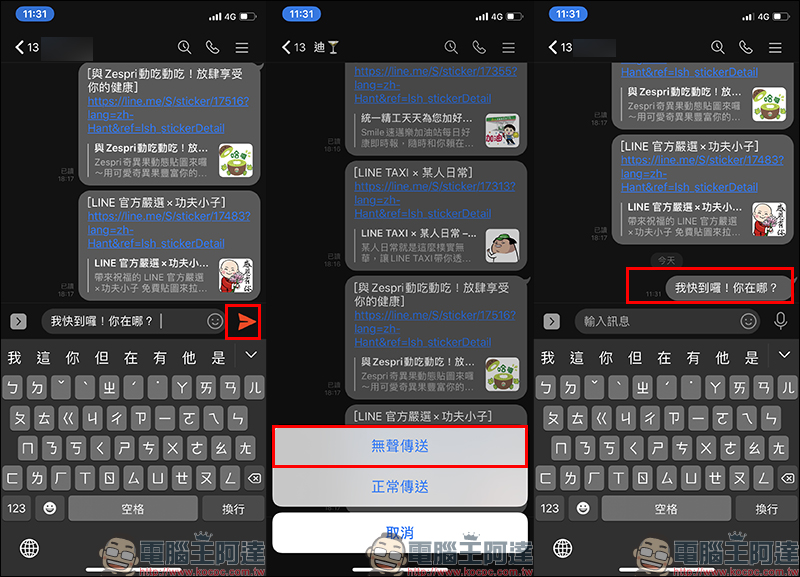
The silent message function is currently only applicable to sending text, photo, video and sticker messages. If the message is sent as a “silent message”, no matter whether the other party has closed the reminder of the chat room with you, the message will not sound a reminder notification, and only unread messages will be displayed in the chat room list. If you do not select silent messaging by long pressing, the default message will still be sent in the normal way.
The silent message function is currently in use, and it is indeed a very convenient function for people who are afraid of disturbing others. However, if the interface can be optimized in the future (no longer just text options), it will not only be easier for ordinary users to master, but also for older users to learn this function!
Finally, I would like to remind you that the new features in LINE Labs are not officially launched, but are test features that are “experimented” for users before the official features are launched. These features may be removed from LINE Labs after they are officially launched in the future, or the experiment may end at any time due to other reasons!
Further reading:
LINE Android 10.10.0 version update: Android adds automatic backup of chat history, multiple optimizations of sticker interface, Keep saves directly to special albums
Source: KOCPC Chinese