


When using computers, many people must want to improve their Chinese typing speed. If you are using a Windows system, there is a completely free “Leda Chinese Input Typing Software” on the Internet that can help you practice and test your speed. Not only does it have built-in commonly used words, but you can also post your favorite articles and text files as templates. I believe you can improve with long-term practice.
Introduction to Leta Chinese input typing software
This set of Leda Chinese input and typing software was discovered from Arong Welfare, so the download point attached at the end of the article is also downloaded from this website. No installation is required, and you can start using it after decompressing it.
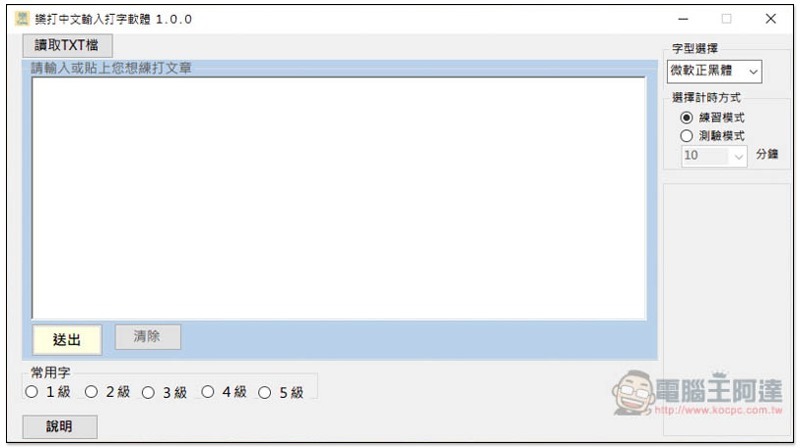
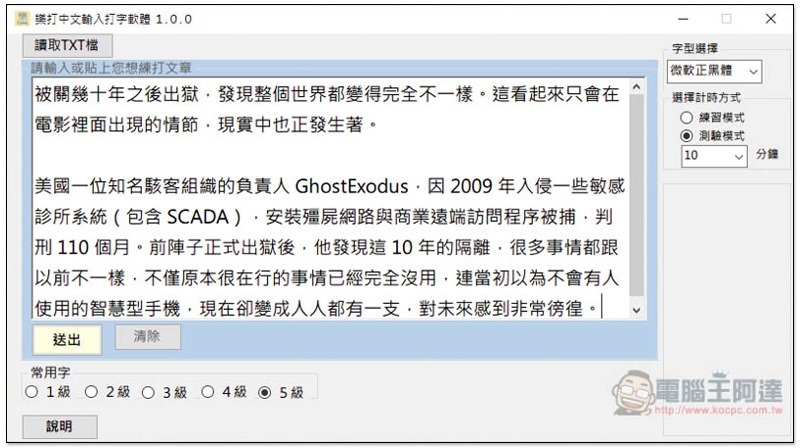
The interface design is very simple. You can enter or paste the article you want to type in the middle, and press submit to start. You can also click on the upper left corner to read the TXT text file. The commonly used words are at the bottom, with levels from 1 to 5:
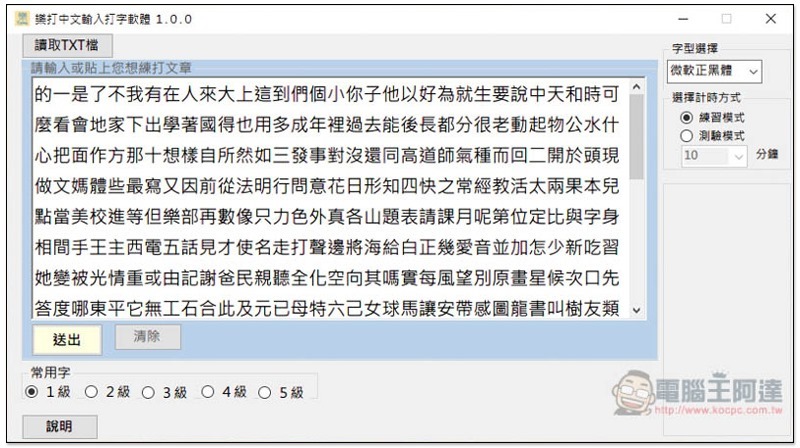
Although Common Words Level 1 is quite simple, I personally don’t recommend it because it just practices each word, not sentences, and does not conform to real typing conditions:
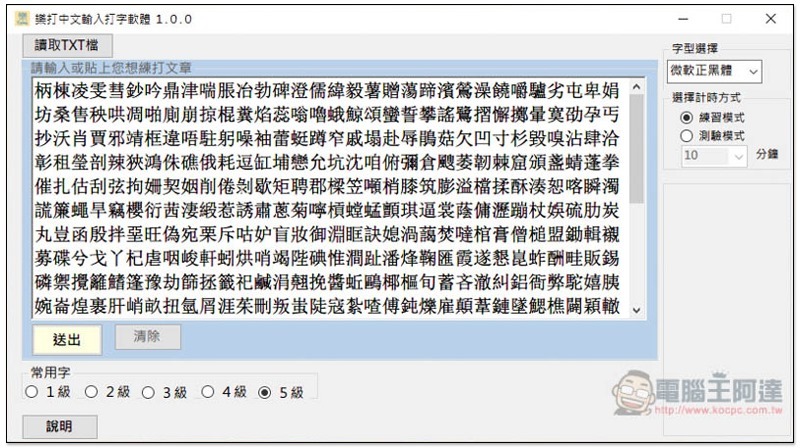
Level 5 of commonly used characters is very difficult. There are a bunch of Chinese characters that I don’t know how to spell:
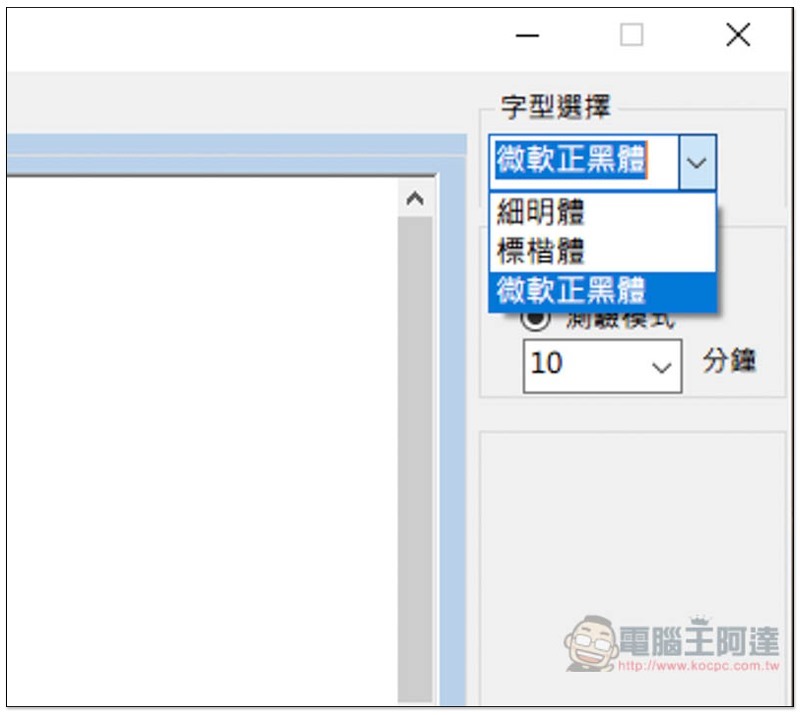
Three display fonts are provided, Microsoft Regular Black, Thin Light and Standard Italics:
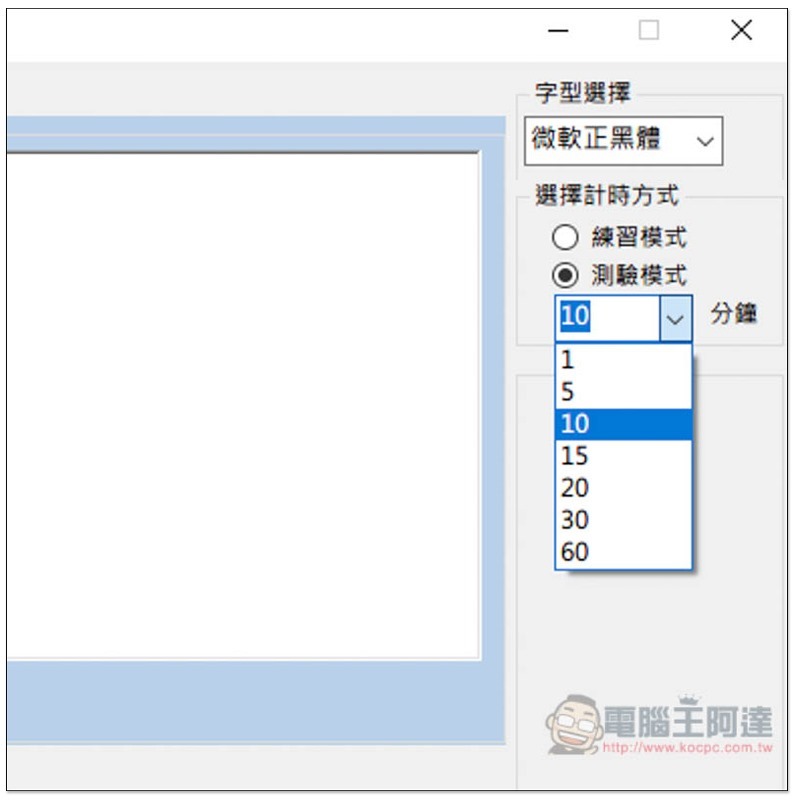
Below you can choose the mode you want to perform, there are two types: practice mode and test mode. “Practice mode” does not calculate time. You can finish playing as long as you want, and the average time will be automatically calculated. The test can be set for 1, 5, 10, 15, 20, 30 or 60 minutes and will stop when the time is up, regardless of whether you have finished it:
I will post my own article as an example:
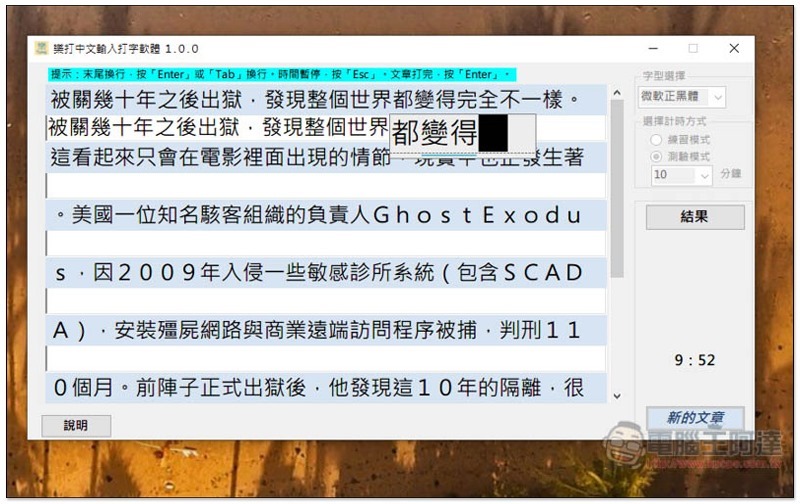
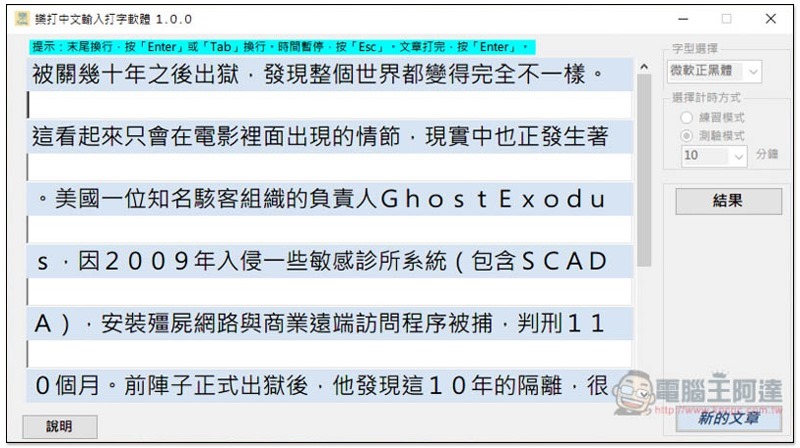
You can type directly after starting, and press the Enter or Tab key to wrap the line. Although this set supports mixed Chinese and English, I personally do not recommend it because it must be changed to full-width input. It is recommended to find articles that only have Chinese content (otherwise, delete the English). After all input is completed, click “Results” on the right side of the practice mode to get the report:
As shown in the picture below, in addition to counting the total number of words in this article, the number of correct words entered, the number of wrong words, accuracy rate, error rate and speed, the wrong places will also be marked in red:
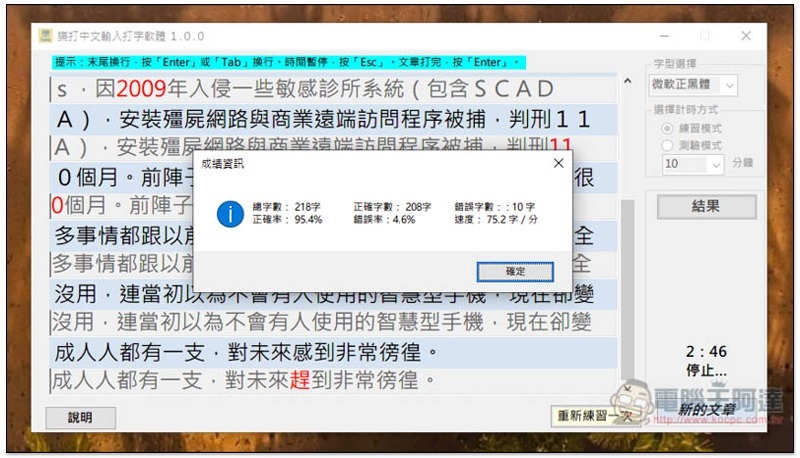
This set is very sufficient for mid-level exercises and tests, but if you don’t want to download anything or use a Mac operating system, we have introduced one before Typing.tw web version, you can also try.
Supplementary information
- Software name: Leta Chinese input typing software
- Nature: Free
- Supported operating system: Windows
- Download page:Click here to go
Source: KOCPC Chinese