


After using a computer for a long time, a lot of software and tools must be installed. If you want to keep the latest version and have the latest functions at all times, it is really difficult. After all, it is impossible to manually check every set. This SUMo is a very good free auxiliary tool. It can quickly scan all installed software on the computer to see if there are new versions. It can be completed in just a minute or two, which is very trouble-free.
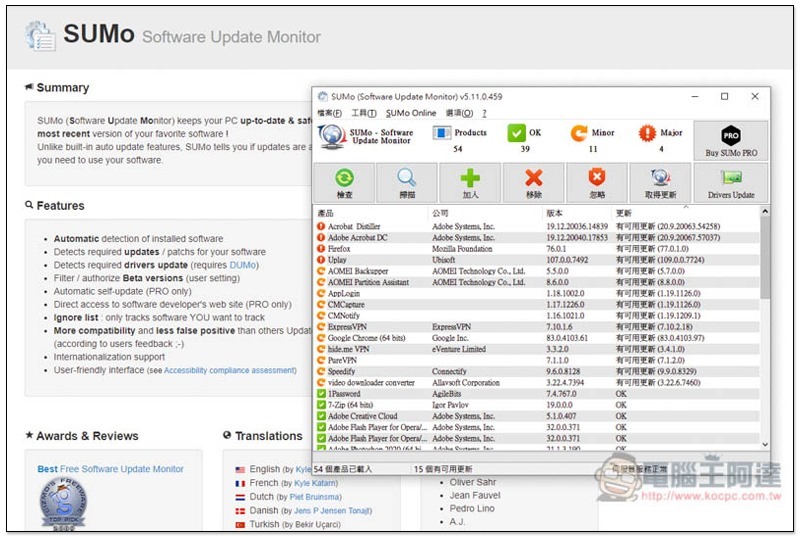
Before I start the introduction, let me explain that this set of tools is not completely free, but the free version can also be scanned, but it cannot be automatically updated. You still need to go to the official website to download it yourself. However, compared with manual inspection one by one, it has saved a lot of time, and most software can be checked by this set.
Introduction to SUMo
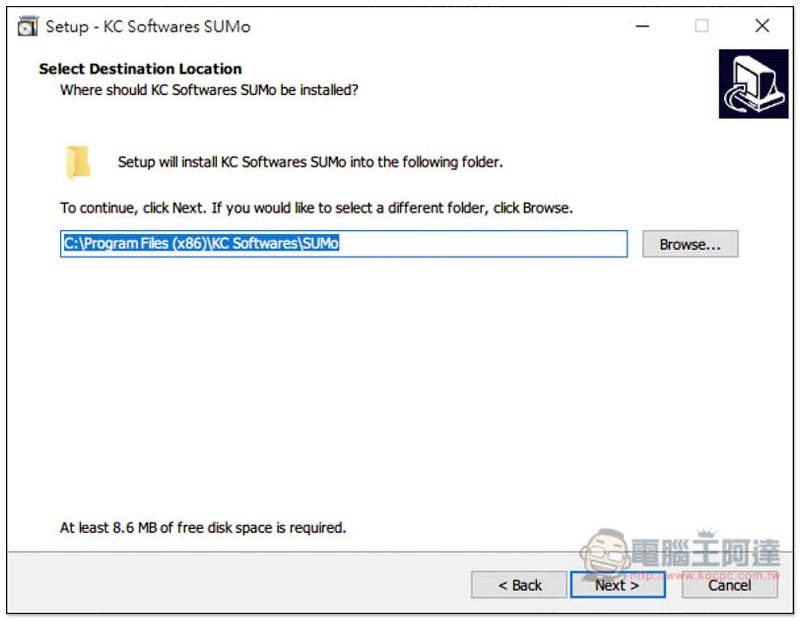
Just keep pressing Next during the installation process. This set supports Traditional Chinese language system, but there is no Chinese in the installation process:
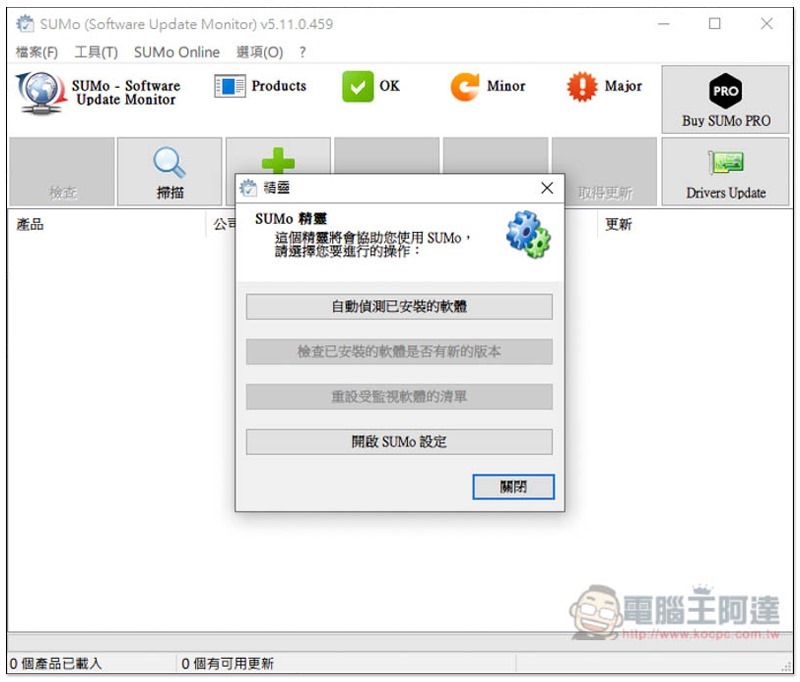
After installation, open it and click “Automatically detect installed software” to scan all software installed on your computer:
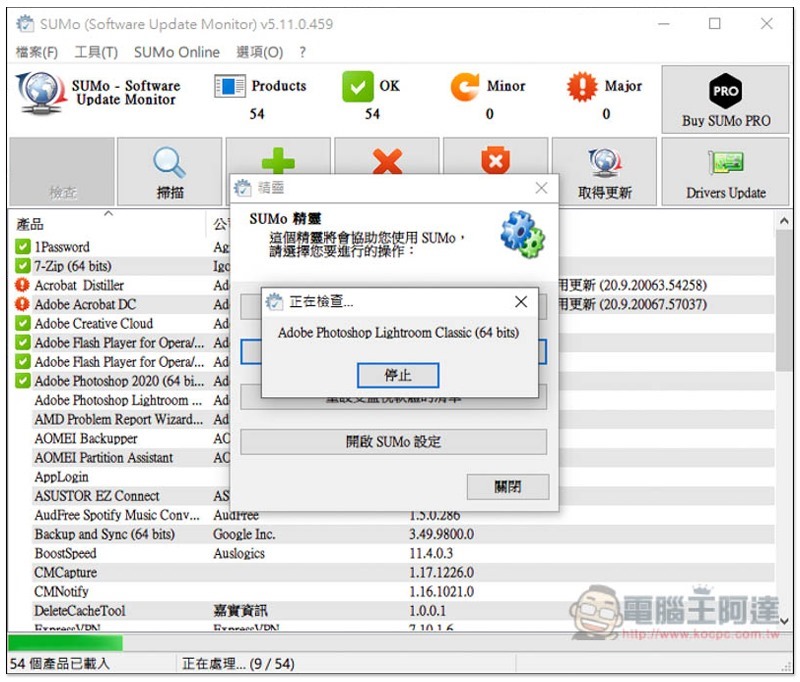
It was super quick, I should have had at least 30+ sets, but it was done in a flash. Next, click “Check whether installed software has new versions”:
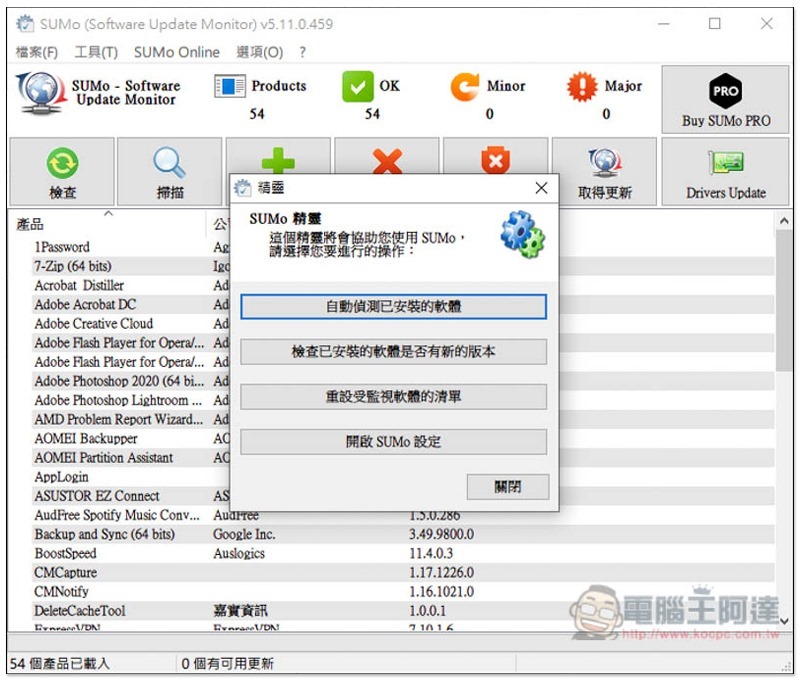
The speed here will be a little slower, but it can be completed in two or three minutes:
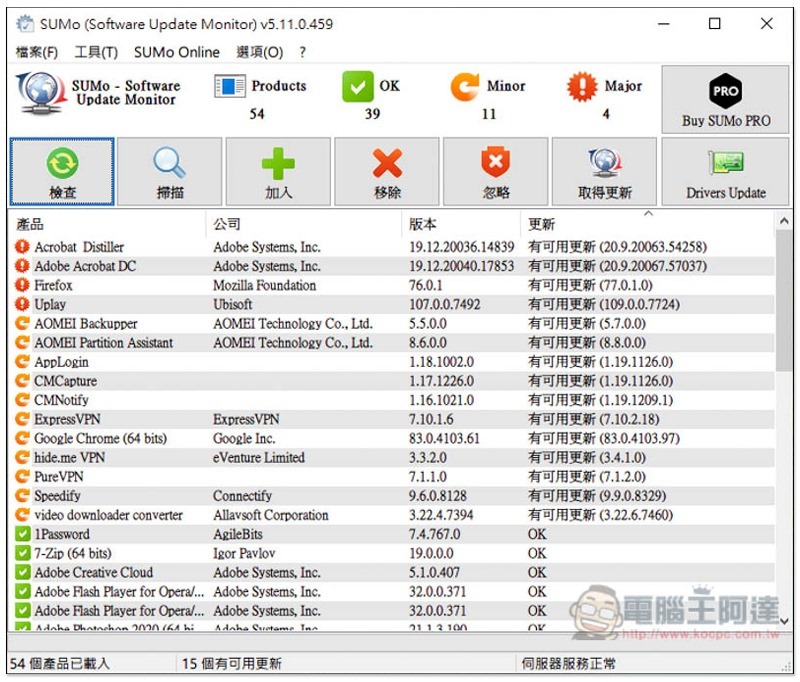
Software with new versions and updates will automatically be listed at the top, and the version currently on your computer and the latest version on the official website will be told to you on the right. There is a small check mark on the left side of the software name, which means that it is the latest version:
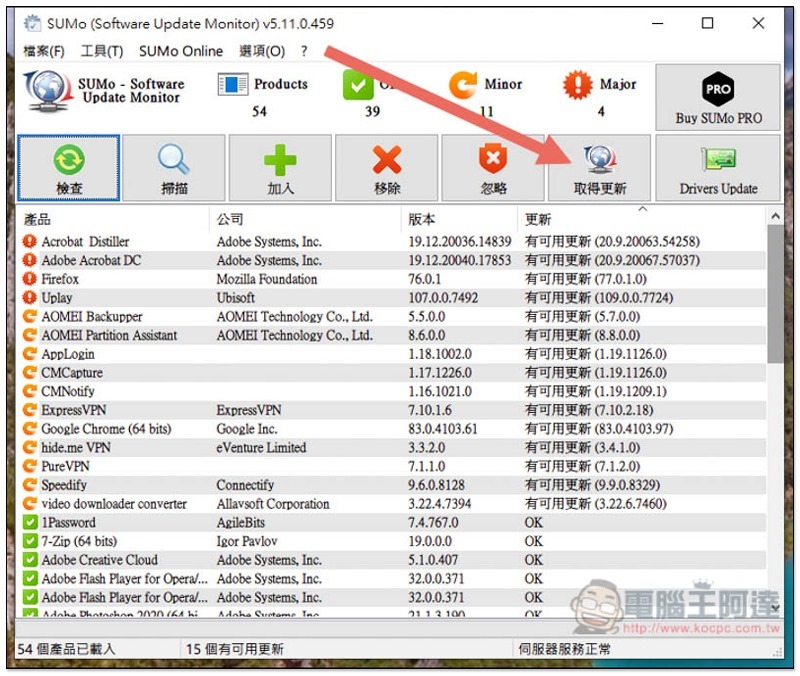
Although there is a function to get updates above, this is only for the paid version. The free version can only check whether there is a new version:
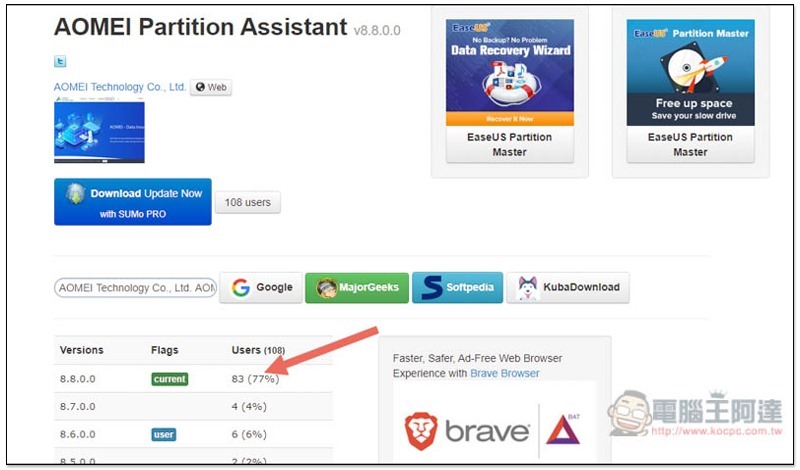
After clicking, it will automatically jump to the version description page of this software. If you don’t want to spend money, you can actually copy the software and version number directly. You can find the download point by just searching Google:
There are actually many tools on the Internet to check for software updates, but most of them have complicated interfaces or are not supported by many software. However, this SUMo is easy to operate and can scan most software, so it is worth trying.
Personally, I think the paid version is a bit expensive, but it can be installed on up to 4 computers, so if you are interested in getting it, you can find someone to buy it together.
Supplementary information
- Software name: SUMo
- Nature: free, paid
- Supported operating system: Windows
- Official website download page:Click here to go
https://www.kocpc.com.tw/archives/326196
Source: KOCPC Chinese