


There are many useful YouTube download tools available online now, like the ones we introduced previously. Seekin、SLICEYT、CutterTube、YTDown Wait, and TurboScribe, which we’ll be introducing in this article, isn’t as powerful as the ones we just looked at, but it’s simple, easy to use, has no ads, and doesn’t require an account—making it a solid backup option.
Reminder: Please verify that the content from YouTube or other websites has proper legal authorization before use, such as your own uploaded works, Creative Commons licensed content, or public domain materials. For music or video works protected by copyright, downloading or converting them without the copyright holder’s consent may involve copyright risks and may also violate the original platform’s terms of service.
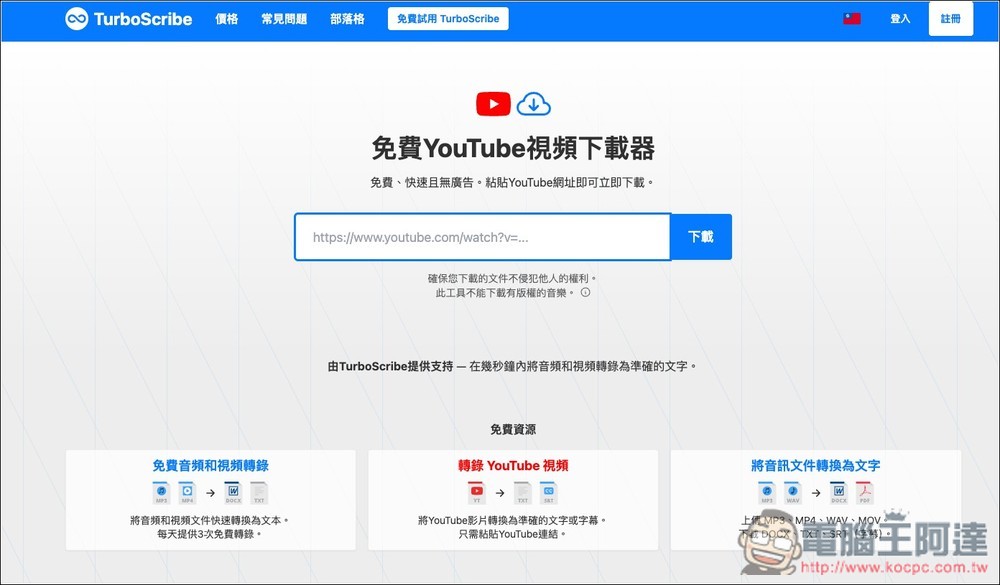
TurboScribe Free YouTube Downloader: Introduction and Tutorial
TurboScribe is a free YouTube downloader that offers a simple, fast, and ad-free downloading experience. It’s very intuitive to use—just paste a YouTube video URL, and the page will automatically parse the video and display downloadable file options. In addition to video download links, it also lists audio versions along with format, resolution, and file size information. One convenient feature of this tool is that once parsing is complete, it directly organizes the results into a clear list.
No need to install extra software or fiddle with complex settings pages—this is perfect for anyone who just wants to quickly grab YouTube files.
Another feature of TurboScribe is its “transcription” functionality. Once the video analysis is complete, a “transcribe” option will appear next to the download button, allowing you to further convert YouTube videos into text or subtitles. TurboScribe also offers audio and video-to-text services, supporting output formats such as TXT and SRT subtitles. So it’s not just about downloading videos—it can also serve as a video content organization tool. Of course, some features require payment.
Key features
- Free to use. Paste a YouTube URL to download.
- Fast, ad-free online download experience
- No extra software installation required
- It will list downloadable video file options
- Can display video resolution and file size
- Support downloading YouTube audio files
- You can see formats like m4a and webm in the audio options
- Results displayed as a list for more intuitive selection
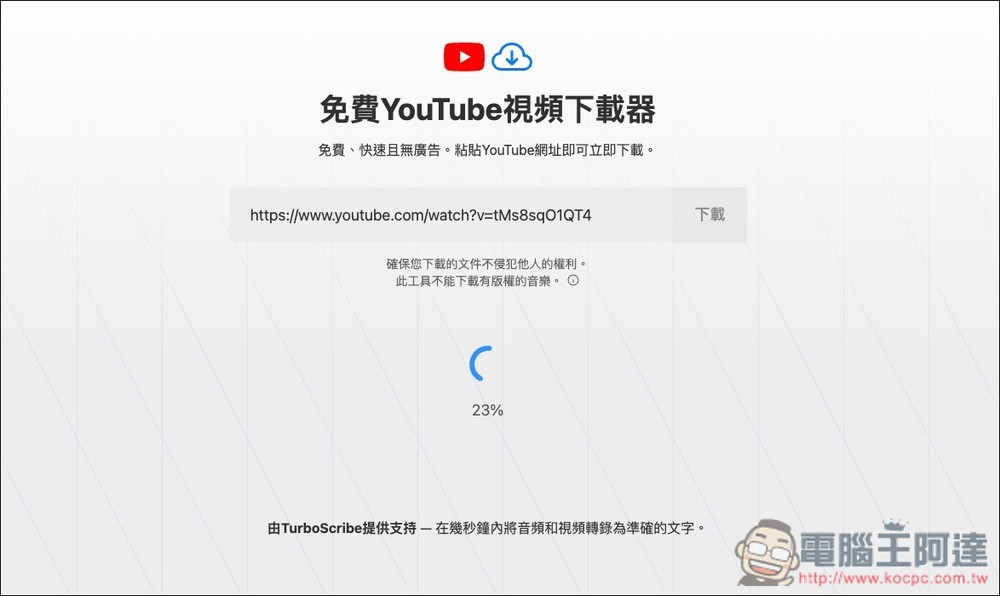
TurboScribe is very easy to use. After clicking the link above to go to the tool page, you can paste the YouTube video link you want to download, and then it will start analyzing. You just need to wait for the percentage on screen to finish:
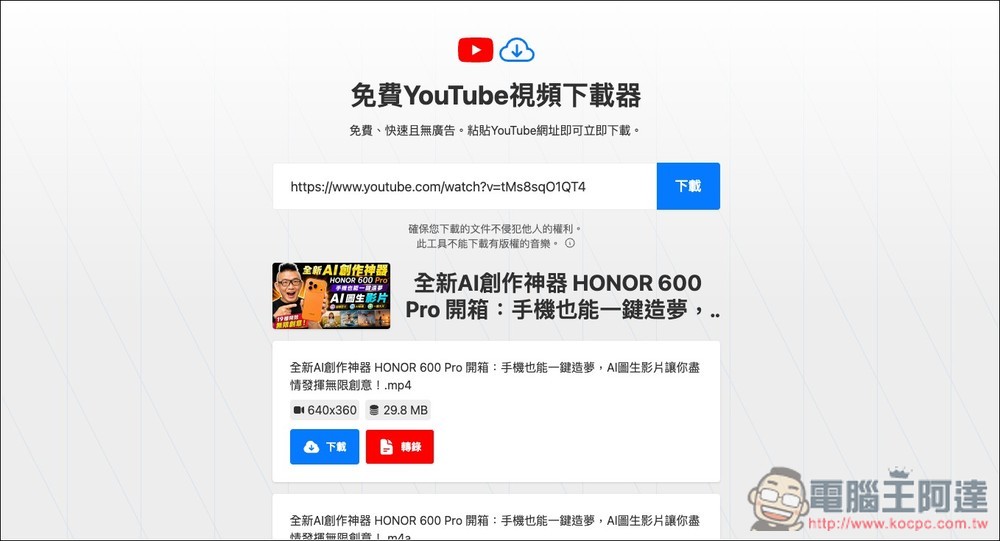
After parsing is complete, download links for each format will be listed below. For video, only MP4 format is available at 640×360 resolution. If you want to download higher resolution, you can use the other YouTube download tools recommended at the beginning of this article:
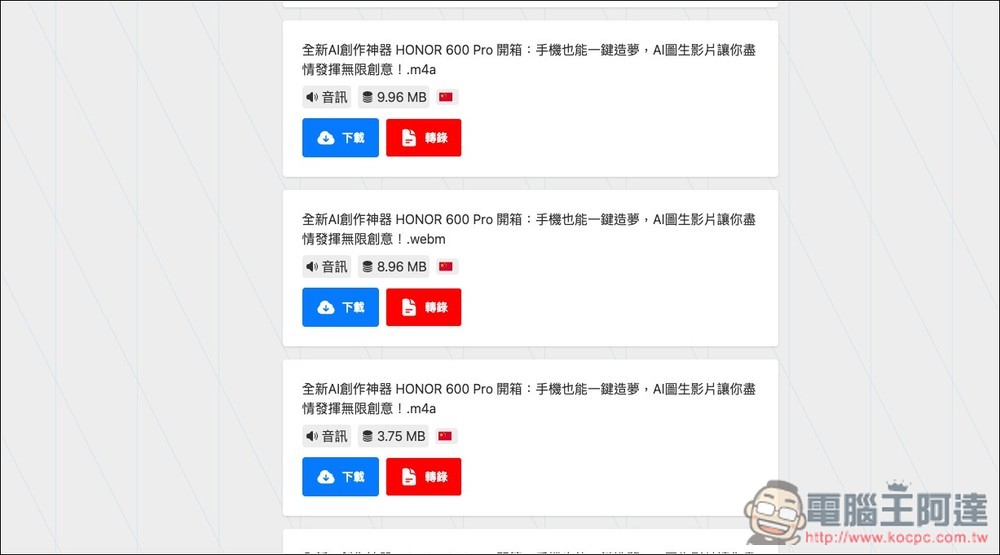
The audio comes in m4a and webm formats, with no MP3 option. So if you need MP3, you’ll need to convert it yourself after downloading:
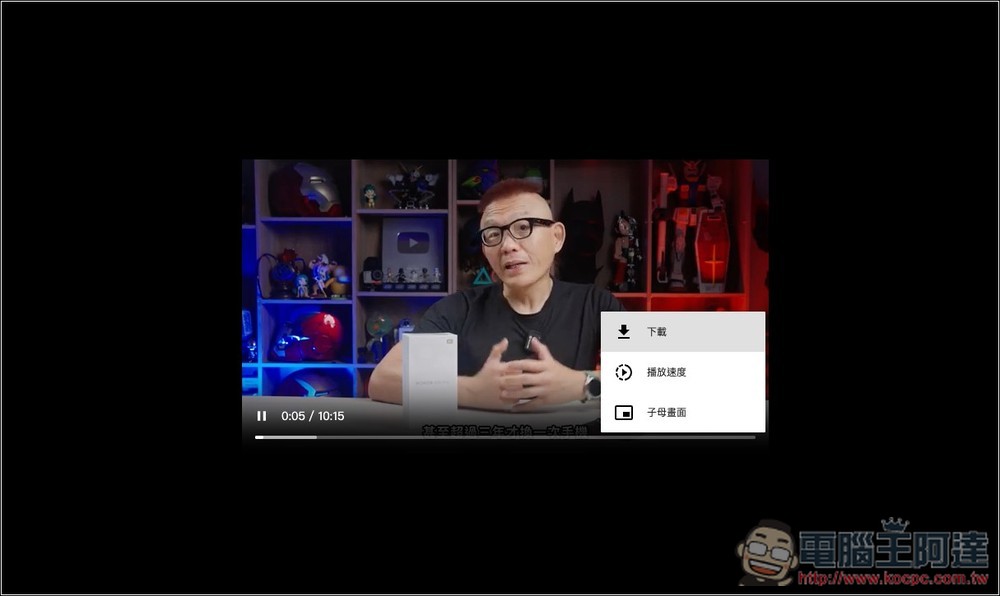
For videos, clicking the download button will open a new video playback page. Open the menu in the bottom right corner to find the actual download function.
Source: KOCPC Chinese