


I believe that sometimes when you want to quickly de-back photos for your iPhone, you always don’t know what kind of app or de-back tool to choose for the de-back job. In addition to what we introduced before「BG Eraser 」App , in fact, there is another equally simple and easy-to-use free memorization app “PhotoRoom” on the iOS platform. Not only can the memorization be completed immediately by importing pictures, but it can also be further edited to achieve better memorization results. In addition, it also has a variety of built-in background templates to choose from, allowing users to easily complete professional photos.

PhotoRoom Free Carry-Out App: Quickly complete the back-carrying operation with one click! Built-in multiple background combinations
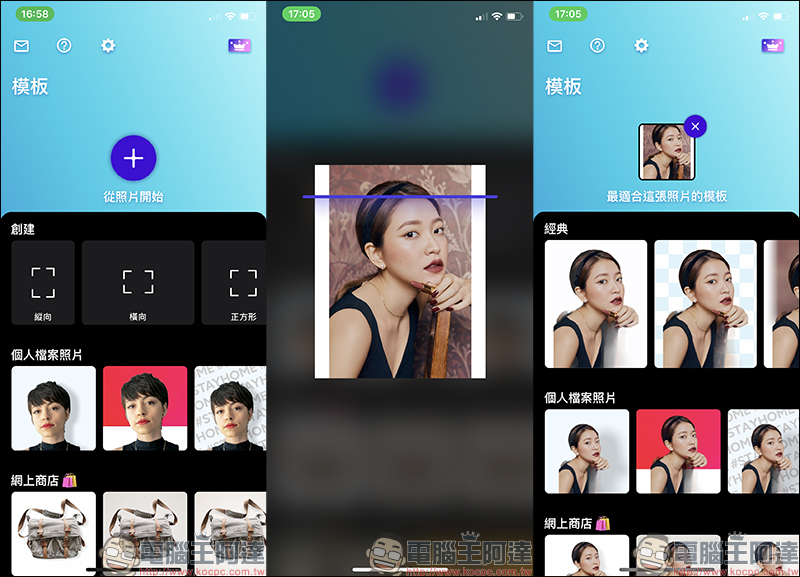
The free photoroom app for memorization introduced today is available on the iOS platform. After opening the app, you only need to click “Start from photo” to import the image you want to memorize, and then wait for a few seconds of processing time to generate a preliminary image for memorization:
PhotoRoom iOS Free App Download:Click here to go to (App Store)
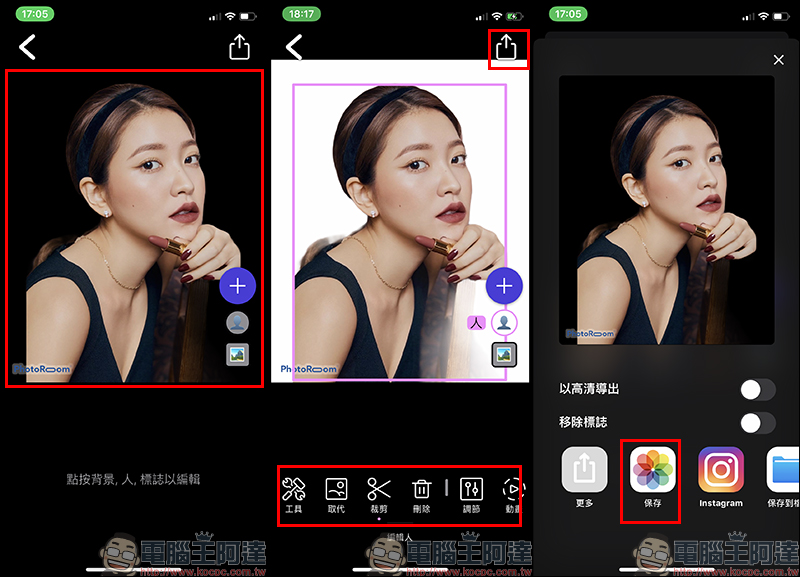
Click on the image to enter the editing page, which is roughly divided into two layers: “person/subject” and “background”. If you click on the “person/subject” layer, you can further edit the image on this layer. If you are satisfied with the removal result, just click the share button in the upper right corner of the screen to save the removed image to the album:
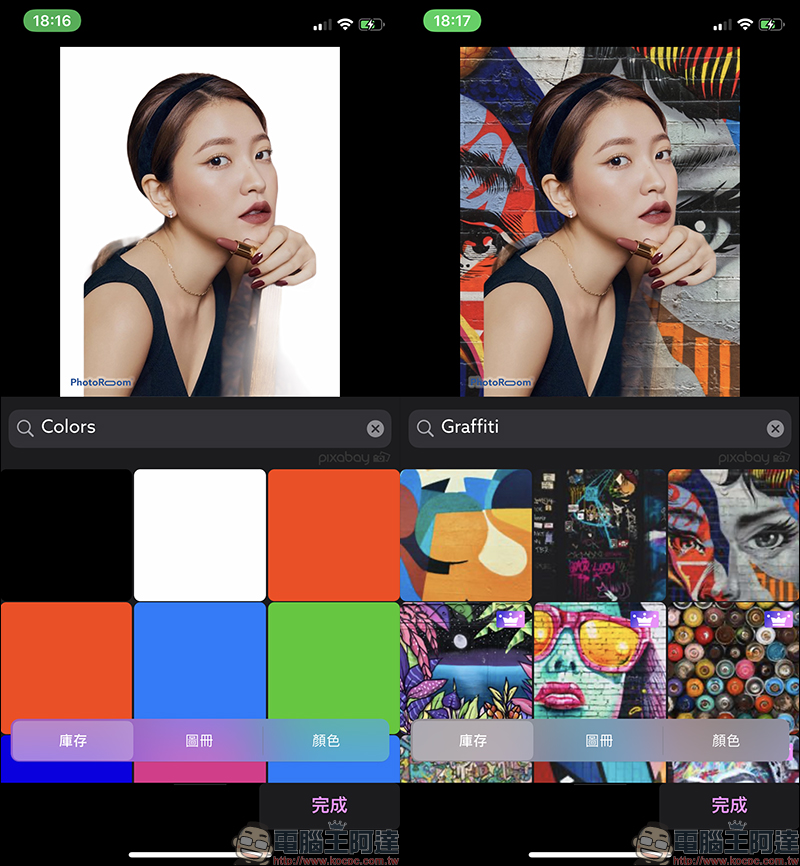
If you want to replace the background of the background image, you can click on the “Background” layer and then select various background templates. You can also directly preview the actual display effect during the selection:
The results of de-backed images exported to the album are as shown below. However, there will be a PhotoRoom watermark in the lower left corner of the image. If you want to remove the watermark function or output high-resolution large images, you need to upgrade to PhotoRoom Professional Edition through a subscription-based in-app purchase. If you just upload it to social platforms, the free version’s image output resolution of 1080*1350 is quite sufficient, and the watermark can be solved by cropping the image yourself later.

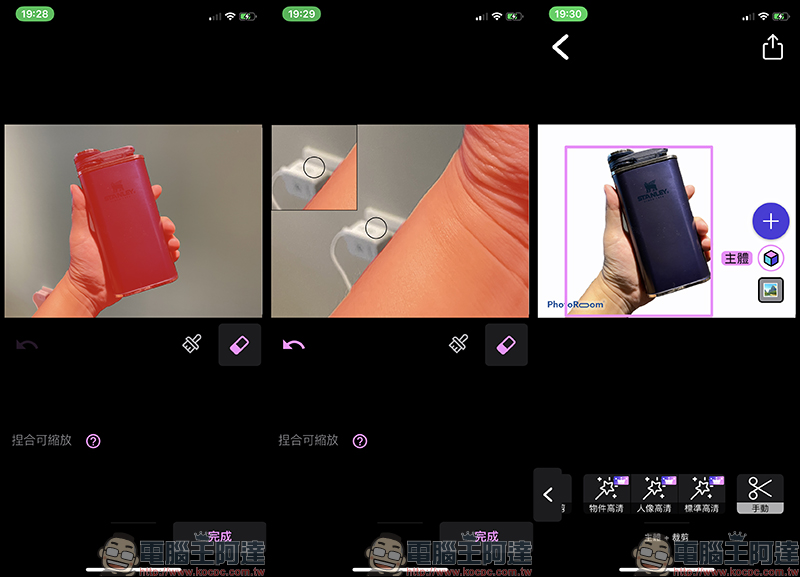
PhotoRoom App not only supports the removal of portraits, but also supports the removal of objects. Taking this sample picture as an example, you can see that there is no clean area next to the hand. At this time, first click on the “Subject” layer in front:
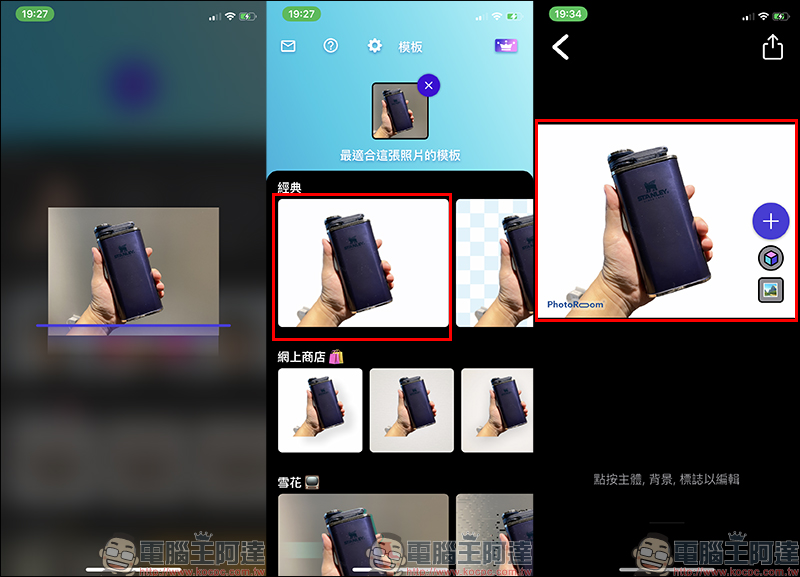
Then click “Crop” > “Manual” in the editing function to manually edit the memorized image:
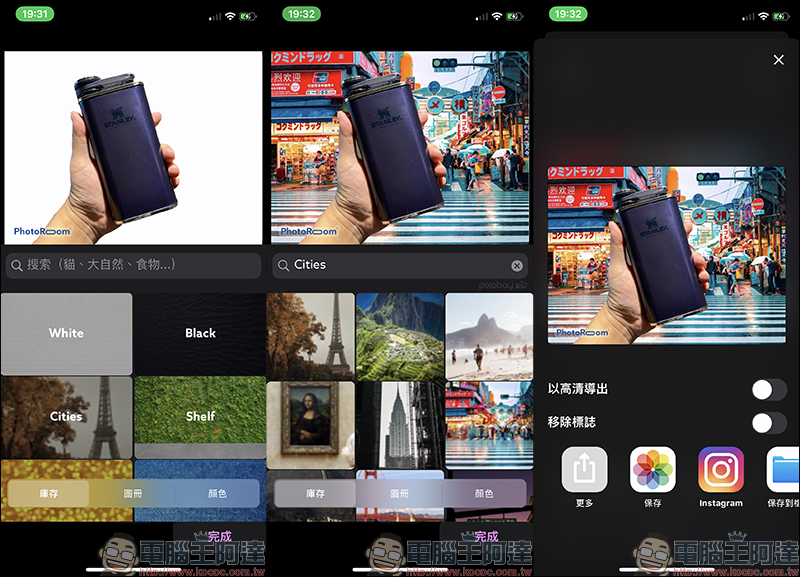
Similarly, after the image processing is completed, you can choose your favorite background image template combination:
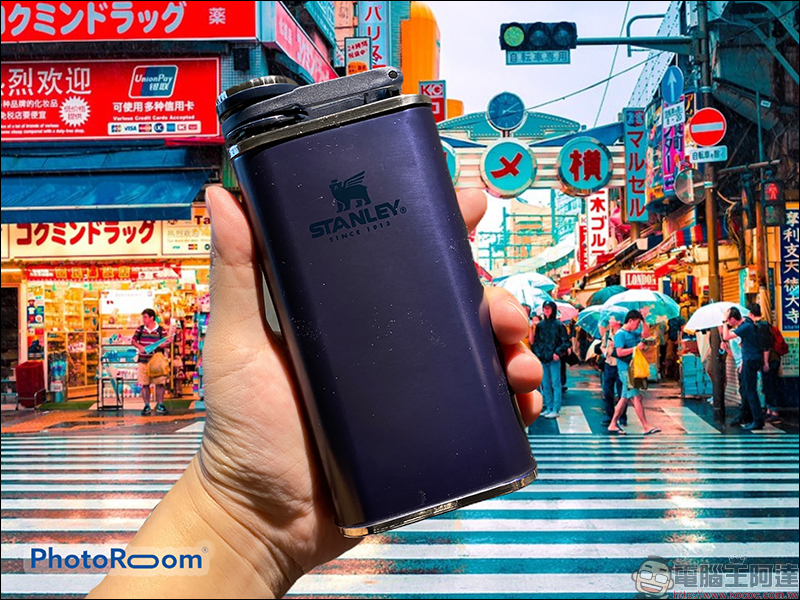
The output results are as follows:
PhotoRoom iOS Free App Download:Click here to go to (App Store)
Further reading:
“Video Manager” free video download iOS App, can download videos from Facebook, YouTube, Instagram and other audio and video platforms

Source: KOCPC Chinese