


The mouse is the most frequently used computer peripheral. You spend more time holding your mouse than typing on your keyboard, yet it’s also the device most easily overlooked. For me, whether working or relaxing, I’m essentially inseparable from my computer whenever I’m awake, so I spend even more time using a keyboard and mouse than the average person. That’s why an ergonomic product that minimizes hand movements while boosting work efficiency is essential. This time, I tried the Keychron Nape Pro trackball, and it’s different from traditional products—allowing me to perform the maximum operations with minimal movements. Its high level of customization has greatly enhanced my productivity. It’s not just a mouse replacement, but a desktop control tool that can be tailored to each user’s unique preferences.
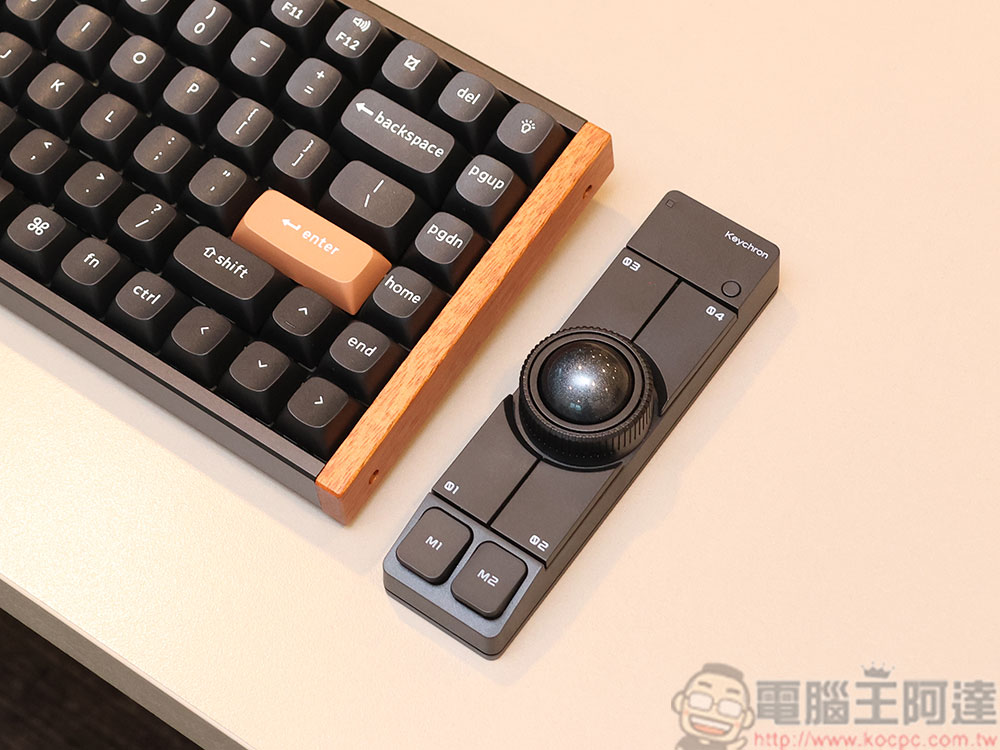
Rushed to Zeczec and picked up the Keychron Nape Pro trackball
Keychron Nape Pro Trackball Unboxing & Review: Goodbye “Mouse Hand” — Boost Productivity by Moving Your Fingers
Extended use of traditional mice most commonly leads to problems caused by overuse of the wrist—especially when the wrist hovers in the air or experiences prolonged pressure—or poor posture, resulting in symptoms like tingling fingers, numbness, and wrist weakness. This is what we commonly call “mouse hand,” known in medical terms as carpal tunnel syndrome. It most frequently affects office workers who get so absorbed in their busy work that they lose track of time, as well as video editors and designers who use mice at high intensity for long hours.
To address mouse-related strain, many people switch to trackballs. The Keychron Nape Pro trackball we’re unboxing here is currently crowdfunding on Zeczec. It not only breaks away from the bulky design of traditional trackballs but also offers more customizable capabilities, making it your ultimate work companion with rocket-like productivity.
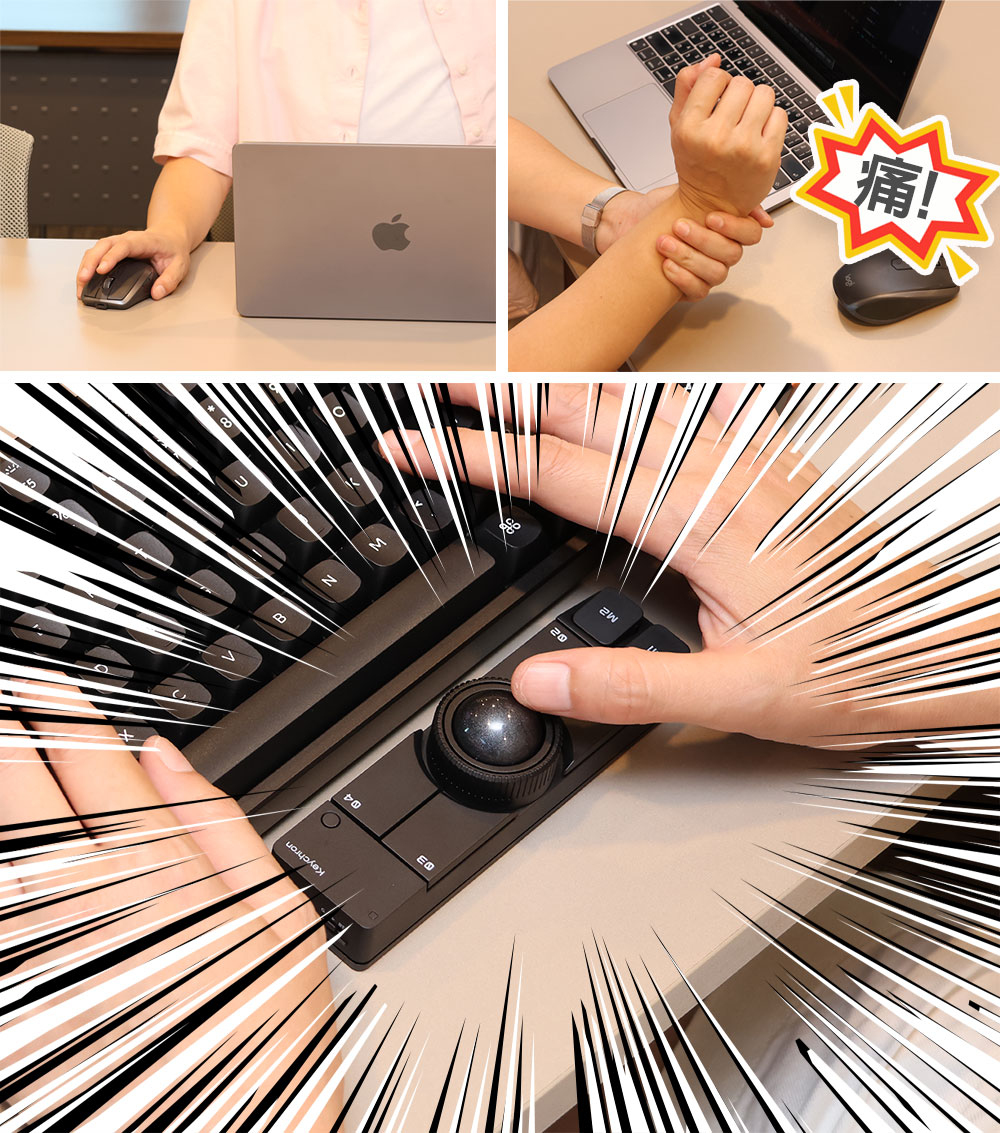
Appearance
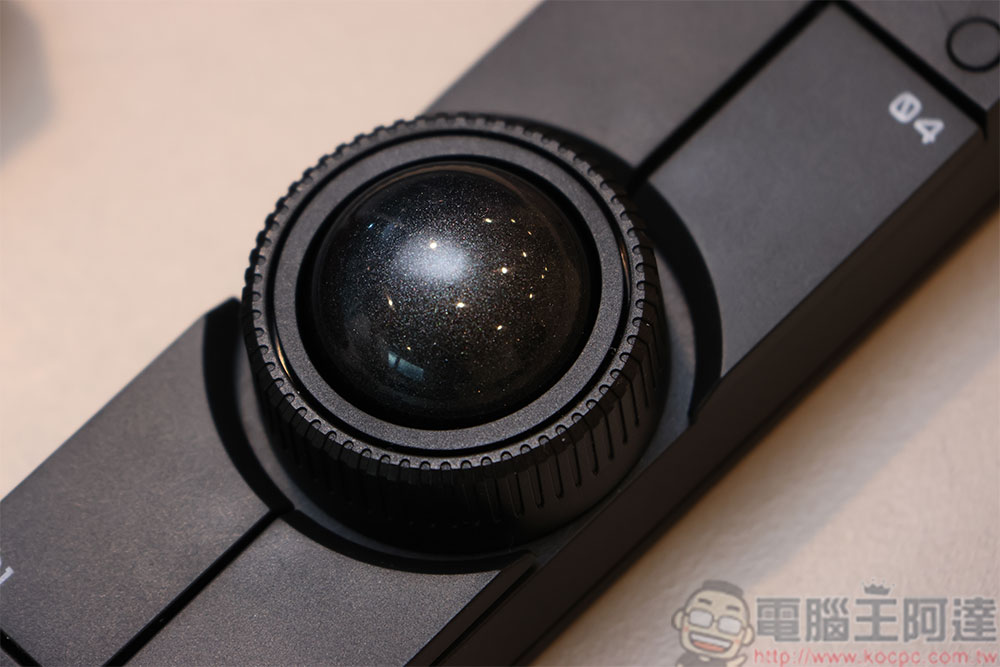
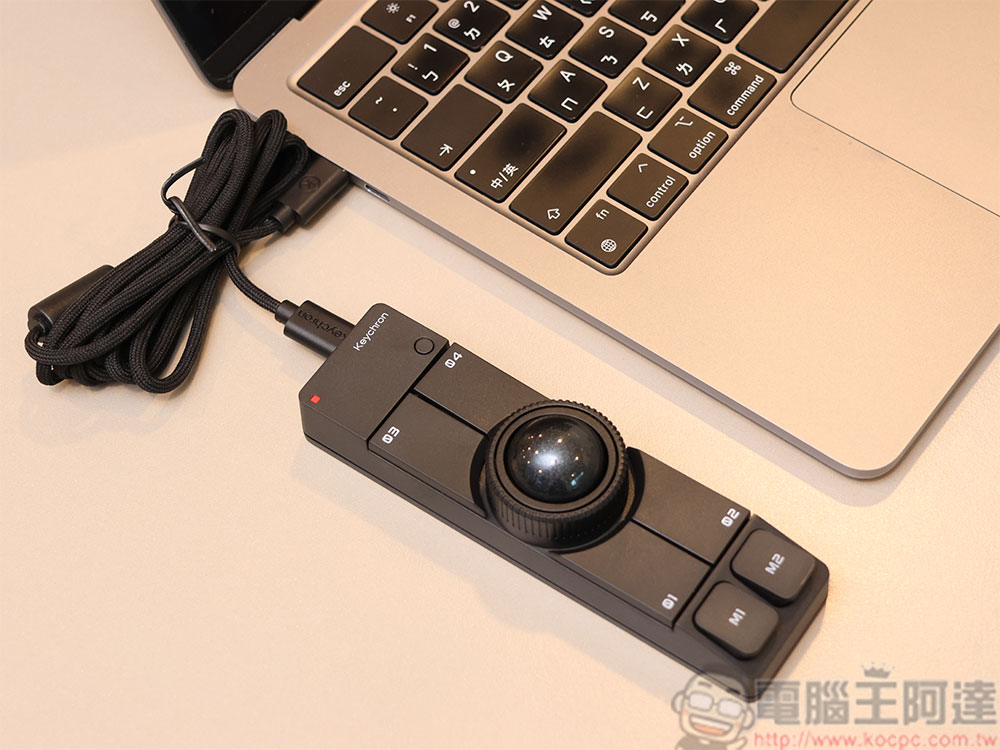
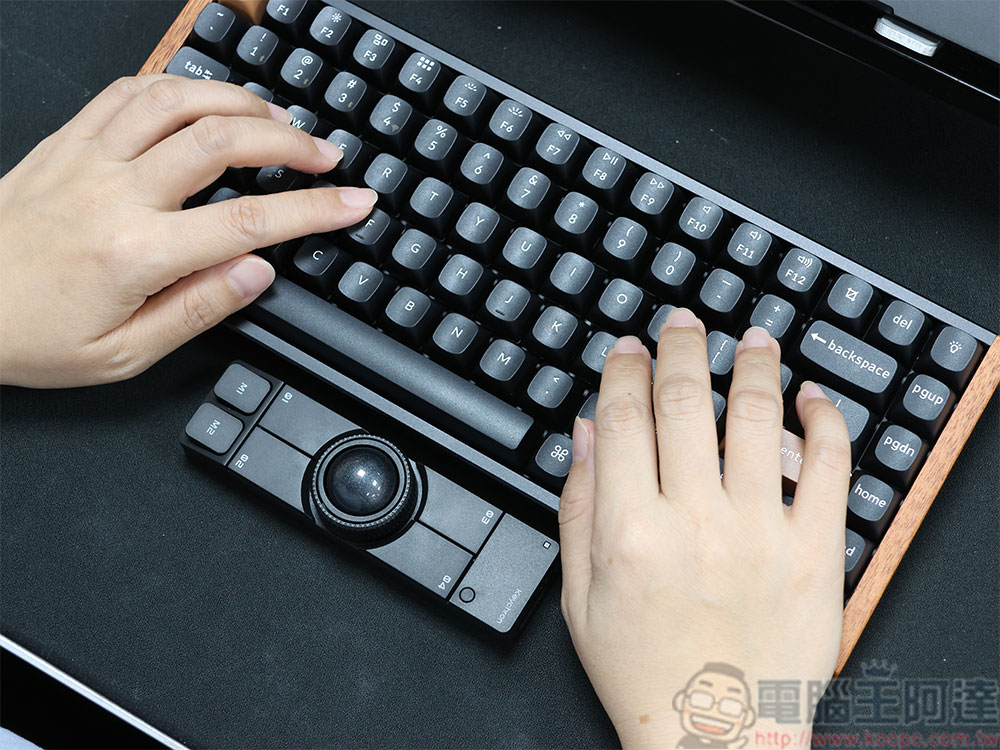
On the surface, the Keychron Nape Pro is a compact rectangular device with excellent build quality and a satisfying tactile feel. On the body, aside from the central trackball, the outer ring of the trackball serves as a dial, and there are also 6 customizable buttons. We’ll cover the button customization in more detail later.
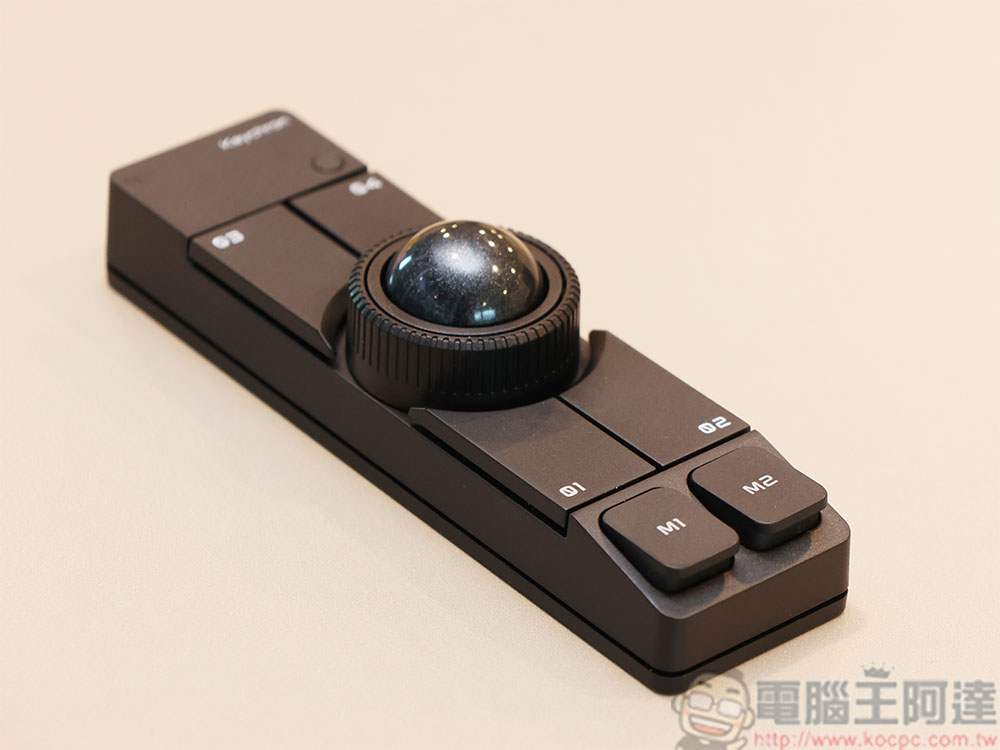
The trackball rotation is highly responsive and smooth, allowing the cursor to move in any direction with just a flick of your fingers. The buttons feature snappy, silent micro-switches, so you can use it even in ultra-quiet environments like a library without worrying about disturbing others.
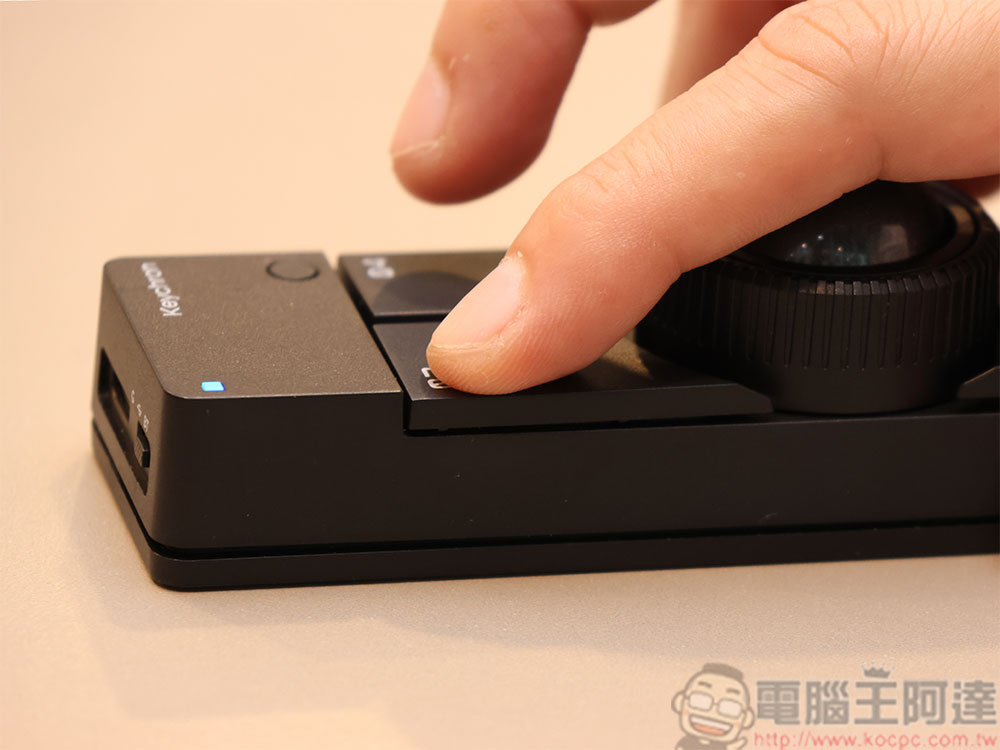
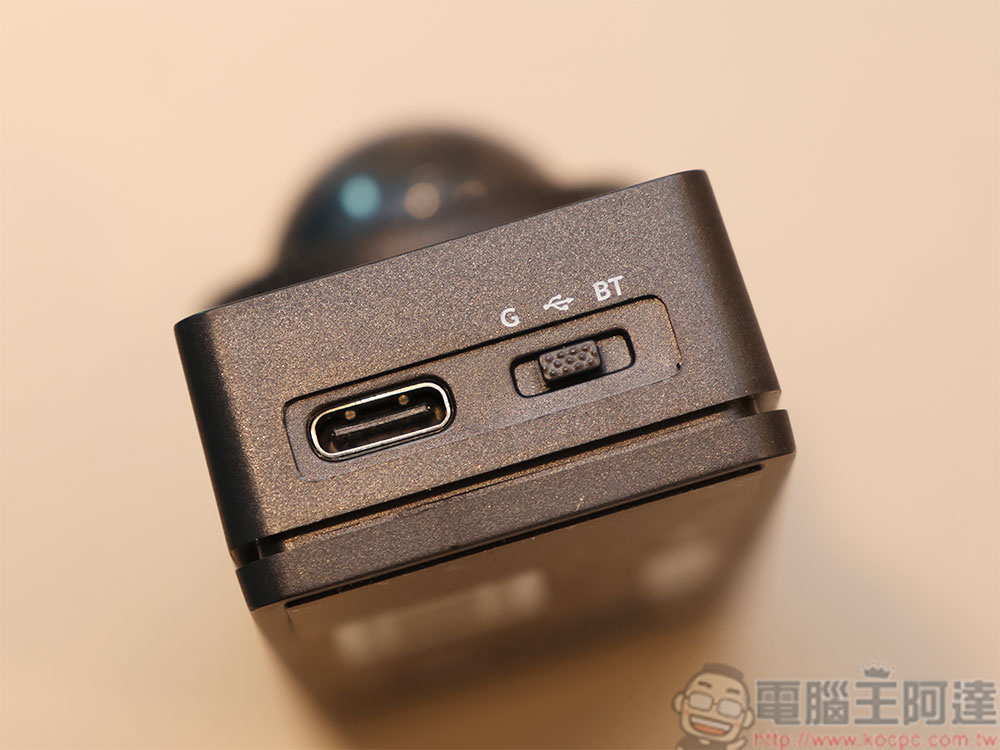
At the top is the USB Type-C charging port (also used for wired mode) and the mode switch button. The Keychron Nape Pro supports Bluetooth, 2.4GHz, and wired connectivity, allowing you to quickly switch between modes using the mode switch.
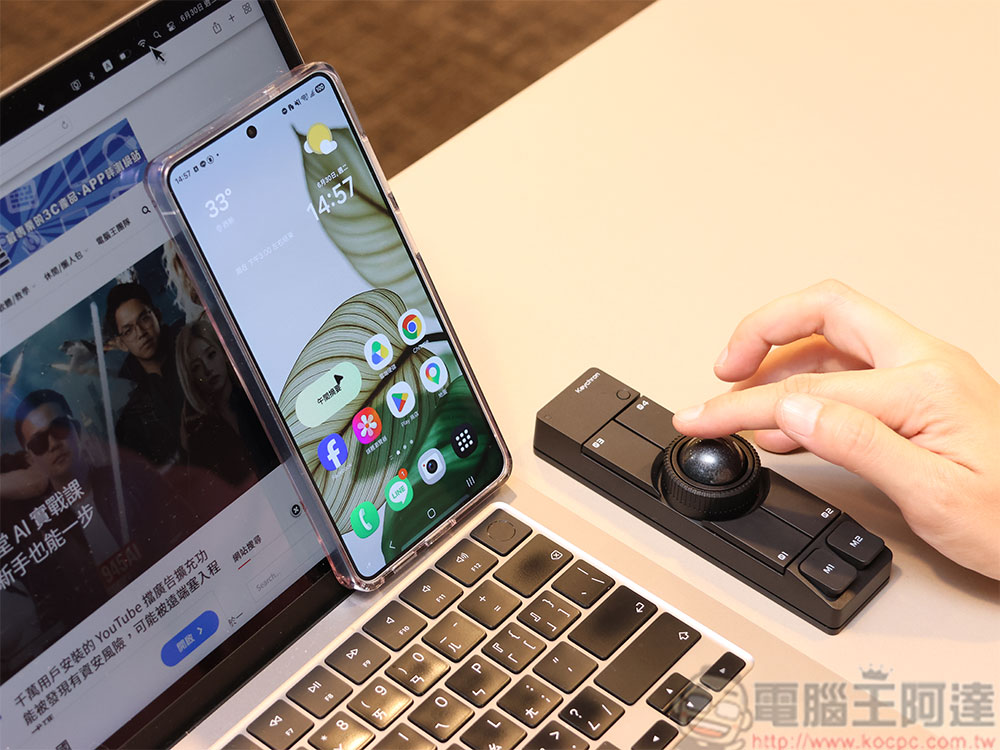
Due to the operating characteristics of trackballs, you only need to move your fingers without moving your wrist, so it only requires a fixed placement space for point-and-click operation and doesn’t need large-range mouse movements. This effectively saves desk space. Even if your desk is very cramped or cluttered, you don’t need to clear out precious desk space for it to slide like a traditional mouse, nor do you need a mouse pad. This advantage is especially useful for those who have limited desk space at their office or those who want to keep their desk minimalist and clean.
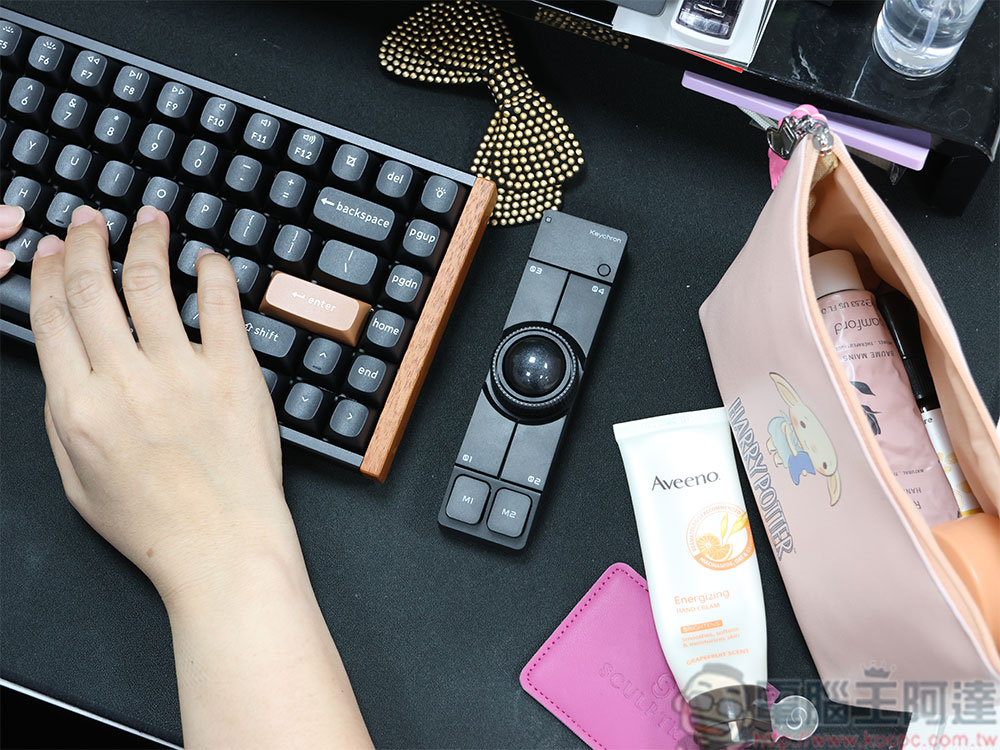
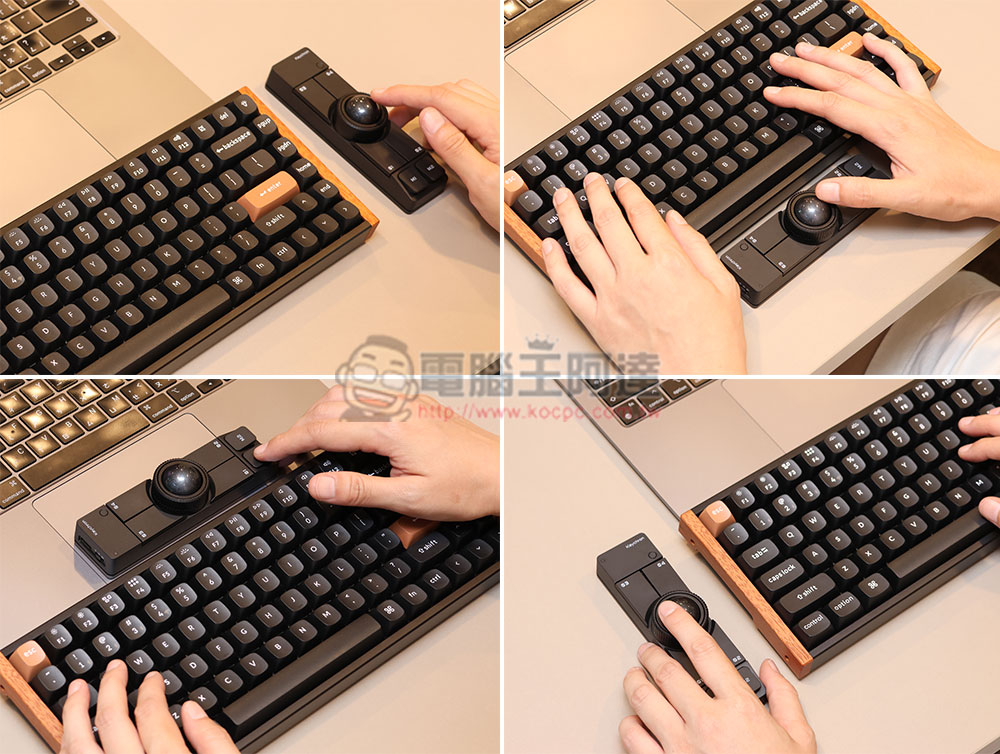
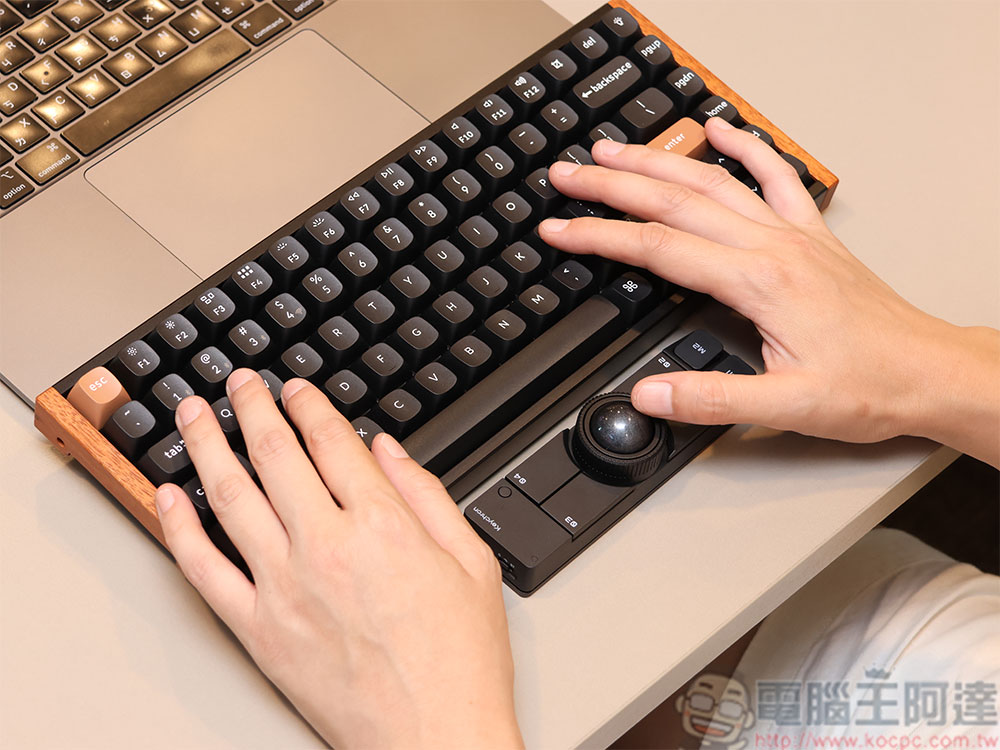
You can place the Keychron Nape Pro anywhere around your keyboard—above, below, to the left, or to the right—to suit your personal preferences and work needs, and it’s also very left-hand friendly.
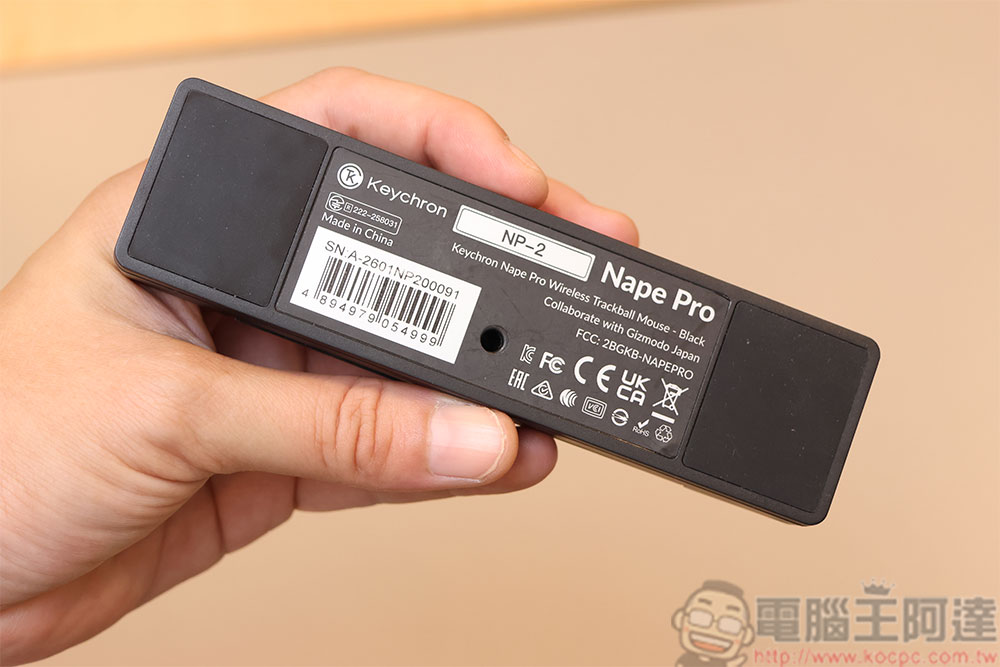
With such a compact size, won’t it slip during use? The bottom is equipped with extensive ultra-anti-slip pads that prevent unwanted movement caused by force during operation, keeping it firmly grounded on your desk.
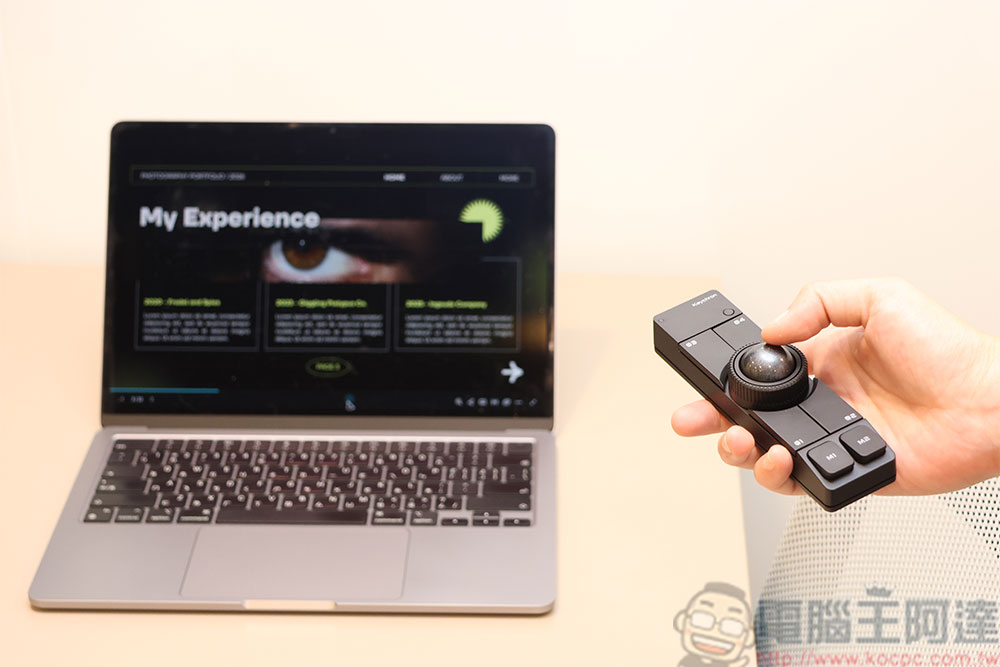
Beyond serving as a mouse and desktop navigation tool, the Keychron Nape Pro also works as a presentation pointer, letting you control slide transitions, adjust volume, and more, making it even easier to navigate through your presentation.
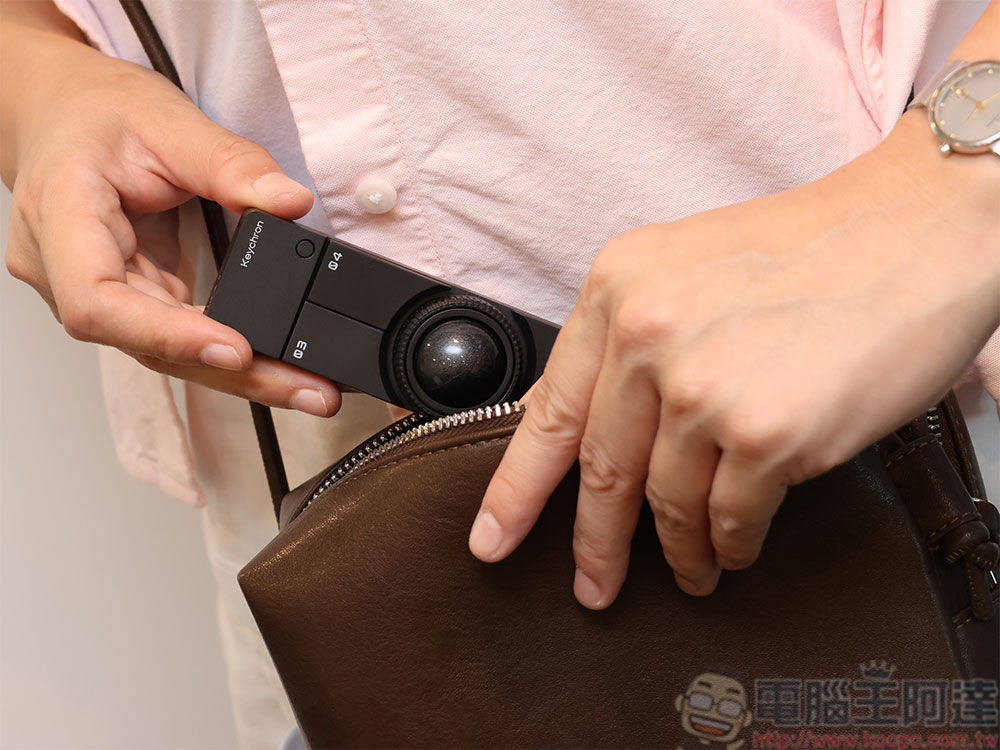
The Keychron Nape Pro is lightweight and compact, weighing only about 83 grams, making it easy to carry between home and the office. Just slip it into your bag and take it wherever you go.
The Nape Pro trackball features a built-in 200mAh battery, providing approximately 50 hours of battery life in 125Hz mode when fully charged, and about 40 hours when switched to 1000Hz mode. Actual battery life varies depending on connection mode, usage frequency, and DPI settings. In typical office work, document processing, web browsing, or multitasking scenarios, battery life remains consistently reliable, so frequent wired charging is unnecessary. While charging, you can still switch to wired mode without any disruption to your usage.
Rushed to Zeczec to get the Keychron Nape Pro trackball
Want Ada to give you something? (Click to join and win two sets)
Nape Pro: Highly Customizable, Crafting a More Intuitive Desktop Control Tool
Keychron Nape Pro supports multiple operating systems, including Windows, macOS, Linux, Android, and iOS, enabling seamless cross-platform use for greater flexibility in your desktop setup. Accessible through major browsers including Chrome, Microsoft Edge, and Opera Keychron Launcher Using the web tool, connect to Nape Pro via wired mode or 2.4GHz mode, and you can configure button settings and operation settings in various system environments.
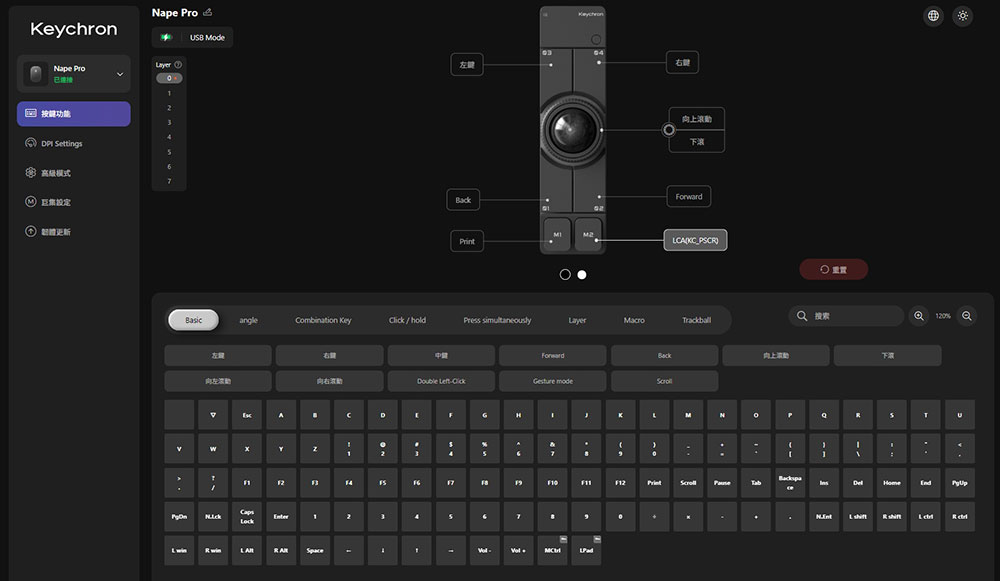
At the beginning, the author mentioned that the Keychron Nape Pro has 6 customizable buttons, and even the knob next to the trackball can be customized—so what can you do with them?
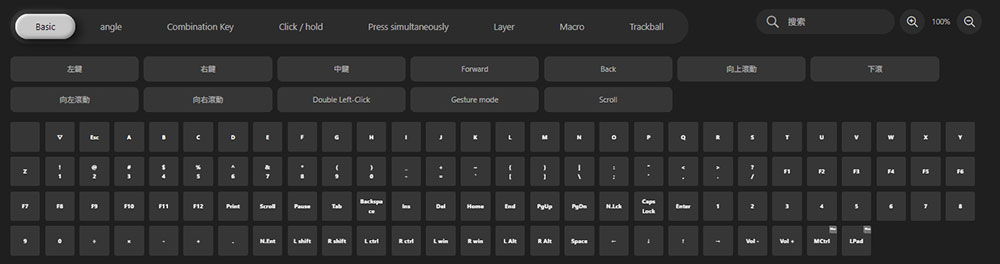
- Customizable to any keyboard or mouse function key, including the mouse middle button.
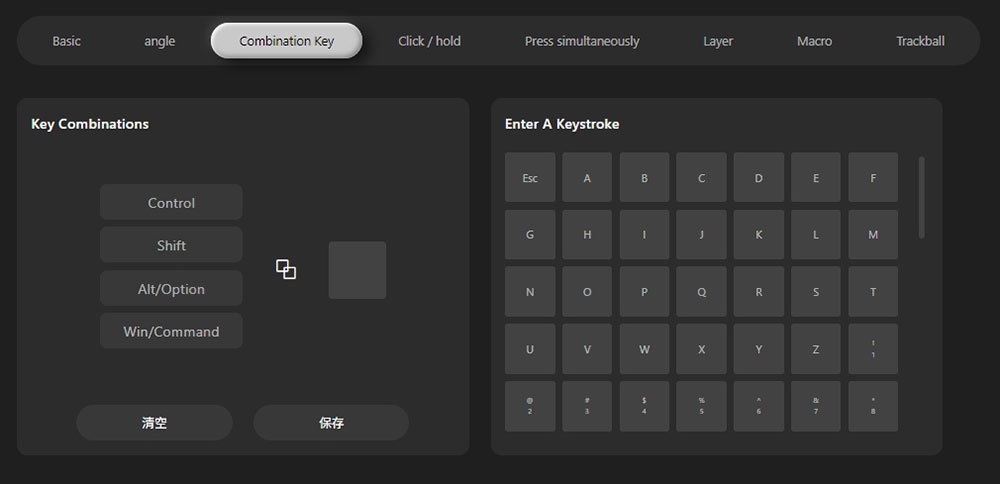
- Customize key combinations, such as Ctrl + Shift + A.
- Short press and long press can be assigned different functions, for example, long press for Ctrl + V and short press for Ctrl + C.
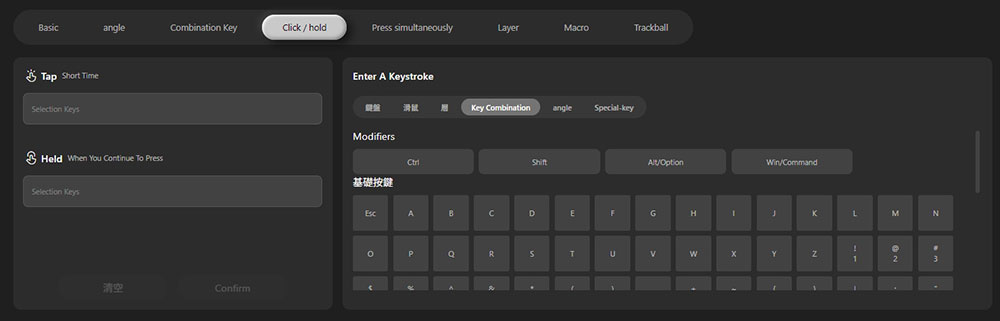
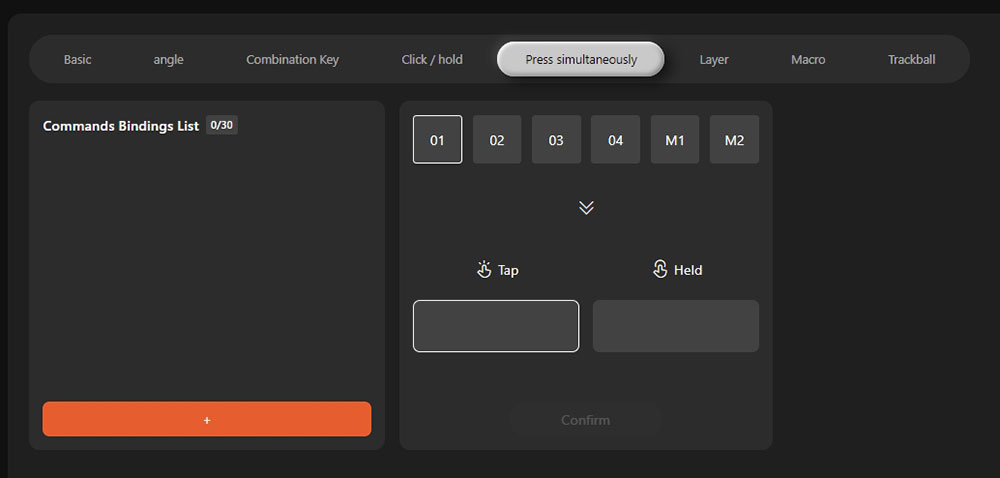
- Combo key functionality: pressing trackball buttons M1 + M2 simultaneously to trigger the Ctrl + A function.
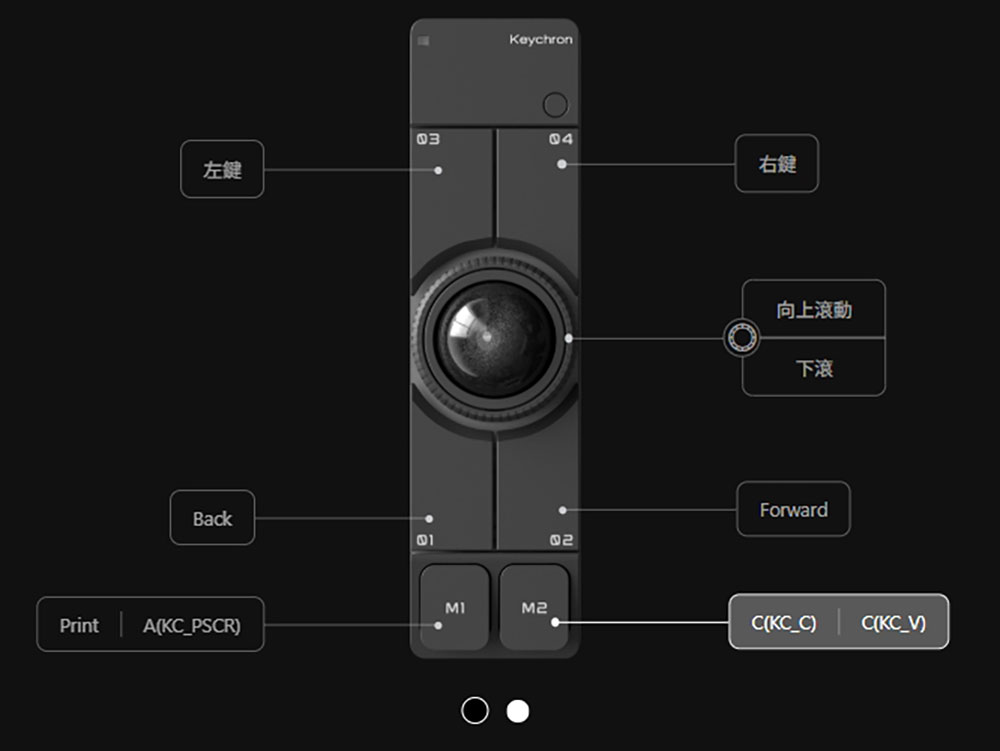
For example, I spend most of my computer time browsing websites from both local and international sources and writing articles, so the values I’ve set are based on my personal needs and gesture habits:
- M1: Short press for screenshot (Prtsc), long press to capture the last selected area (used with Greenshot).
- M2: Short press for Ctrl + C, long press for Ctrl + V
- Back
- 02: Next page
- 03: Left mouse button
- 04: Mouse Right-Click
- Knob: Scroll page up and down <<< My personal favorite! It’s so convenient for reading long documents and PDFs (heart heart)
Supports up to 8 customizable layers for button settings for different use cases and scenarios, such as web browsing, video streaming, presentations, Photoshop, video editing, and more. Each layer can be configured separately, and you can switch between layers using custom shortcut keys or by opening Keychron Launcher.
Hold on! You might be wondering, since it’s set up through a web-based tool, is it secure from a cybersecurity perspective? What if your company’s network blocks external internet access, how should you set it up? The Keychron Nape Pro has built-in memory, so all your settings are stored directly on the Nape Pro itself. Once configured, your settings remain intact regardless of which device you connect it to – no need to reconfigure every time. Even if your office has restricted external network access, you can simply set everything up at home and bring it in ready to use. Of course, different devices or systems may have variations in hotkey support, so you might need to make minor adjustments during use.
Rushed over to Zeczec and got my hands on the Keychron Nape Pro trackball
Conclusion
As a user who relies heavily on computers both for work and leisure, I probably spend more time holding a mouse than the average person. Beyond the immediate discomfort from keeping my wrist bent against the desk while operating it in an unergonomic way, the biggest drawback of traditional mice is that my palms easily get sweaty—a feeling anyone with clammy hands can relate to. There was even a time when I was so focused that I accidentally flicked the mouse off the desk and it shattered into pieces.
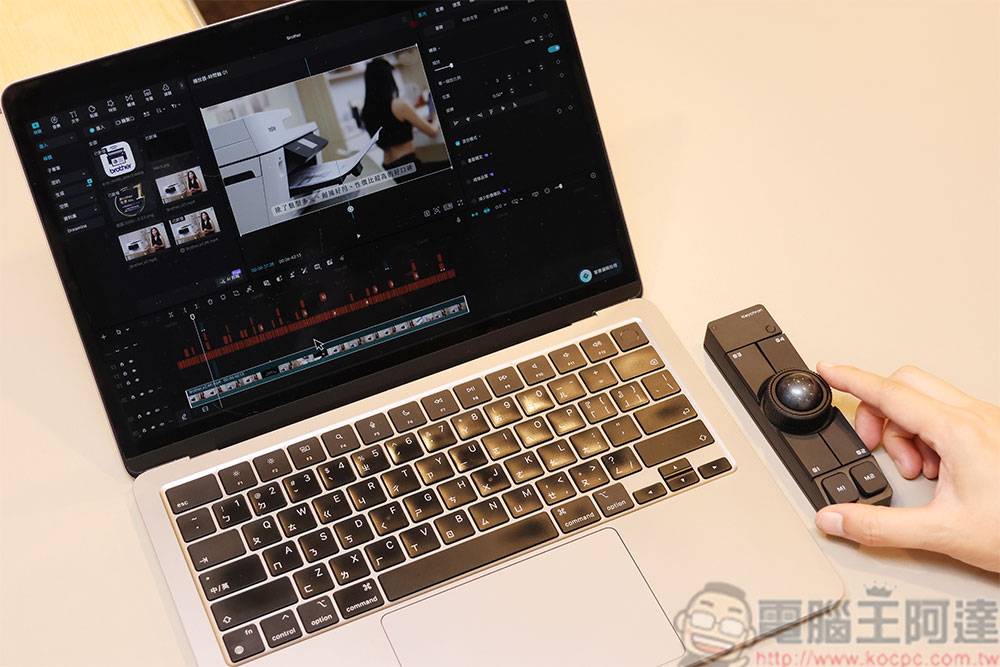
The Keychron Nape Pro trackball takes a bit of time to get used to at first, but after a day or two, it feels completely natural. It requires no large hand movements— just a flick of the fingers accomplishes what used to require sweeping the mouse across the entire desk, reducing hand fatigue. When writing, my favorite setup is to place it right below the keyboard, so I can move the cursor and scroll pages with my thumb without ever taking my fingers off the keys, helping me stay focused on my work.
If you’re also looking to get the Keychron Nape Pro trackball to optimize your workflow, the Zeczec crowdfunding campaign is currently live with an exclusive super early bird discount—don’t miss out on this great opportunity to save!
Head to Zeczec and get the Keychron Nape Pro trackball
Source: KOCPC Chinese