


last year in LINE CONVERGE 2019 Autumn Press ConferenceIn addition to launching the LINE TAXI ride-hailing platform and LINE SPOT functions, the “sharing” interface was also optimized at that time. At that time, the LINE team stated that the average number of friends of Taiwanese LINE users was about 200. In order to facilitate users’ needs to manage many chat rooms, it was announced that a “chat room list classification” function would be launched in the future to make it easier for users to manage and find chat messages.
Now, this feature also quietly appeared in LINE Labs not long ago, which means it has entered the “laboratory” testing stage! However, this feature is currently the first to be experienced on the Android version. Android users should try it out quickly!

LINE Lab launches a new feature called “Chat Room Classification” to make it easier to find chat messages! (Android version is the first to experience)
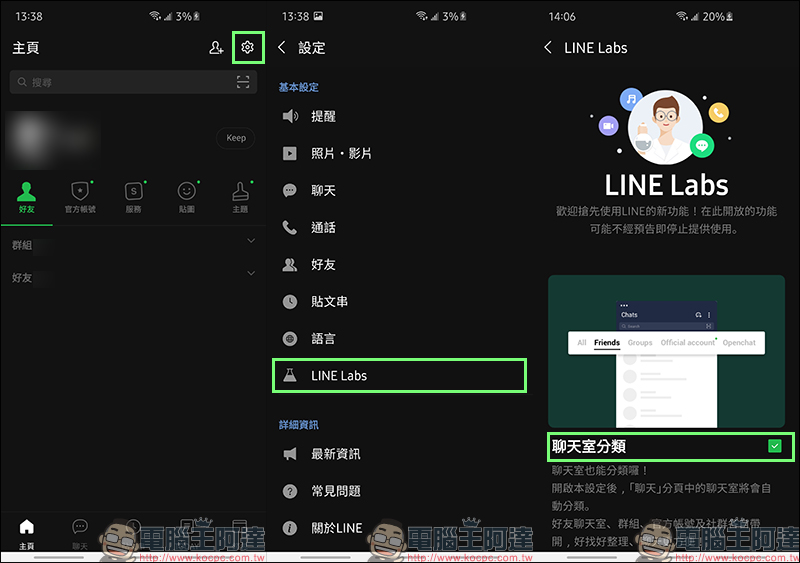
In recent days, I believe some Android users may have discovered that LINE has a new hidden feature. As long as Android users update LINE Android 10.7.1 (inclusive) or above, or directly update to the latest version of LINE, then go to “Settings” > “LINE Labs” to see the latest hidden experimental feature – “Chat Room Classification”. This is the chat room list classification function that LINE officially announced at the autumn press conference last year! Although this feature has not yet been “officially launched”, as long as Android users can try it out first, LINE officials will also use this to observe user usage and collect feedback.
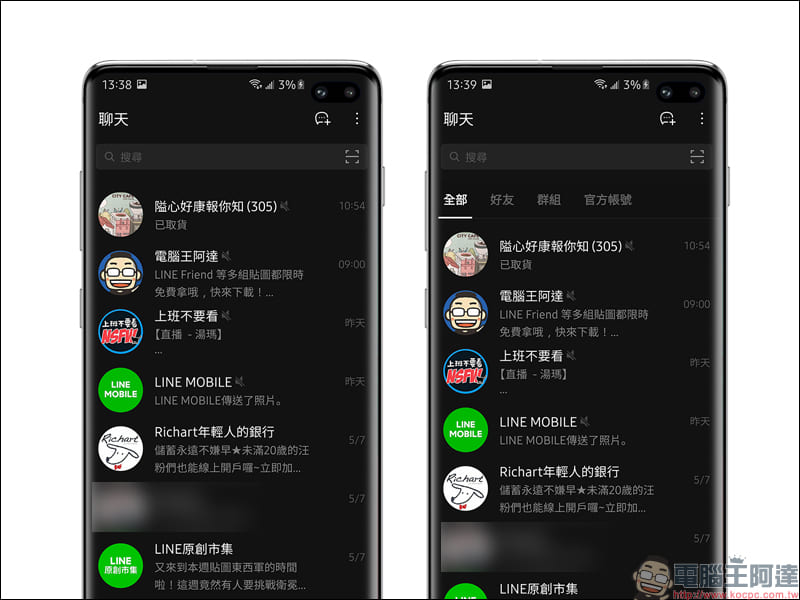
From the picture below, you can quickly compare the differences in chat page display before and after the “Chat Room Classification” function. After turning on the chat room classification function, there will be a classification menu of “All”, “Friends”, “Group” and “Official Account” at the top of the chat messages. This way, users chatting with friends on LINE will not have to worry about chat messages with friends being overwhelmed by a large number of official account messages! (laugh)
In addition to “All”, which will retain the original message sorting method, the “Haoyou” category will only display one-on-one chat messages; the “Group” category will only display group or multi-person chat messages; and “Official Account” will display messages from official accounts or system notifications. Users do not need to manually classify, all messages will be automatically classified according to the above rule classification methods. In addition, each category can individually select the messages you want to pin to the top.
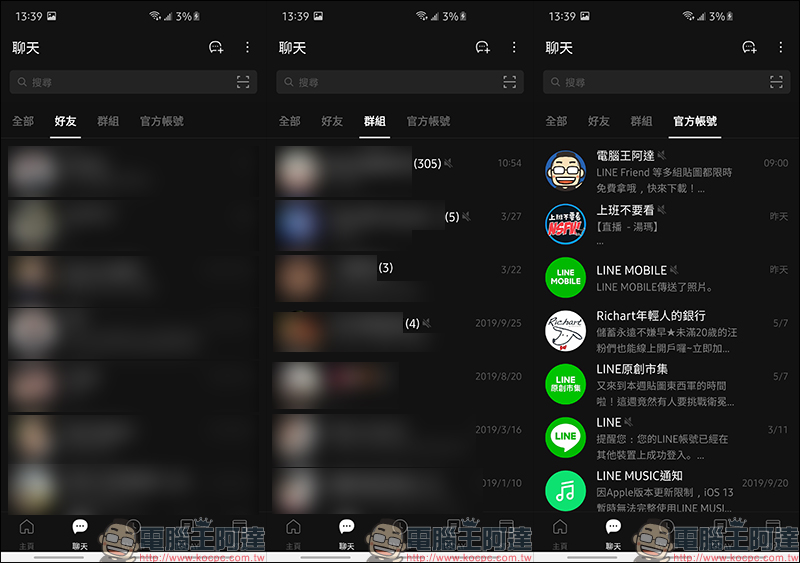
When there is new information in this category, there will be a “little green dot” prompt next to the category. As long as the user clicks on the category, the small green dot will automatically disappear regardless of whether the message is read.
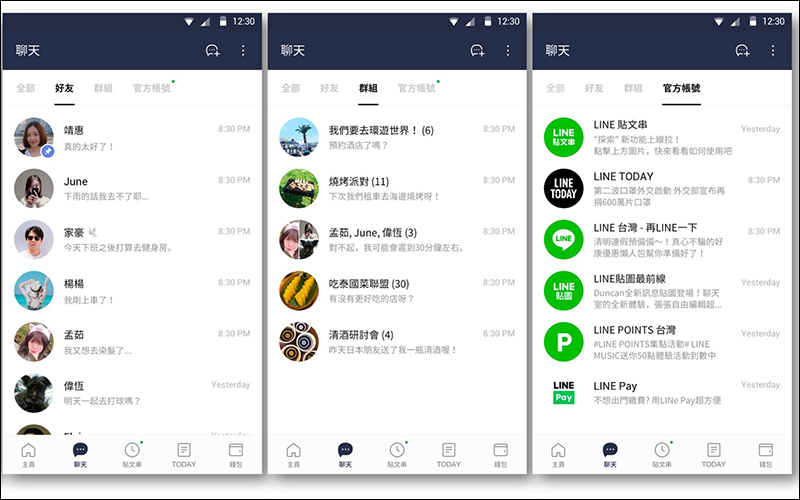
▲Picture source:LINE Taiwan Official BLOG
Source:LINE Taiwan Official BLOG
Further reading:
LINE Pay App update: The interface design is optimized, iOS users can quickly complete payments through gadgets
Source: KOCPC Chinese