


Firefly season is coming. Do you want to use your iPhone to capture the beautiful appearance of fireflies flying at night? According to information from the Endemic Biological Research and Conservation Center of the Council of Agriculture, Executive Yuan, Taiwan, firefly larvae must survive in a natural and clean environment. Therefore, a place with flying fireflies is a place with a sound and good ecological environment. On this year’s World Earth Day, Shi Xinfeng, a famous Taiwanese ecological photographer, shared the secret of shooting fireflies with iPhone. He said that the brightness of fireflies is low and the place where they appear is very dark. Many people think that it is impossible to take pictures with mobile phones. But in fact, as long as you prepare a few pieces of equipment and use some tricks, you can take pictures without complicated photography skills.
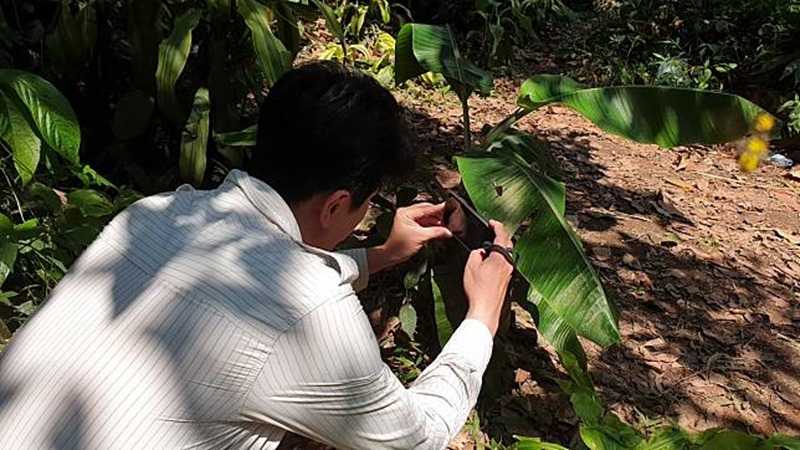
First of all, recording firefly light spots relies on long-term exposure, so a tripod that can stand stably is very important. The accompanying app is dedicated to photography.Procam 7 (iOS exclusive) and for photo editingSnapseed. The iPhone 11 Pro series supports Night mode. Can I take pictures directly using the night mode of the phone? Shi Xinfeng said of course, as long as you choose the right place, you can still shoot successfully.
How to shoot with Procam 7
The best time to shoot fireflies with a camera is on a humid, windless and moonless night. Usually, a large aperture, a slow shutter speed, and a reasonable ISO are used to complete the exposure. But if you want to shoot fireflies with an iPhone, you must make good use of moonlight, street lights, and car lights. The current physical limitations of mobile phone photography are that the sensor is too small and the aperture cannot be zoomed in. A large aperture does not pose a big problem when it comes to shooting fireflies, but a sensor that is too small is a flaw. If you want to force the camera to slow down the shutter for long exposure, you will easily be unable to shoot fireflies. In the case of 2-3 minutes, the image taken by the mobile phone must be full of noise. And when taking night shots with ordinary mobile phones, because the aperture cannot be narrowed, the normal long exposure shutter of night scenes is very short, which makes it difficult to shoot subjects such as car tracks, but in ProCam 7 In this app, there is a special function called slow shutter. This function can be used to take pictures of the souls of fireflies.
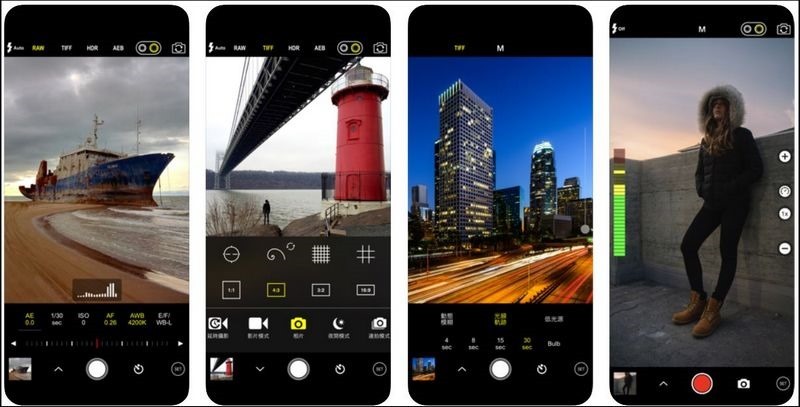
First, open the ProCam 7 app directly on your iPhone. For photography mode, please directly select slow shutter. Please note that this mode is not a true slow shutter. The principle is to use continuously captured images and then superimpose the images in different ways. There are three options in the menu:
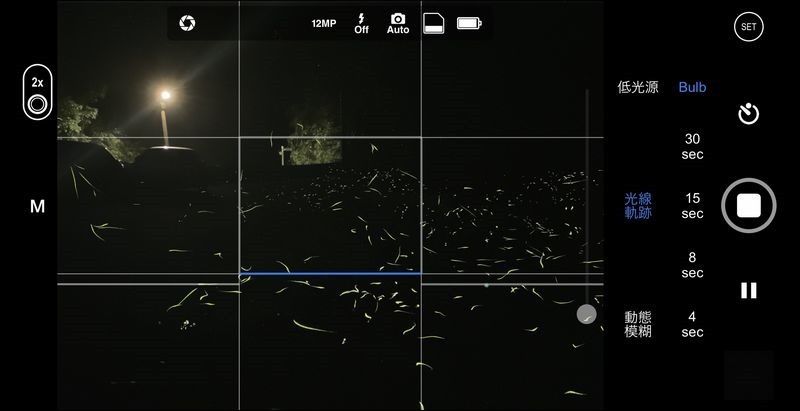
Low light source: When the light source is insufficient, you can use this mode to stack the brightness, and the result will be similar to the texture of a traditional camera long exposure.
Light trace: Directly superimpose the brighter images recorded in the screen, so it can be used to record car tracks, running water, and the flight paths of fireflies. However, during the long exposure process, the brightness of the images will not continue to superimpose.
Motion blur: Moving objects in the picture will gradually disappear in the superimposed image as the exposure time is lengthened. For example, a long exposure of a street scene of pedestrians crossing a zebra crossing will result in a clean zebra crossing, but the characters will disappear.
Implementation
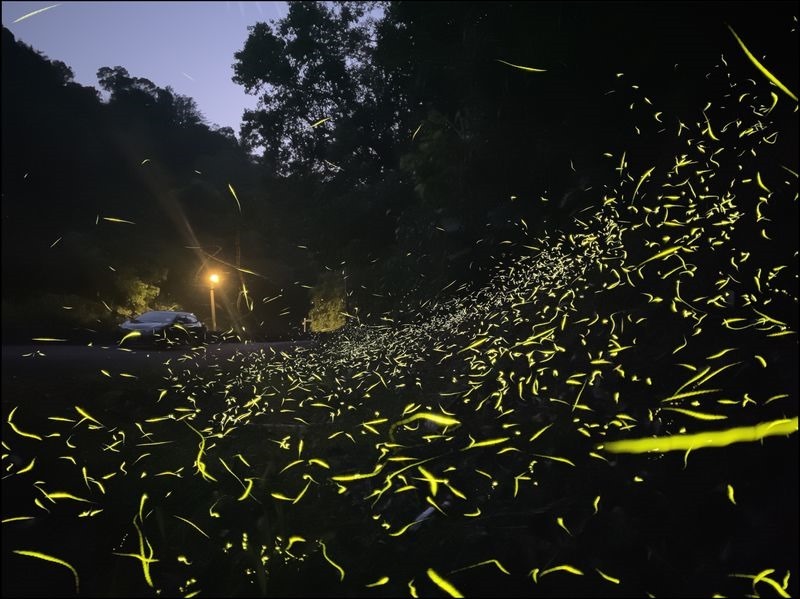
The light trace option is the mode we want to use to implement fireflies. Just set up the tripod and press the shutter button. For the shutter choice, I will choose B shutter. Press once to open and press again to end. So after I press the shutter, I only need to wait for the fireflies to continue to accumulate in the screen until the number on the screen is satisfactory. The characteristic of this option is brightness. It will not continue to accumulate. The disadvantage is that if you are shooting fireflies in a dark place, you will take a scene with only fireflies but a completely dark scene. But thinking about it conversely, if you choose a location with light pollution, the light can outline the outline of the site, but the brightness will not continue to accumulate during the exposure process. If combined with the blessing of moonlight, you can successfully capture images with fireflies and surroundings.
Special attention:
Although the brightness will not continue to accumulate during long exposure, if you encounter an external light source such as a car or a flashlight, it will directly destroy the entire picture. Therefore, if you encounter a similar situation, please use black non-reflective material to directly block the phone lens.
How to shoot in Night mode
When Night mode is in operation, it will continuously take multiple photos to continuously superimpose the brightness. The principle of this operation is not suitable for shooting fireflies in a bright environment. Therefore, when choosing a location, you can choose a slightly darker environment. In a darker environment, even if you shoot in Night mode for 30 seconds, it will not superimpose too much brightness, but it can record the fire spots in a timely manner. However, night mode can only shoot for 30 seconds at most. In order to make the picture have enough fireflies, you can use the snapseed app for post-production.
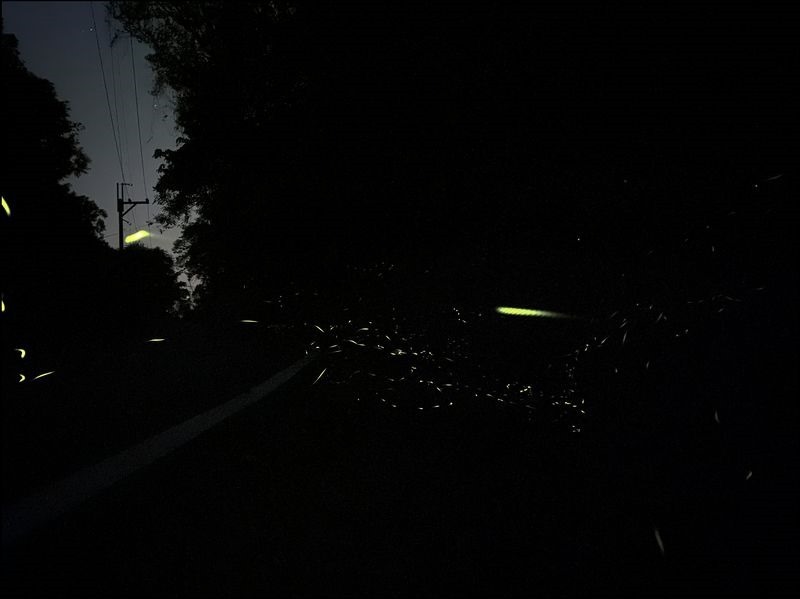
▲Original picture taken in iPhone 11 Pro Max Night mode.
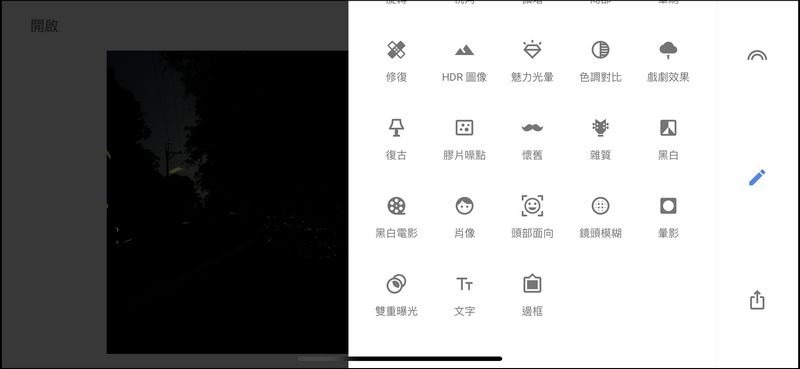
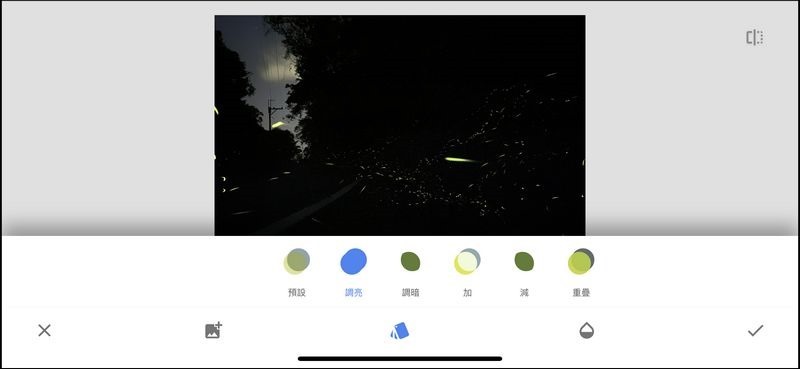
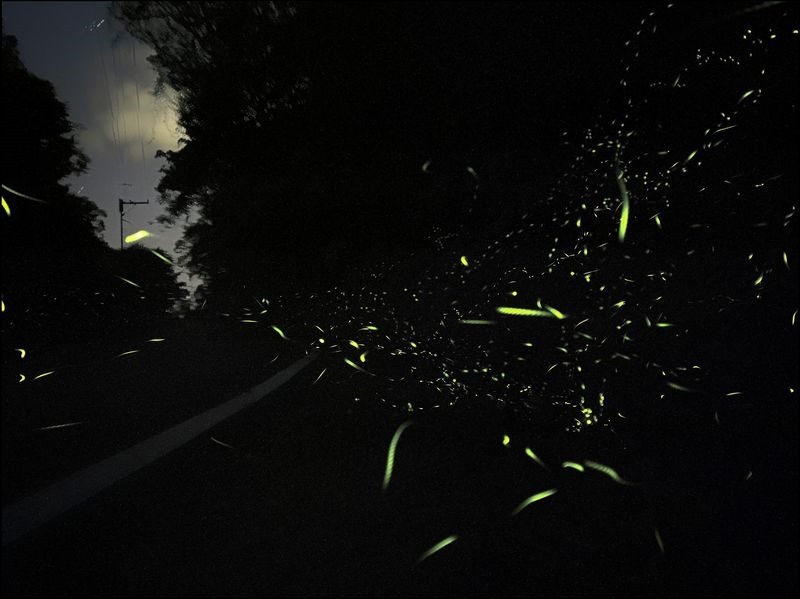
Suppose we use Night mode to take five identical photos of fireflies. First, use snapseed to open the first one, and then find the double exposure option from the tool menu. After selecting the second photo, the overlay mode selection becomes brighter, so that the fireflies in the second photo will come out. Repeat this step in sequence, and you will have a firefly photo equivalent to 150 seconds:
Overlay mode selection to brighten:
The firefly after Snapseed overlay is completed:
Source: KOCPC Chinese