


The Wuhan pneumonia epidemic is getting worse and worse, and it is impossible to predict what the situation will be like. Many enterprises and companies have begun to trial the process of working from home, and try to reduce face-to-face meetings, business trips and other trips as much as possible to ensure that the health of employees is not threatened. In this situation, a stable and secure communication and collaboration tool is indispensable. Currently, Microsoft Teams, Zoom, Cisco Webex and Google Meet are widely used by enterprises. However, with the recent controversy over Zoom security issues and being questioned by many parties, it has also sounded the alarm to pay attention to security. This time, the author will introduce and compare these products with the highest visibility one by one.

Working from home is in full swing, which one is better for enterprise remote communication between Microsoft Teams, Zoom, Google Meet and Webex?
Platforms for casual conversations and business communication platforms are very different in functionality and aspects due to different needs. The former focuses on entertainment, while the latter pays more attention to team collaboration, security and work coordination.Previously, the author has briefly introduced the differences between the main platforms currently on the market., and this time, we will compare several business platforms that are widely known during the epidemic, so that everyone can have a better idea when choosing.
Zoom
This SaaS software-based video conferencing service is very popular in the current work-from-home craze. It uses the “meeting room” as the main axis to extend different functions. It is very simple to use. You only need to register an account and password on the official website and download and install the software. After logging in, you can select the type of meeting you want to hold. If you want to invite others to join, you only need to enter the other party’s email, and the system will help send an invitation letter containing the meeting room URL.
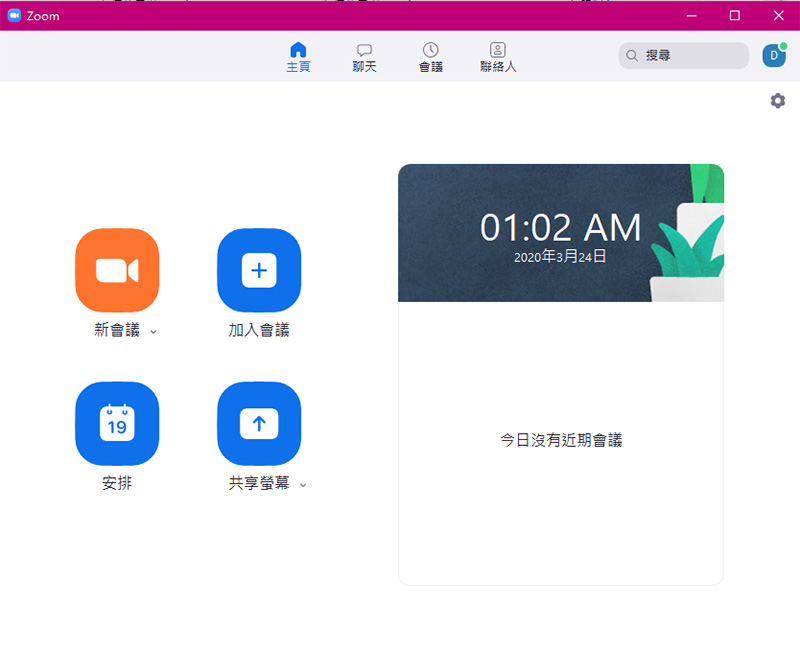
Zoom’s charging methods are divided into free version, large-scale business plan and upgraded conference room Pro plan. The free version only provides a maximum of 10 participants, a limited meeting time of up to 40 minutes, and free server sharing. The upgraded conference room plan starts at 489 yuan per month and supports up to 200 participants in meetings, using a local dedicated server in Taiwan. As for the large-scale business plan, it can support up to 3,000 people, and can enjoy exclusive private cloud deployment, but you need to contact a specialist for the price. Although these solutions seem to be cheaper or even free compared to similar software in the market, looking at the details, you can find that whether it is cloud recording, technical support, etc., all of them require an increase in price. Below, the author summarizes the main functional differences between the paid version and the free version of Zoom. Although Zoom is very simple to get started with, it is also relatively weak in terms of functionality. Focusing on video, it ignores the additional needs of the team, such as document communication, discussion records, post-meeting playback, and collaborative editing during meetings. Therefore, we can only return to the old working mode. After working on our own machine, we can send letters or files to others, which is relatively easy to cause information gaps.

Zoom also appears to be a bit weak in terms of security. Although it has some protection for file protection and enterprise control, the strength is still not enough for business. It can only be said to be usable in terms of the strengthened encryption protection required by enterprises. In the past, Zoom has also automatically opened video footage without permission due to security vulnerabilities.Zoomboom where inappropriate content was served during the meeting Problems such as this make users lose control and have to end the meeting midway. The security of using the Zoom platform for highly confidential meetings is even more worrying. The FBI and security research units have even issued warnings about its security. Recently for Zoom’s security controversyIt is even more serious, including false security claims. It is marked as point-to-point encryption on its official website, but in fact it only uses transmission encryption, which is misleading to users. It also caused the New York State Attorney General’s Office to request explanations and information for further review. Technology giant Google has also recently criticized the service for failing to meet the security standards for applications used by Google corporate employees.Issue restraining orders against employees. Judging from the continuous outbreak of security issues, Zoom’s efforts in security are still far from enough. Even though the company’s headquarters announced that it will stop updating functions within 90 days and focus on security enhancements, distant water cannot save nearby fires, and business needs that race against time cannot wait.

Cisco Webex
In this wave of remote work that has become popular due to the epidemic, another sudden rise is the Webex platform from Cisco. This platform provides online conferencing services, allowing individuals and businesses to discuss and communicate online through video or pure voice. You can use Webex to create a conference room or use it as a platform for online seminars or teaching. In addition, this service also launches applications suitable for different vehicles, allowing communication through mobile phones and computers.
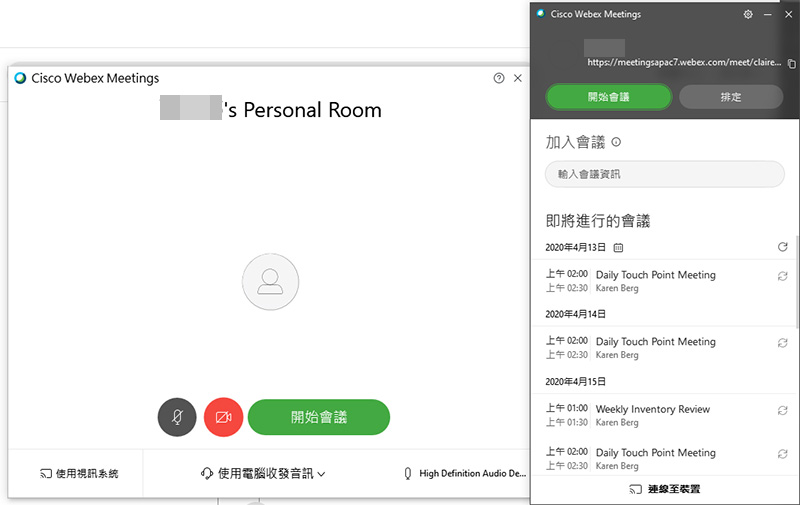
Webex is divided into three different services, namely Webex Meetings, Webex Training and Webex Events, and the three uses are clearly distinguished. Webex Meetings mainly provides “meeting” purposes. Users can have a fixed “Personal Meeting Room” simple URL like a personal phone number or address. Users can pass the link to others, allowing others to contact you with one click. In addition, for multi-person meetings, the free version can support up to 100 participants, with each meeting lasting 40 minutes; the paid version supports 50-200 participants, with unlimited meeting time and a meeting recording function, and can enjoy 5-10GB of cloud space for users to store recorded content. Among the three different service contents, only Webex Meeting can be subscribed online for a fee. Webex Training is mainly used to provide remote education and employee training. It can provide interactive online learning and can accommodate up to 1,000 participants. The host can initiate online Q&A, group operations and scoring. The biggest difference between Webex Events and Training is that this one is designed to hold large-scale online events, which can accommodate up to 3,000 participants, and has business-oriented options such as event management and potential customer tracking.

Judging from Cisco’s own experience in the technology industry, this remote conference communication platform has indeed put more thought into functionality and security than Zoom, but it still has some regrets in some functions. Customer support provides different levels of services according to customer subscription versions, which inevitably makes people feel like they have no way to turn to help when needed. If you want to conduct large-scale lectures such as staff meetings or educational training, you need to contact Cisco separately to inquire about Webex Training and Webex Events services. The entrance is complicated and cannot be handled through a single portal.
Google Meet
Recently, Google Hangout Meet was officially renamed Google Meet. In response to the epidemic, advanced features will be made available for free to G Suite and G Suite for Education users around the world before the end of September. Based on its own Google ecosystem, Google has integrated the Meet service into G Suite. You can join meetings through calendar events or email invitations. When you use G Suite, the system will attach exclusive dialing information to each meeting. Even if there is no WiFi or mobile network outside, the invited people can join the meeting by phone with just two clicks on their mobile phones. The overall interface is simple, but because it is too simple, you need to organize the clutter at home to avoid embarrassing yourself in front of the camera.

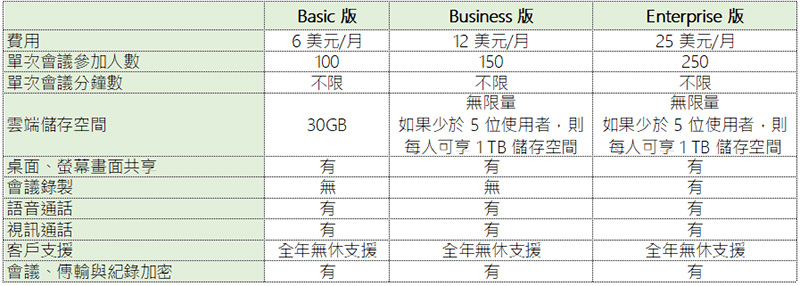
In the Google Meet service, users can allow up to 100 to 250 members to join the conference conversation at the same time. If it is a large one-way online live broadcast, it can accommodate up to 100,000 people to watch, and the meeting content can be recorded and saved to Google Drive (only available in G Suite Enterprise or G Suite Enterprise Education Edition). Becoming a G Suit member can get 30GB to unlimited cloud storage space. The biggest threshold for using Google Meet is that you must be a G Suite member. Each member needs to pay a fee ranging from $6 to $25 per month depending on the level. You will also receive a large package of peripheral services (in fact, non-G Suite users can have it). Many companies still prefer to use document software to work locally. If collaboration is required, it means uploading or converting the file to an online version. If your customers are not good at using online file collaboration, you must make another copy of Office to transfer the file.
Needless to say, in terms of security, Google, which started with cloud services, has done a good job in this regard. It adopts its own security architecture and protection mechanism, which complies with the Internet Engineering Task Force (IETF) security standards of Data Packet Transport Layer Security Standard (DTLS) and Secure Real-Time Transport Protocol (SRTP). In addition to meeting processes and data transmission, meeting record files stored in the cloud will also be encrypted.
Microsoft Teams
In recent years, Microsoft Teams has been the company’s main development project, with the ultimate goal of replacing Skype for Business. As one of the Office 365 subscriptions, Teams has extremely high integration and collaboration with Microsoft’s productivity tools. As long as enterprises subscribe to Office 365 Business Basic Edition or above, they can directly enjoy it. A free version is also available for download. What Microsoft Teams is most praised for is that in addition to being able to perform all business meetings, calls and other functions, it also has strong integration, allowing for direct communication between teams, information file synchronization and other functions. It is compatible with all major current mainstream platforms. As long as there is an Internet connection, you can log in with the device at hand.
The conferencing, screen sharing and online communication functions that Zoom has are only basic in Microsoft Teams. A conference can allow up to 250 people to participate via video and voice; if you want to hold an online event for one person and multiple people to participate, such as employee education and training, up to 10,000 people can participate. In addition, you can record online meetings in Teams. If you want to play it back and review it later to check if there are any errors or omissions, you can call up the file review at any time, and it is also convenient to keep meeting records. In this regard, Zoom is only open to large-scale deployment plans, and even if you are a paying user, you still cannot enjoy it.
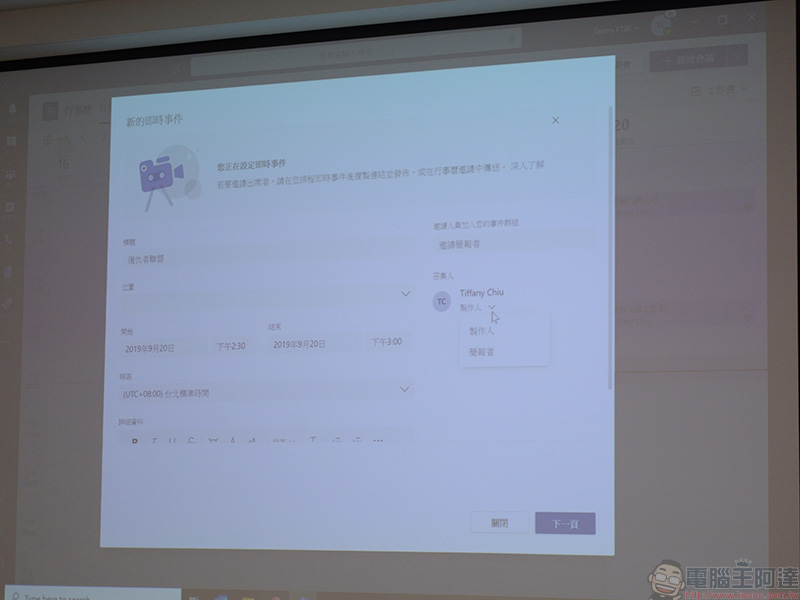
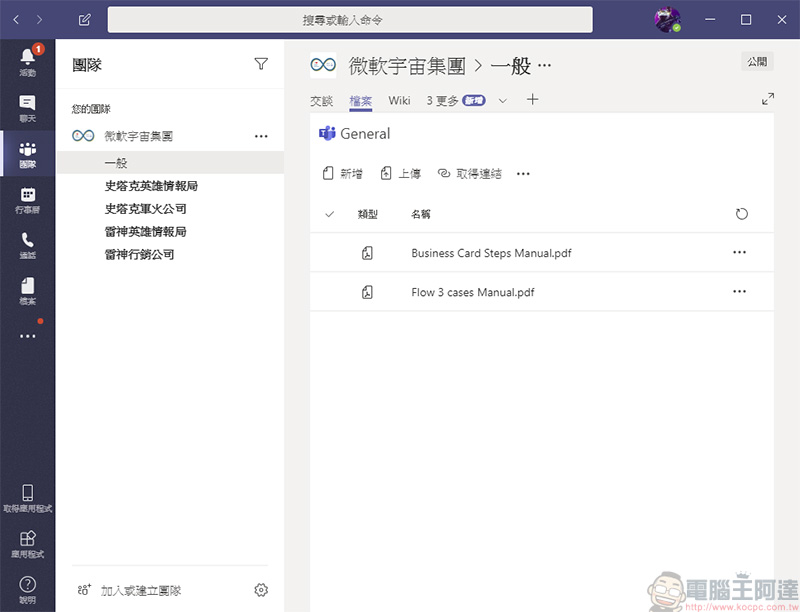
Sometimes due to the time difference in delivery, it is easy for team members to be unable to ensure that the documents they receive are the latest revisions, or the documents prepared for the meeting require the collaboration of multiple people, and there are inevitably gaps in the transmission. Teams is most praised for its ability to cloud files, allowing teams and channels to share files online, and directly modify Office files. It supports Word, Excel and PowerPoint files without downloading and other roundabout actions. Online editing and direct storage ensure that every team member can see the latest version of the file.
The security and compliance that Microsoft Teams is most proud of are also a huge focus. All data used and transmitted in Teams will be encrypted with enterprise-level specifications, effectively reducing the risk of corporate secrets leaking out. Multi-factor authentication (MFA) is mandatory, and Windows Rights Management Mechanism (RMS) is equipped to check the security of your account. You can also log in to all Office 365 applications and services with a single login, eliminating the need for multiple procedures that each software had to do independently.
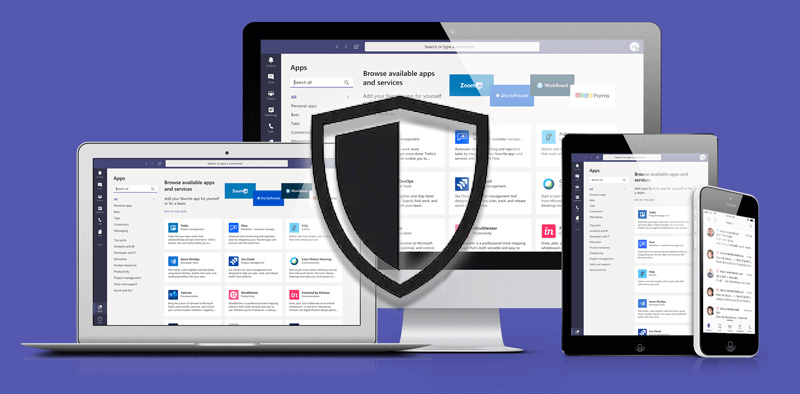
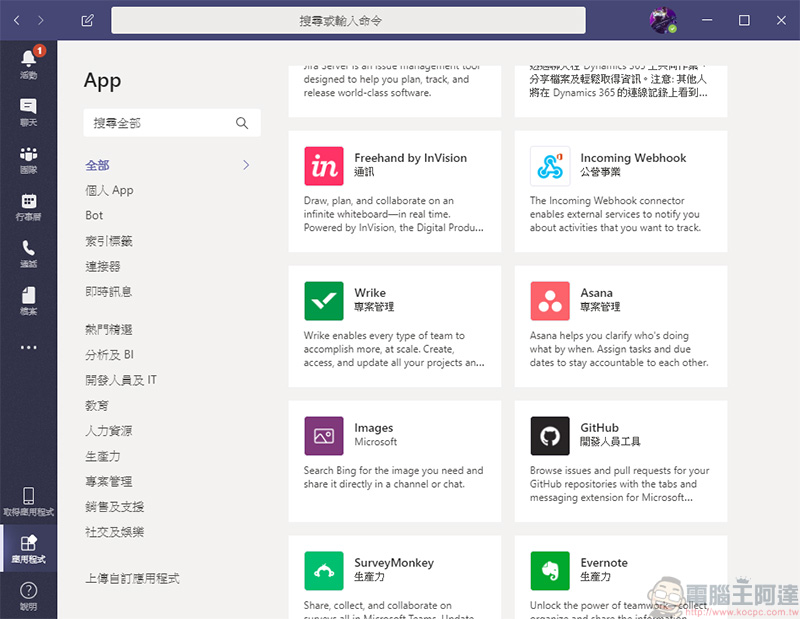
beforeThe author once introduced that Teams can be paired with Power Platform, using various tools to help companies, groups and organizations simplify their work processes, realize automation and smarter smart operating procedures, and greatly improve overall work efficiency. By cooperating with other business applications and tools to become a work connection and reporting center, there are currently quite a few applications in the Teams application library, including the well-known Github, Adobe, and even the familiar Office 365, etc., providing a high degree of freedom for use.
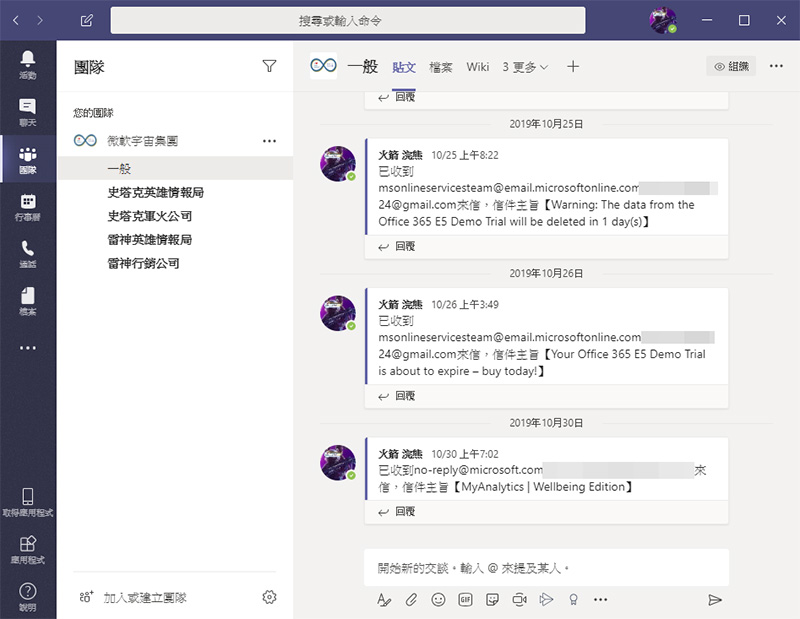
The last thing to mention is the after-sales service of Microsoft Teams. Unlike most communication software on the market, Microsoft has invested a huge amount of resources in Teams, providing year-round phone and network support. If problems arise suddenly during use, you don’t have to worry about having no way to seek help. It provides users with smooth after-sales service consultation channels, and allows a professional team to help you troubleshoot difficult problems. If it is a corporate meeting that wants to cooperate with telephone communication software and hardware services, Microsoft also provides a complete process for the enterprise to handle it in one stop.Learn more about Microsoft Teams。
A brief comparison of each, and you can understand which one is better and which one is worse in one table.
Visible functions can be seen through at a glance. What is hidden behind the functions are the important details, which you may not feel normally, but behind the scenes become the backing to support the front functions, such as after-sales service, security and integration, etc. Next is the gap between the two platforms in the nature of backing and service:
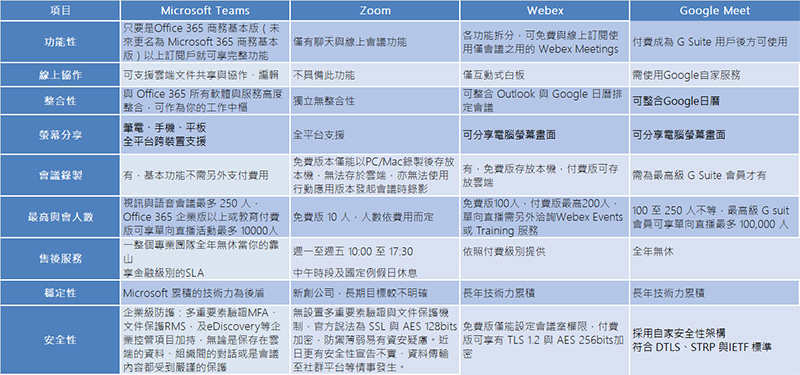
Summary: From the perspective of cost and enterprise needs, Microsoft Teams is the long-term choice.
Although Zoom seems to have the advantages of being easy to use and free at first glance, if you think about it carefully, it seems that various functions that were taken for granted have been discounted in more than half. First of all, you can see that although the free version of Zoom allows 10 people to participate in the meeting, the longest meeting time is only 40 minutes. When everyone discusses an important paragraph and is suddenly interrupted, there may be gaps in the connection again.
Although Webex has better security, it separates functions such as meetings and large-scale seminars that may be used, and after-sales services must be provided separately according to your payment tier. Although integration and online collaboration are available, they are weak, which means that the data and files you prepare must be separately transmitted to all participants, and an instant and latest collaboration version cannot be provided online.
As for Google Meets, you must become a paying user of G Suite to use this feature. Although there are quite a few online tools in the Google bundle, such as files, forms, cloud services and other services, there is also a pain point that you cannot go online and use these cloud-based services to edit files when you do not have an Internet connection. If you want to record meetings, you have to be the highest-level member. Although it is free until the end of September, what happens after that?
Microsoft Teams can almost be said to exist without any effort on your part. In addition to the free version, if you want to have complete functions, as long as your enterprise subscribes to Office 365 Business Basic Edition or above, you can directly enjoy the full set of functions, from file collaboration before meetings, multi-party participation and recording in meetings, to playback records after meetings, the whole set is ready for you. In addition to the simple “meeting” function, Teams is like a mobile platform that is always ready for work. Communication between teams and organizations can also be smoothed directly on it. Even collaborative files can be edited directly in the cloud using your familiar Word, Excel and PowerPoint. There is no need to change your productivity tool usage habits, let alone cumbersome procedures such as downloading files and then editing and sending them.
A set of business software must be able to think ahead than users and have more complete functions in order to become a practical tool in the long run. Enterprise collaboration should not be just a short-term contingency measure. Microsoft Teams can not only help companies solve remote communication problems when working from home during the epidemic, but can also become a collaboration platform between teams after the epidemic is over. If we can achieve long-term peace and stability in one step, why should we succumb to Yangchun’s platform with more functions and uncertainties?Learn more about Microsoft Teams。
Source: KOCPC Chinese