


Due to the epidemic, people are now required to wear masks when taking public transportation and taxis. If they do not wear masks and do not listen to repeated advice, the driver can refuse to take the mask and may be fined up to 15,000 yuan. When calling a taxi on the LINE TAXI taxi platform, in addition to choosing the “Mask Safe Taxi”, LINE TAXI has also recently launched a new “automatic payment” function, so that people do not need to choose a payment method before getting off the car after arriving at the destination, and the system will automatically help complete the checkout.
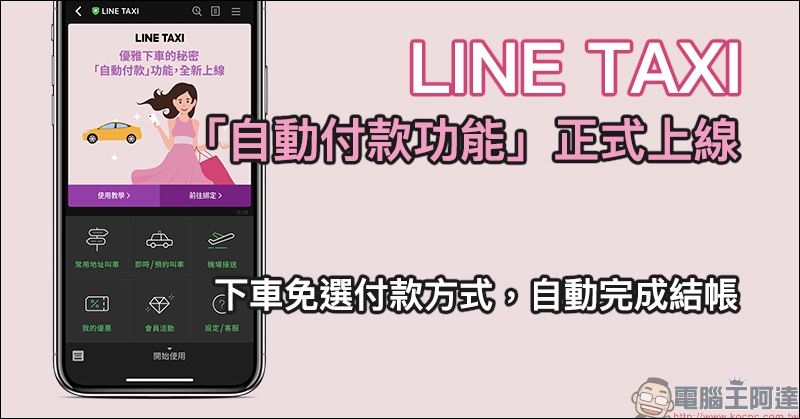
LINE TAXI’s “automatic payment function” is officially launched: no need to select a payment method when you get off the car, and the checkout is automatically completed (setting tutorial)
After arriving at the destination by LINE TAXI, passengers who choose to pay in cash need to hand the cash to the driver to confirm the amount. Passengers who choose payment methods such as credit card or LINE Pay also need to click the checkout button to complete the payment before getting off the bus. Now, LINE TAXI has finally introduced the “automatic payment” function, which allows passengers to complete the checkout automatically by the system without having to click the checkout button after getting off the bus after binding!
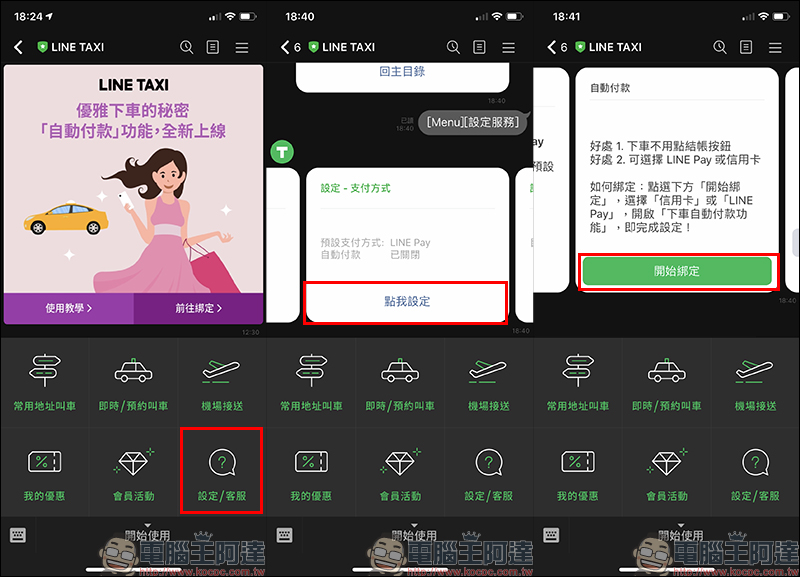
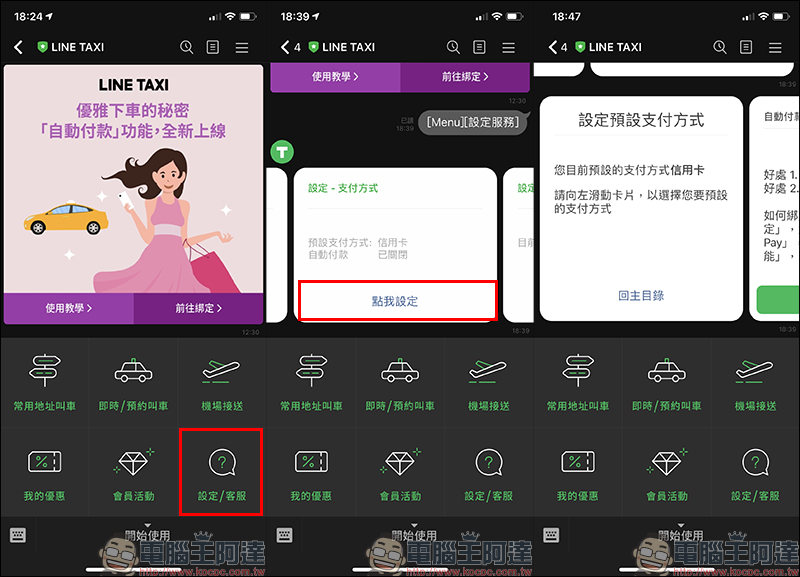
To set automatic payment for LINE TAXI, first click “Set/Overcome” in the LINE TAXI taxi account (chat room), then click “Click me to set” in “Settings – Payment Method”, go to the next step and click “Start Binding” on the automatic payment card:
Enter the settings page, scroll down to find the payment method, click on the user’s personal default payment method, and then turn on the “Automatic payment method” button. Return to the main screen and see the reminder message, which means that the automatic payment has been set up!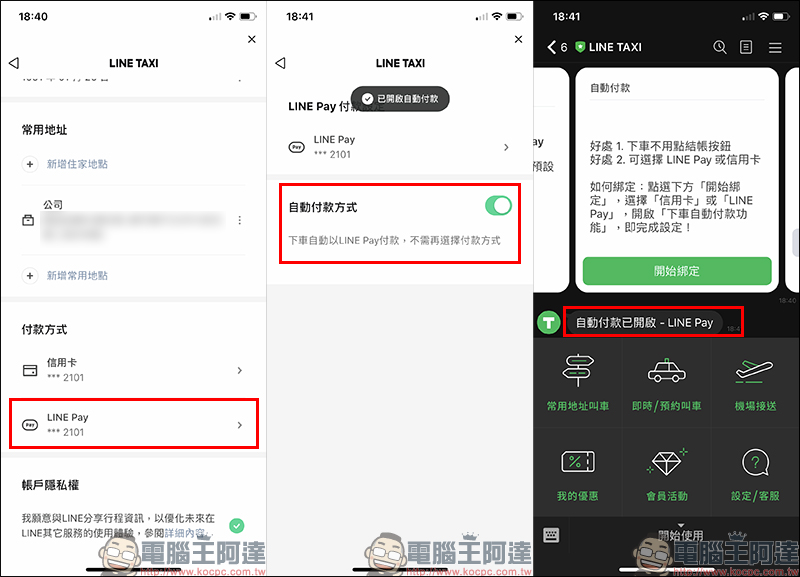
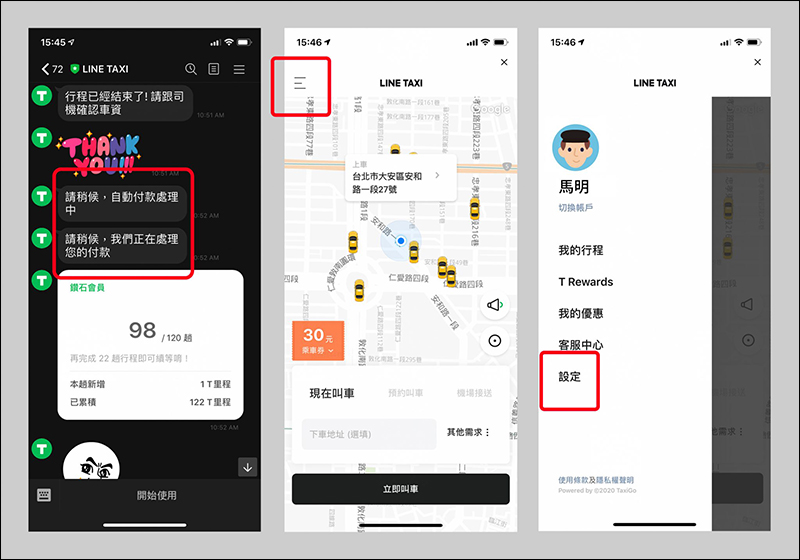
Bind automatic payment. After the trip is completed, the system will automatically process the payment for the passenger after the driver enters the fare. Then the payment completion information will pop up, and you can easily get off the bus! In addition to entering from the ride-hailing account, users can also click on the upper left corner of the ride-hailing map page to expand the function list and click settings. Follow the same steps above to complete the settings.
LINE TAXI official account (LINE ID @linetaxi):Click me to add friends
How to modify the default payment method of LINE TAXI?
LINE TAXI provides a variety of payment options including credit card, LINE Pay, Apple Pay, Google Pay and cash. If you have previously set a default payment method, it is quite easy to modify it now.
First, select “Settings/Customer Service” in the LINE TAXI chat room function bar. The current default payment method will be displayed in “Settings-Payment Method”. If you want to modify it, click “Click My Settings” and go to the card on the default payment method page. Then slide the card to the left to select the new default payment method:
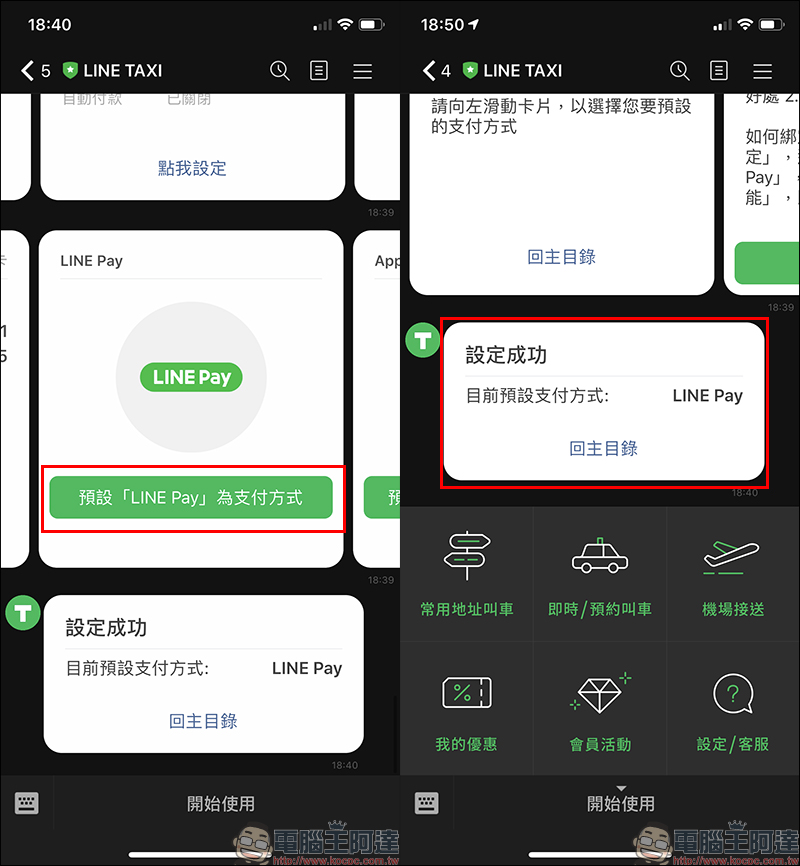
Take the author’s original default payment of “Credit Card” as an example. If you want to change it to “LINE Pay” payment, just click on the default LINE Pay as the payment method. Finally, when you see the setting success message in the chat room, the setting is completed.
Additional screening at the same scene: In the midst of the epidemic, you can choose the “Mask Safe Car” when calling a taxi
As the COVID-19 epidemic spreads recently, LINE TAXI not only calls on passengers to comply with government regulations, but the regulations for taking taxis are the same as taking public transportation. Remember to wear a mask at all times. At the same time, LINE TAXI also proactively educates drivers on the need to wear masks during the service period, maintain ventilation in the car, recommend daily disinfection of the car, and take self-temperature measurements, and provides drivers with free alcohol and masks.
In order to protect the safety of passengers and drivers, the “Mask Safe Car” has been launched recently, allowing passengers to choose a safe ride with one click when requesting a ride.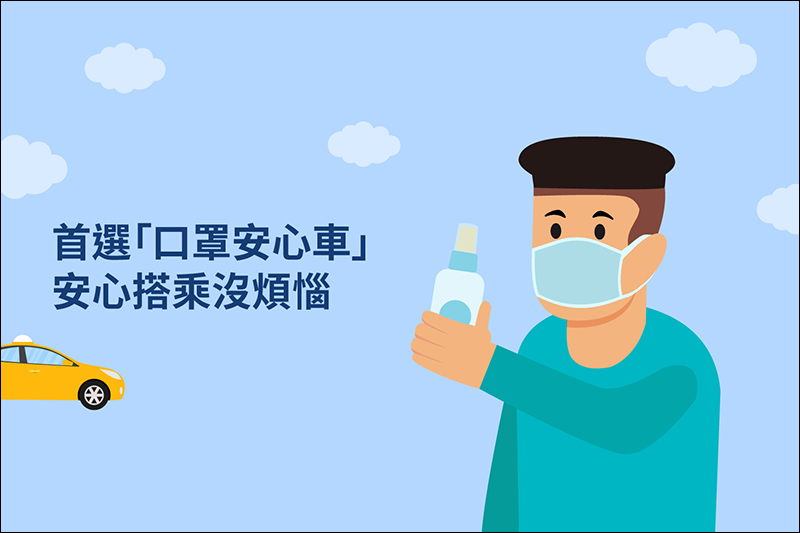
▲Picture source:LINE TAXI
The operation method of selecting “Mask Safe Car” is very simple. First open the LINE TAXI car-hailing account (chat room), enter the car-hailing page and click “Other Needs” in the lower right corner of the screen. Then select “Mask Safe Car”. If you have other special needs, you can also click on this page or leave it on your back. After selecting, click “Apply” to start calling a car.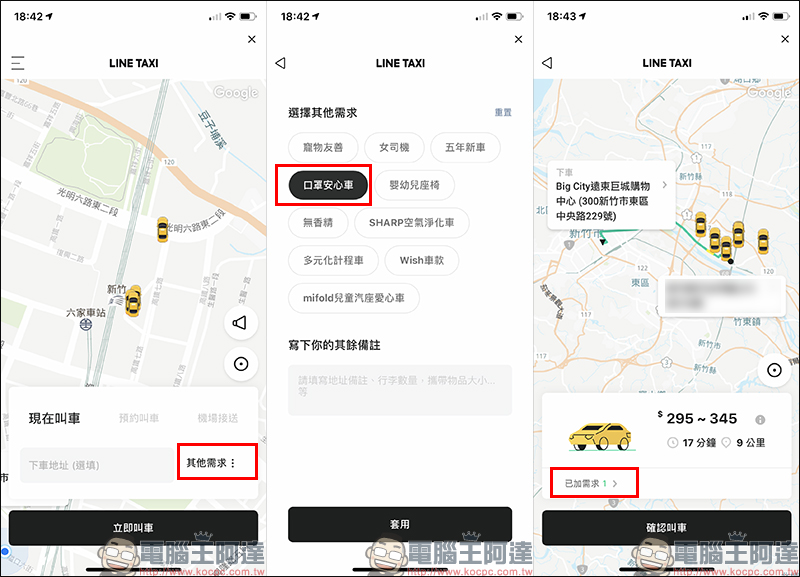
LINE TAXI official account (LINE ID @linetaxi):Click me to add friends
Further reading:
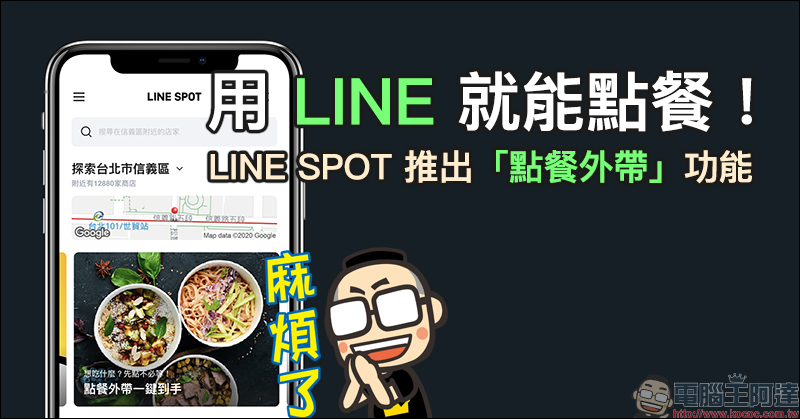
Use LINE to order food! LINE SPOT launches “ordering and taking away” function (instructions on how to use it)
Source: KOCPC Chinese