


To-Do List – Productive is a very special To Do App. In addition to basic daily to-do lists, it also combines habit development, allowing us to complete these two things with one App. What I like most is that it has built-in many habit plans, ranging from home, study, morning, essentials, new year and new outlook, personal financial planning, exercise, etc., the total number is definitely more than 50 after a quick scan.
And many of them have never been thought of, but they are good habits. They can be added to the calendar with one click to remind us every day and help us continue. In the long run, they will definitely make our lives better. Currently only available on iOS.
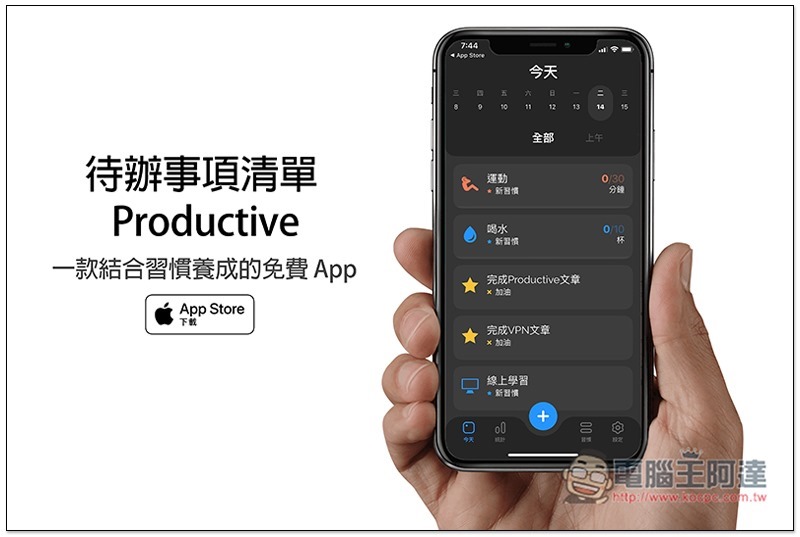
To-Do List – Introduction to Productive
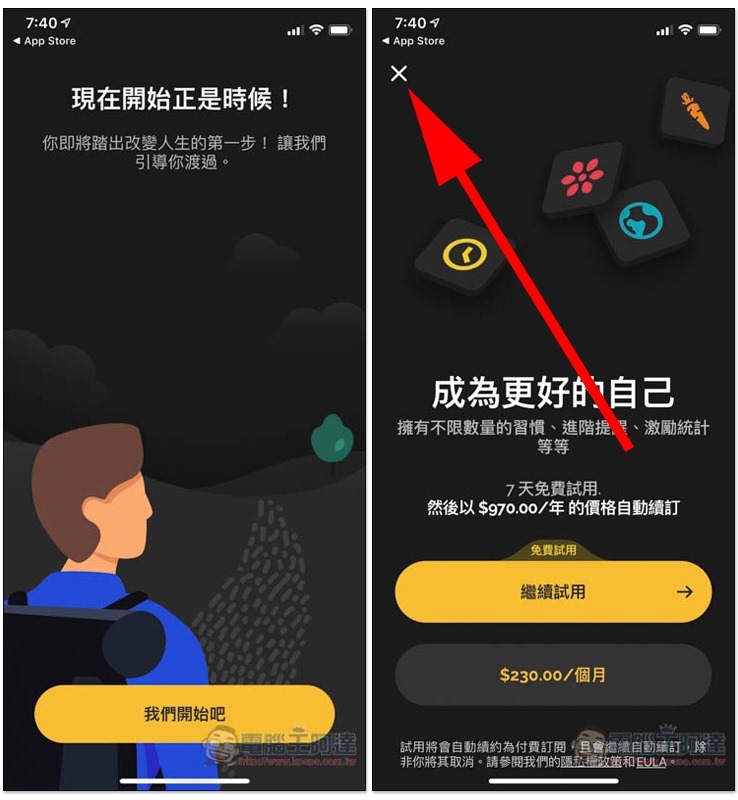
Although To-Do List – Productive is a free download, it also has a subscription system, but it also offers a free version, which I personally think is sufficient unless you want some advanced features. When you see the trial or subscription screen, you can press the x in the upper left corner to close it. Those who do not want to pay must not click to continue the trial or subscription:
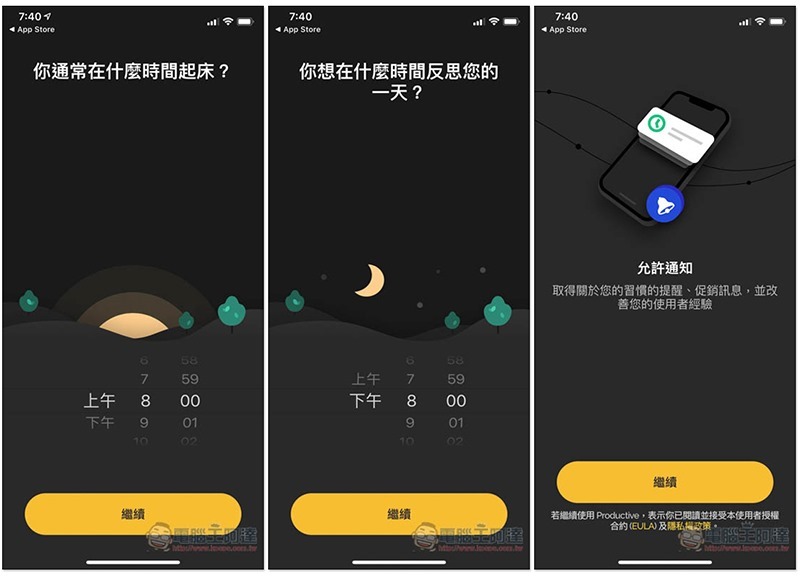
There is a built-in reminder function, and it is twice a day, in the morning (waking up) and reflection time:
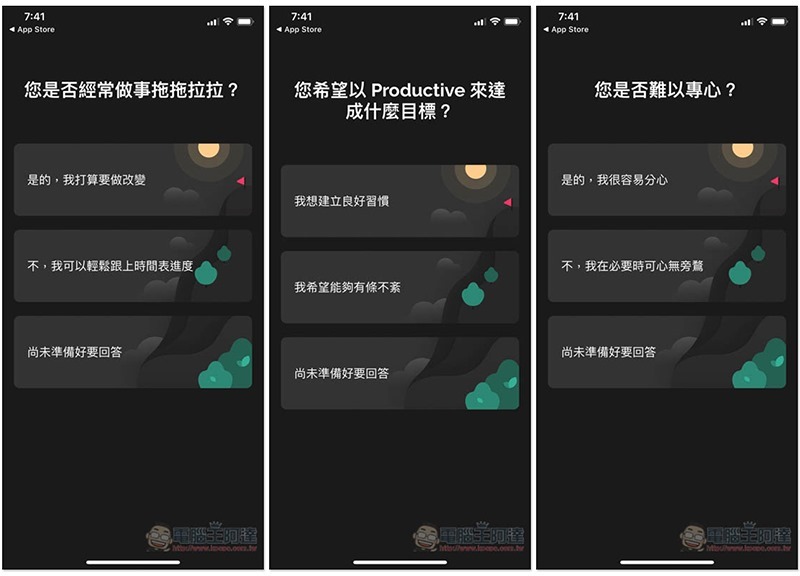
At the beginning, some simple questions will be asked, such as: Do you procrastinate in doing things? What do you hope to achieve? Having trouble concentrating? Let’s recommend the habits you need to develop most right now:
For me, it’s drinking water, exercising, reading, and meditating. Choose the first habit to develop:
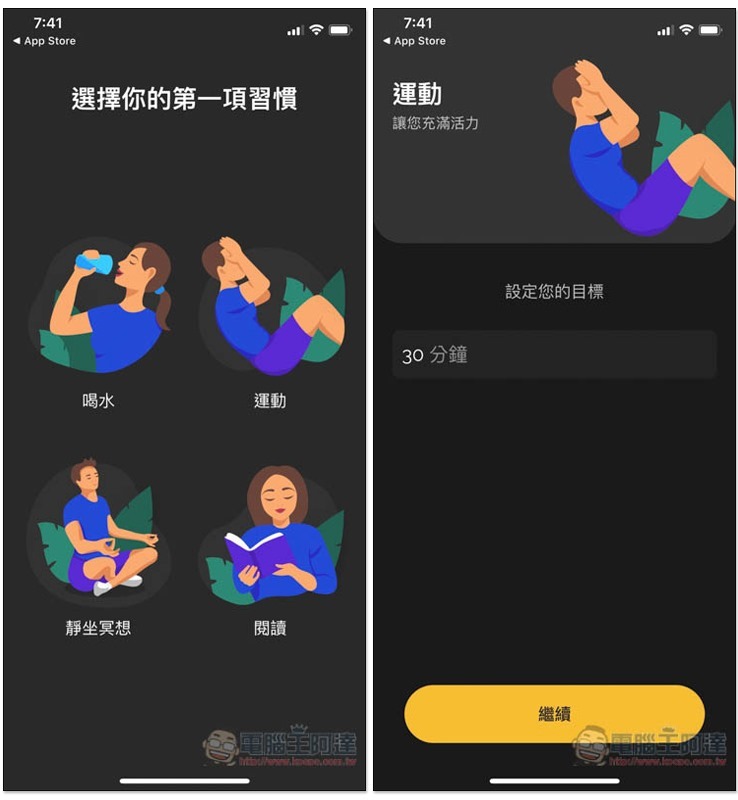
Then the special offer screen will pop up, also click the X in the upper left corner to close:

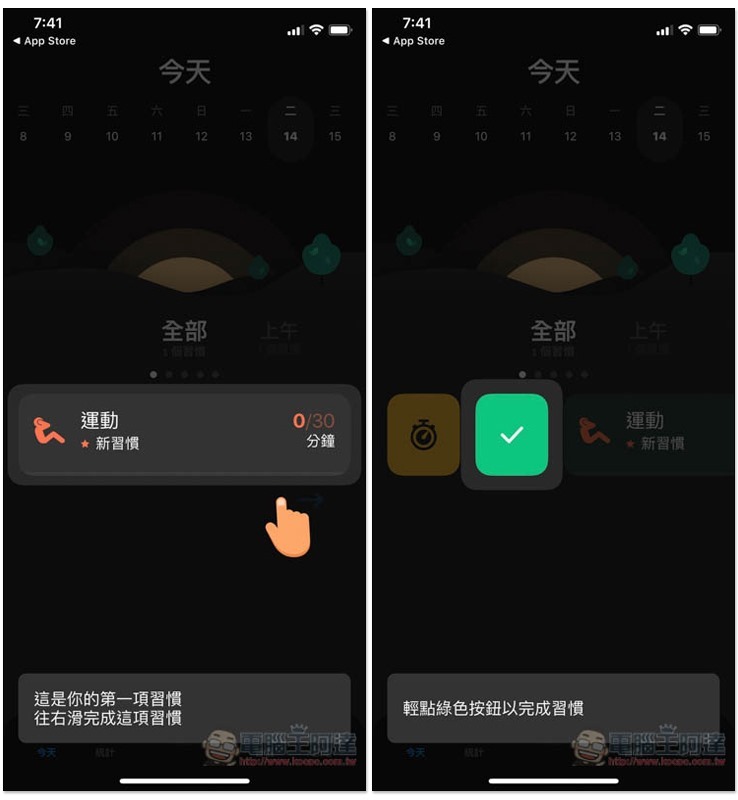
You can take a look at the teaching section. To put it simply, swipe right to mark this habit as completed today, and swipe left to pause or resume:
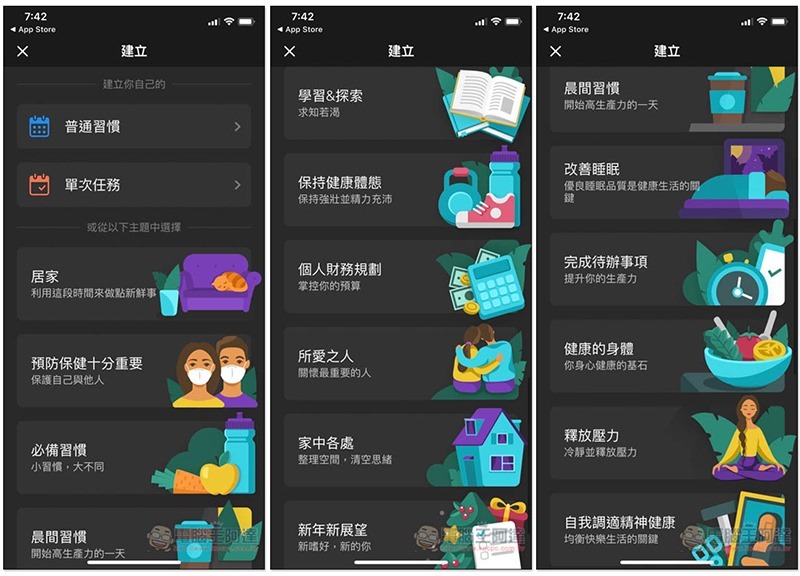
The picture below shows the built-in habit categories of this app. There are so many, such as: essential habits, learning & exploration, personal financial planning, morning habits, improving sleep, stress relief, etc. Even the preventive health care that has been popular recently:
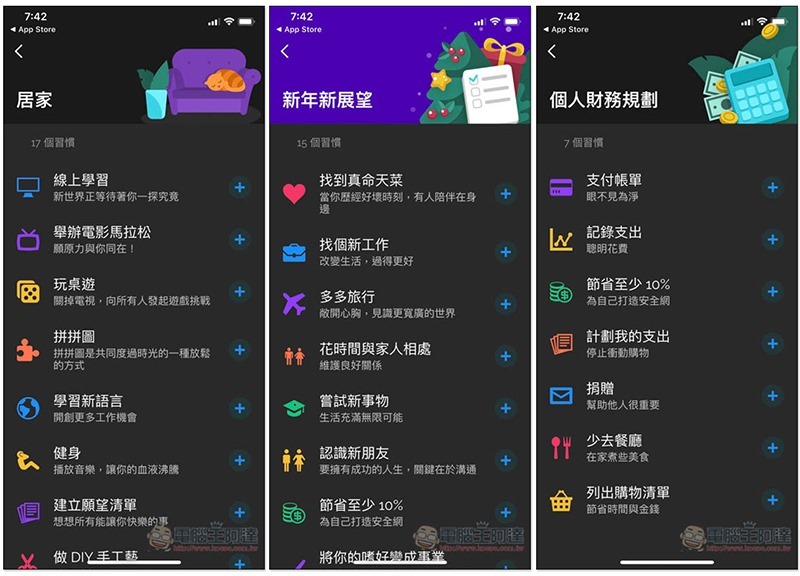
Habits are also subdivided under each category, such as: online learning at home, learning new languages, and fitness. New prospects for the new year include finding your true love, traveling more, and finding a new job. Personal financial planning includes paying bills, recording expenses, and saving at least 10%:
Of course, you can also create it yourself:
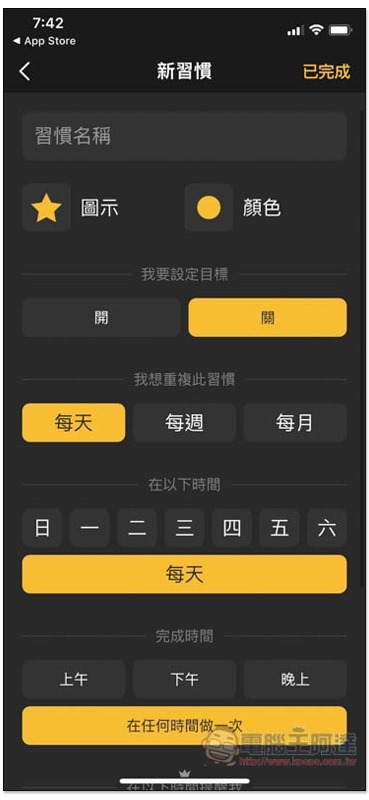
If you want to create a to-do list for the day, please click the “Single Task” function. The free version can only set the “Task Name” and the rest cannot be used:
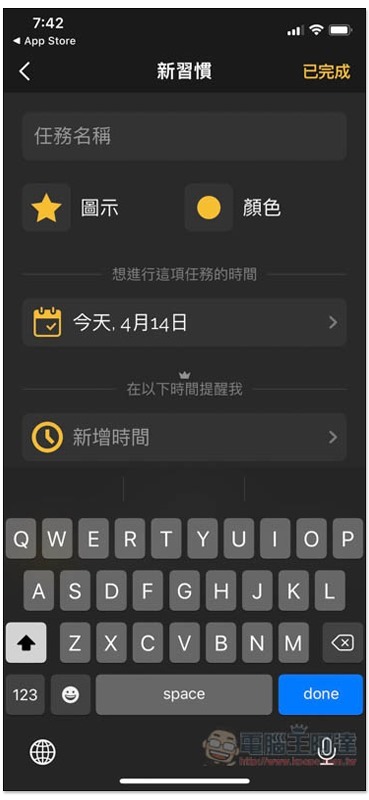
Like the picture below, set up the habits and to-do items you want to develop every day, and you won’t be afraid of forgetting them! The free version has a number of custom restrictions:
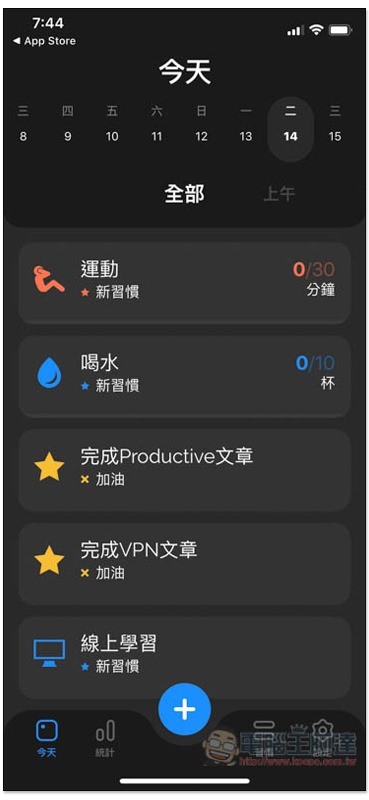
If you choose a built-in habit, you only need to set it once and it will be automatically added to your daily list in the future:
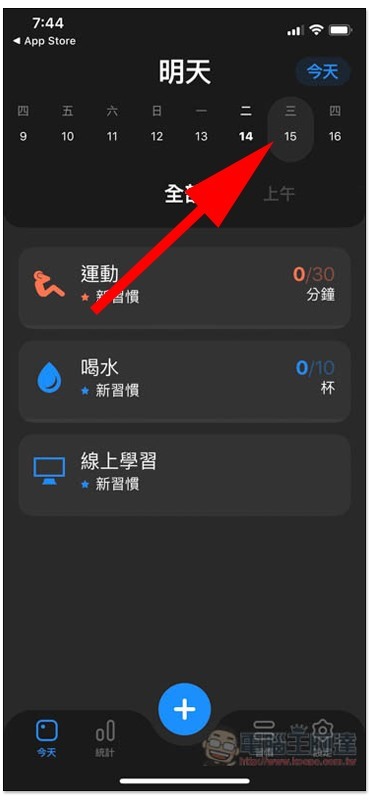
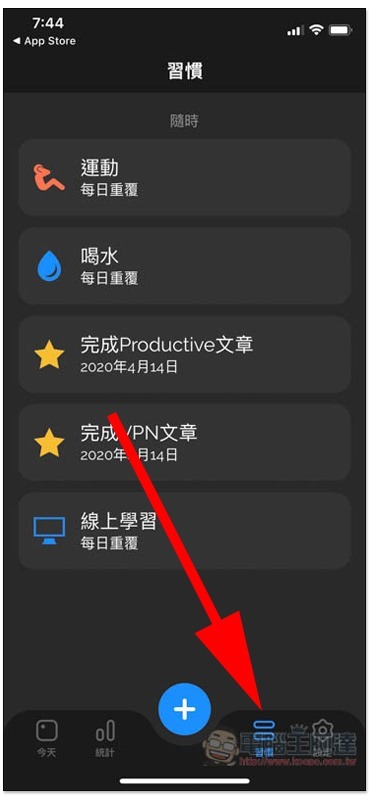
If you feel that the date menu looks a bit messy, there is also a menu that only displays the habits and to-do items of the day:
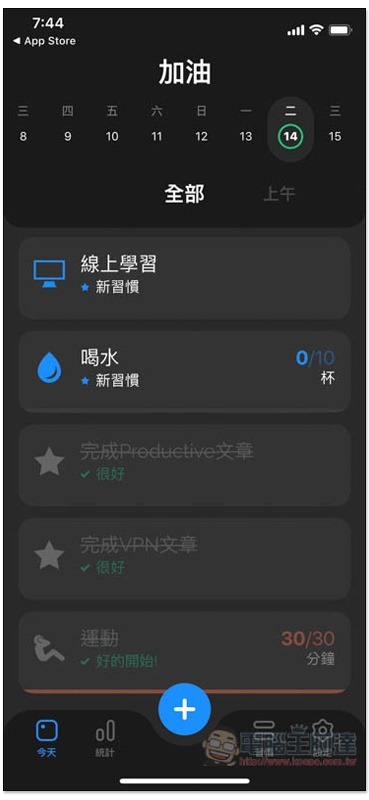
Completed items or habits will move below and turn gray:
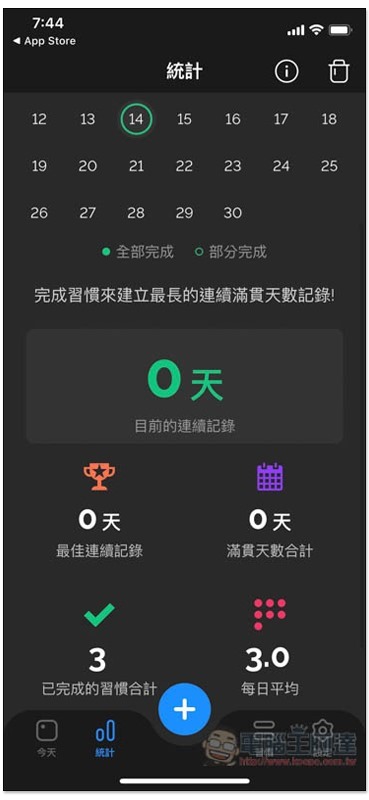
There are also statistical reporting functions:
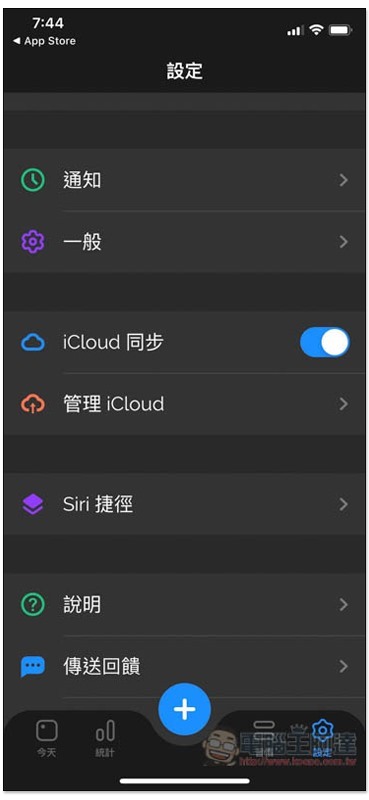
Also supports iCloud sync:
Supplementary information
To-Do List – Productive Download Page:Click here to go
Source: KOCPC Chinese