


In order to prevent potential chains of infection from threatening domestic epidemic prevention safety, the Central Epidemic Command Center announced that starting from yesterday (10th), crowd control measures will be implemented in famous tourist attractions, national parks, entertainment areas, night markets, temples and other crowded public places; to prevent potential chains of infection from threatening domestic epidemic prevention safety, businesses, shops, management units and the public are requested to cooperate and contribute to epidemic prevention. In response to the epidemic prevention propaganda, LINE also launched the “Stay at Home, I’m OK” personal picture special effect today (11th) to accompany everyone to stay healthy and prevent the epidemic through cute personal picture special effects.
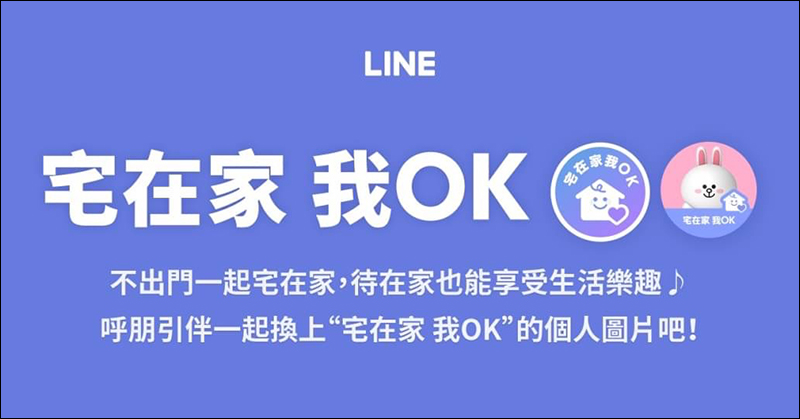
LINE launches “Stay at home, I’m OK” personal picture special effects function (setting tutorial)
During this period of fighting against the global epidemic, in addition to developing good habits of washing hands frequently and wearing masks, non-essential people should try to avoid gathering in crowded places, and maintain a safe social distance between people. These are all ways to protect our health. However, if you can’t go out on weekends and holidays, it’s safest to stay at home!
LINE Taiwan also launched the personal picture special effect “Staying at home, I’m OK” today (11th). If you have previously registered the official account of “LINE Taiwan – LINE Again” (Click me to add friends) LINE users added as friends can directly click on the image link in the chat room to quickly go to the settings page.
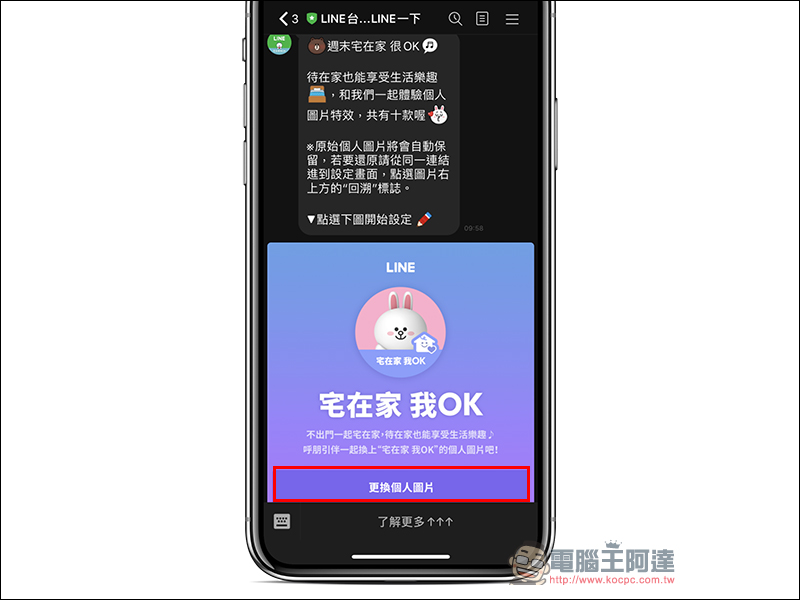
Other LINE users can also click the link below directly on their mobile phones to quickly change LINE personal picture effects:
Update personal picture special effects:Click here to go (must be opened by mobile phone)
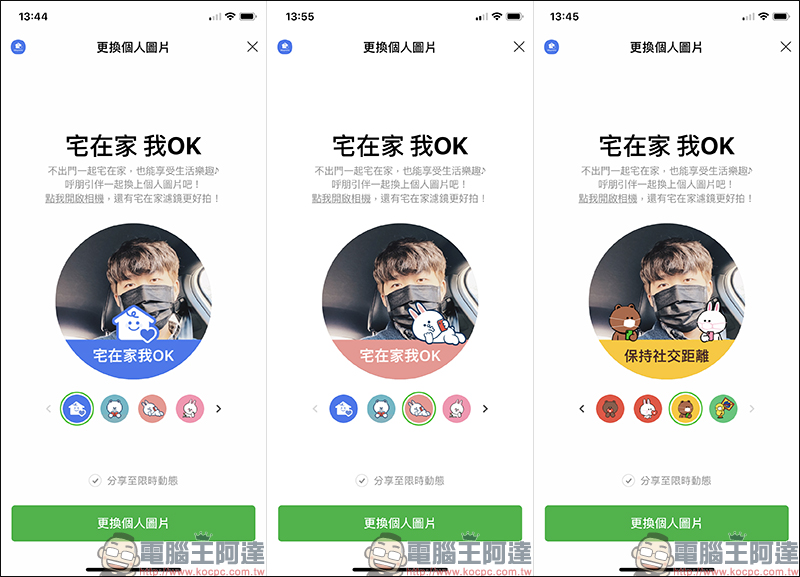
After opening the personal picture change page, you can choose from up to 10 different personal picture special effects. Users can choose the personal picture special effects they want to set according to their preferences. There are also various slogans under the picture such as “Stay at home, I’m OK”, “Keep social distance”, “#StayHome”, “Thank You”, etc. Users can also check whether to synchronize and share to limited-time news after changing personal pictures.
Users don’t have to worry about the original image disappearing after setting the special effects. Because the original personal picture set this time will be automatically retained, the later part of this article will also share how to change the picture back.
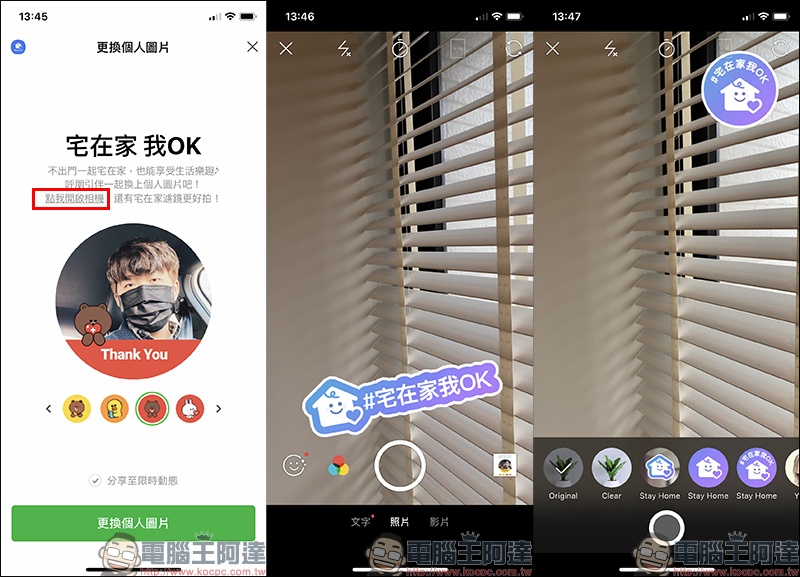
In addition to adding the personal picture special effects launched this time to the current photo post, users can also click “Click me to open the camera” to take new photos. At the same time, there are also a variety of at-home filters to choose from in the camera filters:
After selecting the personal picture special effects you want to set, click “Change Personal Picture” and the change will be completed!
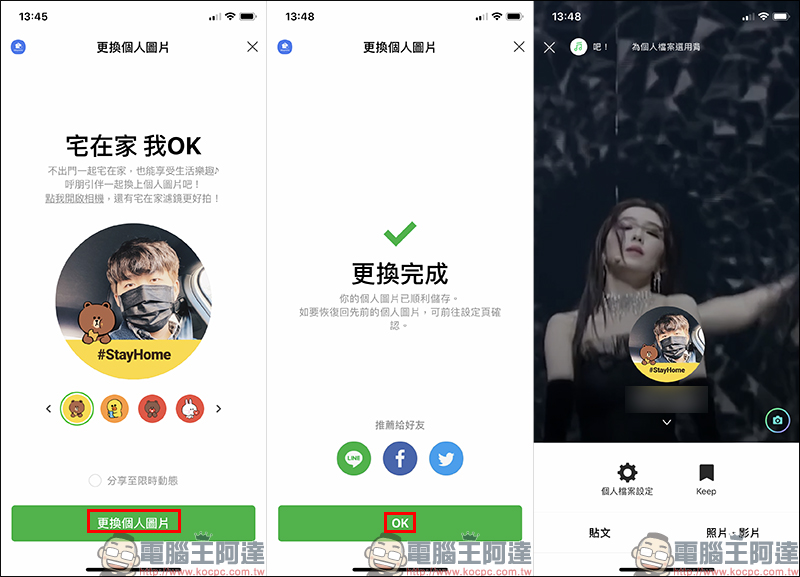
If you want to change your LINE profile picture back to the original picture, just go to the same link againEnter the setting screen (click me to go), then click the “Return” icon in the upper right corner of the picture, and then select “Restore” the previous personal picture:
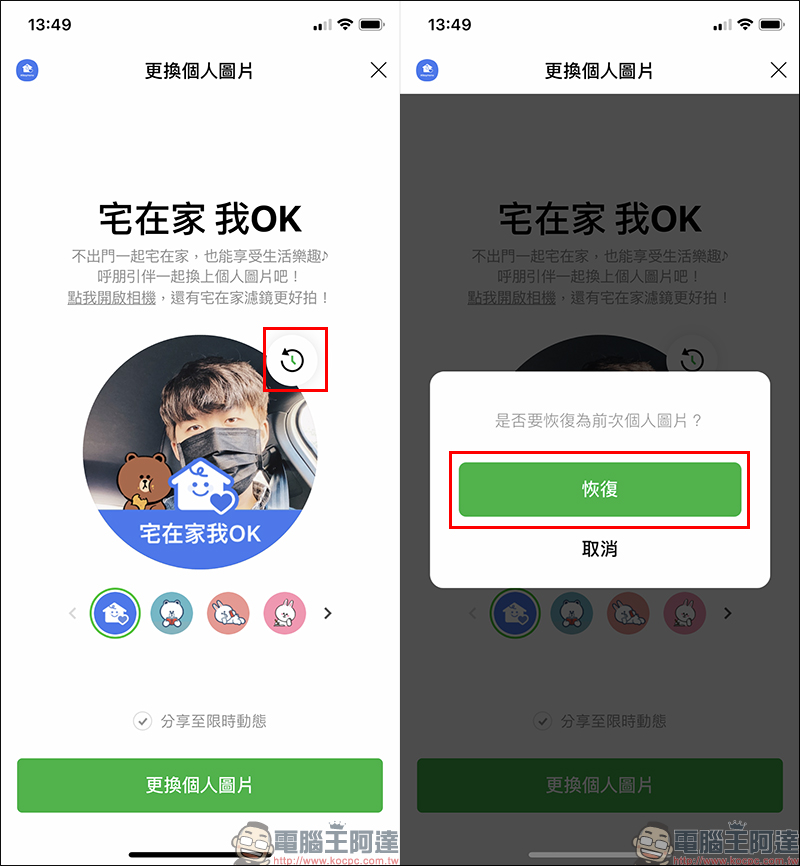
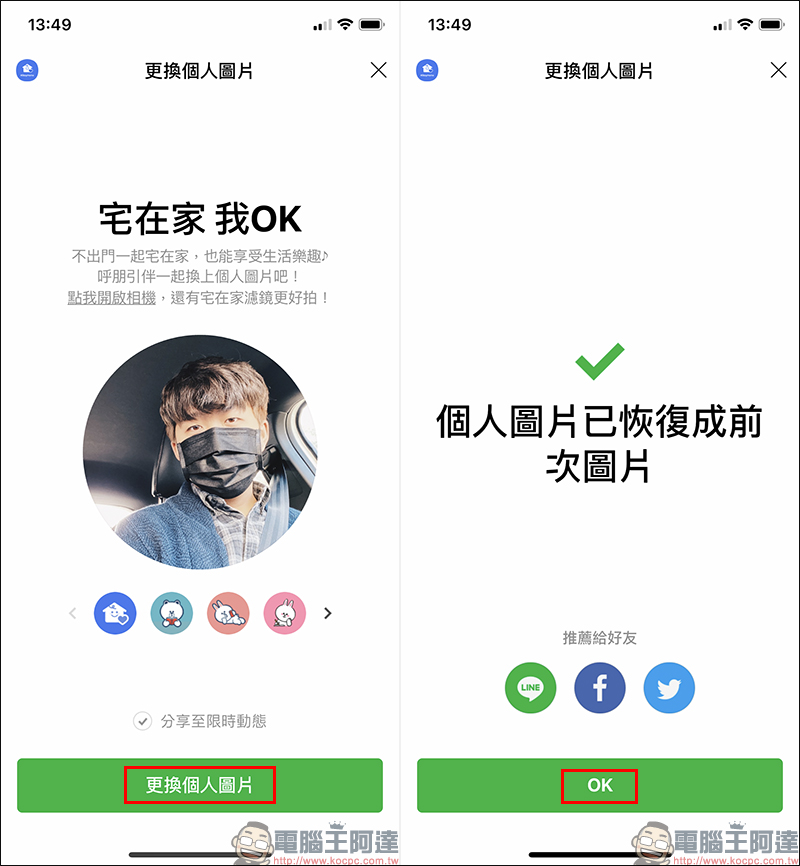
When the picture on the setting page is confirmed to be changed back to the original picture, you can click “Change Personal Picture” again to restore it to the previous picture!
LINE Taiwan – LINE the official account (LINE ID: @linetw):Click me to add friends
Further reading:
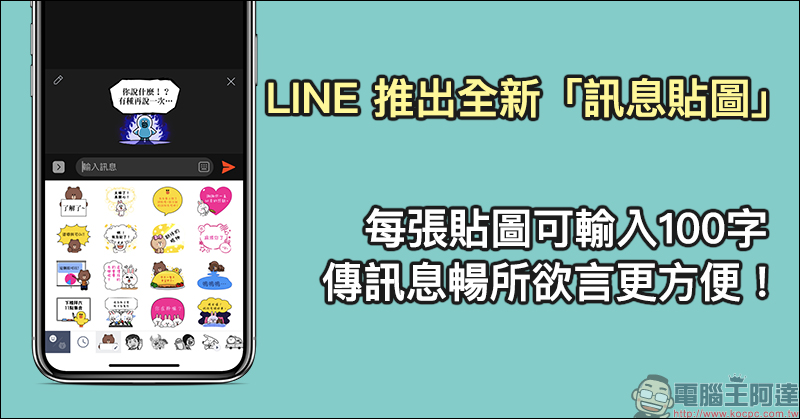
LINE has launched a new “Message Sticker”. You can enter 100 characters per sticker, making it more convenient to send messages freely!
Source: KOCPC Chinese