


Affected by the global epidemic, many people have gone out less and stayed home more to watch dramas to pass the time. Many people choose to use the Netflix online streaming video platform to watch movies, TV shows, dramas and other video content. Today, Netflix also quietly launched a number of new features to enhance user privacy, such as PIN code locking of specific users. This time I will share how to set a unique 4-digit PIN code in simple steps to prevent other family account members from viewing your personal information.

Netflix “PIN code locks specific users” new feature setting tutorial
The current “Family Plan” of the Netflix online streaming video platform allows up to 5 family members to share the same account. At the same time, each member can also log in to the accounts of other family members. In addition to sometimes accidentally using a family member’s account to watch Netflix videos, this will undoubtedly cause privacy concerns for users who value personal privacy. But now, each family member with a family plan account can set a unique 4-digit PIN code to enhance privacy.
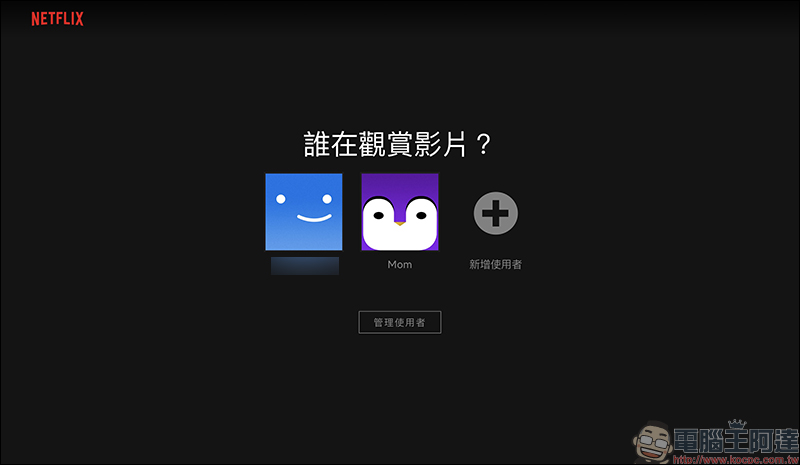
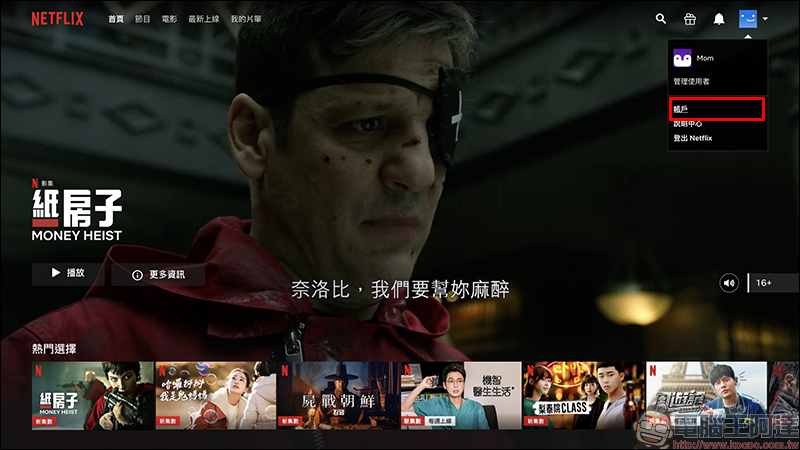
After opening the Netflix website and selecting any user account to log in, click “Account” in the upper right corner of the screen to go to the backend:
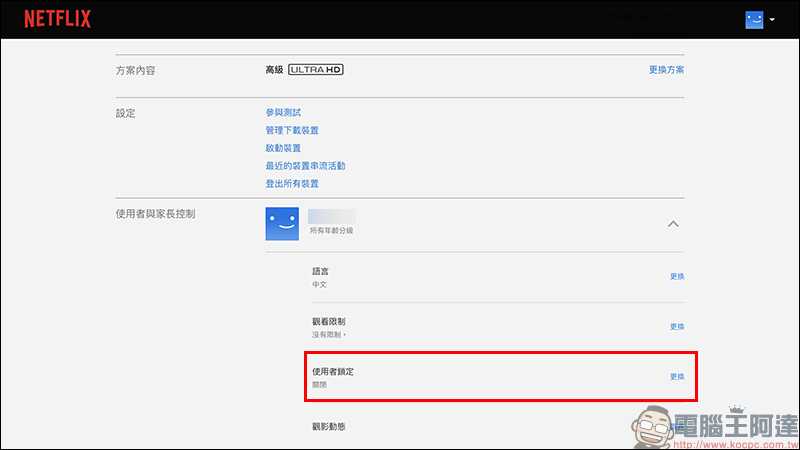
Then expand the user field for setting the PIN code, find “User Lock” and enter the settings:
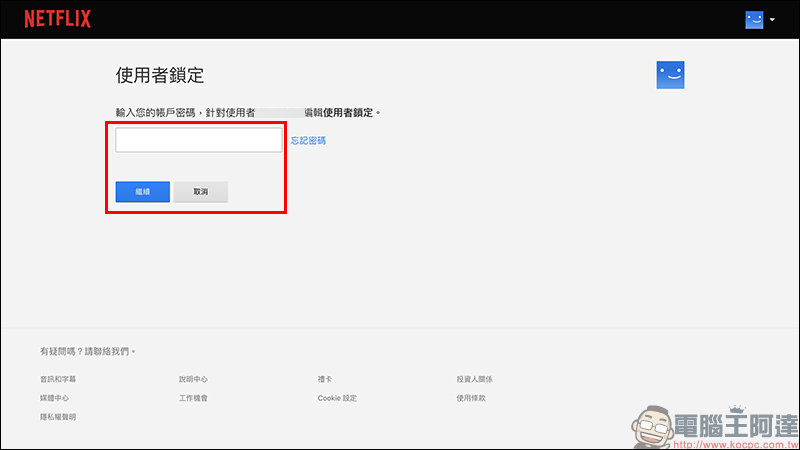
On the user lock page, users need to enter their Netflix login password again:
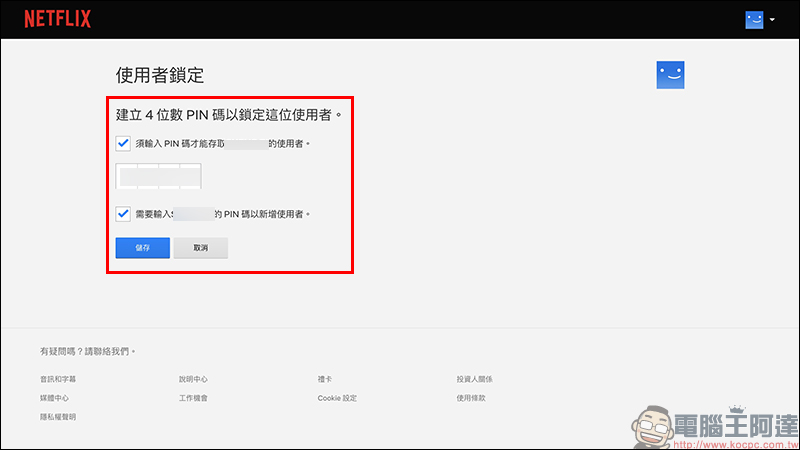
Then check “Require 4-digit PIN code to lock user xxx” to enter the 4-digit PIN code unique to this user. If you want to prevent others from logging in to your account to add users directly, you can check the setting “Require xxx’s PIN code to add users”. If others log in to your account and want to add users, you must enter this user’s PIN code:
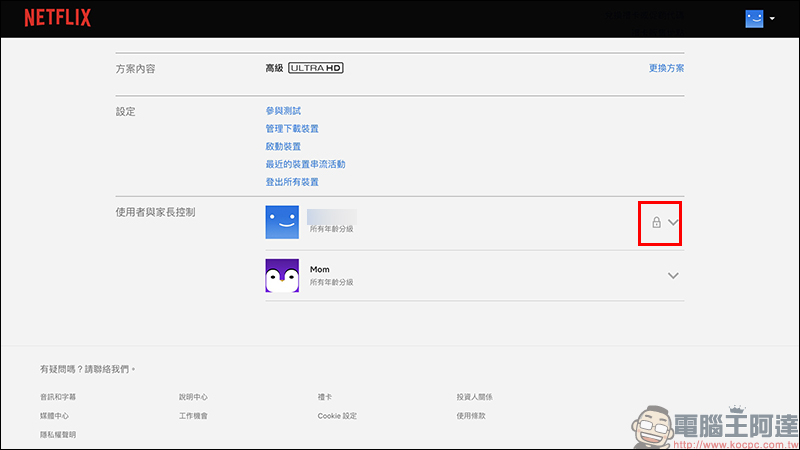
After the setting is completed, a lock icon will be added next to the user’s menu:
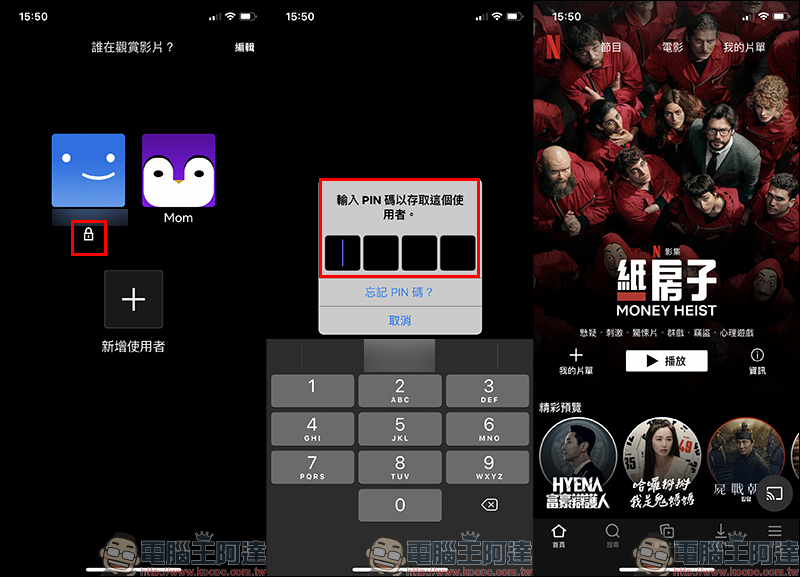
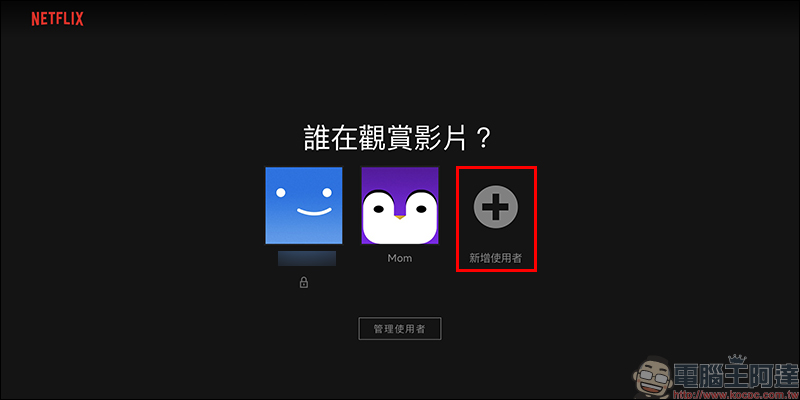
After the setting is completed, whether you open Netflix on a computer, smartphone, tablet or TV, if you want to select the user who has set a 4-digit PIN code, you need to enter the PIN code:
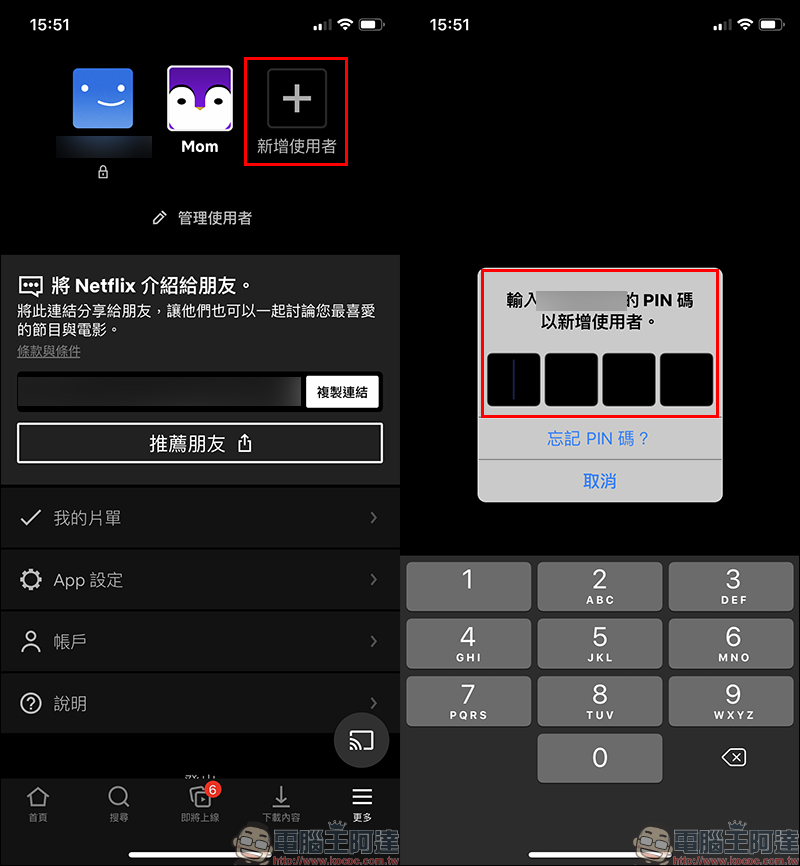
Since the setting “Need to enter the PIN code of xxx to add a new user” was checked earlier when setting the 4-digit PIN code, you must enter the 4-digit PIN code when you click to add a new user. Even if you have already logged in with the user’s identity, you must enter the PIN code again:
Additional screenings in the same scene: Adding child users and setting methods to restrict specific videos
In addition, in addition to the children’s section, all Netflix users can also add additional child users, making it easier to manage the viewing status of different children in the family.
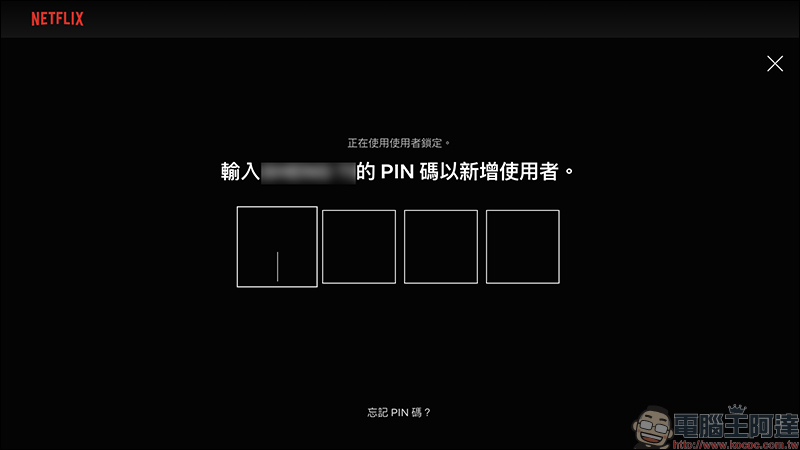
If the user has turned on the requirement to set a PIN code before adding a new user, the PIN code must be entered again before creating a new user:
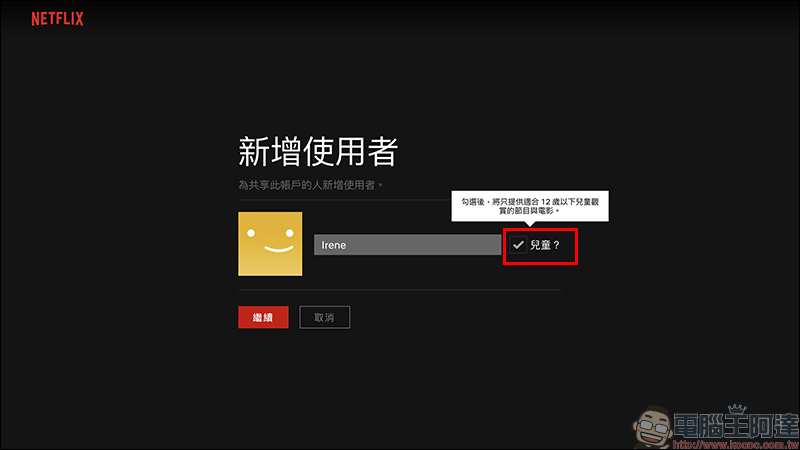
If you want to add a “child user”, you only need to check the “child” option when adding a user and then add it:
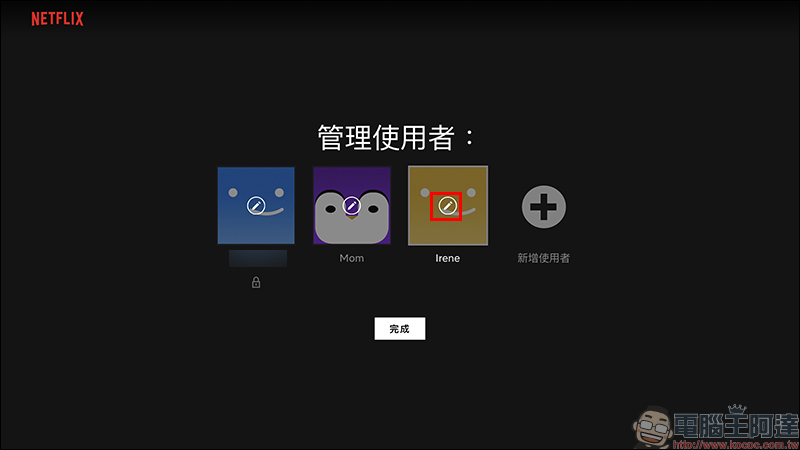
After adding a child user, the user can click the brush icon on the user management page to make settings:
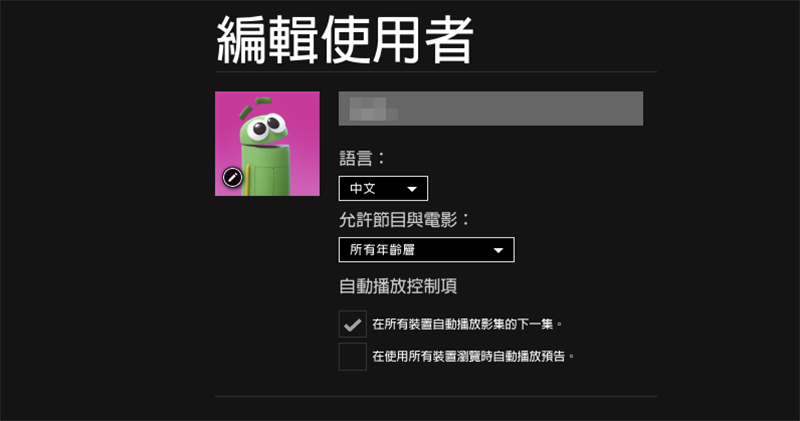
After entering the edit page for child users, you can also click “Edit” to enter the viewing restriction settings to adjust the rating for programs whose age rating is defaulted to 7+ or below. In addition, users can also turn off automatic playback controls on the edit user page:
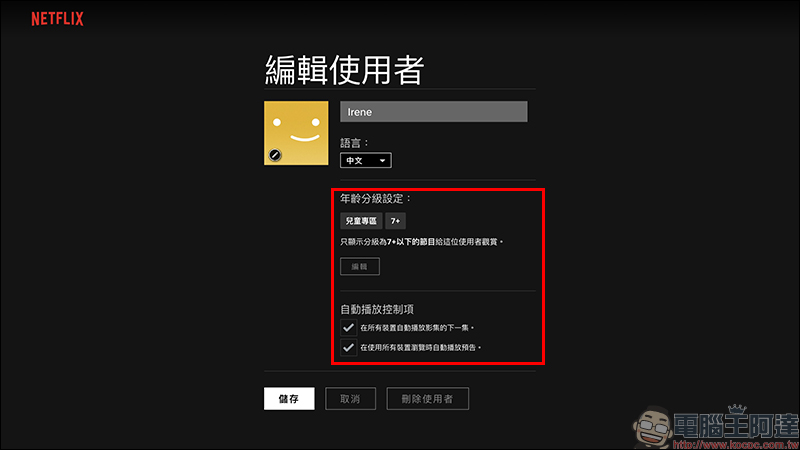
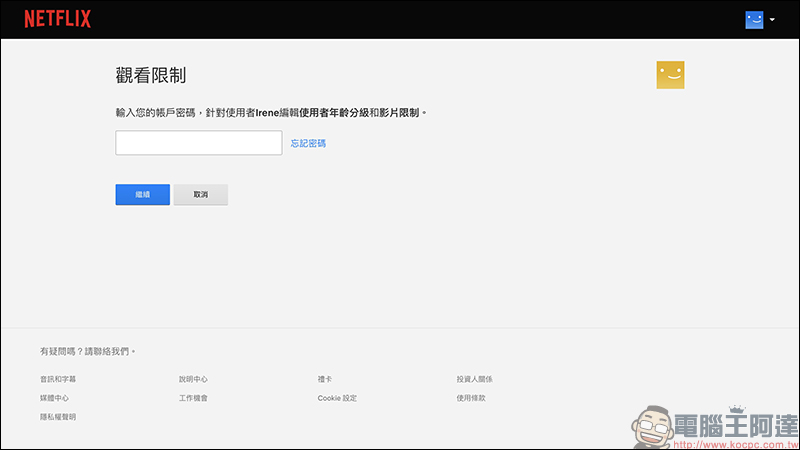
To enter the viewing restriction page, you need to enter your account password again:
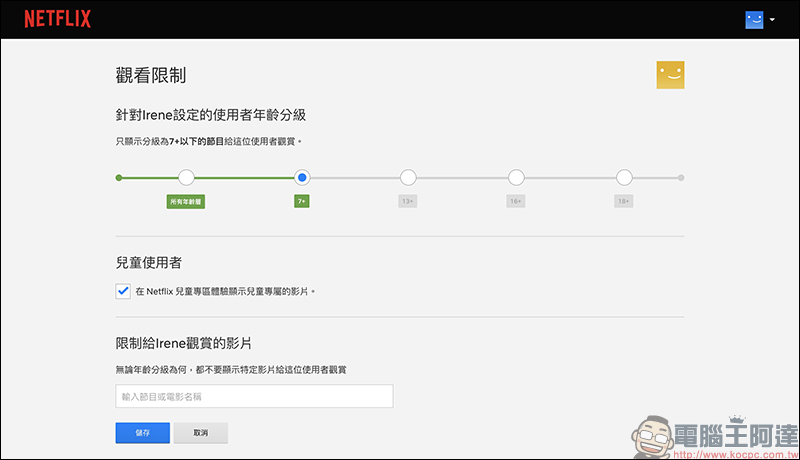
In addition to adjusting the viewing restrictions of the user’s age rating, the user can also restrict specific videos from being viewed by this user on this page:
If you want to learn more about using Netflix, you can also refer to Netflix’s official help center:Click here to go
Further reading:
Netflix can finally turn off automatic playback of trailers on “All Devices” (tutorial)
Source: KOCPC Chinese