


Whenever it’s meal time, whether the weather is bad, the work is busy, or they don’t want to spend time going out to buy food, many people will choose food delivery services such as Uber Eats to solve their meal or drink needs. However, I believe that users who usually use Uber Eats will find that they do not get physical paper invoices when ordering food. This is because Uber Eats itself supports electronic invoices. Therefore, as long as you remember to return the electronic invoice vehicle to your home first, all future delivery invoices will be automatically deposited into the invoice account.
Uber Eats Food Delivery Tutorial on Home Delivery of Electronic Invoice Vehicles
With the recent spread of the epidemic around the world, going out less and eating out can also reduce the risk of infection. However, food delivery platforms such as Uber Eats are “overseas e-commerce” and should issue electronic invoices to consumers after charging them service fees. However, many people may not know much about how to return the electronic invoice issued when using Uber Eats. This article will teach you how to complete the return of the electronic invoice vehicle in just a few steps.
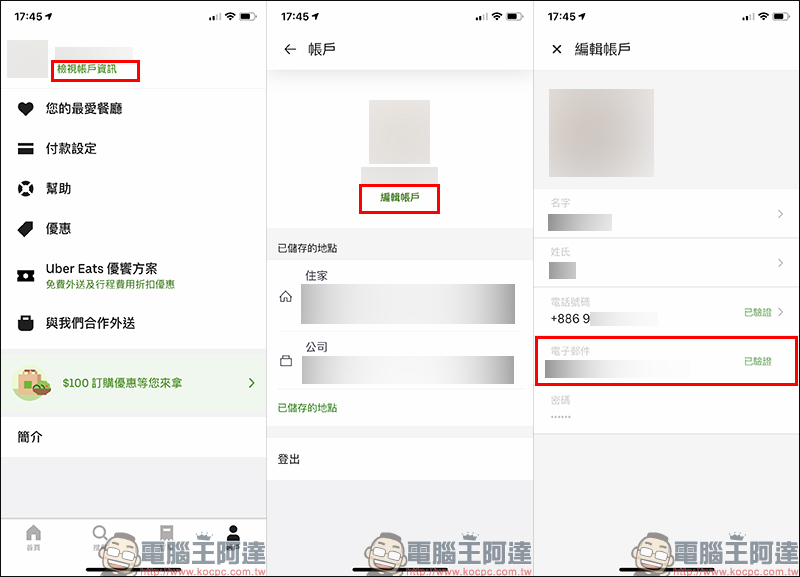
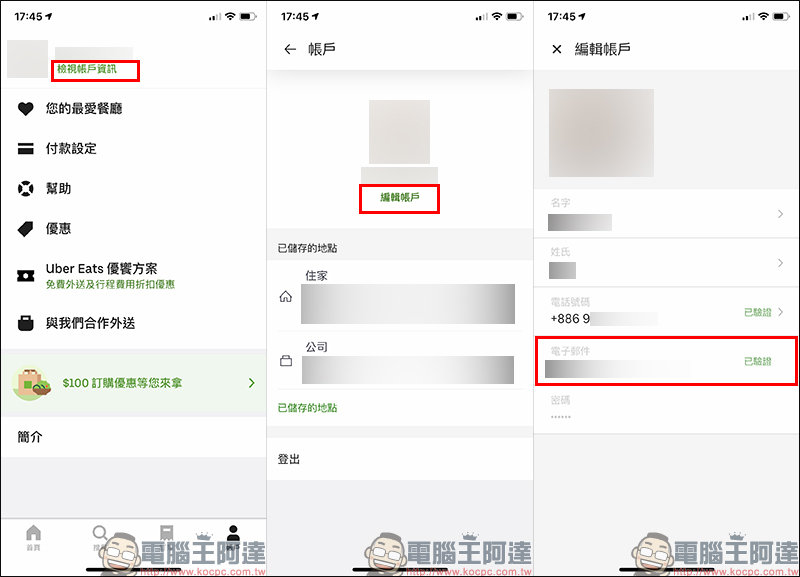
First, open the Uber Eats App and enter the “Account” page, select “View Account Information”, then click “Edit Account” and then confirm whether Uber Eats has a “verified email” on the page. If not, go to binding.
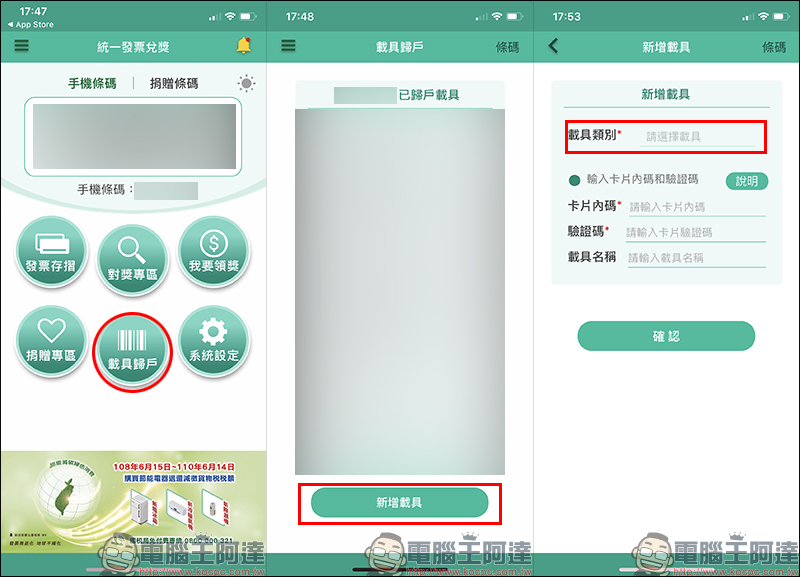
After confirming that you have a verified email, go to the next step and turn it onThe Ministry of Finance’s “Unified Invoice Redemption” App Complete the registration, log in and activate, click “Vehicle Return” on the main screen and then select “Add Vehicle”:
Select “Cross-border e-commerce email” in the “Vehicle Category” on the new vehicle page, then click “Send one-time password” and enter the email address verified in Uber EATS. The system will then automatically send the one-time password to the email address:
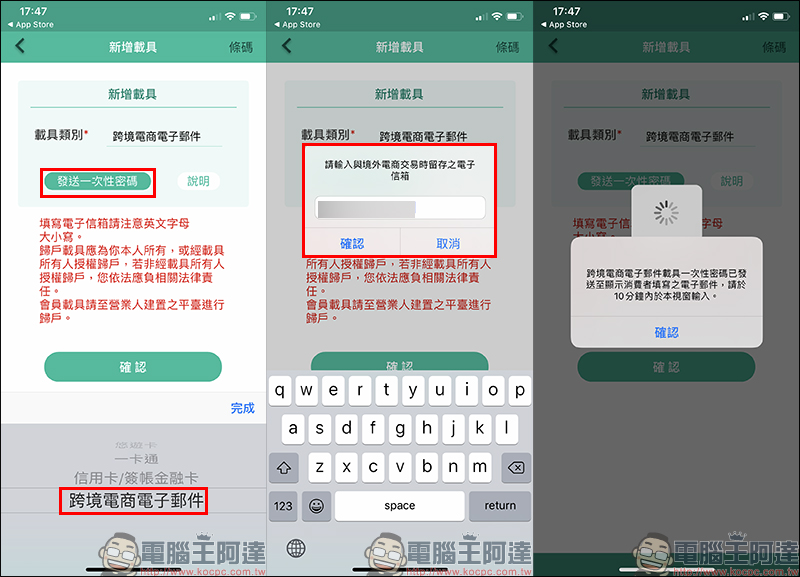
Then fill in the one-time password, email address and vehicle name and click “Confirm”. The cross-border e-commerce email vehicle will be successfully returned to your cloud invoice account!
After the setting is completed, in addition to Uber Eats consumption, other consumption platforms that support electronic invoices, including Apps purchased from the App Store, Google Play Store, games or in-app purchases, as long asUse the same email address, then the electronic invoices for these purchases will also be stored in the vehicle, so there is no need to repeat the settings, and the trouble of winning awards will be greatly saved.
Uber Eats Food Delivery App Download:
iOS version (App Store)| Android version (Google Play Store)
Unified Invoice Redemption App Download:
iOS version (App Store)| Android version (Google Play Store)
Further reading:
Gogoro Network billing officially supports the return of electronic invoice carriers. How to use it? See here for teaching!

Source: KOCPC Chinese