


In Taiwan, many people use LINE App to chat with friends every day, but do you know how long you spend chatting with different friends every day? Recently, there is a LINE statistical analysis tool that can analyze daily LINE messages, call times, commonly used words and other data between users and friends through chat records, and integrate the analyzed data into charts and word clouds. It is very suitable for you to review your daily chat statistics.

LINE statistical analysis tool: Use numbers, charts, and word clouds to present chat history with friends!
To use the free “LINE Statistical Analysis” tool introduced today, you must first select the specific LINE friend you want to analyze, and then access the chat history with that LINE friend. It is very simple to access chat records. First, expand the function bar on the chat room page and click the “Settings” button. Click “Send Chat Records” on the chat settings page:
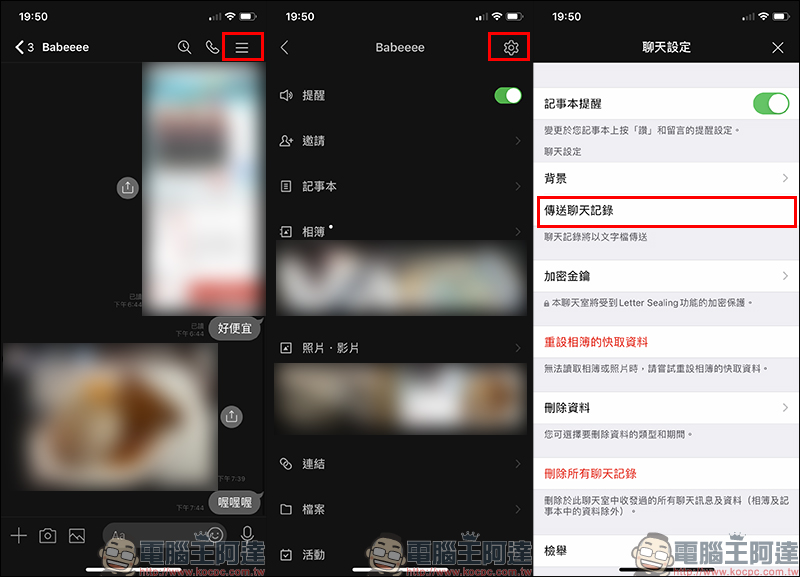
Then click “Save to File” to save the .txt file of the chat history to your phone: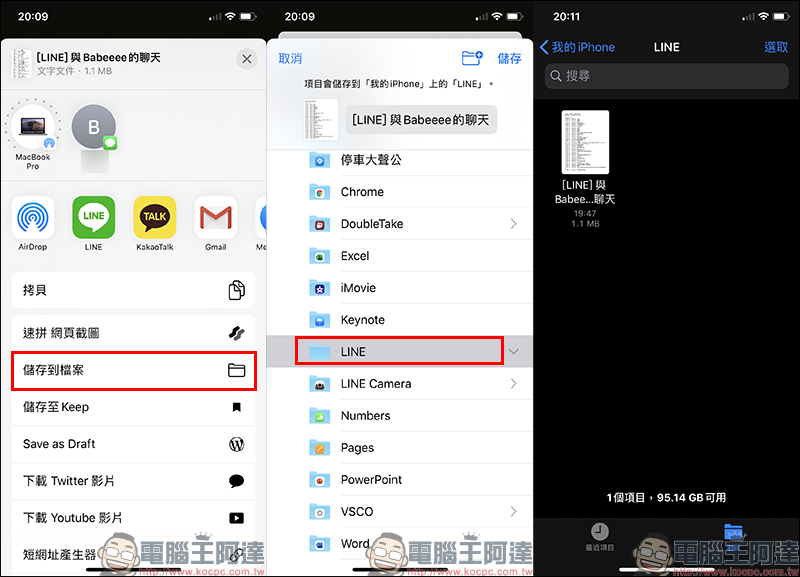
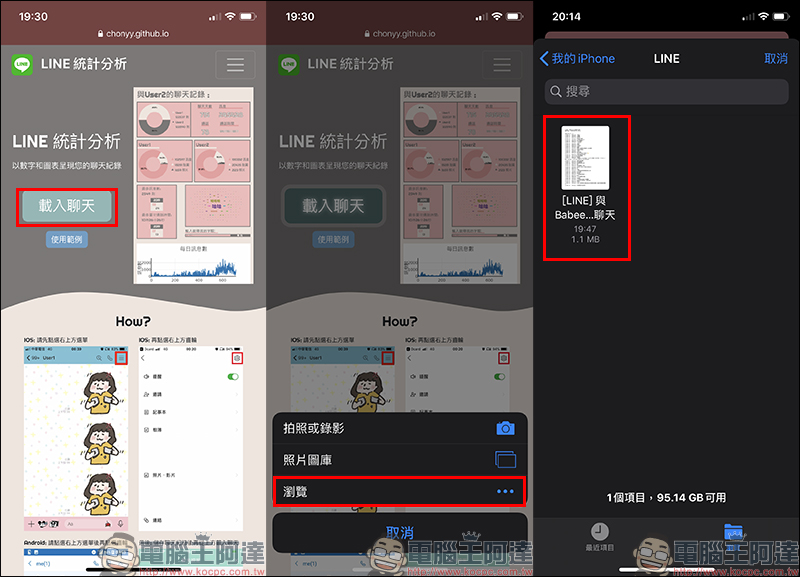
After accessing the chat history, you can then open it“LINE Statistical Analysis” Tool (Click here to go), open the page, click the “Load Chat” button and select Browse to open the chat record file, and you can start analyzing the content of the chat record:
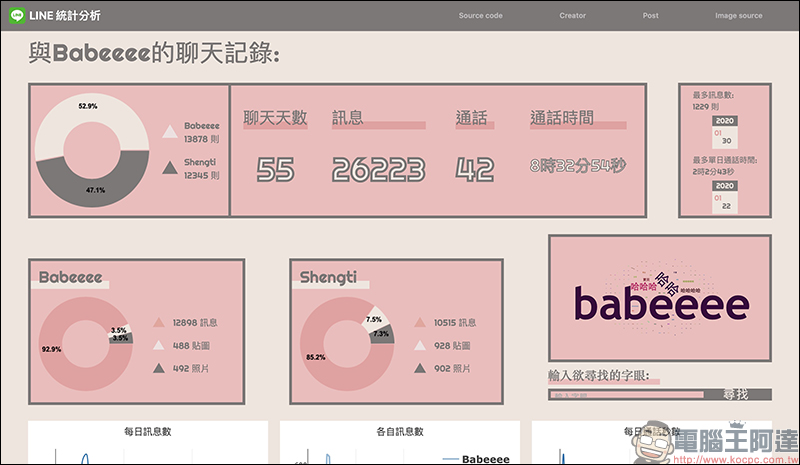
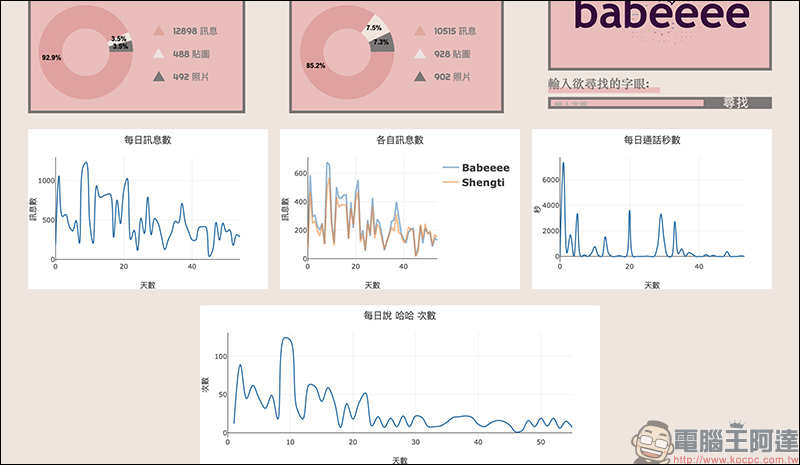
Wait a few seconds and the statistical analysis results of the chat history with this LINE friend will be out! The statistics will show the number of chat days, number of messages, number of calls, and call time between the two parties. The number of messages sent by both parties during this period will also be analyzed separately for the proportion of text messages, stickers, and photos. The date with the most messages, the most call time and date will also be presented as a line chart.
In addition, message words spoken more than 30 times (inclusive) in the chat messages between the two parties will also be displayed as a word cloud.
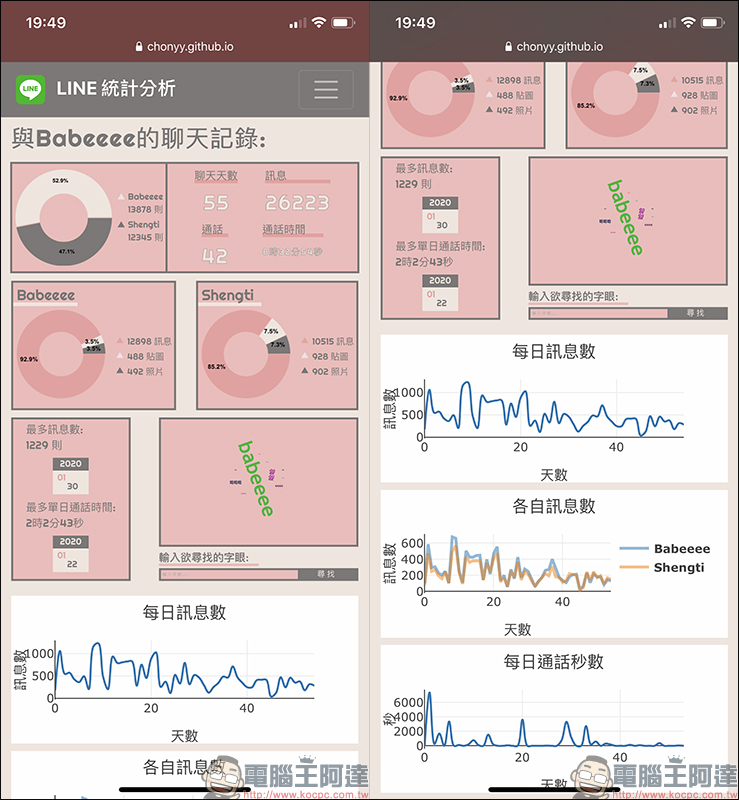
However, the screen of a mobile phone is inevitably difficult to read, so users only need to transfer the LINE chat history from the mobile phone to the computer, and then open it as well“LINE Statistical Analysis” Tool (Click here to go), you can also view the same chat history statistical analysis on your computer:
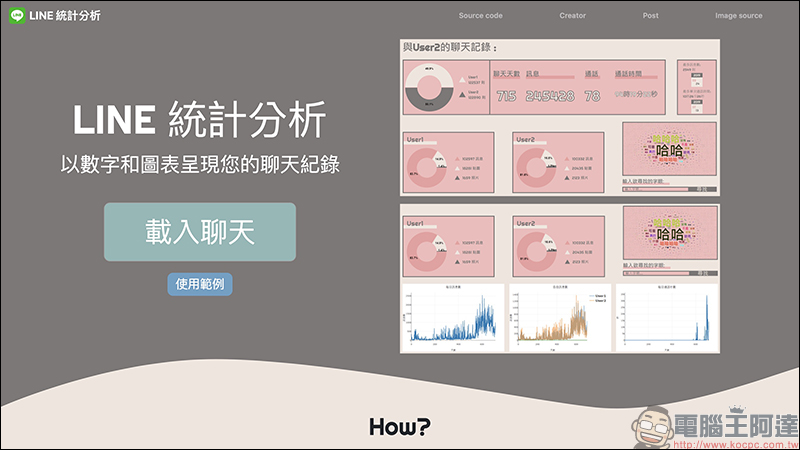
Compared with displaying it on a mobile phone, it is obviously much easier to watch on a computer:
In addition to these established analysis data, users can also enter the number of occurrences of a specific word they want to query in “Enter the word you are looking for”, and the query results will also be displayed as a line chart at the bottom of the screen:
LINE statistical analysis tools:Click here to go
Source:Dcard
Further reading:
LINE application tips: Use LINE SPOT to quickly find the nearest health insurance pharmacy and mask inventory

Source: KOCPC Chinese