


In the era when individuals are the unit, many people write their own blogs. If they want to embed the content of Office 365 files that they have organized in Excel, Word or PowerPoint presentations into their blogs, it seems that no one knows how to start. In fact, the steps are very simple. Just follow the author and learn together!

How to embed Office 365 files such as Word, Excel, and PowerPoint in my blog?
In your blog, you can embed Twitter tweets, YouTube videos, links, etc. through syntax, but did you know? You can also embed Office 365 files on your website or personal blog! In today’s tutorial, I will tell you how to do it!
1. First, you have to upload the file you want to embed to OneDrive. you can OneDrive web versionLog in to your personal Microsoft account and drag the file directly onto the page.
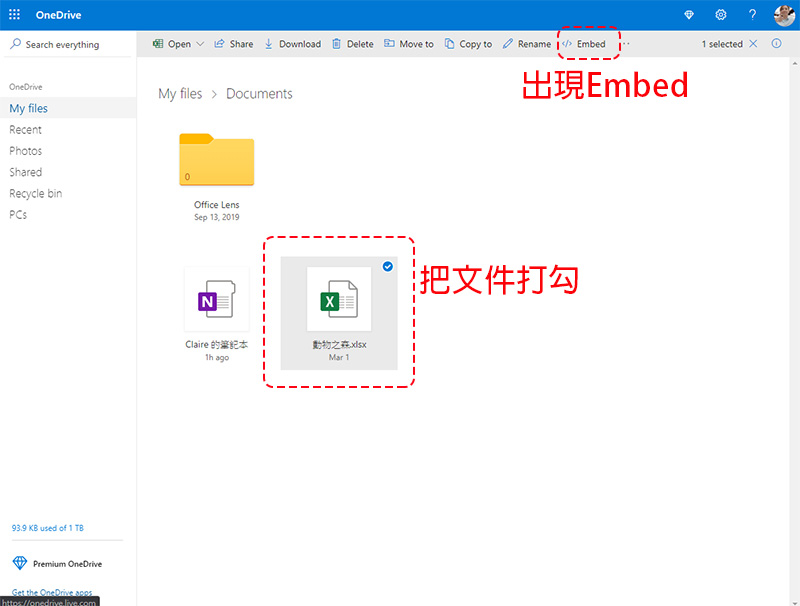
2. Check the file you want to embed on the web page, and an “Embed” function item will appear on it.
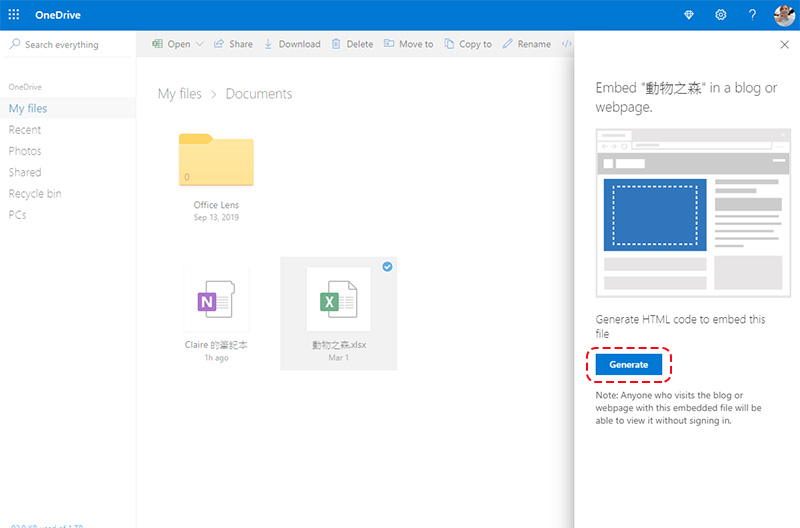
3. After clicking “Embed”, the sidebar appears and click the “Generate” button inside to generate the embedding syntax.
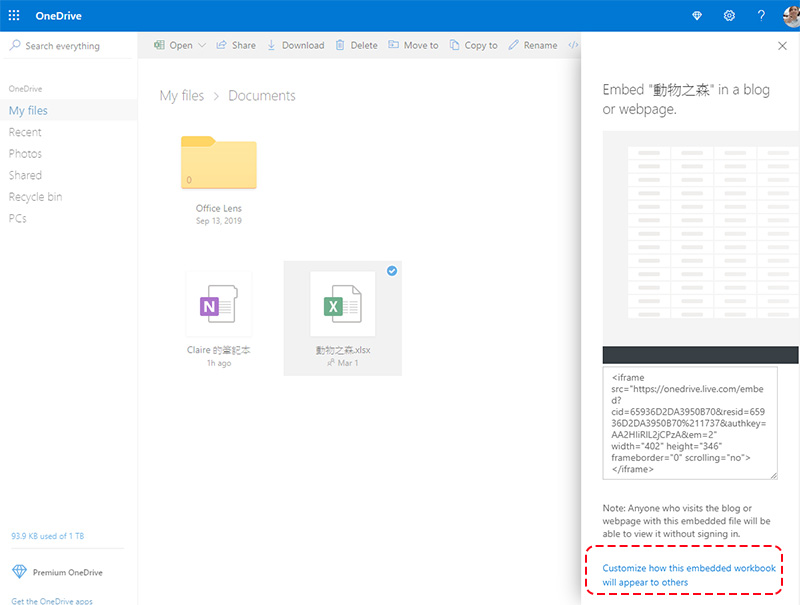
4. If you want to customize the embedded size and details, please click on the linked English words below the syntax.
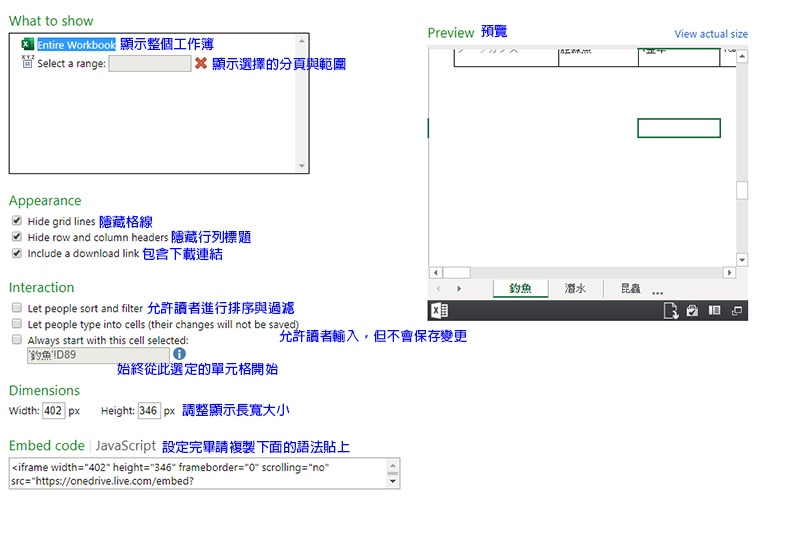
5. In the following pages, you can focus on more detailed settings. What you see here will be the English version. The author has organized them into Chinese for everyone to compare:
Where should I post the grammar?
If it is a blog, please paste it directly in the grammar input mode (or text mode). The displayed result will be as follows:
Please note that the files you embed can only be seen by visiting readers, and no permissions can be set. Embedding files like this not only saves time but is also very convenient. Your readers can view the file directly without having to click on a link or leave the article. There is no need to install Office on their own computers or download the file. Have you learned this?
Source: KOCPC Chinese