


Compared with other countries, although Taiwan has controlled the Wuhan pneumonia epidemic quite well, in order to protect yourself and others, you still have to wear a mask when going out. This is very troublesome for users of iPhone X and above. They cannot use Face ID to unlock their faces and can only enter a PIN code. I originally thought there would be no way to solve it. After all, Face ID focuses on extremely high security, but I just found a YouTube tutorial video. After following the steps in the setting, I didn’t expect it to be successful. I will share it with you below.
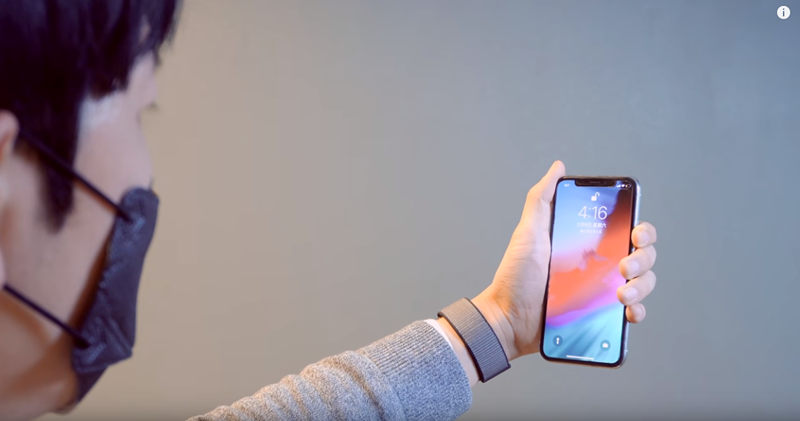
How to use Face ID to unlock your iPhone while wearing a mask?
First, let me remind you that this setting will affect the security of your iPhone to some extent, that is, other people may not be able to unlock your iPhone. It is recommended that you only use it for a short period of time.
The setting steps are roughly as follows:
- Prepare a blank piece of paper. (used to simulate wearing a mask)
- Go to the iPhone’s Face ID settings and click Add a new face.
- Use blank paper to cover the lower left half of your face.
- Follow the instructions on the screen to complete the Face ID settings. If there is a message such as jumping out of the way, move your head slightly until you enter the setting screen.
- After completing the settings, it is recommended to face unlock the iPhone once in a normal state (without wearing a mask or covering your face with a blank paper).
- Then put on your mask and use face unlock, and it should work.
Of course, there are some things to pay attention to during the setup process. Below I will extract the key points from this video to explain to you.
First, as mentioned before, prepare a blank paper, which must be larger than the size of the lower left half of your face. I used A4 size. Go to Face ID and Password in settings and click Set (new) appearance:

There are a few key points to note when setting up. The white paper must completely cover the lower left half of your face, and the height should be approximately where your mask will cover it. There may be a message on the screen asking you to remove the obstruction. Ignore it. You can solve the problem by just moving the phone slightly or turning your head (the blank paper must remain covered):
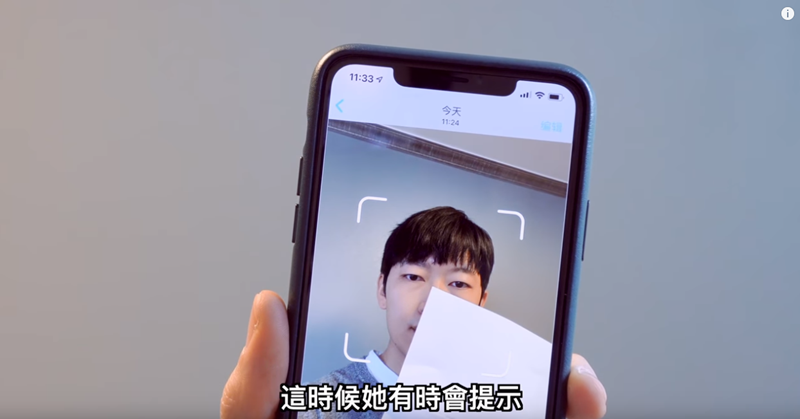
During the setup process of this instructional video, he showed his entire face, but I still failed to put on the mask when I tested this method. Finally, I changed it to a blank paper to continue covering it, no matter where my head was turned, even if it was raised or lowered, it was successful:
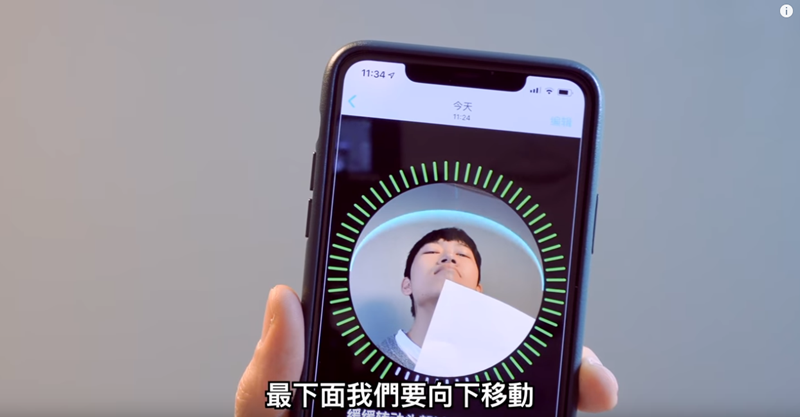
I’m using an iPhone X with iOS 13.3.1. After the appearance setting was completed, I unlocked the face once in normal state, and then changed it to wearing a mask, and it was also successfully unlocked.
If you are following the setting method in the video and cannot unlock the mask while wearing it, you can try covering half of your face with your other hand. This was also successful in my actual test:
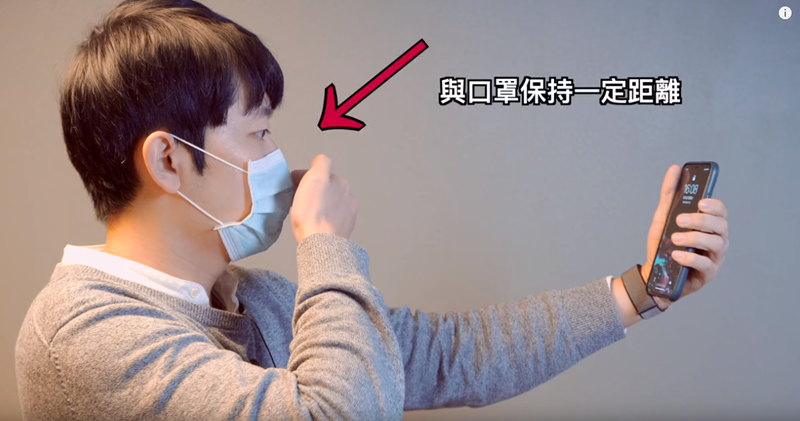
Full video:
In addition, a few days ago, China’s Tencent Xuanwu Lab also issued a tutorial on how to use Face ID to unlock the mask while wearing it. During the setup process, they actually put on the mask, but only half of it, which I failed to test.
The method used by Tencent Xuanwu Laboratory in China is to first take out the mask you usually wear, then fold it in half and hang half of your face:
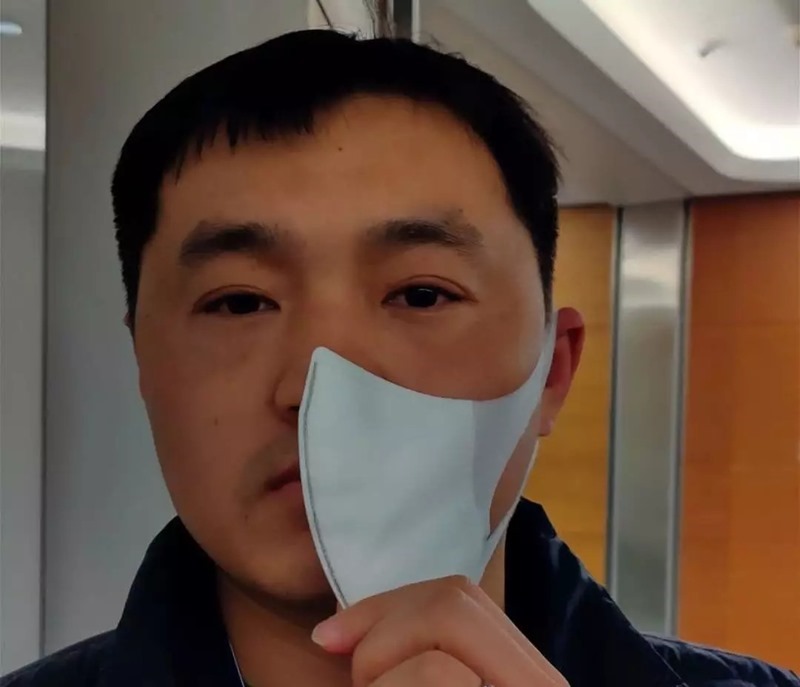
During the setting process, the mask also continues to be covered, complete operation videoYou can click me to jump to watch:
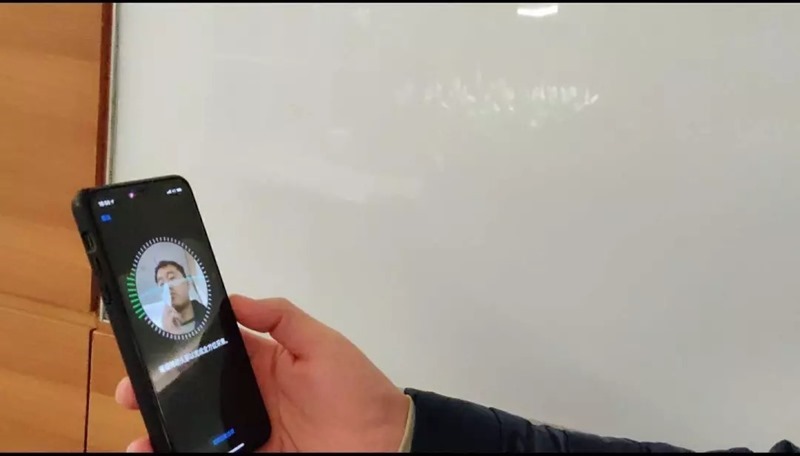
Finally, I would like to remind you that this setting may affect the security of your iPhone. If you mind, it is recommended to temporarily use a PIN code to unlock it.
Source:Big Ears TV、China Tencent Xuanwu Laboratory
Source: KOCPC Chinese