


Many iOS users use the built-in message (iMessage) to communicate with each other. However, perhaps because everyone is already accustomed to using LINE, some users are particularly concerned about the “read” display of the messages they send. Today I will teach you how to hide the read status display of iMessage so that each other can have more space when chatting. In addition, we will also explain to you what the various statuses of iMessage represent.
iOS app tips: How to turn off iMessage read messages? (teaching)
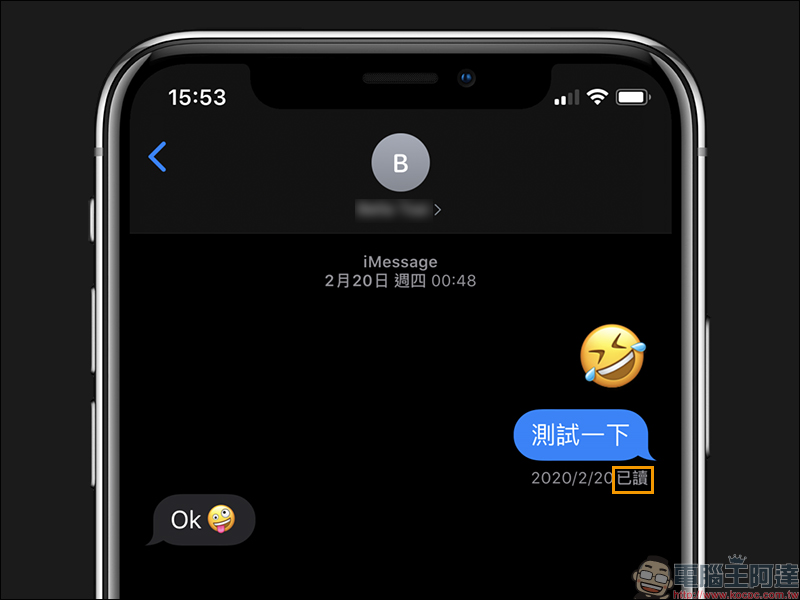
For Apple users, you can use the “Message” function to communicate through iPhone (iOS), iPad (iPadOS) or Mac computer (macOS). It is simple and fast to use, and is used in the same way as other communication software such as LINE and FB Messenger. As for “iMessage”, after the message is sent, if the other party receives the message and opens the reading function, it will display the “read” status. Today I will teach you how to simply close it.
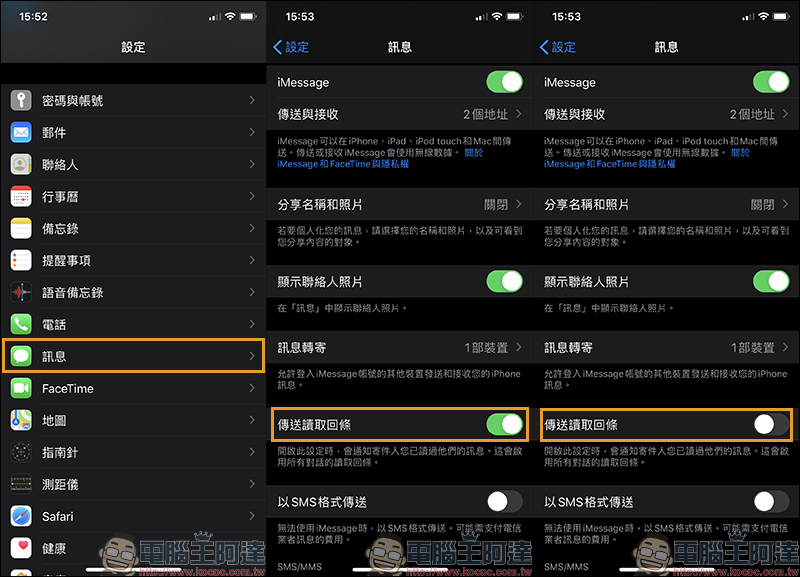
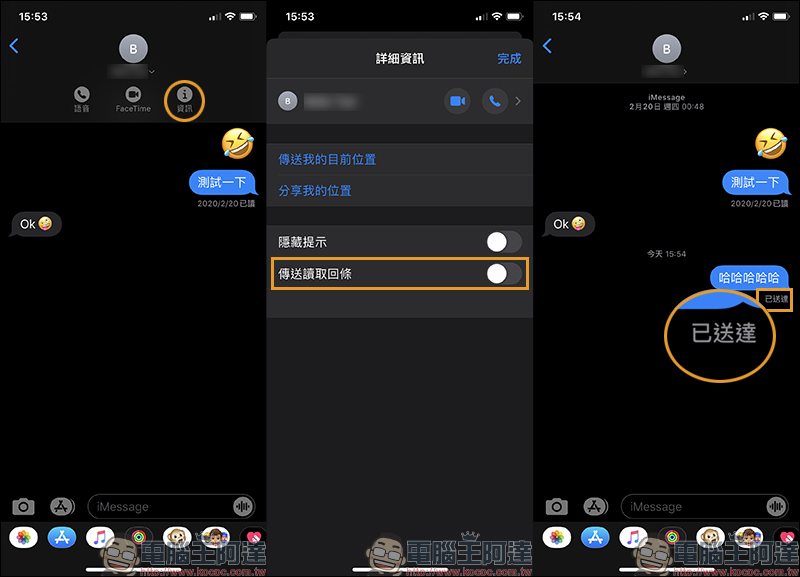
If you want to hide the read status from everyone, you don’t need to preview the message or long-press the preview to avoid being discovered by the other party like LINE. Just open “Settings” > “Messages” and then turn off the “Send Read Reply” function.
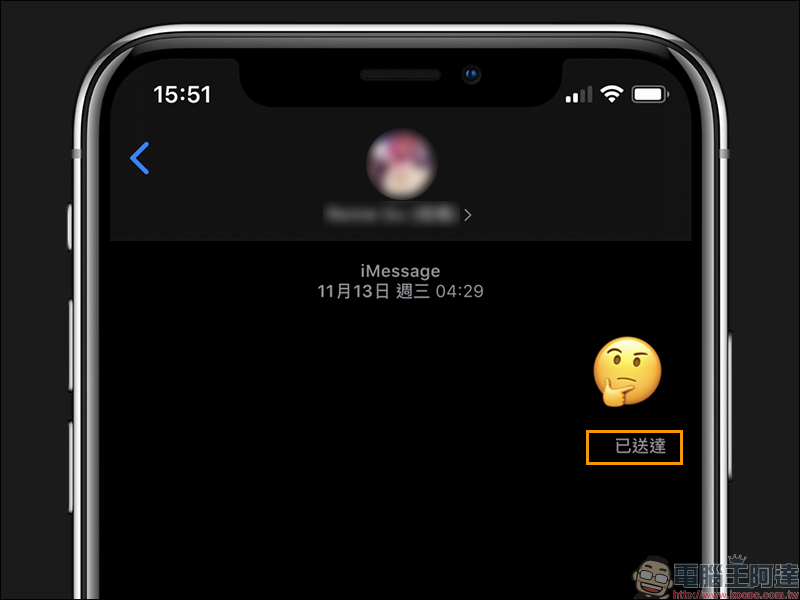
When the Send Read Reply is turned off, even if the message has been read, the sender will not be notified that the message has been read and will be displayed as “Delivered”.
If you only want to turn off the read display for a specific user, first click the contact’s “Information” in the message window, and then turn off “Send Read Reply”:
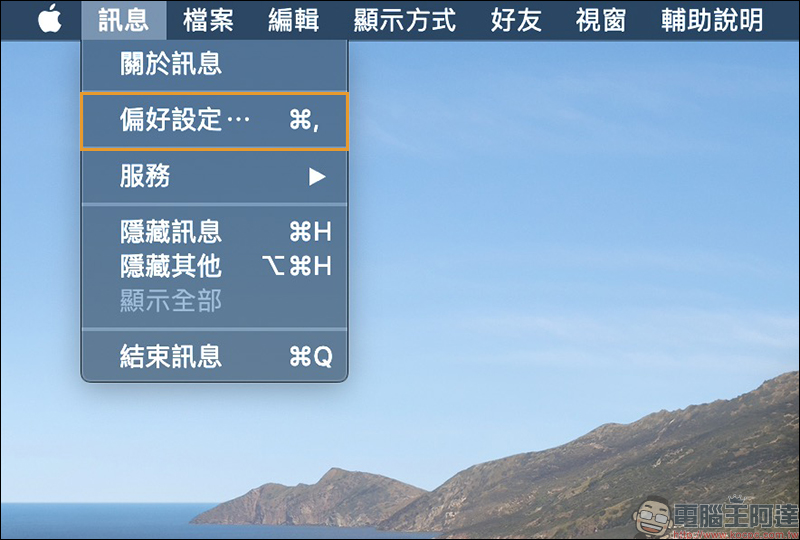
For Mac computers, you can also turn off iMessage’s read notifications in macOS. First open the “Preferences” of messages:
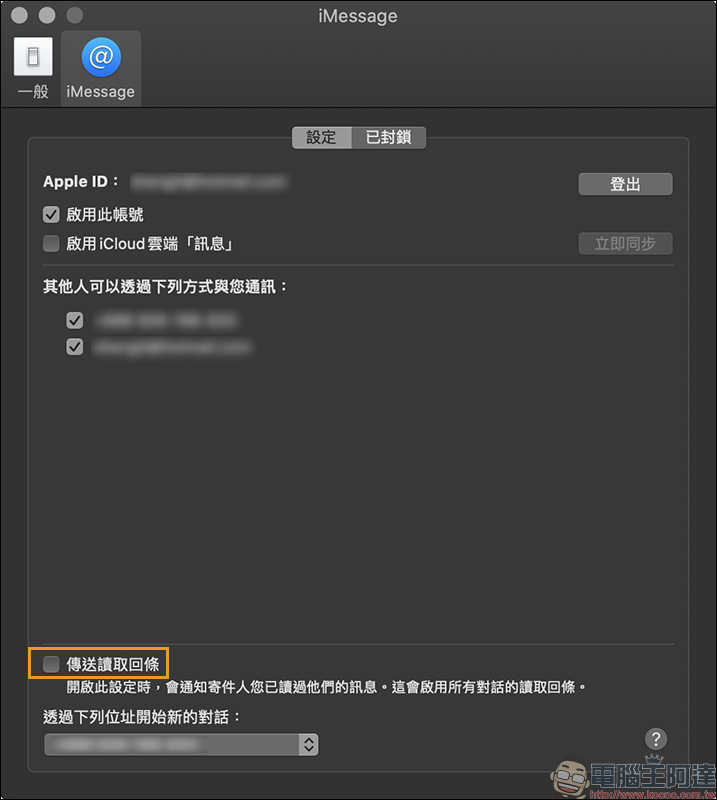
Then uncheck “Send read receipt” in iMessage:
What do “not delivered”, “delivered” and “read” in iMessage mean?
After sending a message in iMessage, you will find that the sent message will display different read statuses, which are “not delivered”, “delivered” or “read”.
- Not delivered:It means that the message has not been successfully sent to the other party’s device. It may be due to network connection problems or the other party has blocked you, etc., so that the message cannot be received.
- Delivered:Indicates that the message has been successfully sent to the other party’s device, but it cannot be determined whether the other party has read the message. (It is also possible that the other party has turned off the function of reading receipts)
- Read:Indicates that the other party has received the message and read it.
Further reading:
Tips for iOS apps: “Read aloud” text on web pages and apps to avoid eye fatigue caused by staring at the screen for long periods of time!
Source: KOCPC Chinese