


Today I’m going to introduce a very interesting and fun iOS shortcut. You may have heard that you can use the iPhone’s 3D Touch to implement the weighing function, but you usually have to download an additional app to use it. But now you don’t have to go to such trouble. Just use the Siri shortcut to play with this function!
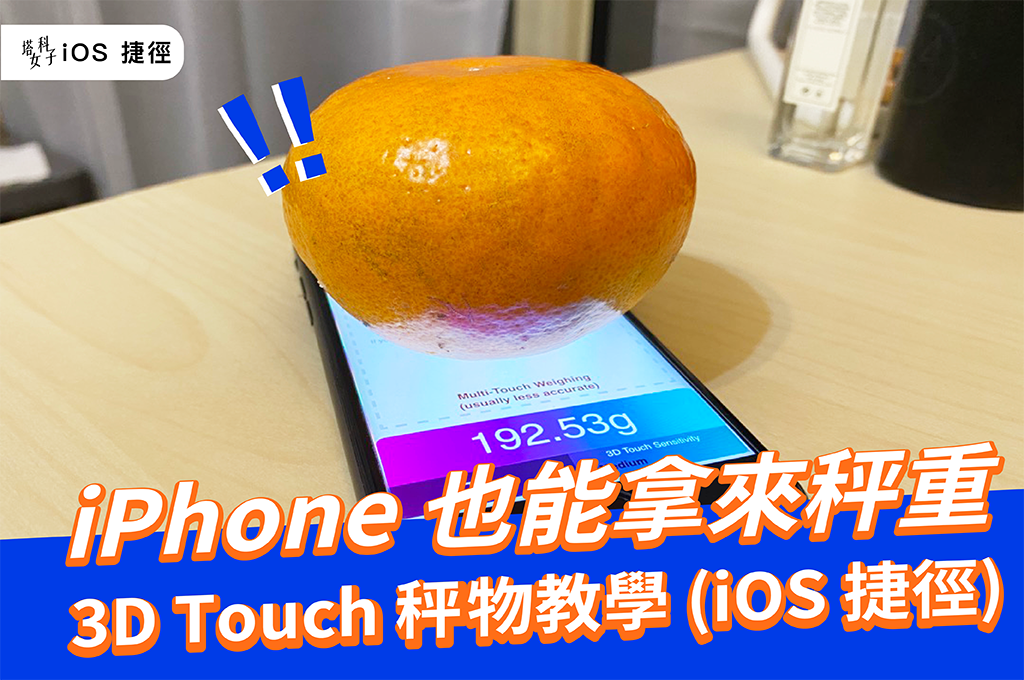
Note that this shortcut can only be used on iPhone models with 3D Touch functionality:iPhone 6S、Phone 7、iPhone 8、iPhone X、iPhoneXS, and must also be upgraded to iOS 13 。
Shortcut APP


Weighing items on iPhone in three steps
- Download Apple official “Shortcut App」
- Obtain “3D Touch Scale“Shortcut script
- Run the shortcut and place the items you want to weigh
iPhone weighing instructions
If you haven’t used Apple’s officialShortcut App, please click App Store Download;After downloading, click to get “3D Touch Scale“Shortcut script.
*Note: If your shortcut shows that untrusted shortcuts cannot be opened, please follow this path to enable permissions:“Settings” – “Shortcuts” – enable “Allow untrusted shortcuts”。
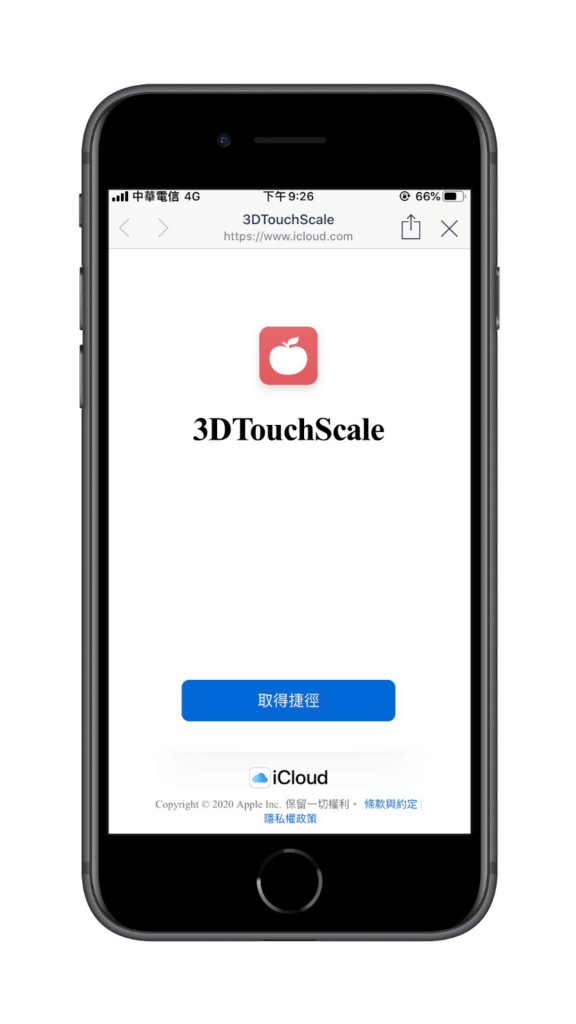
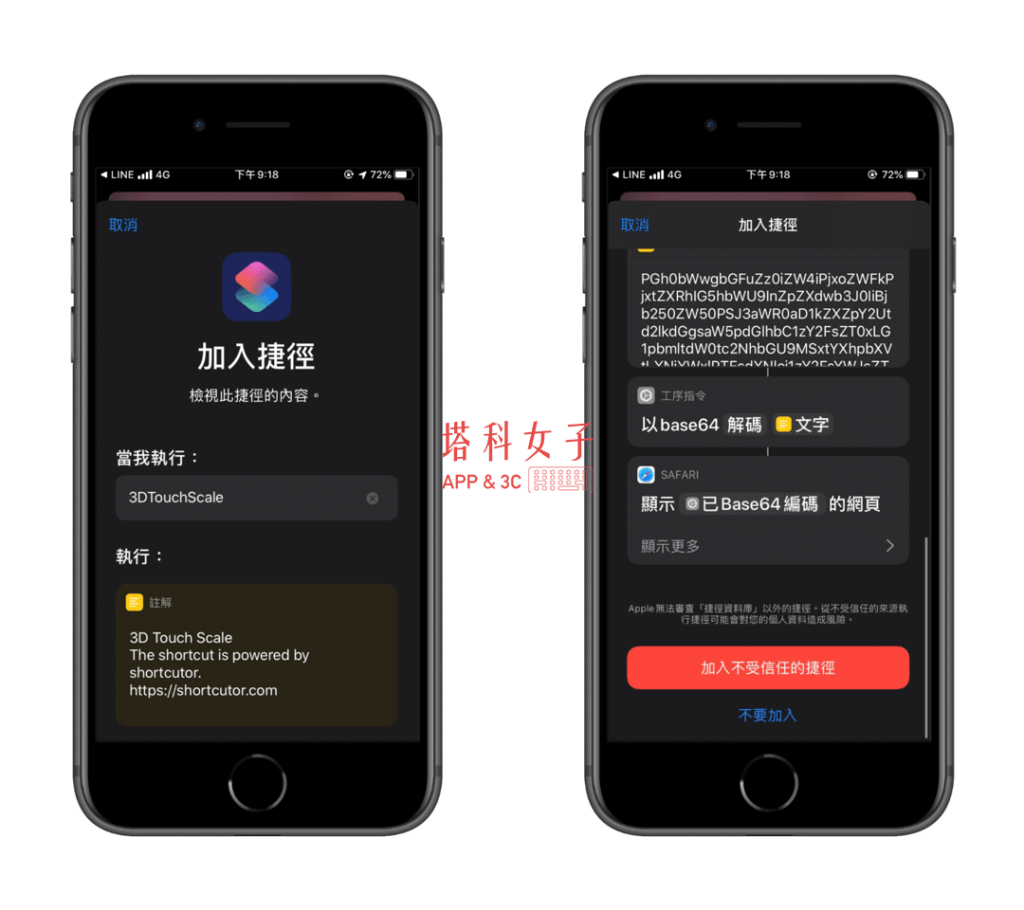
Add shortcut
Since Apple has been stricter about shortcut content starting from iOS 13, please scroll to the bottom and click “Add untrusted shortcuts」。
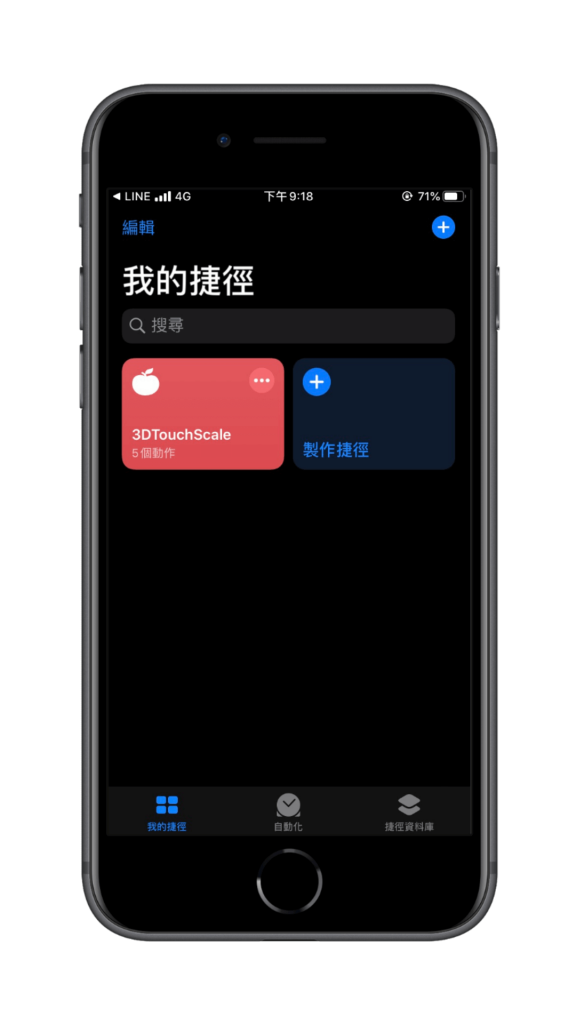
my shortcut
After the addition is completed, the “3D Touch Scale” shortcut script just downloaded will appear in “My Shortcuts”. Please click on it directly and we can start using the scale function.
Start weighing things
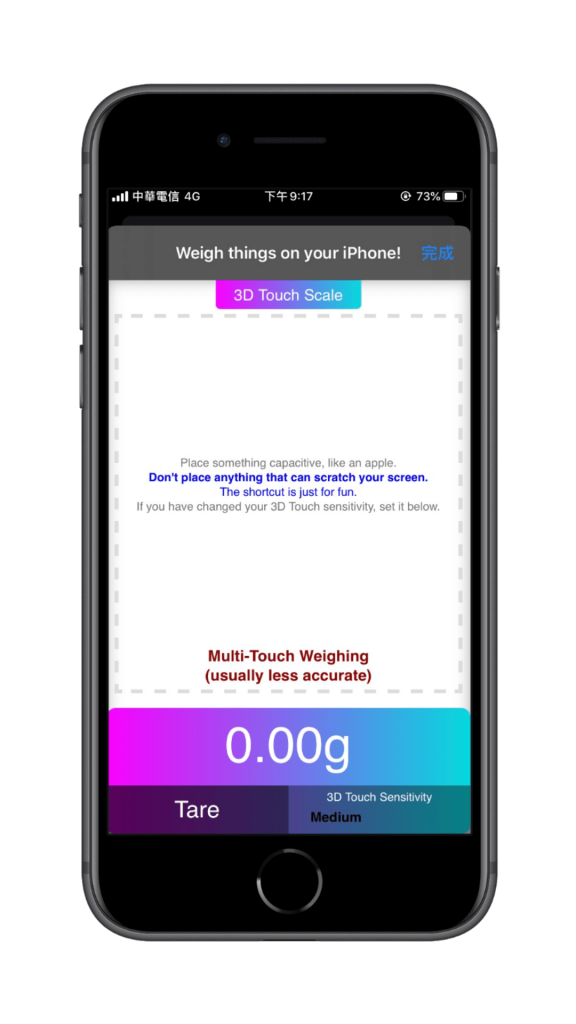
Next you will see that it automatically opens a web page. Here, please directly place the thing you want to weigh within the dotted line in the center of the screen. It is recommended not to place items that will scratch the screen.
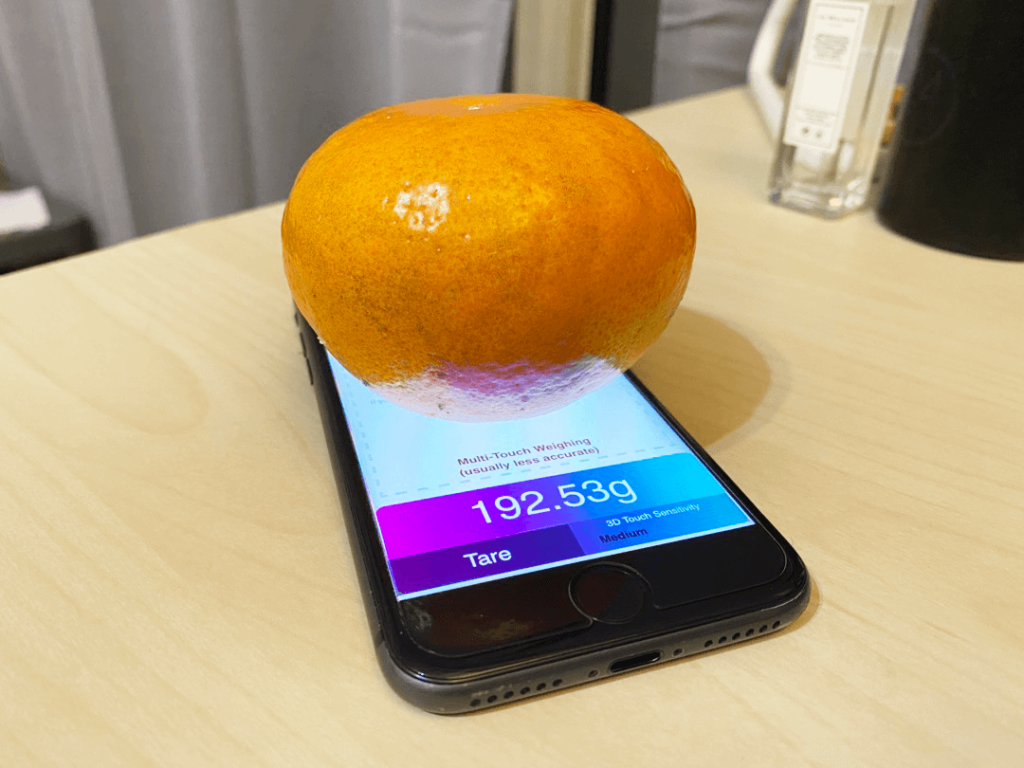
The actual use is as shown in the picture below, which really helped us weigh the weight of the items! However, this shortcut is actually more fun and not very accurate.
Little reminder
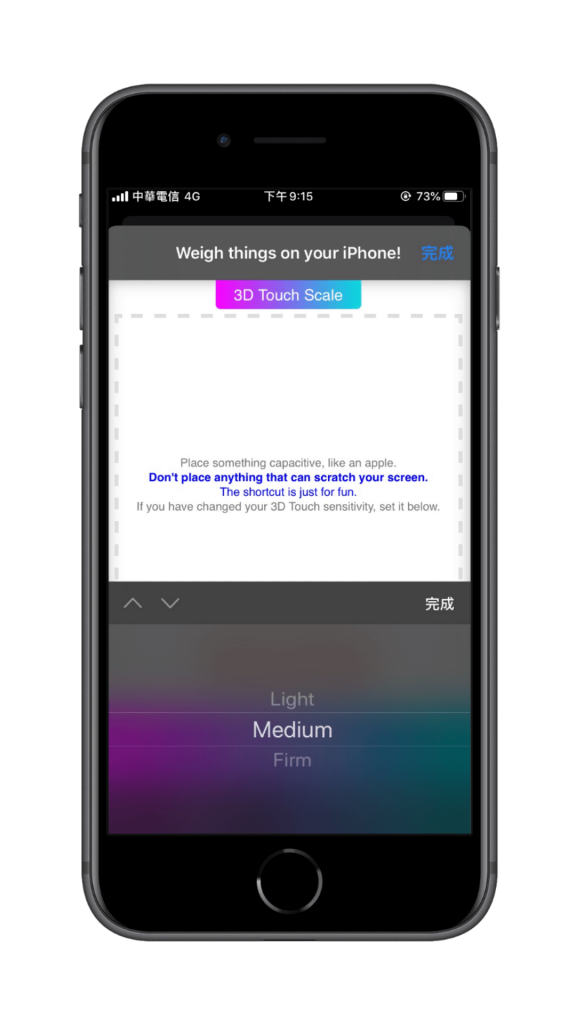
If you have ever modified your iPhone3D touch sensitivity”, remember to also adjust the “3D Touch Sensitivy”, this will be more accurate, and the default will be maintained without modification. Medium That’s it.
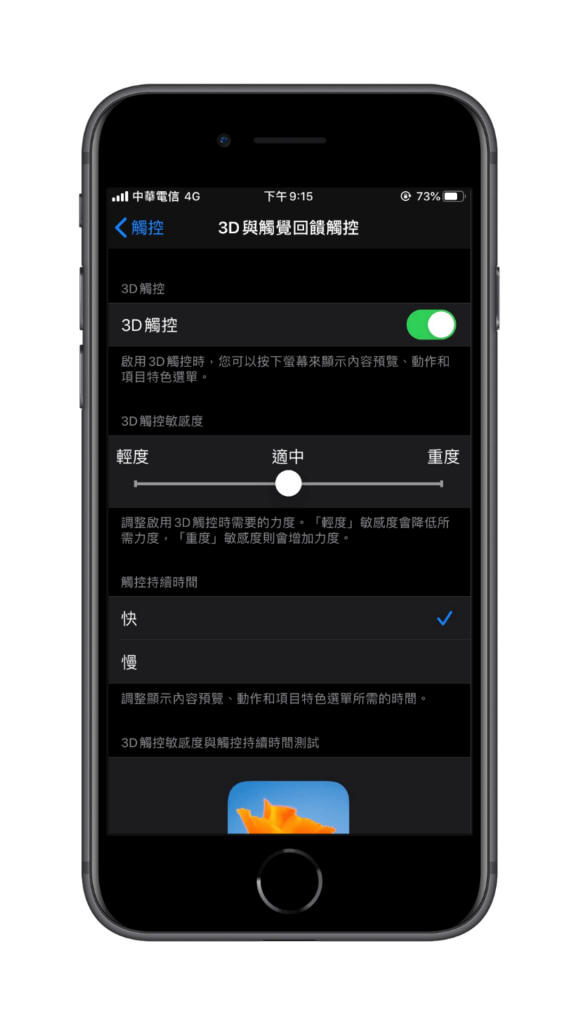
If you want to check your currently set 3D touch sensitivity, please follow this path to check:Settings > Accessibility > Touch > 3D & Haptic Touch > 3D Touch Sensitivity. If you are sure there has been any modification here, you need to go back to the web page to modify the sensitivity of the scale.
Conclusion
The above is the fun shortcut introduced this time – the 3D Touch weighing function. Although it is not very accurate, it can roughly provide the weight of the item. I recommend it to everyone to try it!
Featured articles
- iOS shortcut package for lazy people|Complete guide to various practical Siri shortcuts (2020 latest)
- Multifunctional image processing iOS shortcut | collage, compression, GIF, watermark, editing
- Use iPhone timer to automatically stop playing music, even if you fall asleep listening to music
- iPhone ringtone production tutorial, complete guide to downloading music, editing, and converting to ringtone!
- What are iPhone widgets? This article tells you how useful it is!
Source: KOCPC Chinese