


In addition to the “Taiwan Mask Pharmacy Inquiry” Telegram robot, for users who usually use LINE, in fact, LINE’s LINE SPOT function can not only easily find the services of nearby merchants, but also recently used government public information to help users connect the locations and quantities of mask sales. This time I will introduce how to use this LINE application tip to easily use LINE SPOT to check the nearest health insurance pharmacy. At the same time, LINE SPOT can also immediately display the latest mask inventory.
LINE application tips: Use LINE SPOT to quickly find the nearest health insurance pharmacy and mask inventory
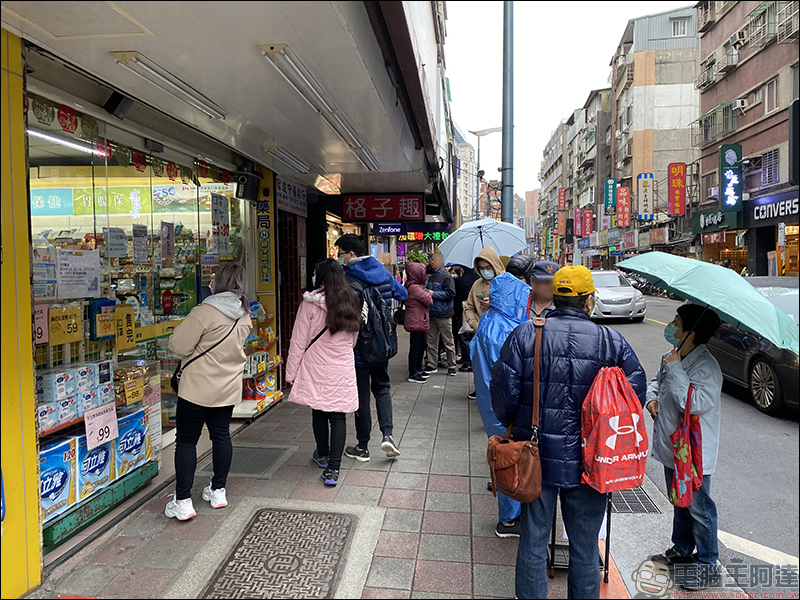
With the launch of Taiwan’s mask real-name system, people in need of masks have gone to nearby health insurance pharmacies to buy masks. In order to save time in searching for masks, you can actually quickly check the nearest health insurance authorized pharmacy by opening the LINE App and using the LINE SPOT function! Just go to LINE SPOT and search for “#HealthcareSpecial Pharmacy”, or directly click the link below with your mobile phone to find the nearest health insurance pharmacy or health center where you can buy masks with one click. You can also see the remaining inventory of adult masks and children’s masks.
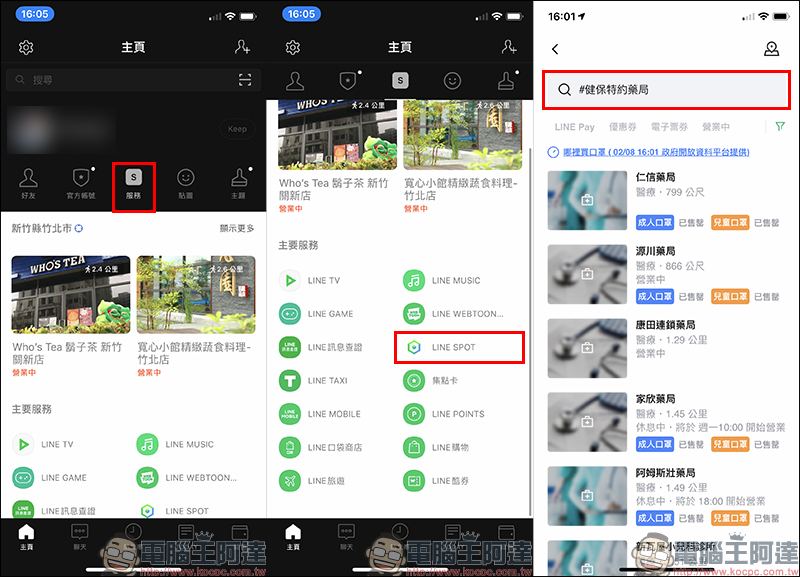
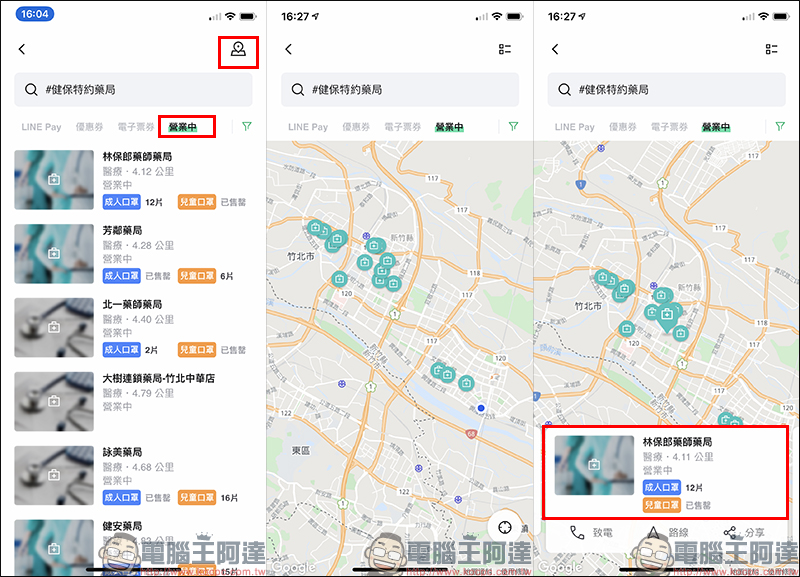
Open the “Services” page on the homepage of LINE App, first click the positioning button to update your location, then find the LINE SPOT page and enter “#HealthcareSpecial Pharmacy” will display all the nearest health insurance pharmacies nearby, and also directly sort out the current inventory of adult masks and children’s masks in the pharmacy in the list, saving you the time of a special trip out!
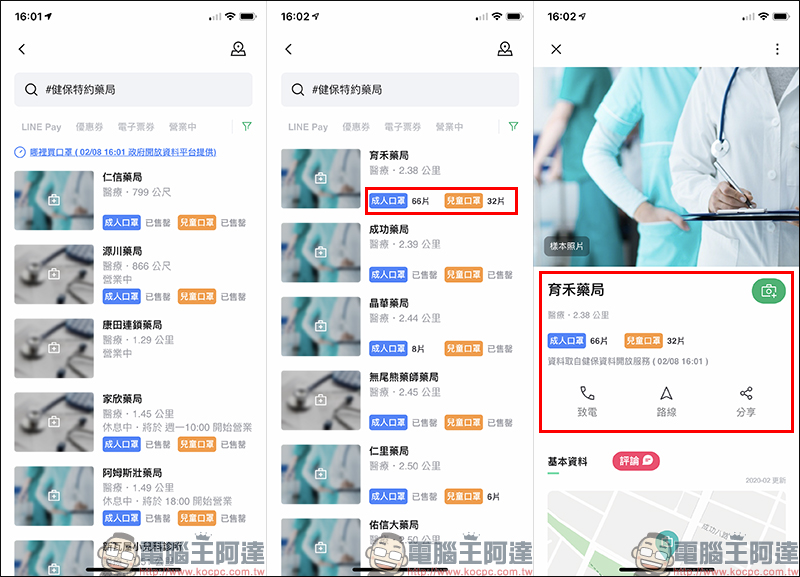
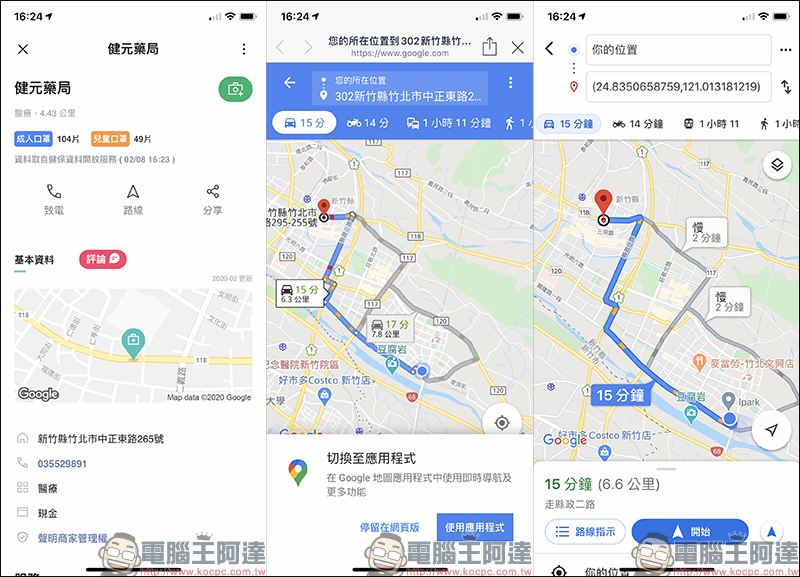
After finding a health insurance authorized pharmacy that still has stock, click on the merchant (pharmacy) to enter the page. In addition to displaying the pharmacy’s mask inventory, you can also call directly to reconfirm the supply status of the masks. If you want to go directly, just click “Route” to open the map navigation. In addition, you can also click the “Share” button on the merchant page to share directly with other LINE friends:
The route navigation function will directly open the Google Maps navigation route using the GPS location of the pharmacy:
The operating hours of each pharmacy are slightly different. Users can use the filtering function to select “Open” stores, and the nearest health insurance pharmacies within 3 kilometers of you will be displayed. Users can also click the “Landmark” button in the upper right corner of the screen to switch to map mode. Clicking the pharmacy’s landmark button in map mode can also display the pharmacy’s inventory status:
Check out the nearest health insurance authorized pharmacy immediately (LINE SPOT):Click here to go
Source:LINE Taiwan official BLOG
Further reading:
Taiwan Mask Pharmacy Query Telegram Bot: Query nearby pharmacies and mask inventory information with one click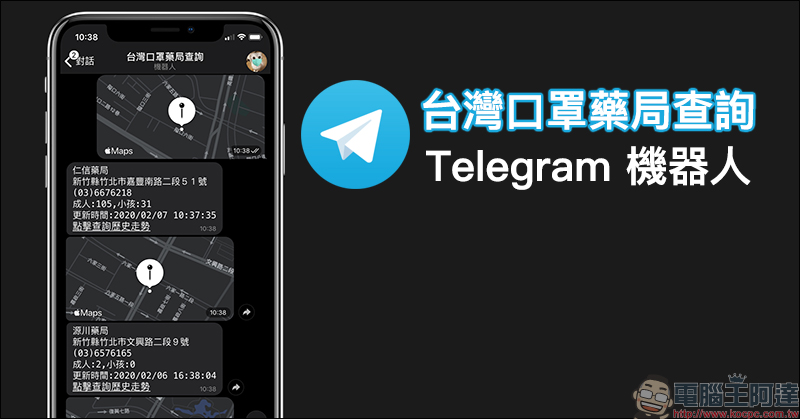
Source: KOCPC Chinese