


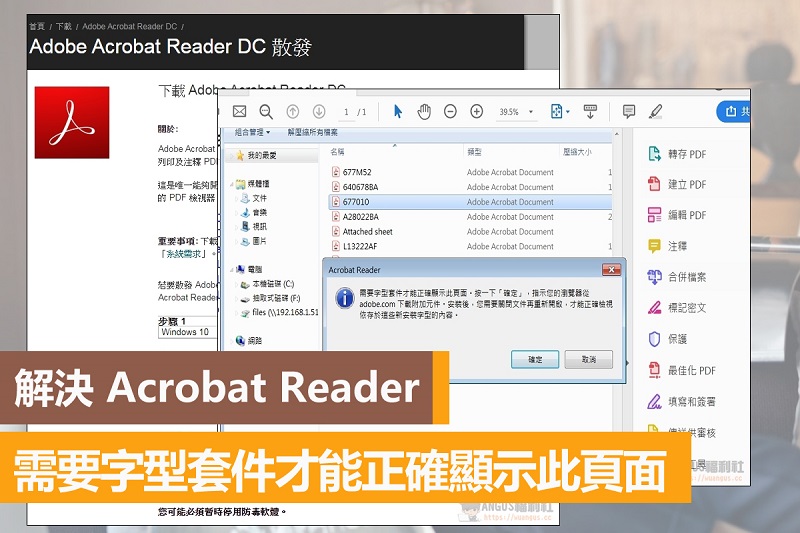
A window will pop up with the message “A font package is required to display this page correctly.” However, many people still don’t know how to solve this problem. The reason for this error is very simple. It is just that the font package of Adobe software is not installed. As long as it is installed, it can be opened and displayed normally. Next, I will teach you how to install the package.
Download the Acrobat Reader font pack
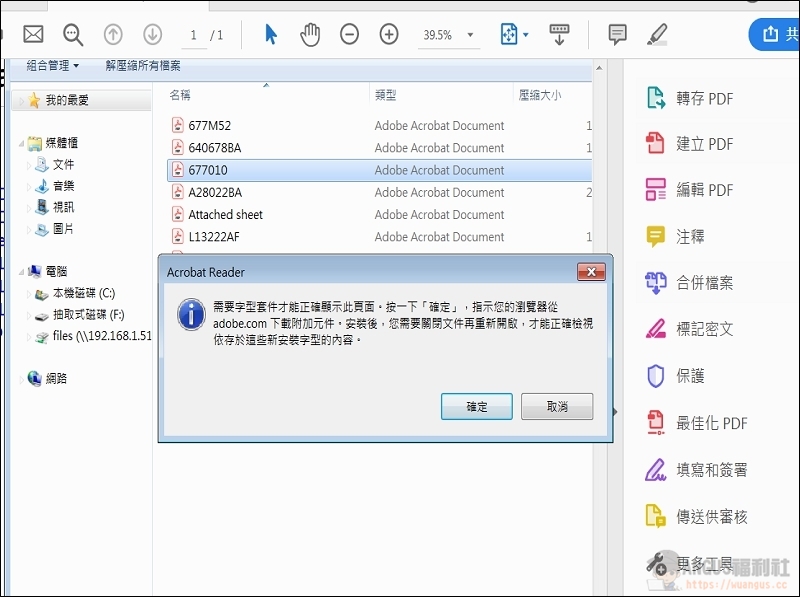
▼ When some people open a pdf file, they will find that some specific files cannot be displayed normally, and a prompt “A font package is required to display this page correctly” will pop up. After pressing OK, they don’t know how to download and install the package, causing the file to not display properly. In fact, there are some methods to download and install the font package, which is very simple and fast.
Method 1: Download from the official English page
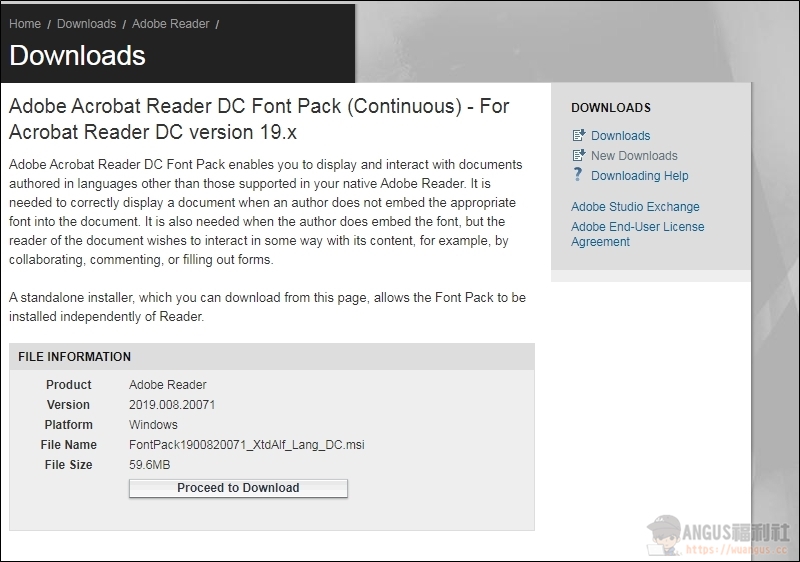
▼ Enter the DC Font Pack download webpage and click “Proceed to Download” to download the font pack installation file. (Click here to download)
Method 2: FTP space download
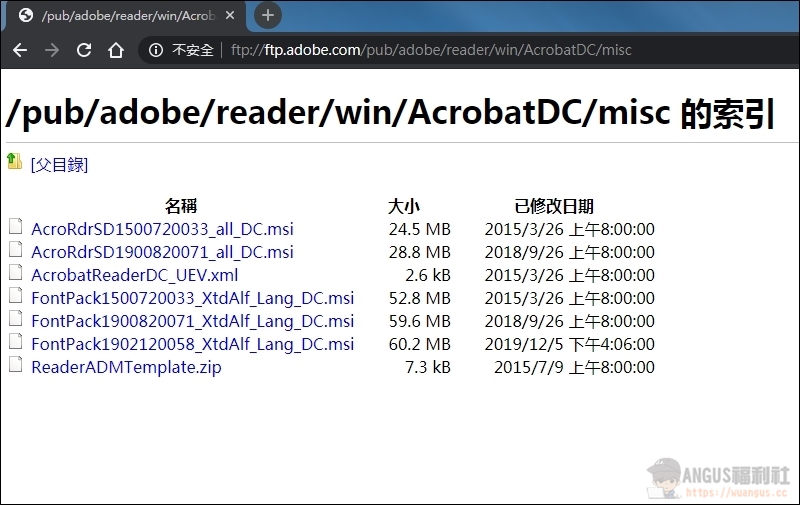
▼ Directly download the installation file of the font package through the official FTP space. Please select the FontPack file name for the file download. The lower the file is, the newer it is. Some people’s computers use older versions, so they must install the older font package to succeed. (Click here to download)
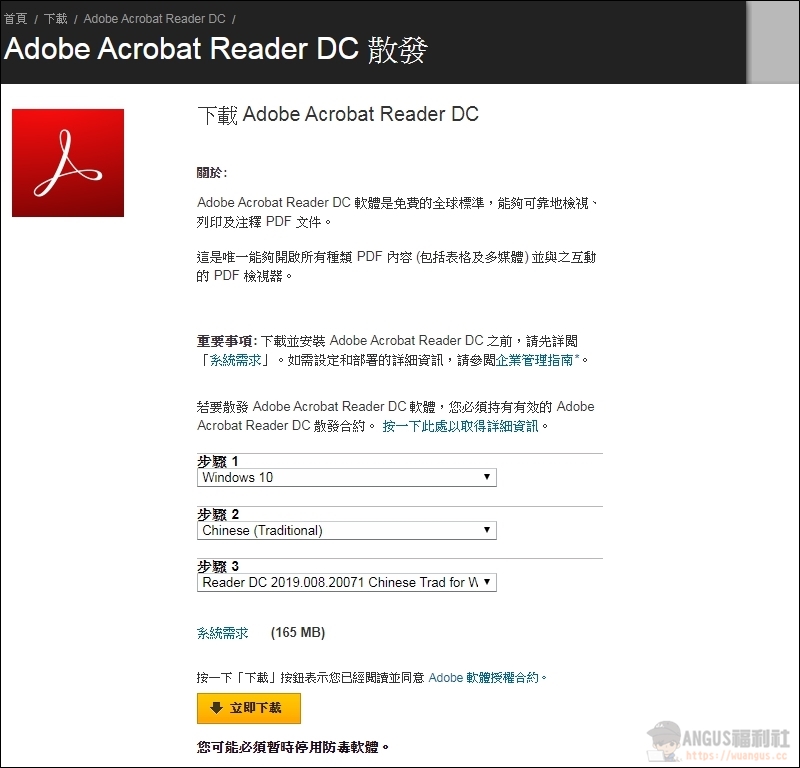
Method 3: Download the Acrobat Reader offline installation version
▼ Go directly to the page of the Acrobat Reader DC offline installation version, select the system, language, and version to download. (Click here to download)
More teaching articles
- The new version of Microsoft’s Chromium-based Edge browser is officially launched and is compatible with Chrome plug-ins!
- Turn on Chrome’s hidden feature to double your download speed!
- Google Chrome browser opens Office files and can edit Word, Excel, and PPT files
- Chrome plug-in integrates all communication software and logs in to all chat programs at once!
- [Teaching] Google Cloud documents, spreadsheets, and presentations can be transformed into PDF files in one second without plug-ins!
- More teaching
Source: KOCPC Chinese