


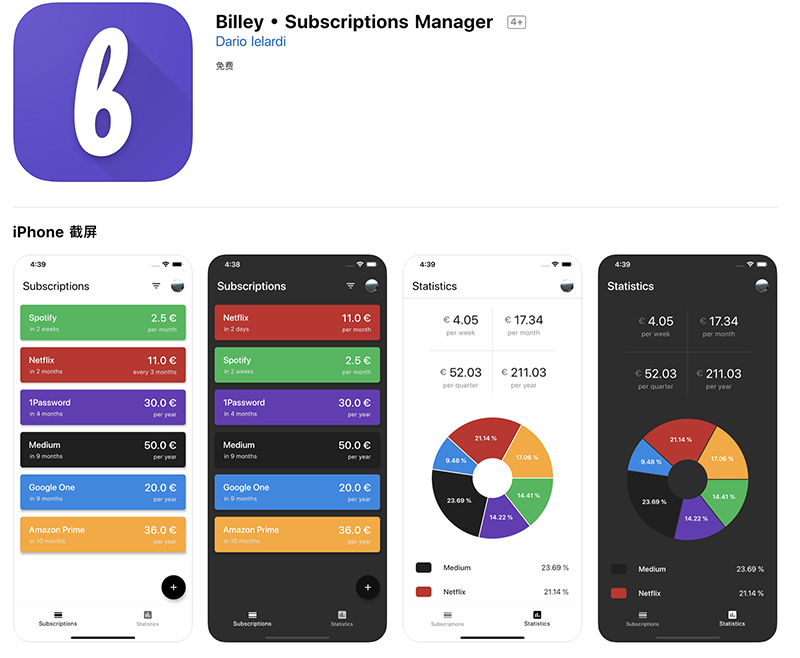
As more and more services switch to subscription-based services, sometimes you really don’t know the total cost you spend on such projects every month or year, and you seem to have no way to track these subscriptions that are always too late to stop automatic renewal? Now, apps are beginning to appear that focus on the needs of people who frequently use subscription services. Continue reading about how the cross-platform and free Billey app allows you to easily manage your analytics service subscription fees.
▲Picture source:
The cross-platform and free Billey app allows you to easily manage your analysis service subscription fees (usage experience)
In order to control spending, many people track related spending items through accounting. It’s just that there are apps or audio-visual service subscription services that are updated without warning every month or year. I always don’t know how to track them? Through the Billey app, you can now directly analyze the cost of your subscription, and after sorting it out, you can more systematically consider whether you should continue to spend money.
“Billey • Subscriptions Manager” supports cross-iOS and Android platforms. However, in the iOS version used in this article, if you directly search for “Billey”, it does not appear for some reason, but it is too long to type “Subscriptions”, so it is recommended that you download it through our portal for the easiest way – iOS(App Store)|Android(Play Store):
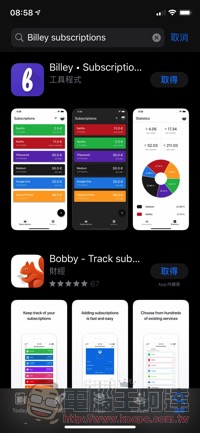

After turning it on, you will be asked whether you want to log in with a Google / Facebook account, or you can log in anonymously (cross-synchronization is not supported), and the user will also be asked for notification permissions (you can set subscription reminders):


Of course, when you first enter the application, it will be empty. Click “+ Add First” in the lower right corner to add the project. In addition to the update cycle, you can also choose notes, etc.:


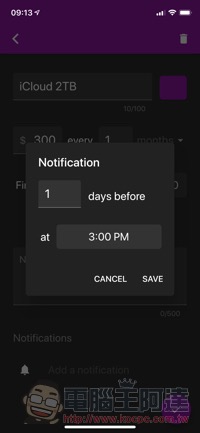
You can set how long in advance to notify you, which is important for friends who want to unsubscribe at the last minute. After adding multiple projects, you can choose to display the projects based on cost or update time on the homepage:
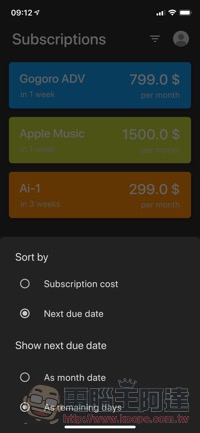
After a little input of the items I subscribed to in my impression, I discovered that the subscription fee I spent every month was actually quite a lot after adding up the various expenses…:
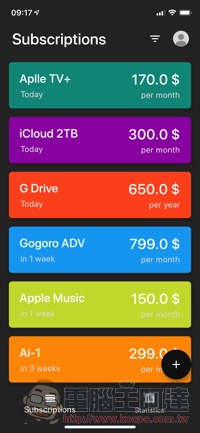
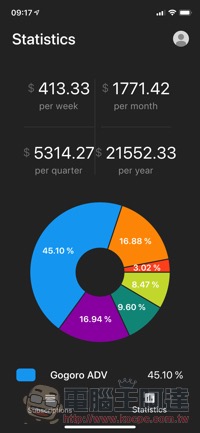
in conclusion
Although the App Store actually already provides the function of centralized management of subscription items, for cross-platform or non-mobile system subscription items, sometimes it is not so intuitive to bring them together. This need can be met through Billey, and it can also let you understand your spending status through quick analysis. What’s more important is that it is currently free, and it also supports cross-platform. I would like to share it with readers who can’t help but swipe to subscribe. Enter it carefully, and then take a look at the analysis to be wary of where you spend your money every month.
Further reading:
iOS 13 teaches you how to manage and unsubscribe apps, making it easier than before

Source: KOCPC Chinese