


Since the advent of Google Map on mobile phones, it has indeed relieved many people from road-finding and transportation obstacles. However, if you are like the author and can’t even figure out the east, west, north, and south, and will get lost if you follow the map, then the augmented reality pedestrian navigation software PinnAR introduced today is very suitable for you. Using the popular AR technology to display guidance indicators on the scenery, it is not easy to get lost, and it is also very easy to use when traveling in Japan.
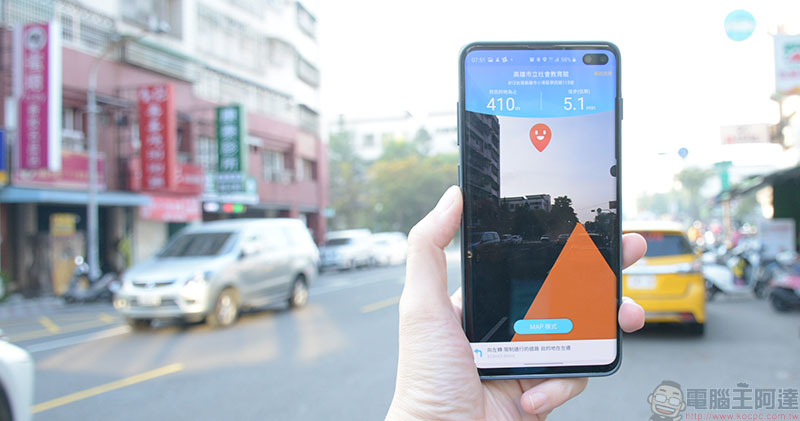
PinnAR is a pedestrian navigation software that can scan text to search for places. It is also easy to use when traveling to Japan.
Although Google has been saying that it will put AR into its map service for a long time, it seems that this function has not been available so far. The PinnAR introduced this time is a free application developed by Japan’s Wi-Ho! Telecom. This software is not only easy to use in Taiwan, but it is also super easy to use in Japan, the favorite tourist destination of Chinese people! Even if you don’t speak Japanese, you can scan text and pictures to find your destination.

Android download:Click here
iOS download:Click here
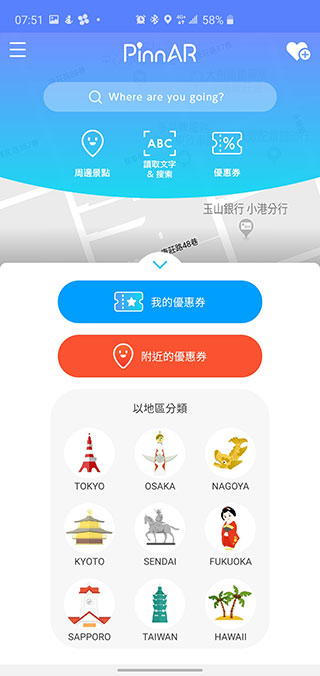
After turning on PinnAR, you will see that the main interface is map mode, and has three obvious functions: nearby attractions, reading text & search, and coupons. The above conventional manual input search fields should not need to be introduced. The author will give you an explanation of the three main functions.
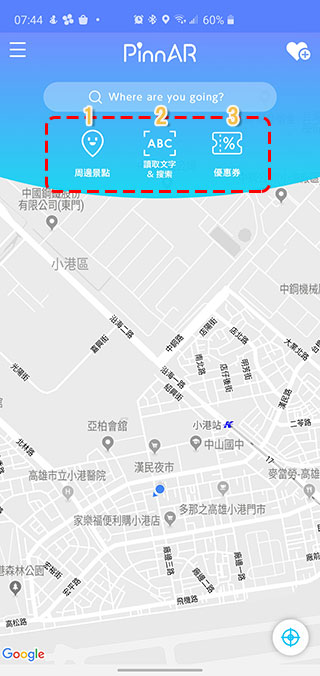
1. Surrounding attractions
In fact, I think his naming is a bit inaccurate in this item, but it does not affect understanding. Forget that you think the scenic spots are scenery and landmarks. This is actually very convenient, especially if you go to a place you are not familiar with and are completely unfamiliar with the neighborhood. In this item, you can quickly find the facilities or stores you are looking for, which is more practical in life.
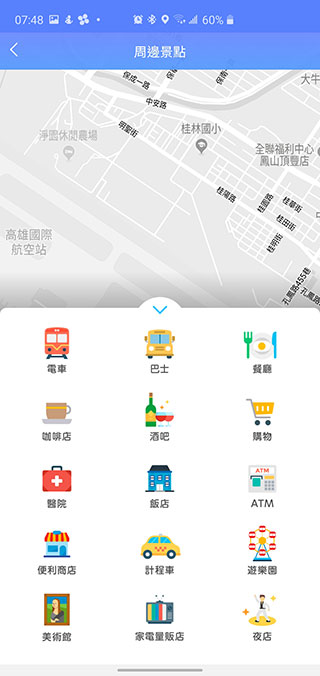
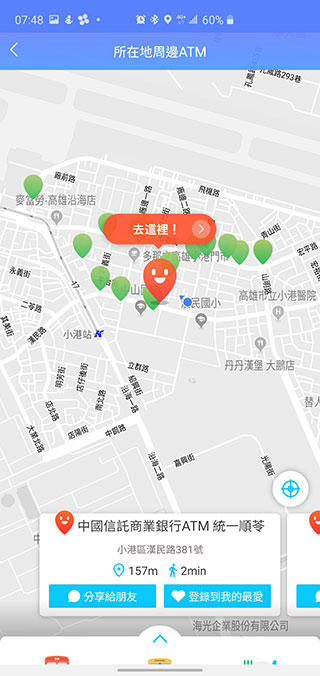
For example, I just don’t have enough money with me and I want to find a nearby ATM. In the past, you might have to walk along the street casually. In PinnAR, you only need to click on the ATM button to list the ATMs near you. Isn’t it much more convenient?
2. Scan text & search
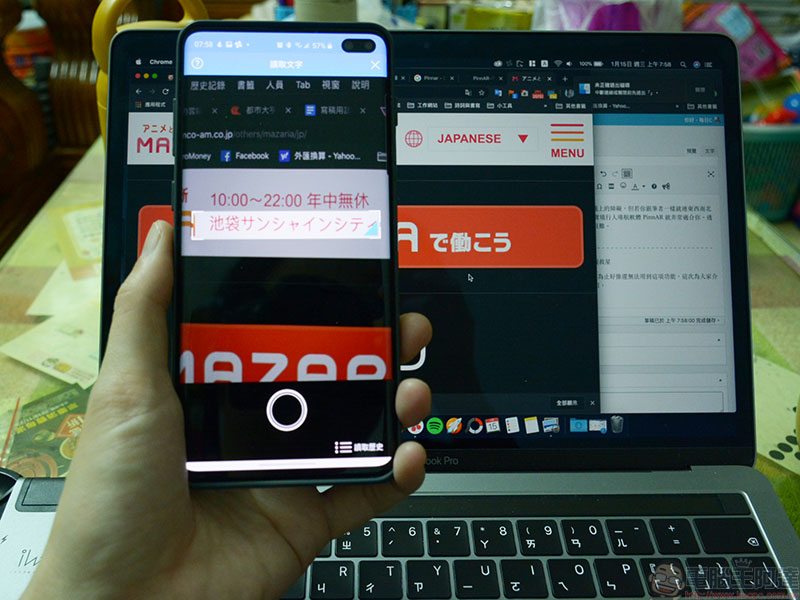
This is the most practical thing for going abroad! Since the developer is a Japanese company, the local support in Japan can be said to be very complete. Sometimes you see a good restaurant or hotel in a travel book or website, but you don’t know how to search for it in Japanese. You can use this function to scan it directly with the camera of your phone, and then the system will automatically convert it into text. If there are any errors in the text, you can manually correct it. After searching, you can display the place you want to go on the map and navigate there. After entering this function, you will see a marquee box, align it with the text you want to scan, adjust the size, and press the capture button.
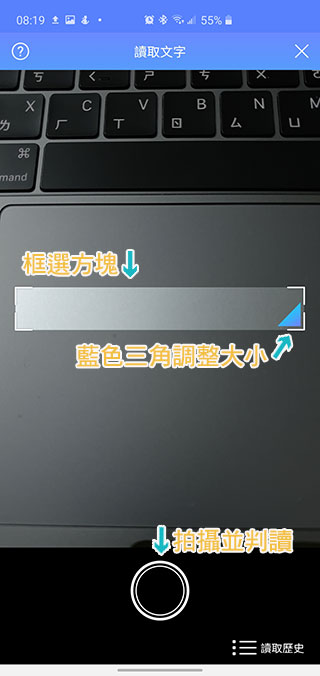
For example, I saw on the Internet that there is a CG STAR LIVE at Bandai Namco Mataria in Ikebukuro, Tokyo. I want to enter the address but I don’t know how to type in Japanese. How should I do it? Just like below, frame the text you want to recognize and take a photo. Then you can convert the text and search, then select the correct destination to display it on the map.
3. Coupons
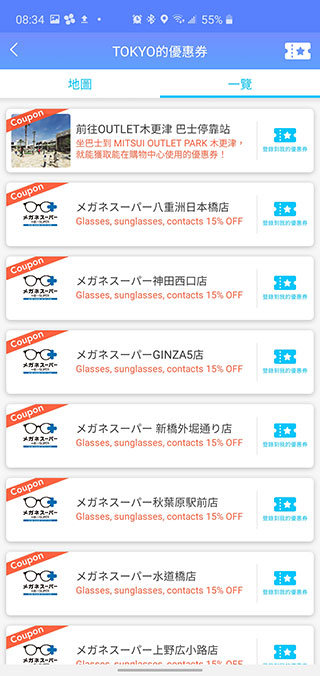
This part is mainly based on Japan, after all, it is the place where it started! Tourist hotspots such as Tokyo, Osaka, Kyoto, Sendai, etc. are among them. You can click on the city to see which partner merchants provide coupons, or you can click on the nearby coupons to directly view the coupons available around you. Currently, there are very few coupons in Taiwan. It is a pity that there are only coupons for Internet terminals. It would be great if more coupons can be added in the future.
When entering the navigation screen, you can choose MAP mode or AR mode. Needless to say, the map mode uses a flat map to present the route map; the AR mode places all the indicators on the real scene after you press Start Navigation. Even if you can’t tell the difference, you don’t have to worry about going in the wrong direction, just follow the arrows! Tap the circle in the center below to instantly switch between the two modes.
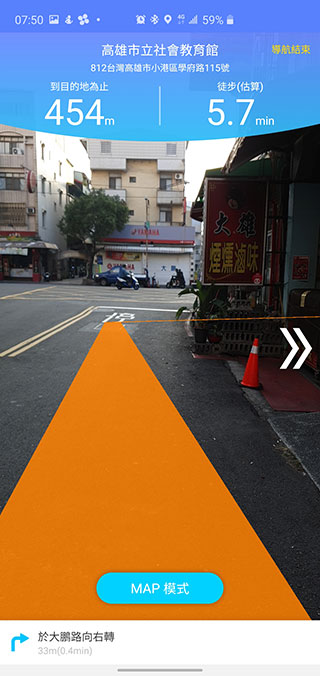
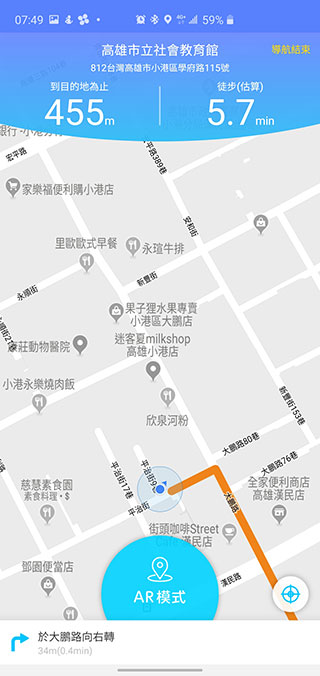
There is another search method in PinnAR that I think is very good but not perfect yet, and that is the “image scanning” function hidden in the menu! Sometimes the impression of a scenic spot may come from a picture uploaded by a friend or an architectural scene on a calendar, but you really can’t figure out where it is. Using the image scanning function, the software will compare photos with the company and tell you the name of the landmark or attraction, and allow you to choose to navigate there. The implication is that if the photo you scan does not have a cooperative relationship with PinnAR, it will not be compared, so you can only try your luck!
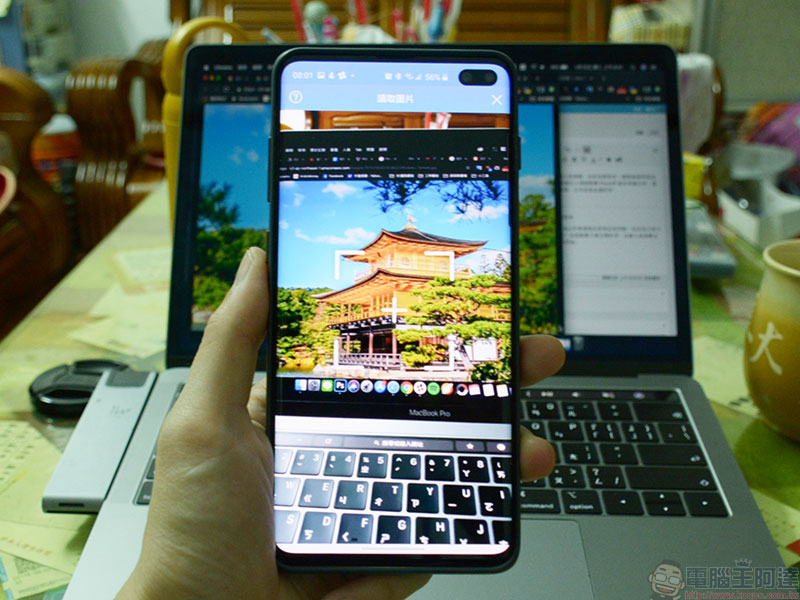
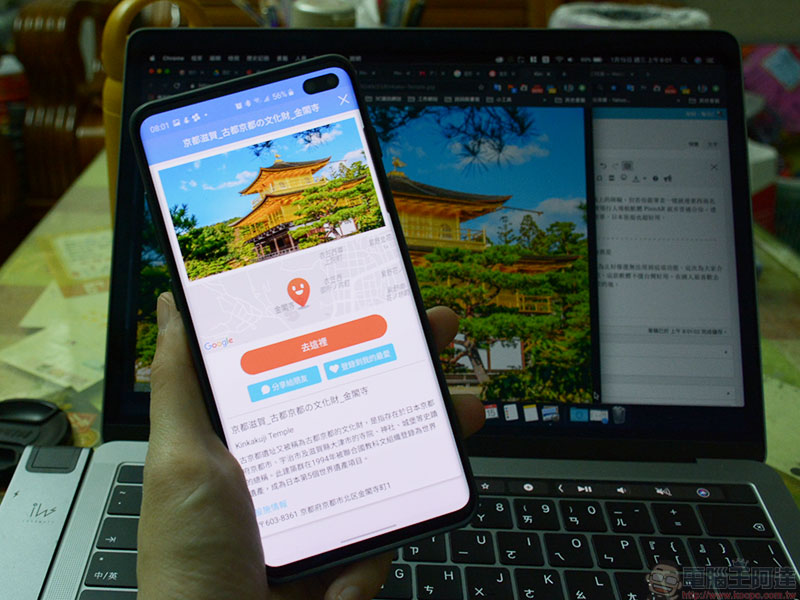
PinnAR is a free app. Except for the coupons, it is generally very easy to use in Taiwan. If you go to Japan, it is a highly recommended app. People who do not speak Japanese must try it!
Source: KOCPC Chinese