


Kaspersky has always been our favorite anti-virus software. It has powerful functions ranging from personal privacy protection, Internet access, and anti-virus. It also provides a variety of practical application functions, such as password management, system cleaning, privacy cleaning, child mode, etc. Basically, it can be said that it is a set of software that can protect all your digital assets. although it hasFree version, but the function is very simple, only basic anti-virus, so if you have the opportunity to upgrade to the paid version, we highly recommend it, especially the Kaspersky Total Security version, which has all the functions. Let’s quickly introduce you to the useful features of this set.
I know many people cannot accept the pricing on the Taiwan official website. The good news is that they often offer super discounts. BzFuture website, in this New Year event, we launched buy-one-get-one-free anti-virus software such as Kaspersky. Not only is the price nearly half cheaper than the official website, but we also give away a Windows 10 Pro OEM serial number for free. It is very cost-effective. We also bought the top-level security suite version through this event.
What you need to know before you start
Although the Taiwan official website also has a download point for the top security suite (Kaspersky Total Security), Kaspersky has so-called regional version restrictions. The serial number purchased on BZFuture is Global (global version) and must be purchased fromDownload the Global version from the US official websiteOnly then can the serial number be successfully enabled, and I will demonstrate it to you below.
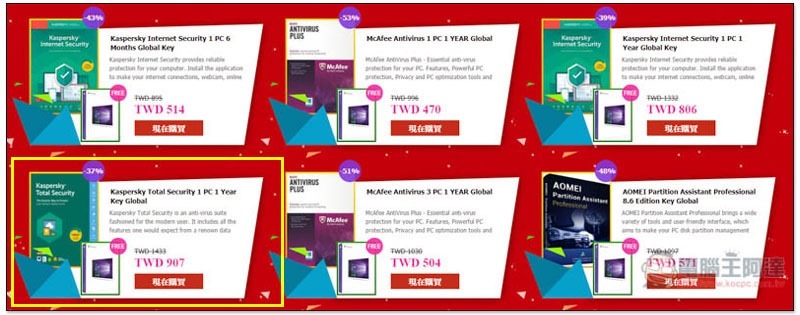
- Kaspersky Internet Security 1 PC 6 Months Global Key comes with Windows 10 Pro Key, Price: 514.00 TWD
- Kaspersky Internet Security 1 PC 1 Year Global Key comes with Windows 10 Pro Key, price: 806.00 TWD
- Kaspersky Total Security 1 PC 1 Year Key Global comes with Windows 10 Pro Key, price: 907.00 TWD
- McAfee Antivirus 1 PC 1 YEAR Global comes with Windows 10 Pro Key, price: 470.00 TWD
- McAfee Antivirus 3 PC 1 YEAR Global comes with Windows 10 Pro Key, Price: 504.00 TWD
Kaspersky Total Security anti-virus software introduction
The Global version of Kaspersky’s top-level security suite only has an English interface. Personally, I think it’s fine because it’s quite simple to use and has exactly the same functions. Plus, BZFuture is really much cheaper. It saves more than 500 yuan and a lot of Windows 10 Pro OEM serial numbers. It’s worth it.
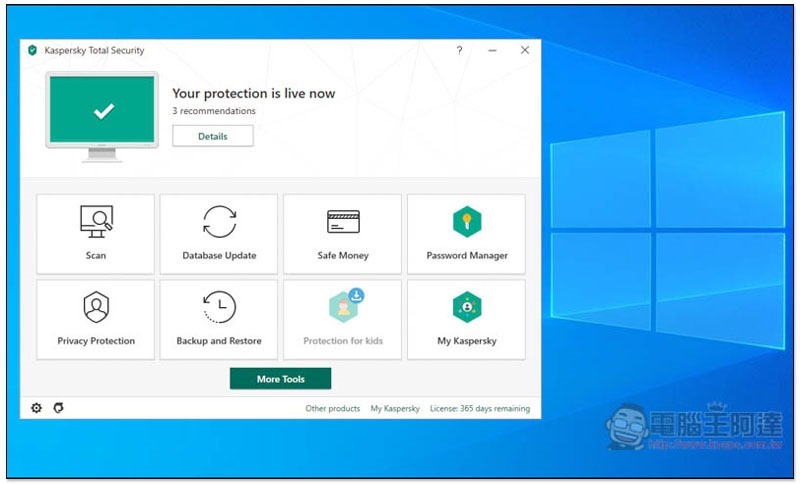
After the installation is completed, real-time protection and Internet protection will be automatically turned on. There are eight major functions on the home page:
- Scan
- Database Update
- Safe Money
- Password Manager
- Privacy Protection
- Backup and Restore
- Protection for kids
- My Kaspersky
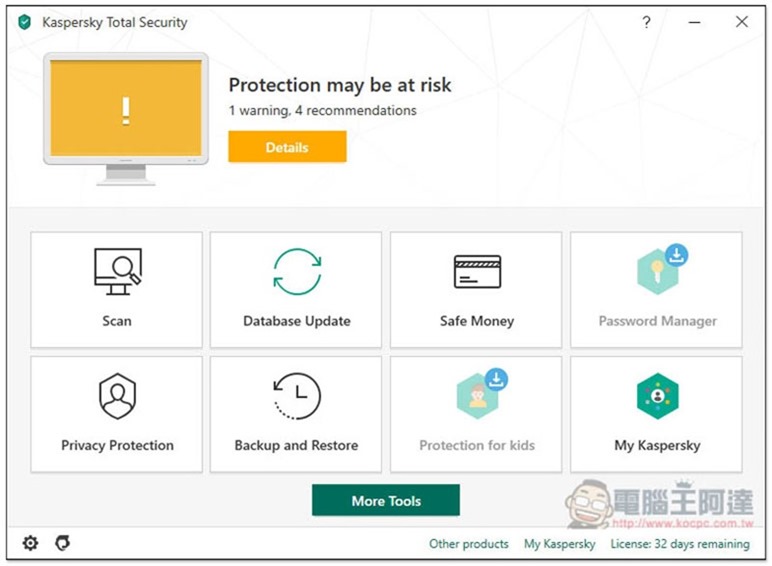
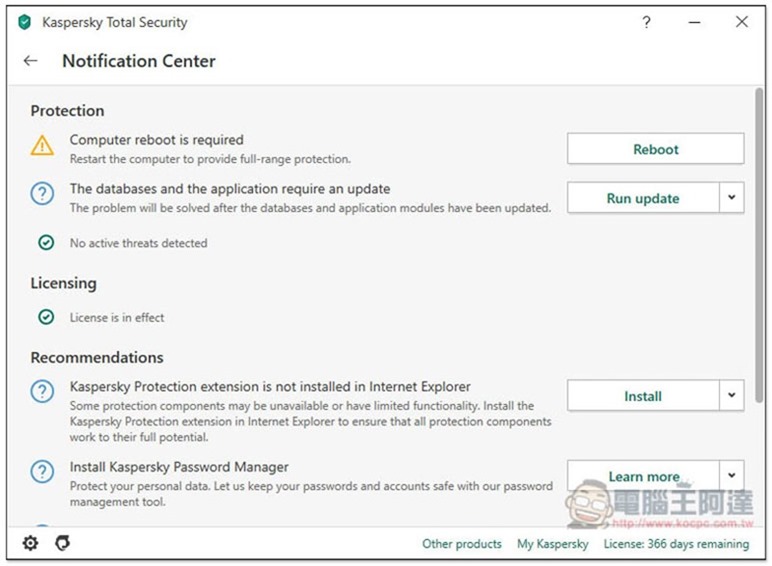
There is a Protection may be at risk function at the top that I quite like. It will scan the current settings in the computer to see if there are any risks? Are there any protective tools missing? Let us quickly understand whether the current protection status of the computer is high or not:
Scan provides four modes: “Full Scan”, “Quick Scan”, “Selective Scan”, and “External Device Scan”:
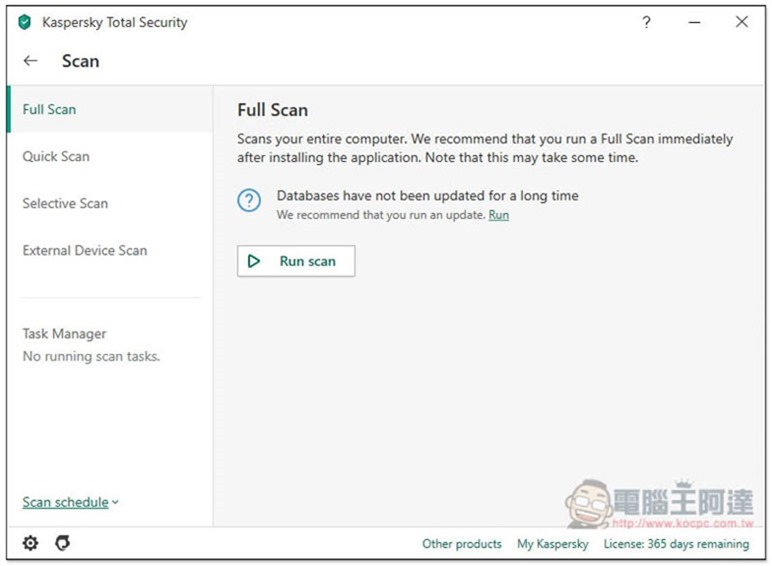
If you are too lazy to scan manually, you can click the Scan schedule function in the lower left corner to set the schedule for automatic scanning. Remember to set it to a time when you are not playing games or working so that it will not be affected.
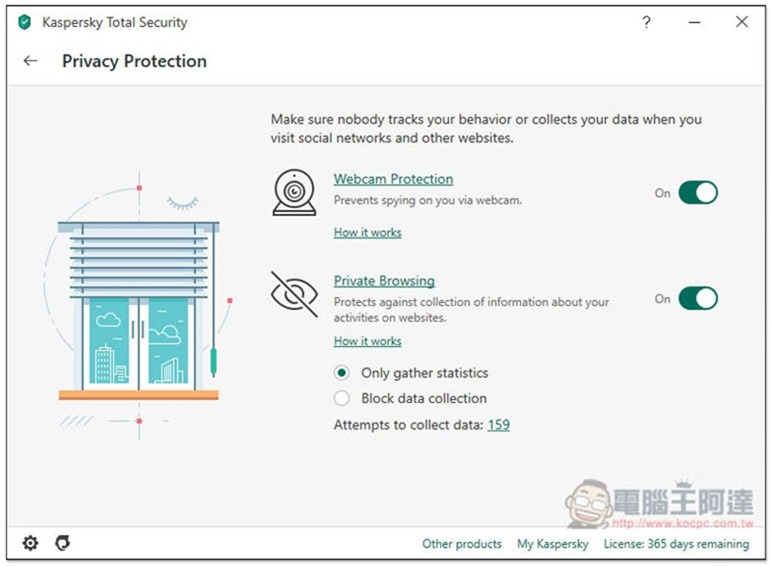
Privacy Protection has two major functions, “Webcam Protection” and “Private Browsing”. The former will protect your camera (Webcam) at any time to avoid hackers. The latter brings you privacy protection when surfing the Internet, preventing websites from collecting your personal information:
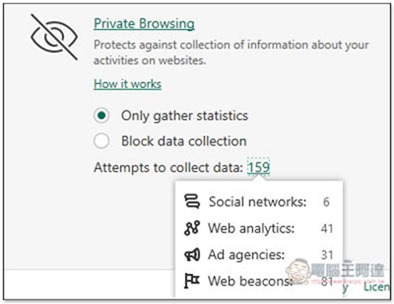
Click on the number below to see how many websites it has blocked that attempt to collect data. Not long after I installed it, the total number has already reached 159. I didn’t expect there to be so many:
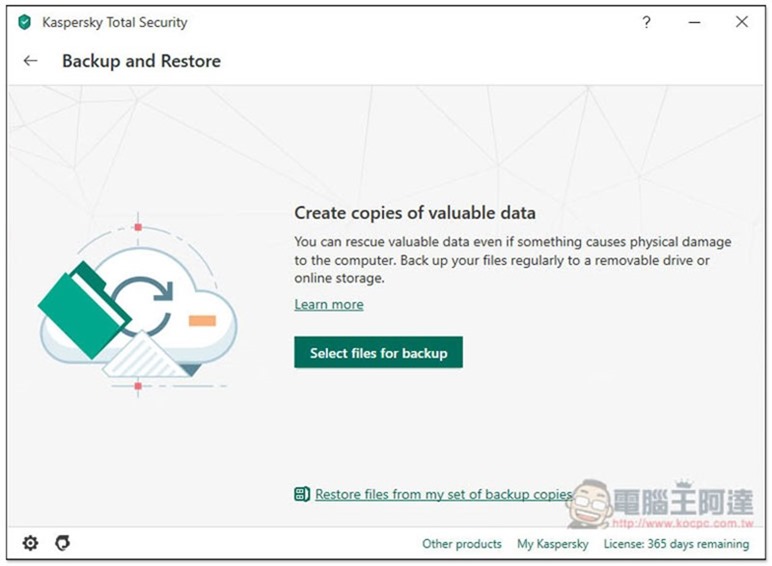
If you have important data or files on your computer that you want to back up, you can use Backup and Restore to create an automatic backup task to the cloud. It supports most common cloud drives, such as Dropbox, Google Drive, etc.:
For the detailed process, please refer to the official introduction below:
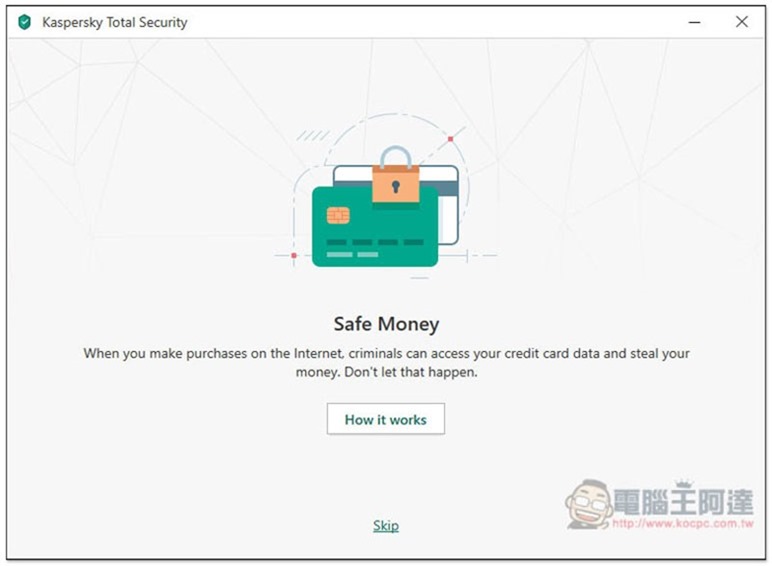
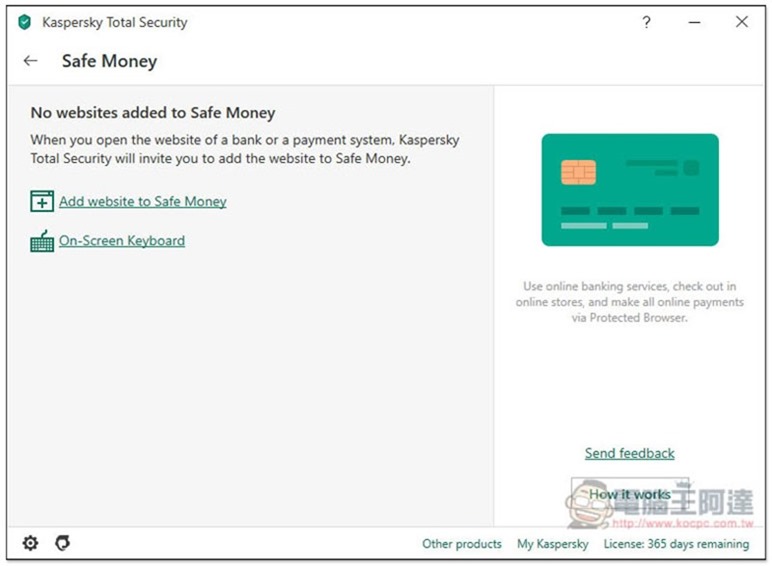
Safe Money is a feature I like very much, it makes online payments safer. When we need to make an online payment, this function will automatically open a highly protective window to check whether the bank website, payment system and online store being accessed are safe, as well as the credentials used to establish a secure connection. I will briefly demonstrate it for you below:
After entering the Safe Money page, click Add website to Safe Money to add the website you want to pay or frequently consume:
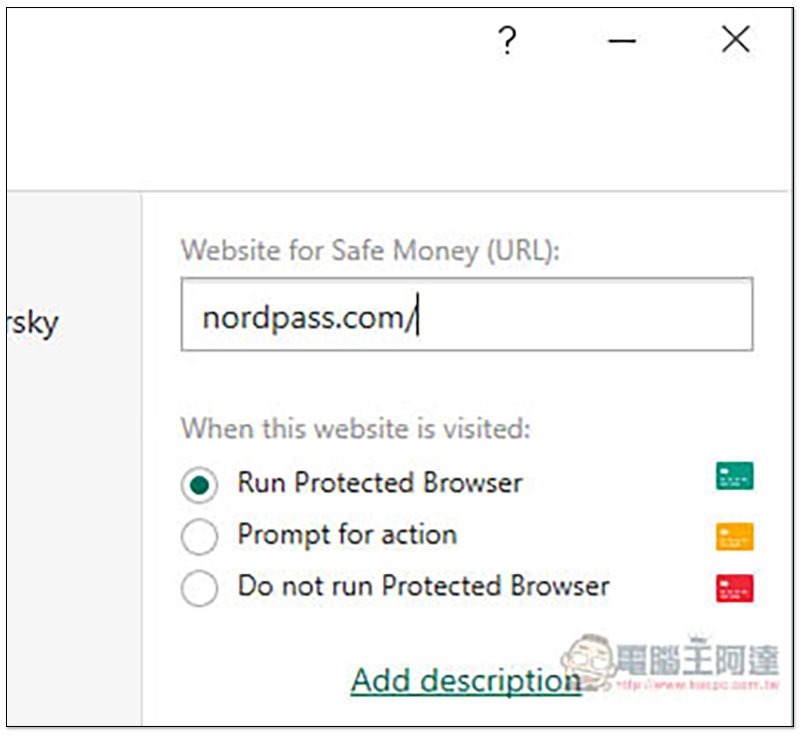
I take Nordpass as an example. There will be three options below. The first one, Run Protection Browser, will open a new highly protected page:
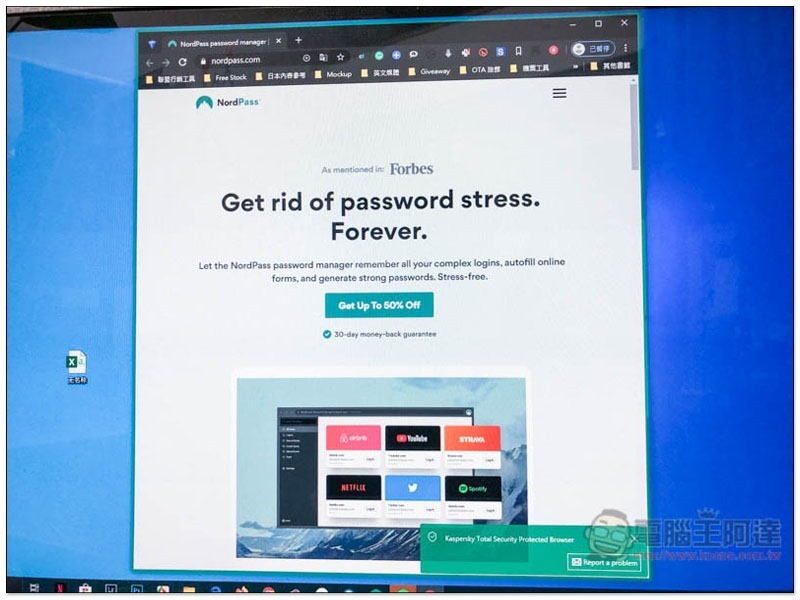
In the future, when I enter the NordPass website, this new tab will be automatically enabled. This tab is so protective that I couldn’t even take a screenshot myself, so I used my phone’s camera to take a picture of it. There will be a green circle around the paging window, which means it is being protected:
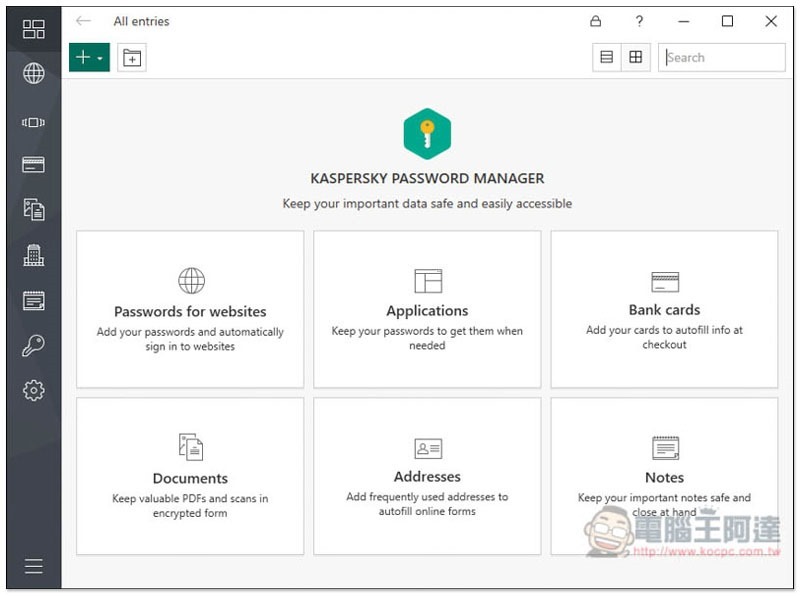
The functions provided by Password Manager are also very comprehensive, ranging from basic storage of login information, credit cards, files, addresses, to memos. It is almost the same as some well-known paid password management tools on the market:
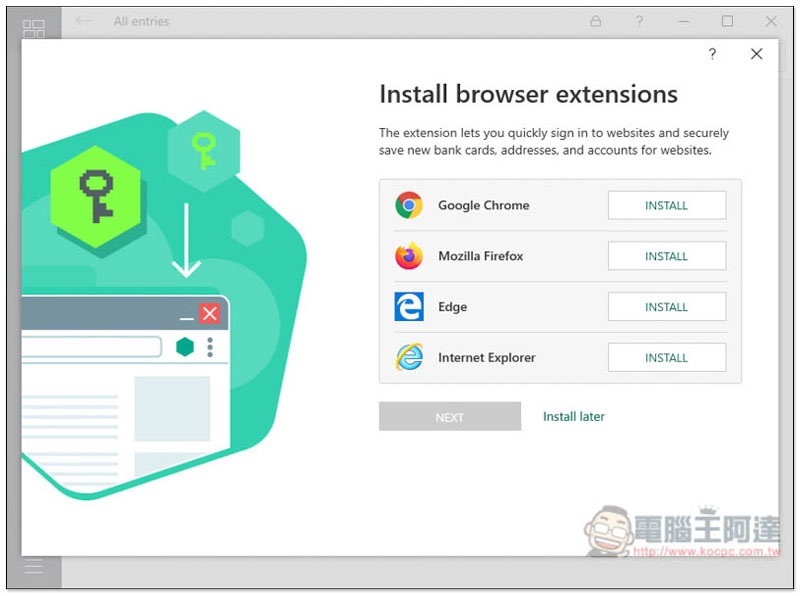
Browser autofill plug-ins are also supported:
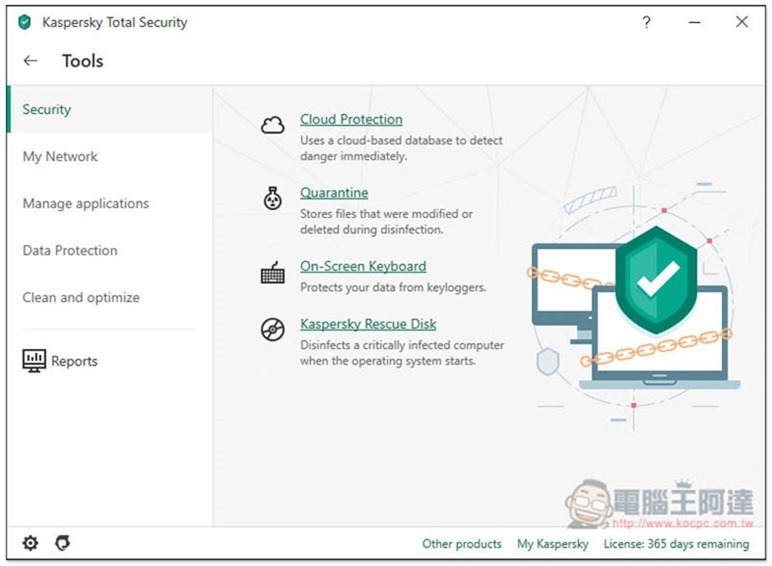
In addition to the eight major functions, there is also a More Tools button at the bottom of the homepage. After clicking it, you can find more functions, such as Cloud Protection in the picture below, and Quarantine to avoid accidentally deleting files during virus scanning:
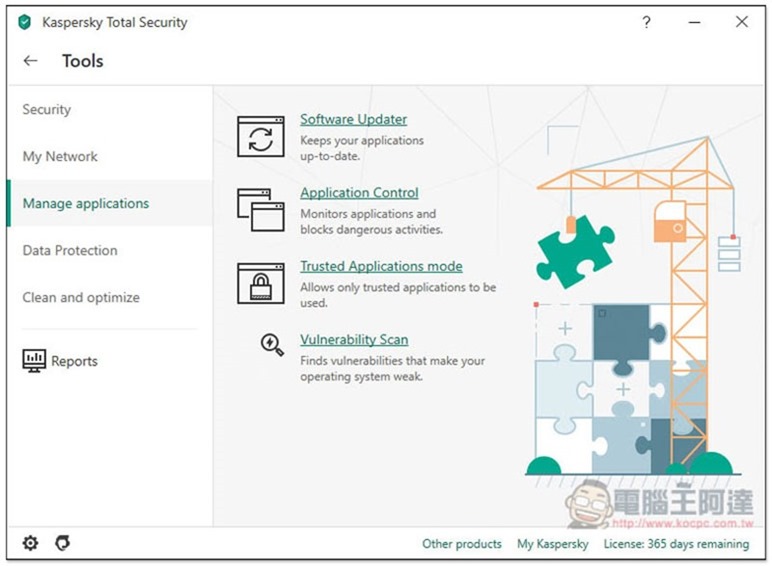
Automatic software upgrade (Software Updater), application control (Application Control), etc.:
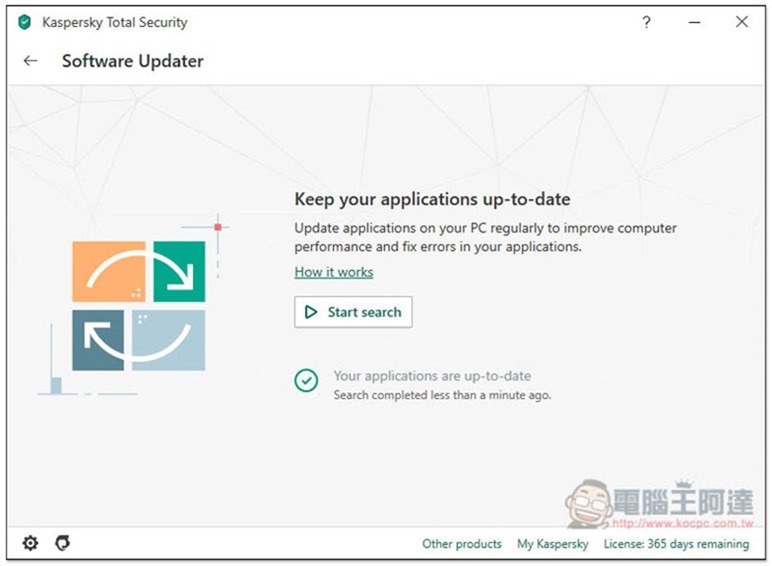
I think the automatic software update is pretty good. It will scan the installed applications on your computer to see if there are new versions:
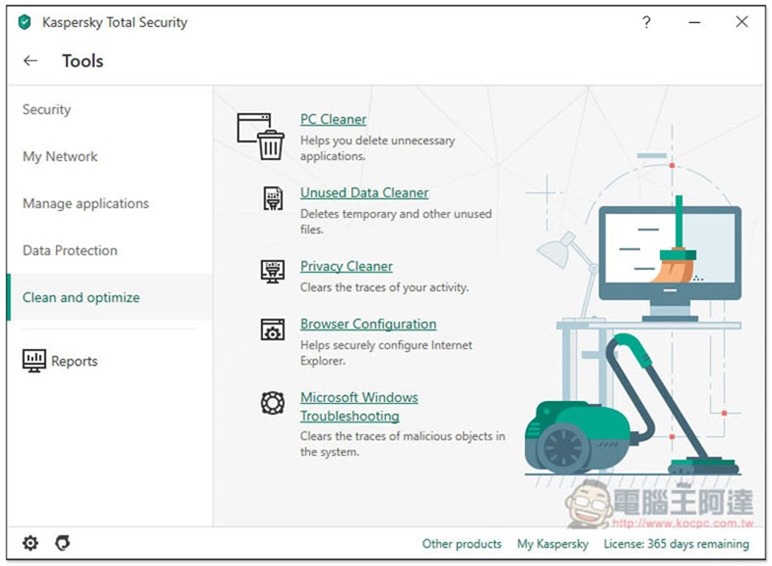
Clean and optimize also has a variety of cleaning tools, such as: PC Cleaner, Unused Date Cleaner, Privacy Cleaner, etc.:
Kaspersky Top Security Suite has so many functions, and the rest is left to the readers to try on their own! In addition, this set provides a free trial. Those who are interested can download it and give it a try first. If you like it, you will consider BzFuture’s discounts, but remember not to wait too long, as you are not sure when this New Year discount will be available.
Software download point and serial number activation
I mentioned earlier that the serial number purchased from BzFuture must be downloaded from the foreign official website for the Global version. The Taiwanese official website cannot be activated normally due to regional version restrictions.
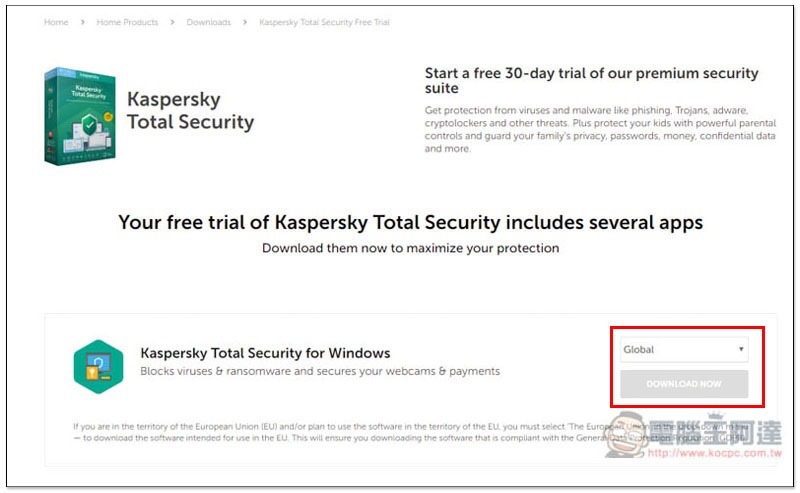
Click here to go to the foreign official website of the Kaspersky Total Security version., pay attention to whether the red box is Global. If so, you can click Download below to download the installation file:
This time, BzFuture also sells other versions of Kaspersky anti-virus software. You also need to download it from foreign official websites. If you don’t know how to find the download point, you can search for the English name on Google, such as: Kaspersky Total Security, Kaspersky Internet Security, etc. You will find it.
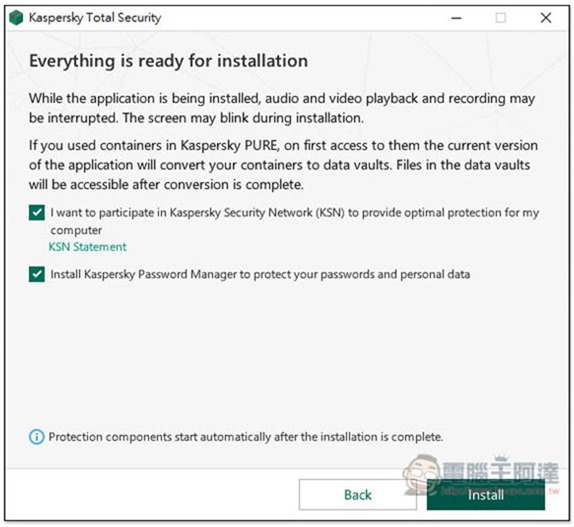
Just keep pressing Next during the installation process, you don’t need to move anything:
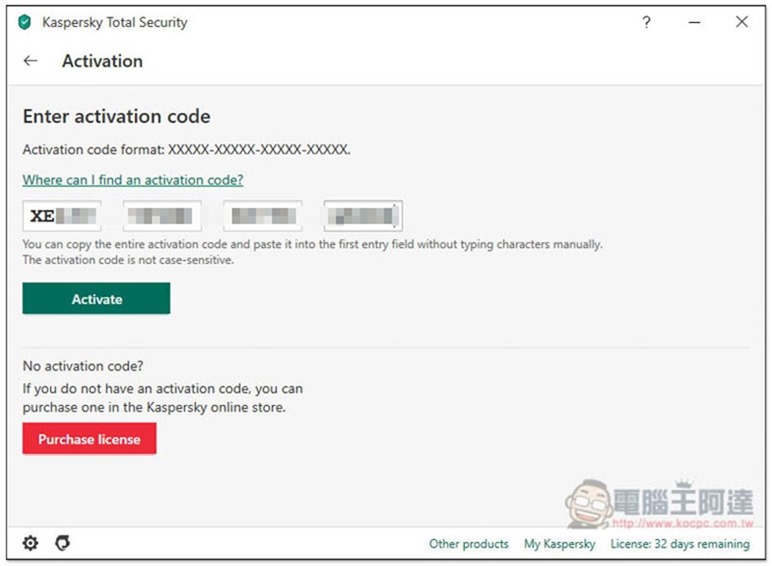
I tested and confirmed that it can be successfully enabled:
BzFuture 2020 New Year Promotion
Click here to enter the BzFuture website, you will see the content of the 2020 New Year activities. Multiple anti-virus sets are at half price and Windows 10 Pro OEM serial numbers are given for free, which is equivalent to buy one, get one free:

This article recommends Kaspersky Total Security. The original price is 1,433 yuan, but now it only costs 907 yuan. You can save more than 500 yuan and get a Windows 10 Pro OEM serial number for free. No matter which set you want to buy, remember to select the Global one at the end so that this serial number can be activated globally:
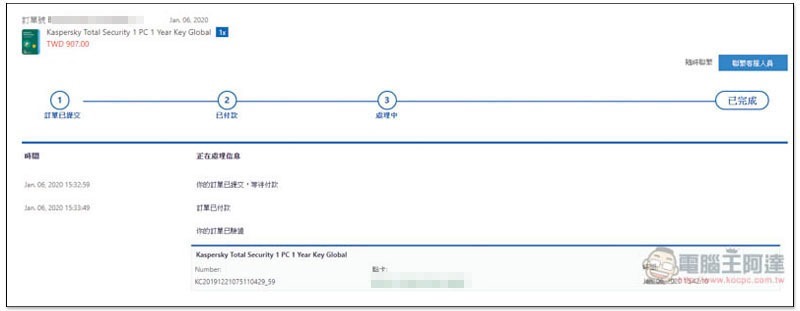
After payment is completed, the serial number can be found in the order (For detailed purchasing process, please refer to this article):
Below are all the Kaspersky discounts this time. If you don’t want to spend so much money at once, you can also consider the Kaspersky Half-Year Edition, which is very cost-effective:
- Kaspersky Internet Security 1 PC 6 Months Global Key Special price TWD 514 (original price TWD 895)
- Kaspersky Internet Security 1 PC 1 Year Global Key Special price TWD 806 (original price TWD 1332)
- Kaspersky Total Security 1 PC 1 Year Key Global Special price TWD 907 (original price TWD 1433)
- Kaspersky Internet Security 1 Device 1 Year For Android Key GLOBAL Special price TWD 471 (original price TWD769)
Source: KOCPC Chinese